Customer Ratings & Reviews

- Model:
- SDMU27M90
- SKU:
- 6512813
Rating by feature
- Display Quality
Rating 4.5 out of 5 stars
- Ease of Use
Rating 4.3 out of 5 stars
- Features
Rating 4.4 out of 5 stars
Customers are saying
Customers are enthusiastic about the picture quality, HDR, refresh rate, and local dimming features of the 27” INZONE M9 monitor, with many praising the vibrant colors and smooth performance. However, some users expressed disappointment with the speakers and stand, citing issues with audio quality and stand adjustability. Concerns were also raised regarding the monitor's price point and the occasional presence of dead pixels. A few users reported screen issues such as random blackouts.
This summary was generated by AI based on customer reviews.
Product was damage!!!!
||Posted . Owned for less than 1 week when reviewed.This reviewer received promo considerations or sweepstakes entry for writing a review.I went to pick up this product to the store when i went to my house and i started getting ready to use it, when i turned on it was broken the screen was scratch and everything inside was broken
No, I would not recommend this to a friend- Pros mentioned:Brightness, Picture quality

Perfect For a PC/PS5 Setup
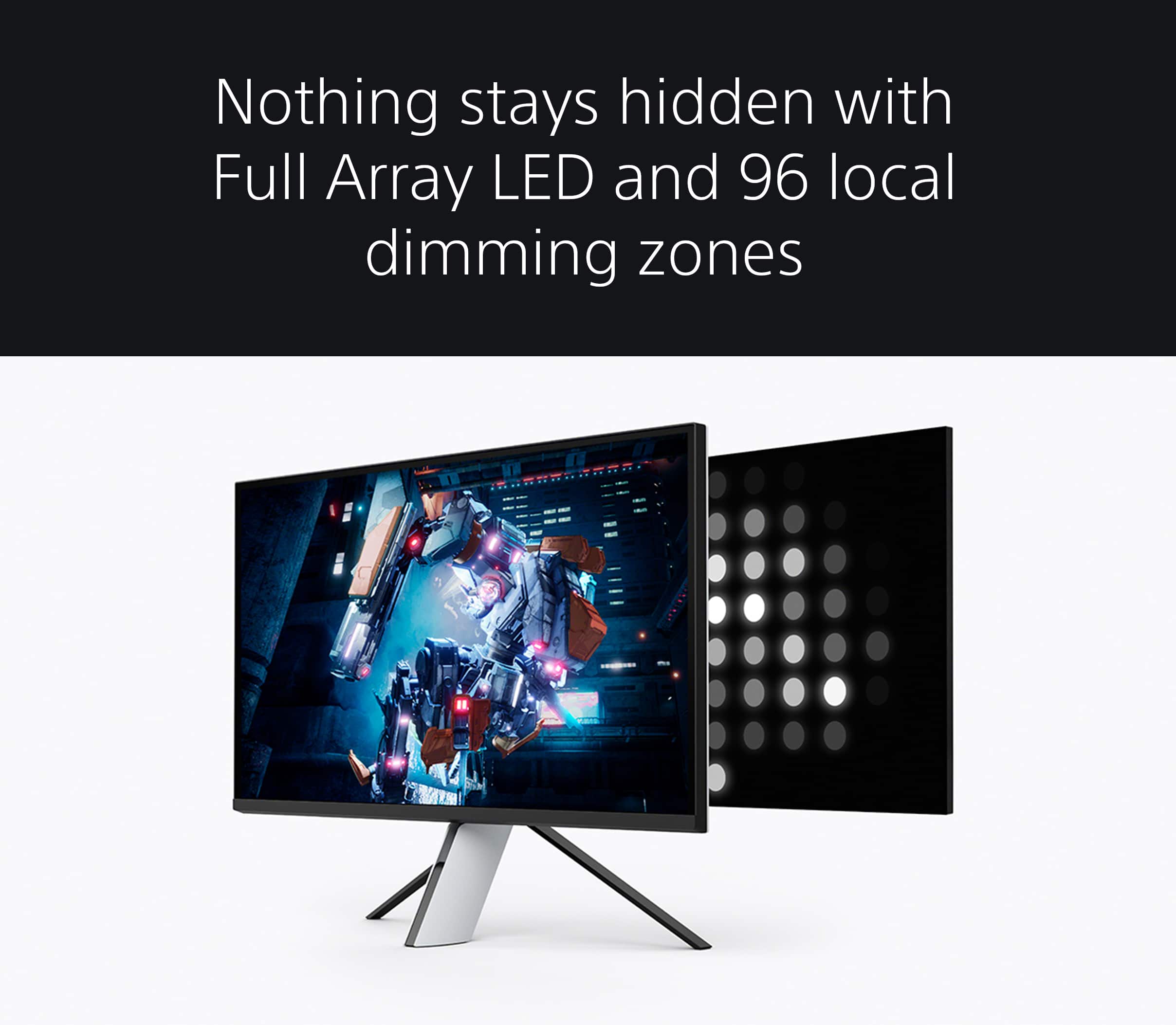
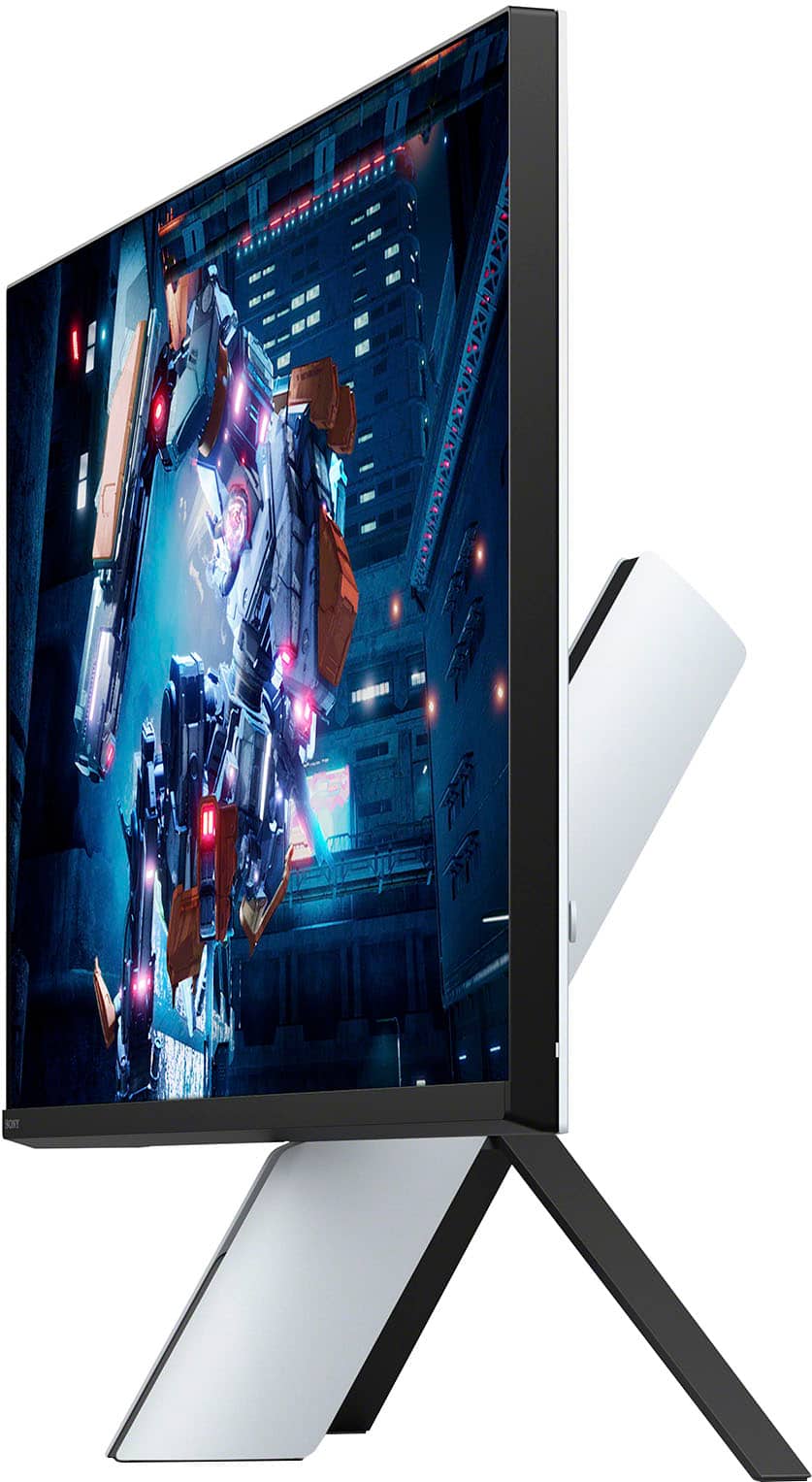
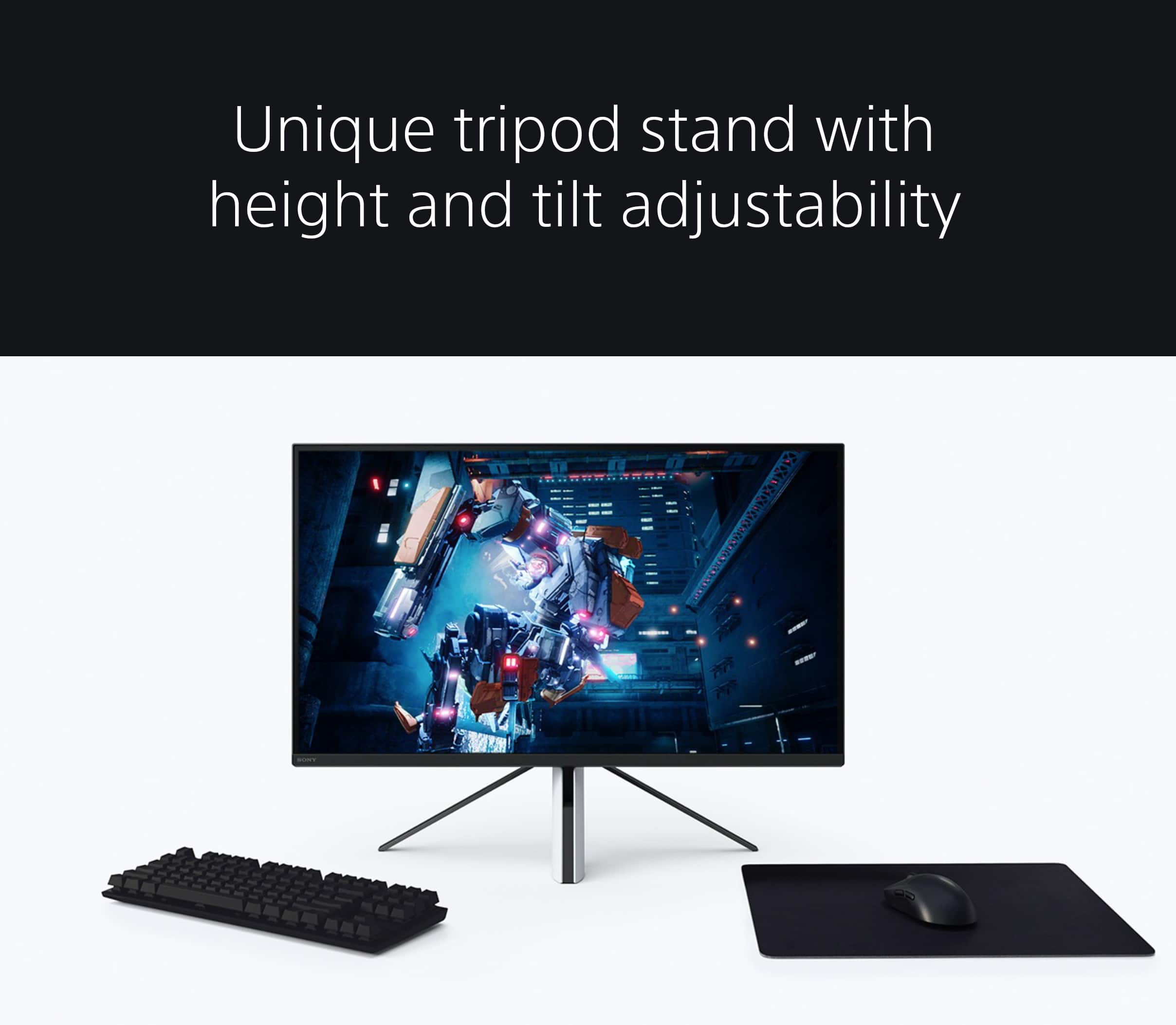
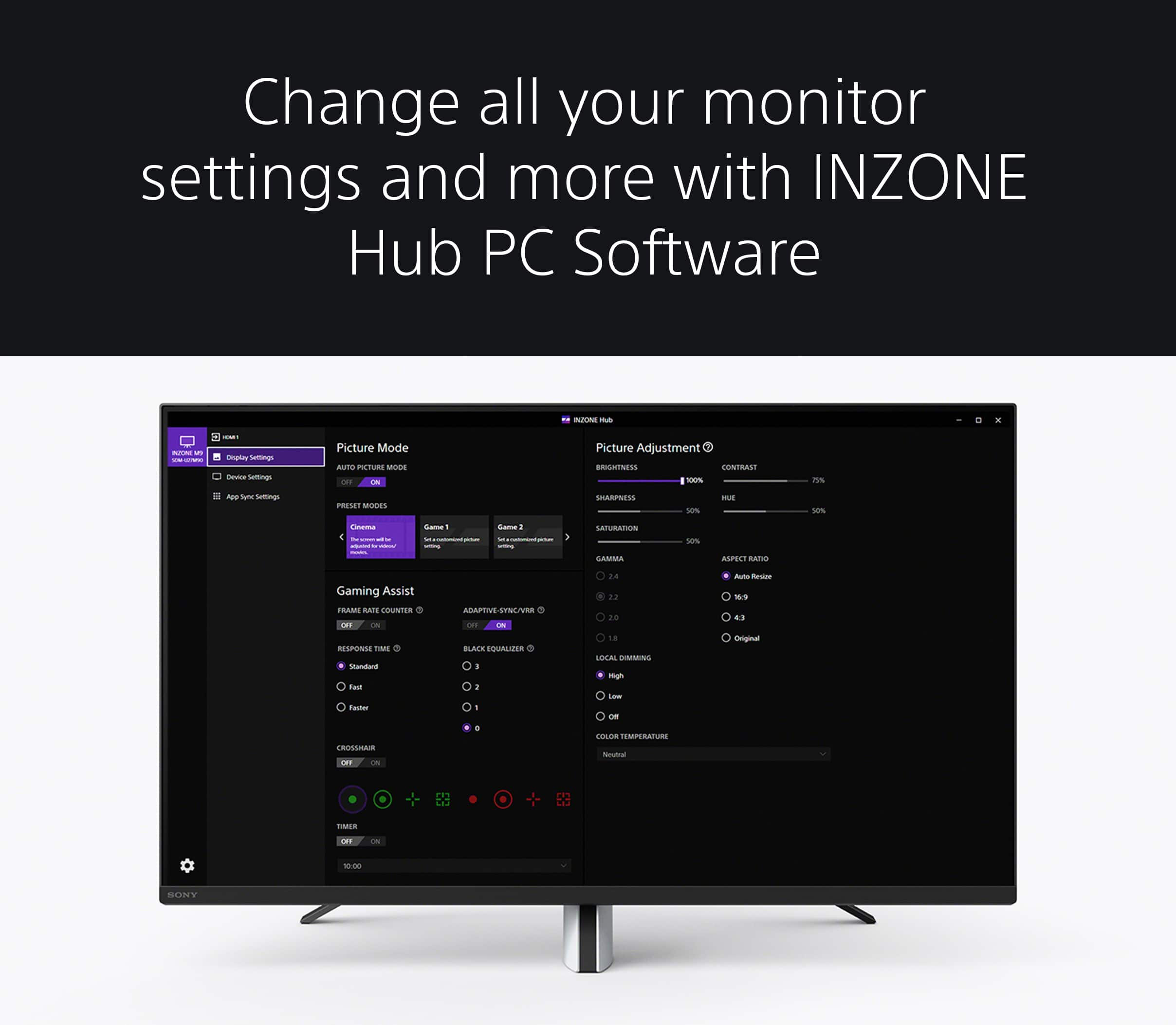
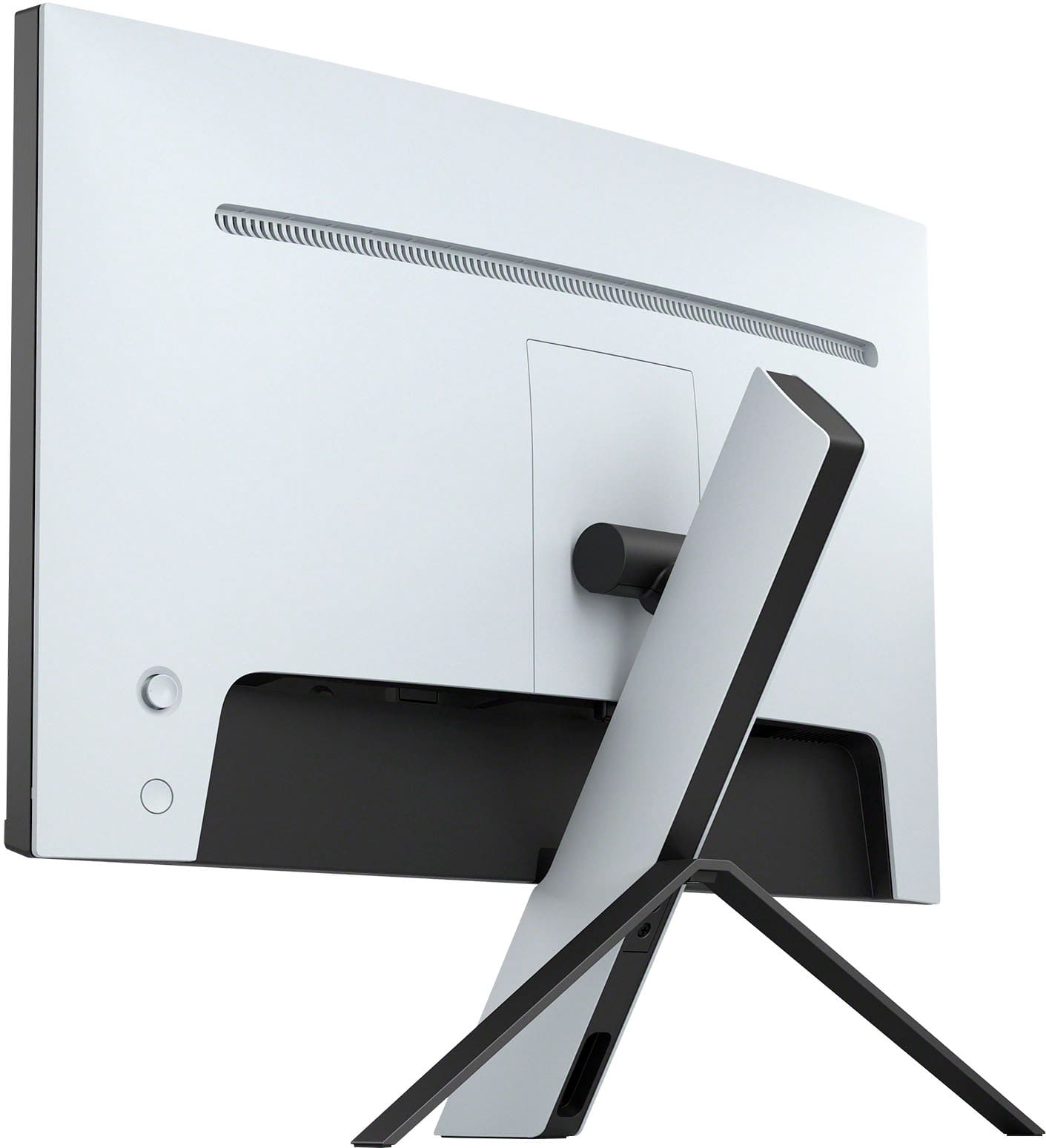
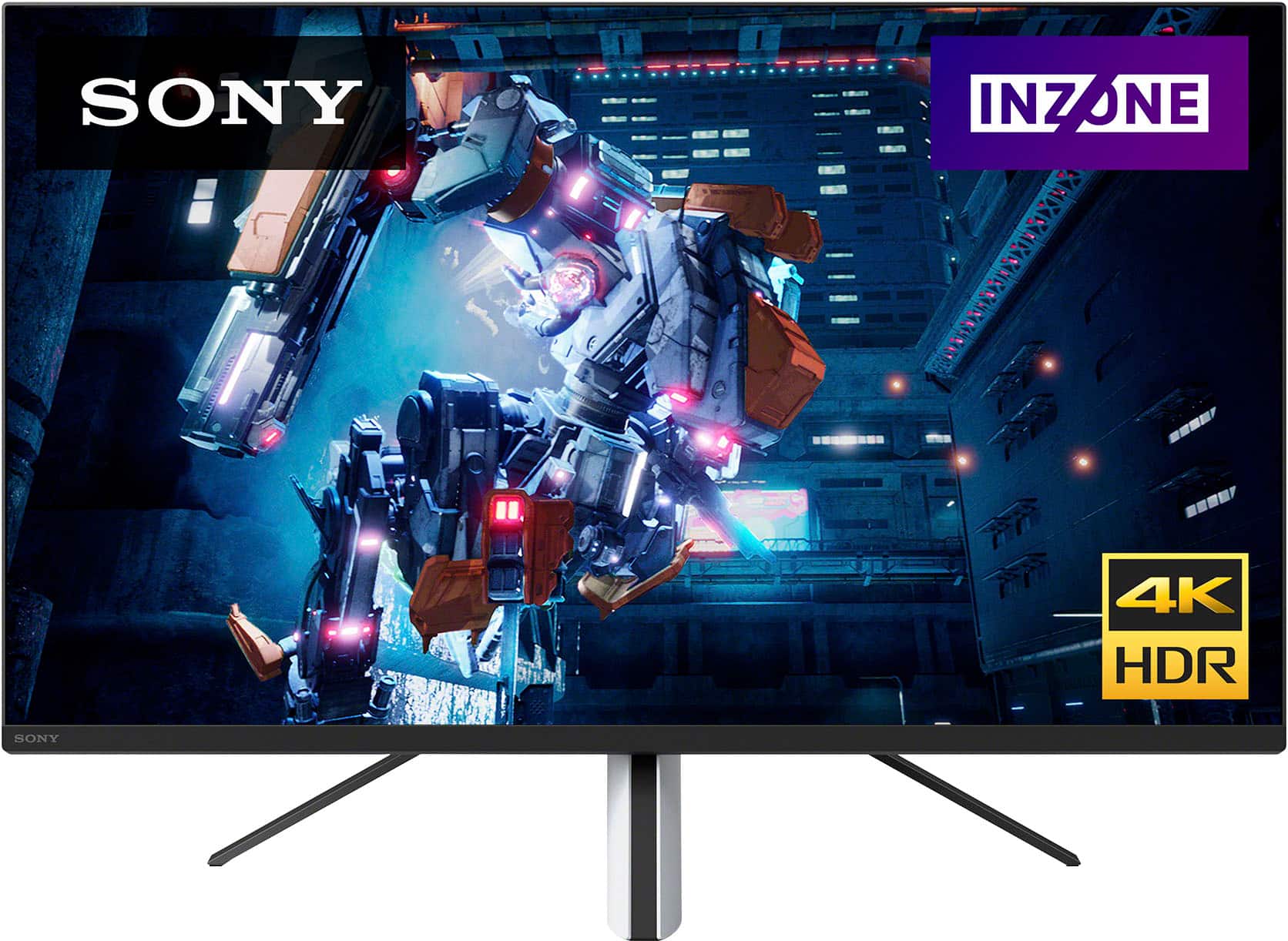
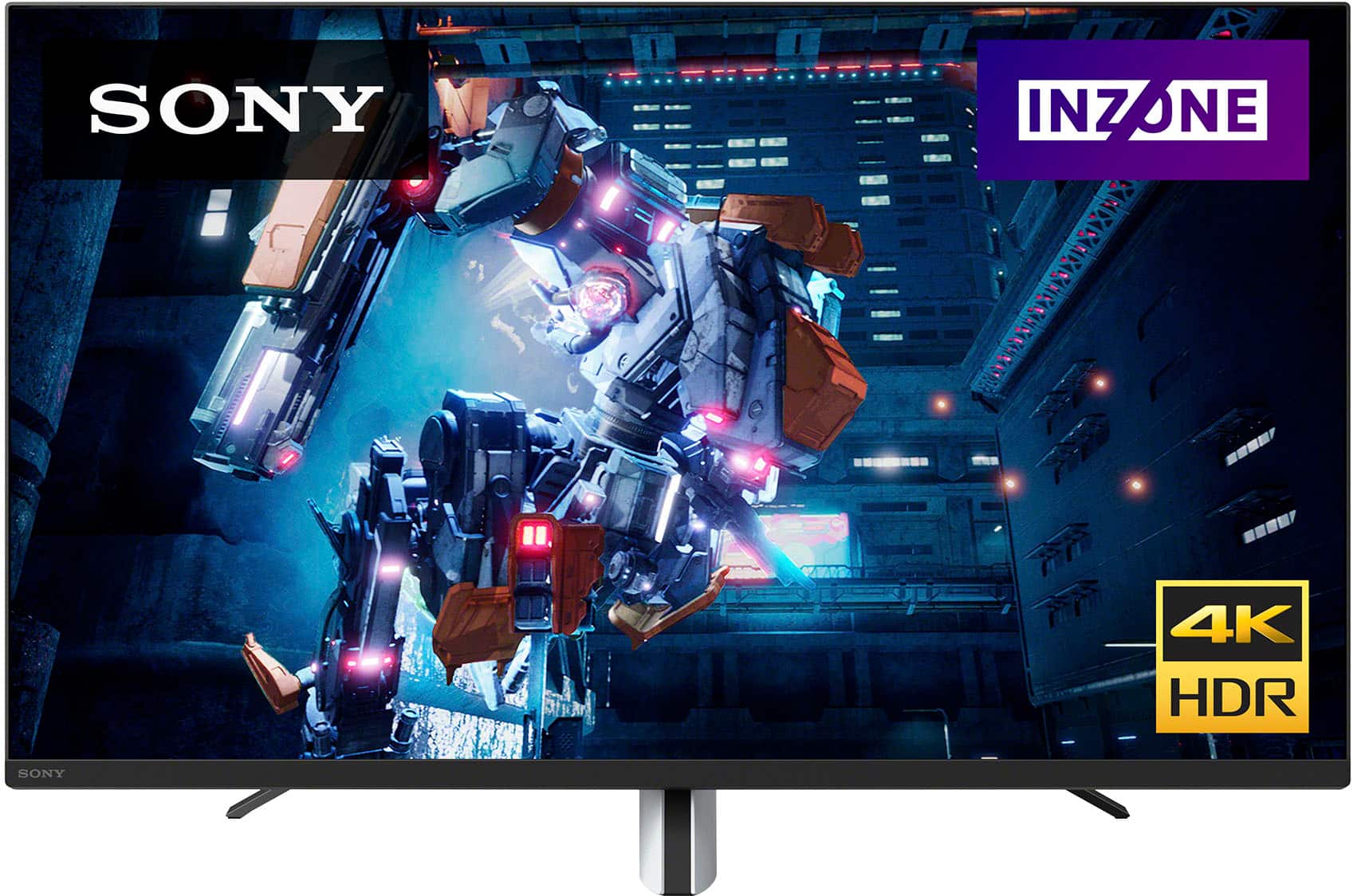
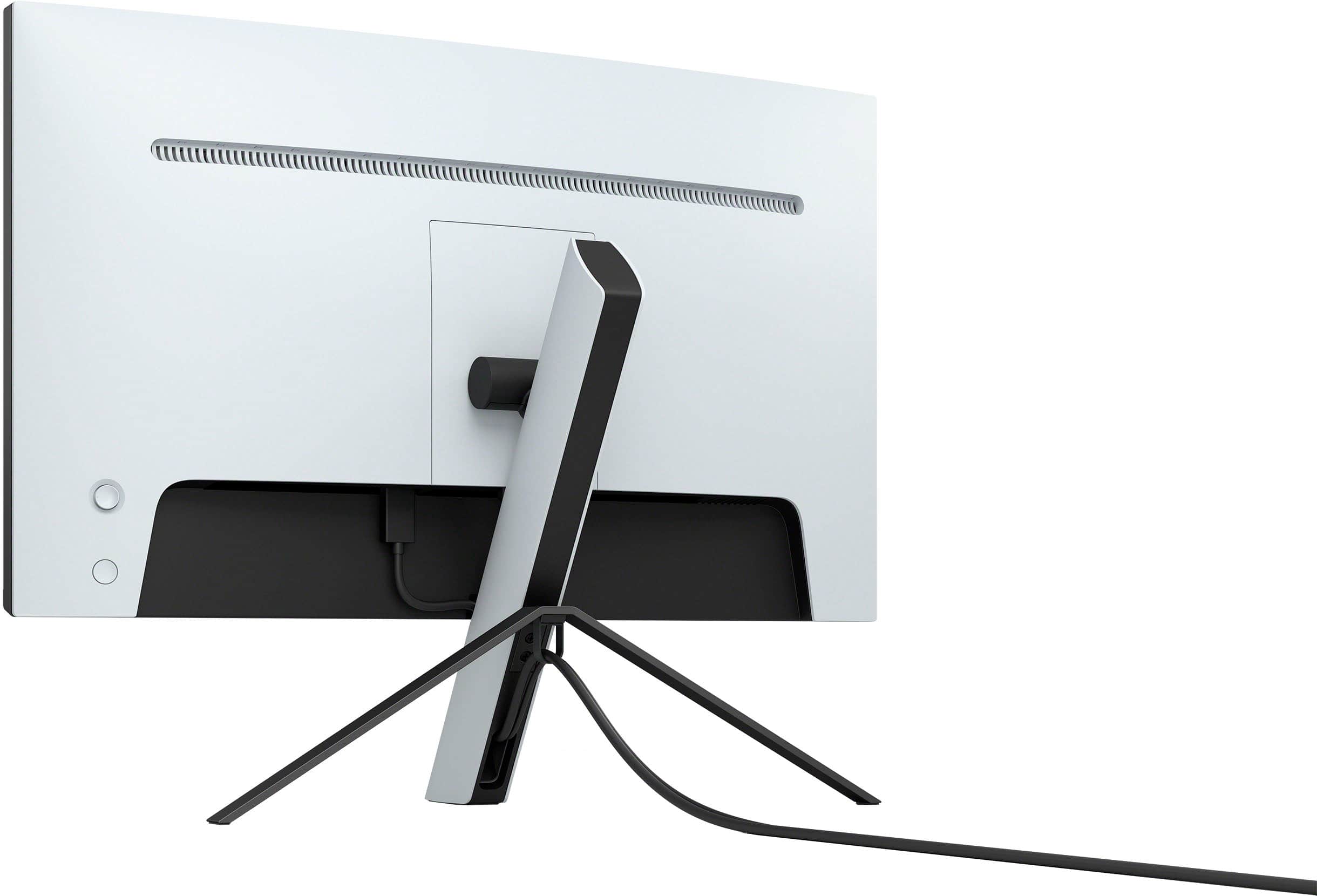
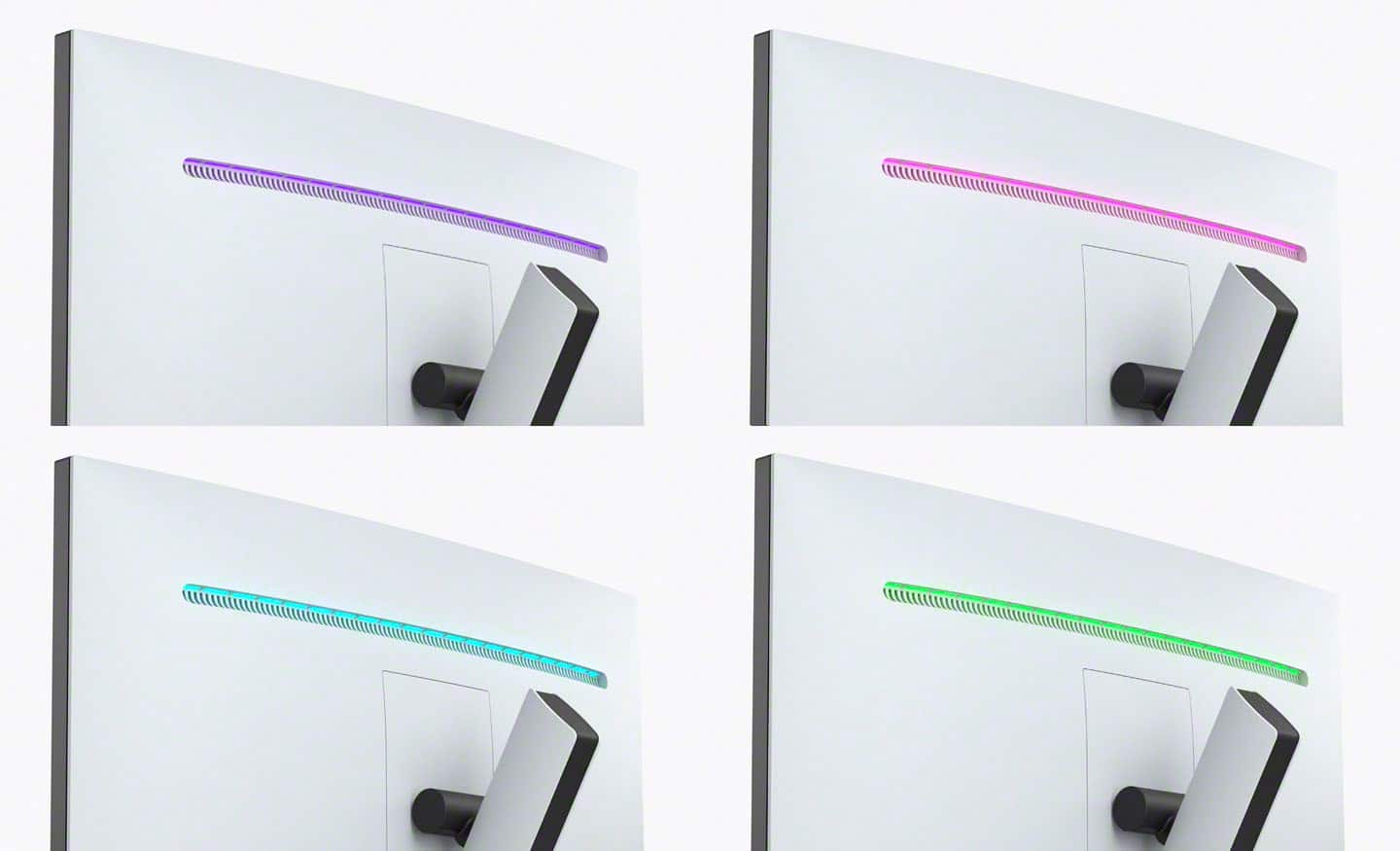
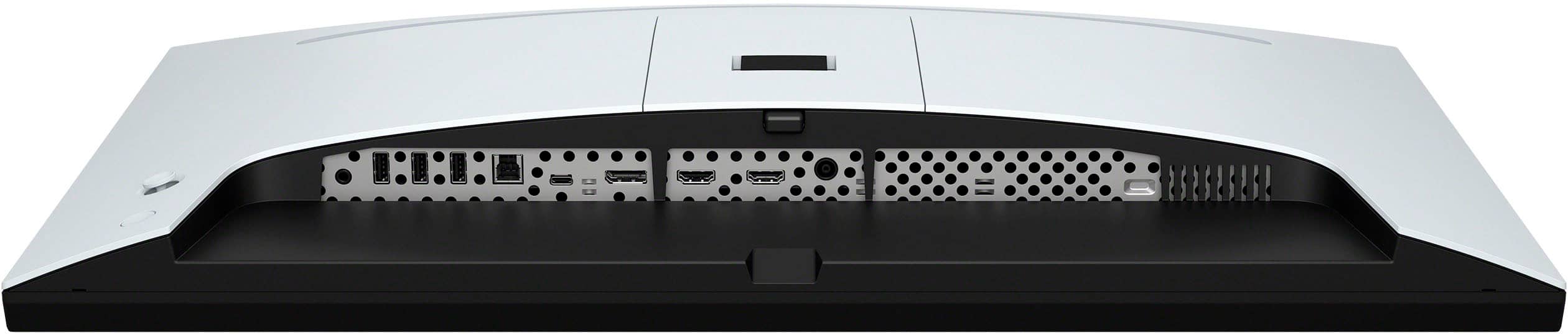
|Posted .This reviewer received promo considerations or sweepstakes entry for writing a review.TLDR; 4K 144Hz (120Hz on consoles) IPS LCD. Connectivity: 2x HDMI 2.1, 1x DisplayPort 1.4, 1x USB Type-C. Built-in USB Hub (3x USB-A out, 1x USB-B in). Headphone jack. HDR600, >95% DCI-P3 with 96 local dimming zones. INZONE Hub software application allows easy setup and configuration of the M9 instead of using the built-in OSD settings. Native G-SYNC compatible (also works fine with AMD GPUs) and VRR via HDMI 2.1. Customizable light bar on rear side of monitor alongside 2x 2 watt speakers (facing rear, oddly enough). Three-legged stand with styling inspired by the PS5. Stand allows for height and tilt adjustments, but does not allow for base rotation nor portrait orientation. Stand can be removed for VESA mounting. This is a very, very nice monitor and it hits the mark in many places and, in my opinion, misses a few. First is assembly, which did require the use of a screwdriver. A lot of monitors today are toolless and can be stood up in a matter of a couple of minutes. Assembly only requires affixing the 2 rear feet with 2 screws to complete the tripod design, but I felt like I spent a little more time with the M9 trying to figure out the correct orientation of the 2 rear feet. After the tripod is assembled, the monitor is then simply snapped on to the tripod with no tools. Cable management is fairly good, using the PS5-styled front foot to hide cables. My testing concluded that I can have 2 display cables and power, but after that it becomes a challenge to squeeze USB cables due to the shape of the connectors trying to slither through the limited space. The power button and controls are found on the rear of the monitor; you would reach around the monitor with your right hand to find them. Once powered, the monitor does an auto search for inputs and continues this cycle until an input is found, so no surprises here. Once you’re using it, then the surprises start. Coming from a 1440p 165Hz setup, there is a distinguishable difference in image quality and overall clarity in both cinematic settings and gaming. If you’re coming from a 1080p FHD monitor, then your mind is going to be blown. Anyway, resolution is only half the story here, as it's the refresh rate that makes owning a 4K monitor like the M9 a worthwhile buy, provided that you have the necessary hardware to drive such a monitor. I’ve been fortunate to attain some beefy GPUs during the gold rush (a 3090, 3080ti, RX6900xt) and have been looking to stretch their legs further. Then there’s NVIDIA DLSS and AMDs FidelityFX to help push further. Playing Horizon Zero Dawn (PC) at ultra settings at 4K yielded 114FPS. Playing SOTR, which is far more demanding IMO, yielded 80FPS at 4K ultra, and it looked absolutely stunning. Again, the end game here is to break the 60Hz barrier with the M9 to get your money’s worth. Full array local dimming enhances the experience by blacking out areas of the monitor much further (think a white moon to a black sky). With 96 zones of local dimming, blooming is reduced greatly, making those darker scenes in movies or games pop more, essentially increasing the contrast ratio. You can turn off local dimming altogether, or have a low/high setting. I found low setting was a good balance; high setting does a great job as well, but with the cost of more than obvious amounts of blooming in the activated zones. Setting up the M9 is much, much easier using the INZONE Hub software from Sony. It allows control of all tuning knobs normally found in the built-in OSD, but with the ease of the mouse. Obviously this was done on a PC, and I’m not sure this can be used with the PS5. I’m a PC guy, so this is a very welcoming feature. Either way, you’ll be presented with three main settings: (1) Picture Mode, (2) Picture Adjustment and (3) Gaming Assist. Picture Mode allows for preset modes (Standard, FPS Game, Cinema, Game1, Game2). Game1 and Game2 are customizable settings, which is a good lead in to Picture Adjustment. Picture Adjustments are the typical knobs you’d find in any other monitor (Brightness, Sharpness, Contrast, Saturation, Hue, Gamma). You’ll also find Local Dimming mode (High, Low, Off) and Color Temperature (RGB) here. Finally there is Gaming Assist, which allows for Frame Rate Counter (Off, On), Adaptive Sync/VRR (Off, On), Response Time (Standard, Fast, Faster) and Black Equalizer (0, 1, 2, 3). Let’s not forget the good ole Crosshair overlay 4 different overlays in either green or red. Lastly, there’s a timer overlay with 10 minutes, up to 60 minutes in 10 minute intervals. The M9 has a built-in hub, using a single USB-B as input from your PC, and 3 USB-A outputs. The one thing I’m a little confused about is its claim to be a KVM, allowing for more than one PC to be controlled. The reality is that you can have a PC as one input, and console as another and only have the hub activate when the PC is selected at the specific input. A true KVM accepts an input from each PC so it can switch the signal to the appropriate PC when selected. Sony, please correct me if I’m in the wrong here. Again, a PC/PS5 combo would fit perfectly with this monitor. The only thing I can say needs work on this monitor are the speakers. Not only are they 2 watt drivers, they’re firing AWAY from you. I guess Sony’s intention here is to have the sound bounce off the wall back to you for a fuller sound. I don’t have a wall to bounce off of, so it did sound nasally. Finally, there’s the price, and it’s about in the ballpark with respect to its competitors. While I do think some of its competitors implemented an overall better design functionally, the M9 offers PS5-styling that will appeal to those who already own one. But what really stands out about the M9 is its local dimming zones, which is not an offering with other monitors. It is worth mentioning that if you start creeping a little above its MSRP, you’re now in 32” territory, where 4K would shine even more. If you’re dead set on a 27” 4K 144Hz monitor, the Sony M9 is an excellent choice.
I would recommend this to a friendBrand response from SonyListens
Posted .Hi softwareEngineer,
Thanks for sharing your in-depth review and experience with the INZONE M9. We're glad that you like the design, supported connections, and picture quality of the gaming monitor. We also appreciate your review about the setup process, KVM switch function, sound quality of the monitor.
With the INZONE Hub software, you can personalize experiences by customizing a wide range of operations, including a variety of sound and picture settings. You can also assign specific picture mode and sound profiles of the headset to individual computer applications and games. For more information, please refer to this link:
https://www.sony.com/electronics/support/televisions-projectors-monitors/sdm-u27m90/downloads
With the monitor's KVM switch (Auto switch function), you can control two computers or one computer and one gaming console, with a single set of a keyboard, mouse, and headset. The device controlled by USB devices changes automatically, according to the video input source selected. KVM stands for Keyboard, Video, and Mouse.
Additional information about the INZONE M9 can be found on this link:
https://www.sony.com/electronics/support/televisions-projectors-monitors/sdm-u27m90/articles/00279504
Hope this helps. In case you need further assistance, please don’t hesitate to reach out to us at socialsupport@am.sony.com with the following details.
Full Name:
Best Buy Username:
Telephone Number:
Sony Monitor Model Number:
Issue:
Additional Information regarding your experience with the INZONE M9 (SDMU27M90).
Sincerely,
-Ralph
Sony Social Support
The Return of Trinitron?
|Posted .This reviewer received promo considerations or sweepstakes entry for writing a review.They say you don’t know what you got until it’s gone, and that same sentiment applies to PC monitors. Though our screens have shed the depth and many, many pounds compared to the desktop behemoths of the 1990s, we lost the rich colors and perfect blacks of cathode-ray tube (CRT) monitors that have taken liquid-crystal display (LCD) screens decades to recapture. While most renowned computer monitor manufacturers quickly introduced LCD options to start the revolution, Sony’s legendary Trinitron monitor line - one of the ultimate performers of the CRT era - was left behind in the later 2000s, and soon too was Sony’s computer monitor line altogether. Now, though, Sony has returned with a new challenger in the premium monitor segment, packing a 27”, 4K monitor full of every technological advancement they could while keeping the display below the $1,000 mark. With a new sub-brand of gaming peripherals optimized for use with PC and PlayStation consoles, Sony’s INZONE M9 is their first foray into the gaming monitor market, and while a few design choices hold it back from perfection it’s easily among the best monitors in its class and deserves your attention first if any of its headline features interest you. A quick disclaimer - I am running this on a custom desktop with a Ryzen 5800X3D, 64GB of RAM, and a Radeon 6800XT. While I had little trouble finding the performance limits of the monitor with this machine, your mileage may vary greatly depending on your CPU and graphics card combination. - Unboxing & Initial Impressions Arriving in multiple layers of protective packaging, the Sony Inzone M9 comes with almost all the basics you need to get up and running. You’ll need to provide your own HDMI or DisplayPort cable - a sore omittance from a premium-priced product like this one - but otherwise you’ll be ready to go with the included 3-post stand or VESA mounting (100mm x 100mm). Setup is as straightforward as could be - attach the two legs to the back of the PS5-esque stand, clip in, then power up and plug in your PC, PlayStation, or other HDMI or DisplayPort compatible device. The M9’s bezel is small and unobtrusive, making it perfect for minimalist or even multi-monitor setups. All controls are along the back right of the monitor, with a power button and large click-joystick for onscreen menu control. I found that this positioning quickly revealed the weakest part of the M9 - the stand is very poorly designed. It allows for a worrying amount of shake and wobble despite what should be a stable stand using 3 legs, and is somehow also is one of the least adjustable I’ve used in recent years with only height and tilt support, neither of which felt particularly good to use. The limited height range further made positioning troublesome without the use of a riser or other lift. Thankfully, this is the only major shortcoming I could find with the M9, and one that’s easily remedied with a VESA arm, but it’s still a glaring fault on an otherwise spectacular monitor. With two DisplayPort 1.4 inputs (one via DP, one via USB-C) and two HDMI 2.1 inputs, the Inzone M9 could act as your hub for all your computing and gaming needs. Indeed, Sony seemed apt to recognize the multi-machine capabilities of the monitor and allow up to two of the inputs (any combination) to be selected for a KVM mode, switching the connected devices to pass-through to the active input source. A very nice touch for a monitor that opens up more setup possibilities. - Image & Sound Quality In a word, the M9’s screen is stunning. At 27”, the M9’s 4K resolution delivers, for all intents and purposes, a “retina” level display when sitting at arm’s length. Resolution scaling in your OS of choice is a must, and hopefully it uses scalable graphics because anything less than native resolution on this screen is doing a disservice. I hadn’t even realized I had it set to 2560x1440 until I poked through my PC’s settings, but once on full 3840x2160 with 10-bit HDR enabled, the experience was eye-popping. The M9 is gorgeous to behold with any media - beyond the pixel density alone, colors and contrast on this screen are beyond any IPS panel I’ve used in the past, and the true HDR rating with full-array local dimming further drive dark and bright areas of the screen to their peak. There’s a little bit of glow if you look hard enough, but short of an OLED screen stickering for more than twice as much, you won’t be able to do much better. And of course, HDR content is absolutely wonderful to behold on the M9. The depth of color and the brightness that light sources can emit is staggering. It looks better than my HDR-compatible TV that cost twice as much, and it can certainly get brighter too, being such a small screen. It’s hard to state just how good HDR content looks on this screen in text, and I would highly recommend demoing the screen at your local Best Buy to get a better impression. Sadly, a couple corners were cut on this display to make the $899 MSRP. I noticed the corners of the display are dimmer than the rest of the screen even when viewed head-on, and there is a tiny bit of color shift even just a few degrees off-center - most noticeable in office style settings with mostly gray tones. These are hardly noticeable on any other content, but if you’re hoping for a web-browsing dream you’ll need to keep looking. The inclusion of speakers on the M9 are a nice touch for plug-and-play setup, but the sound quality is as weak, hollow, and tinny as any set of laptop speakers. Don’t plan on using them in anything more than a pinch - the headphone port on the monitor will be a better bet. - Gaming Performance Hands-down, the Inzone M9 is the monitor to grab if you’re serious about gaming. I set the screen to its fastest refresh rate and response times, and loaded up my favorite rhythm and eSports games to take it for a spin and found myself lost in the gameplay for hours - moreso than any high performing monitor I had before it. The input latency is about as low as it can get in Game mode, and while I don’t claim to be an FPS expert I feel the response time is right in line with expectations for a premium gaming monitor. At the monitor’s fastest response time setting (“Faster”), overshoot and ghosting are nearly impossible to discern except in the absolute worst-case scenarios. The screen just keeps up with fast motion in ways I wasn’t prepared for - even on harsh color transitions from pure black to a bright neon solid, the screen had no trouble flickering between them and responding as fast as my graphics card could keep up. The only apparent times I could notice ghosting and overshoot were scrolling through text (black font on a white background) as I wrote this review, truthfully. HDR gaming is also a treat on supported titles. The screen’s peak brightness makes it suitable for full range HDR, and while I only had the older Gran Turismo Sport on PS4 to test, the scenery and car lighting, especially on Ferrari’s Rosso colors, absolutely pop on the M9. In Red Dead Redemption 2 the HDR range made nighttime scenes much nicer to look at with shadow details much more readily apparent than in standard range modes. The M9 supports variable refresh rate technology through Nvidia G-Sync. While I don’t have an NVidia card to take advantage of the full suite of G-Sync offerings, the technology is a superset of VESA Adaptive Sync, which AMD graphics cards and PlayStation consoles can take advantage of, so most functionality is available. I found variable refresh rate helped a lot with keeping the action consistent. In testing, I came across multiple games that dipped short of the 144 FPS target, but with the monitor’s refresh range being 48Hz to 144Hz, Adaptive Sync smoothed out the action when framerates fell dramatically. This range is also wide enough for Low Frequency Compensation to kick in, so that when framerates fall below 60 FPS the action will continue to be as smooth as possible by “doubling up” the refresh rate to match the framerate (e.g. at 59FPS the monitor will switch to 118Hz, 58 FPS switches to 116Hz, etc. until framerate recovers to 60 or higher) and avoid screen tearing or stuttering. - INZONE Software Sony offers their INZONE Hub as a control center for the monitor for Windows 10 and 11. While I’m glad it’s a mostly unobtrusive piece of software it adds little to the experience - the INZONE Hub replicates all the controls accessible through the monitor’s On-Screen Display as a Windows app. Color/screen profiles can be set at the app level, but beyond that the software doesn’t add much to the experience besides negating the need to reach around the monitor to grab the joystick. It’s still a nice touch and gives a little easier, more granular control than using the physical hardware buttons, but it’s not necessary. - Bottom Line It might not be a Trinitron, but Sony’s Inzone M9 is one of the best monitors I’ve experienced outside “Cinema” displays from Cupertino. The display does everything you could ask of it without breaking a sweat, and looks stellar in the process. While competition in the monitor space is heating up more than ever, Sony’s re-entry into the segment is a great return shot marred only by some dim corners and a stand that looks better than it performs. Ultimately then, Sony’s rubbing elbows with premium gaming monitors in the sub-$1,000 segment, and the $899 for the M9 does feel a bit too premium. At $699 I would recommend without hesitation, but above that and it really deserves to be sampled and tested before plunking down the money. Otherwise, I find few faults with this premium, downright luxurious personal gaming monitor, and I still recommend!
I would recommend this to a friendBrand response from SonyListens
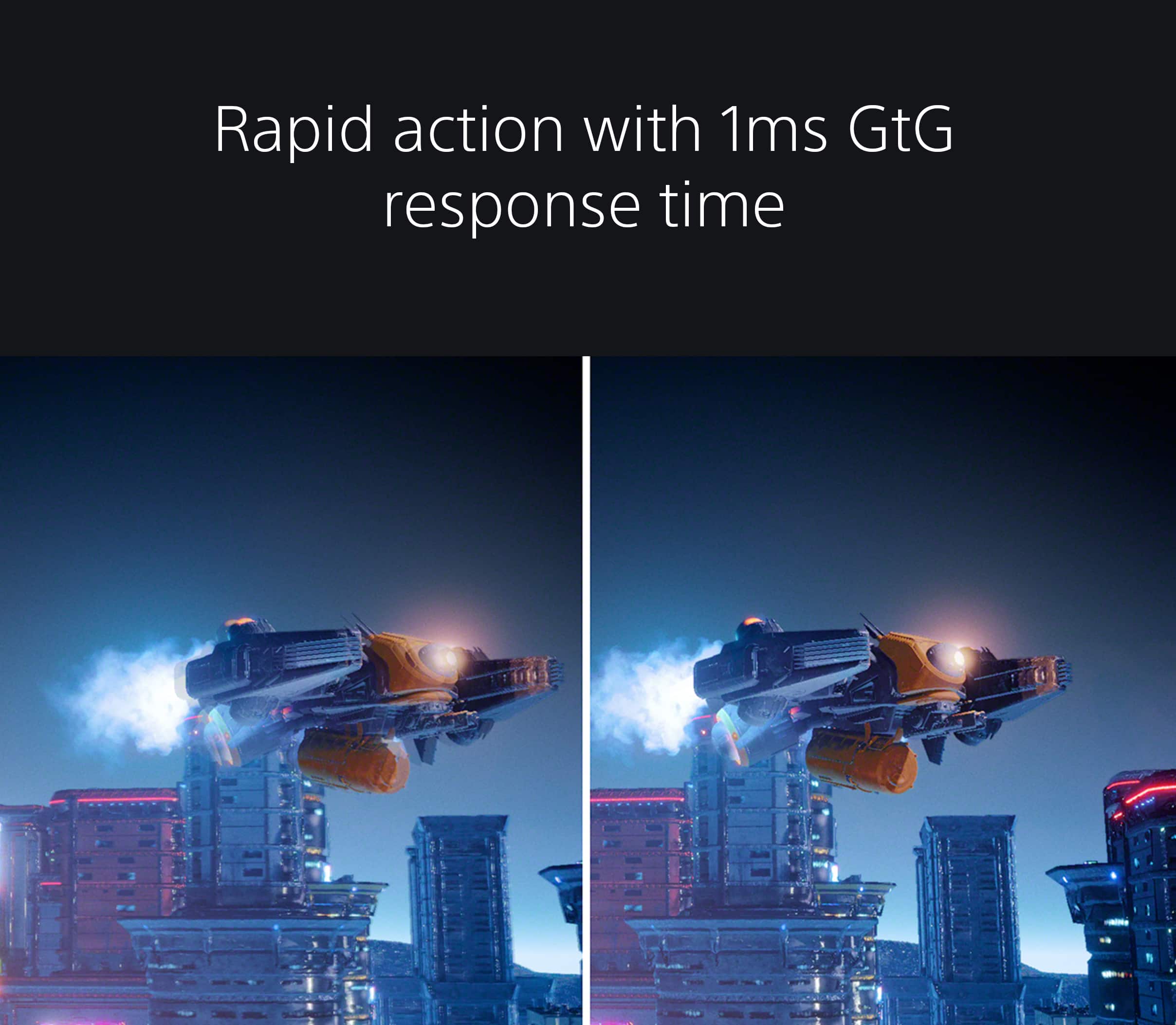
Posted .Hi Turbolence, thanks for choosing and purchasing our newest gaming monitor! We appreciate your in-depth review of our product. We're thrilled that you are enjoying the design, available ports, dedicated app (INZONE Hub), and picture quality of the gaming monitor. We also appreciate your review about the LED light of the monitor. Explore gaming worlds full of brilliant depth and detail. Our 27" INZONE M9 gaming monitor with 4K HDR, Full Array Local Dimming, IPS and over 95% DCI-P3 coverage fills scenes with supreme contrast and color. You’ll react faster too with a 144 Hz refresh rate and IPS 1 ms GtG. Thanks for choosing Sony! ~Earl
- Pros mentioned:Refresh rate
Beautiful & Functional Design
|Posted .This reviewer received promo considerations or sweepstakes entry for writing a review.This monitor has it all. Perfect size for me, not too big not too small. The 27” monitor has a very nice footprint for my desk. But more important are the specifications which result in terrific shows of light and dark – fantastic. Tip of the cap to the Sony engineers. The physical design is brilliant. I have never had a monitor that is so easy to adjust to get the right height and angle in addition to the solid way it hits the desk at three points and is firmly held by rubber feet. The refresh rate and other spec’s are all high end and the results are evident even if you are a little tired from playing. However, for me you need to ensure you have the official HDR certification and this monitor does have that. This ensures your best colors, brightness and more details. I ran some color schemes and attached some photographs that I hope folks can appreciate on their own screens. On this monitor, in person, I can tell you these images were breath-taking. I have some very nice monitors ranging from 21” to 32” inch screens with good specs, but they frankly can’t compare to the visuals and quick color changes, light and dark edges from this monitor that give you a great gaming experience even with just motorsport racing games. Try Horizon Forbidden West, for even more great colors and shading. Speakers are the weak point. It is handy to have the onboard units, but sound is a bit hollow. I did attach my Sony Inzone H7 headphones which provided excellent sound. Also the consistent design of the PS5 with the Inzone headphones and this Sony monitor makes for a very sharp setup. I highly recommend this exceptional monitor for games and also for using with your desktop or laptop setup.
I would recommend this to a friendBrand response from SonyListens
Posted .Hi RalphHenry,
Thanks for sharing your 5-star review and experience with the INZONE M9. We're thrilled that you like the design, size, and picture quality of the gaming monitor. We also appreciate your review about the sound quality of the speaker. You do have the option to use the INZONE Hub application. It allows you to personalize experiences by customizing a wide range of operations, including a variety of sound and picture settings. For more information, please refer to this link:
https://www.sony.com/electronics/support/others-software/inzone-hub/software/00279252
Hope this helps. In case you need further assistance, please email the below information to socialsupport@am.sony.com.
Full Name:
Best Buy Username:
Telephone Number:
Sony Monitor Model Number:
Issue:
Additional Information regarding your experience with the INZONE M9 (SDMU27M90).
Explore gaming worlds full of brilliant depth and detail. Our 27" INZONE M9 gaming monitor with 4K HDR, Full Array Local Dimming, IPS and over 95% DCI-P3 coverage fills scenes with supreme contrast and color. You’ll react faster too with a 144 Hz refresh rate and IPS 1 ms GtG. Thanks for choosing Sony!
-Ralph
Excellent Gaming Display with Problematic Stand
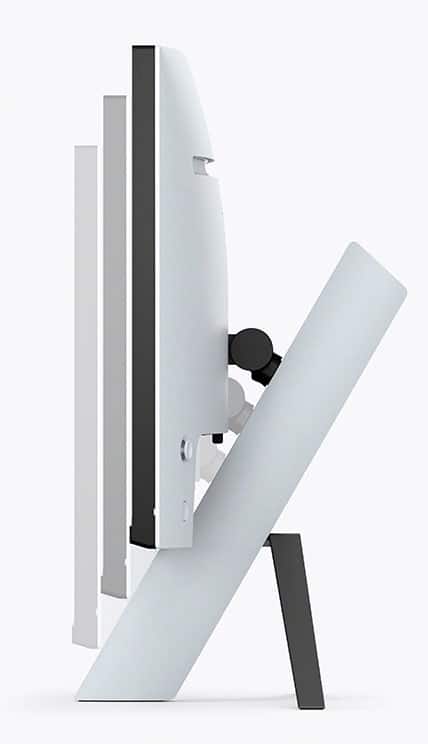
|Posted .This reviewer received promo considerations or sweepstakes entry for writing a review.Bottom line: After making a few configuration changes this turned out to be a superior gaming monitor that could also be used for video and business applications. The biggest drawback as explained below is the lack adjustability in the stand. When I first powered up this monitor I was disappointed with the overall image quality. The color variations from light to dark were too gradual which gave the image a softer look. I noticed this the most when bright images were surrounded by dark images. Rather than use the OSD I downloaded and opened the Sony InZone Hub app which allows you to configure the monitor. In the app there are the standard options but Sony includes two others that I was not aware of. First is the Local Dimming option which has three settings, Off, Low, High. The higher the setting the brighter the bright areas are but you lose detail with the additional brightness. I found that low worked best for me. The second option is the Black Equalizer which has options from 0 to 3. This option lightens the black areas to make the details more visible but your blacks aren’t as black. This can be good for certain games but it can also ruin the image depth in others. In Sniper Elite I want to be able to see into the dark details so I increase the Black Intensity. But that same setting really dulls down the depth perception when I play Fornza or F1. So for me if I am playing FPS games I crank up the Black Intensity but for most other games I opt for the zero setting. Because the InZone app lets you store two custom display modes its easy to switch between them. The monitor supports HDR which for me has been a roll of the dice. On some games it helps and others it doesn’t. Note that if you turn on HDR in Windows most of the display options are no longer adjustable. The monitor has five preconfigured modes, Standard, FPS Game, Cinema, Game 1 and Game 2. Only the Game 1 and 2 options give you full control over the display options, the others have limited adjustability. Now that I understand the display options I am able to get the image quality that I expected from this monitor. I now get bright vivid colors and deep dark blacks in a super crisp image. Pros: - Image Quality - 4K Resolution, 144 hz refresh rate and 1 ms GtG response time - Lots of cabling options – Two HDMI 2.1, Display port 1.4 and USB-C - G-Sync and VRR support variable refresh rate - USB-A ports and connectivity Cons - The stand has the least amount of adjustability of any monitor I own. You can move the monitor up and down but as you move it down it comes forward which then takes up more desk space. You cannot adjust how it faces left and right without moving the entire stand. You cannot adjust the left and right tilt nor can you adjust the tilt forward, it only tilts back. Anyone who has a higher desktop or an uneven surface will have problems with this stand. Paring up multiple of these monitors using the stand would be quite a challenge. While it may be pleasant to look at it is certainly not functional. - The speakers are very small and are not very usable due to the quality of the sound. - The power brick is about the size of a brick. Biggest monitor supply I have ever seen.
I would recommend this to a friendBrand response from SonyListens
Posted .Hi explore42, thanks for choosing and purchasing our product. We're glad you are enjoying the INZONE M9. We appreciate your feedback on the stand, power brick, and sound quality of this monitor We recommend utilizing the INZONE Hub for sound quality. INZONE Hub is computer software that controls INZONE monitors and headsets. It allows you to personalize experiences by customizing a wide range of operations, including a variety of sound and picture settings. You can also assign specific picture mode and sound profiles of the headset to individual computer applications and games.
If you require any additional support in regards to this product, please email us at socialsupport@am.sony.com with the following details: Name: Username: Model Number: Issue: Telephone Number:
Our INZONE M9 gaming monitor with 4K HDR, Full Array Local Dimming, IPS and over 95% DCI-P3 coverage fills scenes with supreme contrast and color. You’ll react faster too with a 144Hz refresh rate and IPS 1ms GtG (Grey to Grey). Thank you so much for recommending our INZONE M9 and for choosing Sony! ~Earl
Must buy for ps5
||Posted . Owned for 1 month when reviewed.This reviewer received promo considerations or sweepstakes entry for writing a review.Best ps5 monitor for the price . A must buy for any ps5 player
I would recommend this to a friendBrand response from SonyListens
Posted .Hi FrankF, Thank you so much for the fantastic review! We're really delighted you're happy and satisfied with the exceptional picture quality with Full Array Local Dimming and superb features of your new INZONE M9 monitor. Glad to know you feel that the INZONE M9 is worth its price, and it works perfectly with your PS5. Explore gaming worlds full of brilliant depth and detail. Our 27 in INZONE M9 gaming monitor with 4K HDR, Full Array Local Dimming, IPS and over 95% DCI-P3 coverage fills scenes with supreme contrast and color. You’ll react faster too with a 144 Hz refresh rate and IPS 1 ms GtG. Thank you for your purchase and for choosing Sony! -Jess
Yooooo!!
||Posted . Owned for less than 1 week when reviewed.This reviewer received promo considerations or sweepstakes entry for writing a review.I really just turned it on!!! And to my surprise !!! I didnt even get a chance to set it up.
No, I would not recommend this to a friendBrand response from SonyListens
Posted .Hi Vice,
This is not the experience that we want you to have. We would like to know more about what happened and help you out. Please send us an email with the below information to socialsupport@am.sony.com.
Full Name:
Best Buy Username:
Telephone Number:
Sony Monitor Model Number:
Issue:
Additional Information regarding your experience with the INZONE M9 (SDMU27M90).
Sincerely,
-Ralph
Sony Social Support
Beautiful Versatility
|Posted .This reviewer received promo considerations or sweepstakes entry for writing a review.I have a two monitor setup with my desktop PC and the 27” Sony Inzone M9 is now my main screen. The secondary monitor is 25” with 1080p resolution. Side by side, the difference between the two is stark. The 4k resolution that the Sony boasts is so crisp and beautiful. I enjoy doing everyday tasks like work and media consumption, as well as gaming. When it comes to gaming, the monitor’s 144Hz refresh rate comes in quite handy. I am comfortable playing both light games like Fall Guys and resource intensive FPS games like Warzone. With G-SYNC and a 1ms response time, I have had no issues with tearing, stuttering, ghosting, or blurring. Other things that I like about the monitor are the design and color. My desktop setup is white with black accents and the Inzone M9 in white matches perfectly. The tripod stand is unique and easy to assemble. The monitor has plenty of adjustability, connection ports, is VESA compatible, and has built-in speakers (more on this shortly). Is there anything not to like about this monitor? Unfortunately, yes. It’s quite expensive and does not include an HDMI or Displayport cable in the box. When a dark background is present, I’ve noticed quite a bit of light bleeding from the corners of the monitor. Definitely not ideal, but not a deal breaker either. Lastly, the speakers. While it was a nice idea to include them, we would all be better off without. They are truly horrendous. Max volume is barely audible and they produce the most hollow sounds you’ve ever heard. I would only plan to use them in a pinch. All tech products have their imperfections, whether they’re intentional for cost savings or an unfortunate byproduct of a failed attempt to include an accessory like speakers. The Sony Inzone M9 is not immune to these imperfections, but I still feel like it excels at its main goal of immaculate resolution and color clarity for gaming. I would pick it up again myself and also recommend it to others.
I would recommend this to a friendBrand response from SonyListens
Posted .Hi Dakingindanorf,
Thank you for taking the time to write such an in-depth review of your experience with the INZONE M9 27'' 4K IPS 1ms 144 Hz HDR Gaming Monitor. We are so happy that you are satisfied with the incredible picture quality, stylish color & unique stand design, available connections, and overall performance of this Gaming Monitor. We truly appreciate your input about the price, cables, and Built-in speakers' sound. For the light bleeding, you may try setting the Local dimming to Low or Off as this may help reduce the blooming or halo effect.
Get into the zone and explore worlds of brilliant detail. Our INZONE M9 gaming monitor with 4K HDR, Full Array Local Dimming, IPS and over 95% DCI-P3 coverage fills scenes with supreme contrast and color. You’ll react faster too with a 144Hz refresh rate and IPS 1ms GtG (Grey to Grey).
If there's anything we can do to help in the future or you may need more information with our product, you can always contact us and we'll be more than happy to assist you. You may send us an email at socialsupport@am.sony.com with the following:
Name:
BestBuy Username:
Model Number:
Issue:
Telephone Number:
Thank you for recommending our SDM-U27M90 INZONE M9 and for choosing Sony!
- Romeo
Great for Gaming, Beautiful Picture
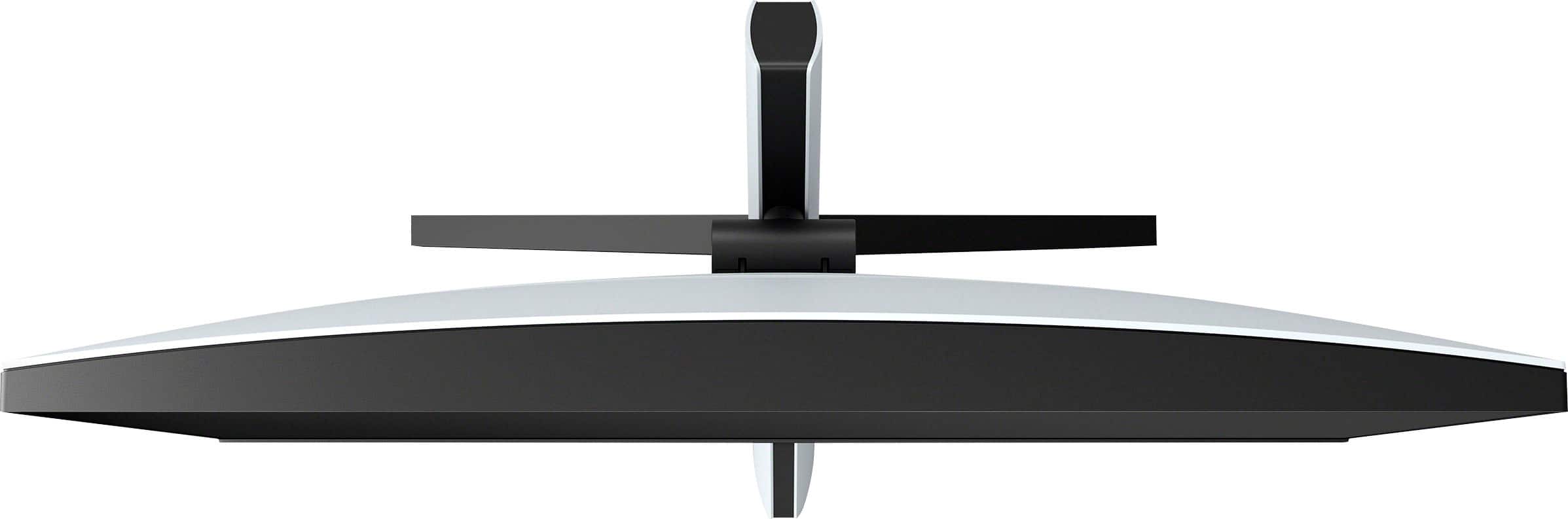
|Posted .This reviewer received promo considerations or sweepstakes entry for writing a review.The Sony INZONE 27” M9 monitor offers a great option for gamers as it’s packed with features to provide a wonderful visual experience for both PC and PS5. Packaging and Contents The packaging is very standard for a typical computer monitor; outer cardboard box with styrofoam inner packaging. Contents include the 27” gaming monitor, power cord (2-pieces), tilt stand, base wings, 2 screws, plastic clip, set-up guide, operating instructions, INZONE sticker, and some other paperwork. Note that there are no cables included, so you’ll need to bring an HDMI or Display port cable to connect. Be careful when unpacking the monitor box. The 2 screws and clip are very small and would be easy to drop/misplace. Assembly depends on if you plan to use a wall mount or a desktop setup. I chose the desktop setup which uses all of the pieces. The tilt arm bracket simply slides into the back of the monitor and clicks into place. To attach the base wings to the tilt arm you will use the two screws (so you will need a small phillips head screwdriver). The plastic clip just snaps into place. General Specifications Screen Size: 27” Refresh Rate: up to 144Hz for Display Port, up to 120Hz for HDMI Maximum Screen Resolution: 3840 x 2160 (4K HDR) HDR Format: VESA Certified Display HDR 600 Panel Type: IPS Display Type: LED Backlight Technology Full Array Local Dimming (FALD) Synchronization Technology: G-SYNC by NVIDIA Aspect Ratio: 16:9 Has Integrated Speakers Ports and Connections Headphone Jack USB Type A: 3 (downstream) USB Type B: 1 (upstream) HDMI 2.1 Inputs: 2 Display Port USB Type C: 1 (upstream) Display Port (Version 1.4): 1 Thunderbolt 4: 1 Webcam: None Appearance This monitor is made for both PC and PS5, and it looks like it. The entire INZONE line has a cohesive appearance. The stand and back side are mostly white and there are elements of black that match the aesthetic of the PS5. Wire management is built into the tilt arm so that you can run the wires within the arm minimizing their appearance at your desktop. The backside of the monitor has backlighting. Color can be changed using the INZONE Hub for personal customization. The screen had a very sharp picture. It was really pretty stunning. The video while gaming had an enjoyable smooth movement. It didn’t have any lag. I did have one issue that I was not able to replicate, but it corrected itself and I moved on. After about an hour and a half of gaming the video started clipping and paused for a few seconds. I contributed this to be likely an issue with Steam. I have seen this before with that gaming platform. Display / Picture Quality Picture quality is why we are buying the product, and I have to say that the overall picture is just brilliant. Between 4K resolution and VESA Certified Display HDR 600, images are clear and bright. The Full Array Local Dimming aids in contrast to help control the darker aspects. IPS, NVIDIA G-Sync, and Variable Refresh Rate help to control ghosting and blur, match variable frame rates, and eliminate screen tearing and shuttering. Video streams are smooth and clear. They have a great amount of detail. Games are smooth and sharp with no visible ghosting or blur. Disappointments Speakers – Don’t purchase this monitor expecting to use it for audio. The speakers are terrible. My cell phone sounds better. This is by far the worst disappointment for the H9 monitor. Limited movement of monitor – The stand has a pretty wide base, so you need to be aware if using it as a desktop display. The monitor does not swivel, which I find surprising. The tilt arm does provide for a limited amount of tilt. Power Cord – I have two issues with the power cord. 1) The total length of the power cord seems short. 2) The transformer box is gigantic. I don’t know why this needed to be so big. Wire Management – The wire management system is limited to how much it can hold, so it’s better to limit the number of wires running through and to use thinner wires if possible. Plastic Clip – The plastic clip seems odd to me. If you use the wire management system it places the wires at the bottom of the stand. To utilize the plastic clip, you bring the wires back up and they dangle off the back. It reminds me of a pony tail. Awkward to plug in new wires – Plugging in wires is a little awkward once the monitor is setup. The HDMI ports are directly behind the stand so it seems a little in the way. This is a minor detail as the plugs are fairly typical. I would have just preferred them to not be so close to the arm. Instructions – The set up for the monitor isn’t very hard. The instructions could have been a little clearer, especially with the wire management portion. Overall, the Sony H9 monitor is really impressive. It’s vibrant, clear, refreshes quickly, and is generally well done. There are some things that I have mentioned that could be improved, but these are minor (provided you are using a different audio source). I would like to give this a 4.5 star rating, but that isn’t an option, so I am I giving it 4 stars.
I would recommend this to a friendBrand response from SonyListens
Posted .Hi sgriesch,
Thanks for sharing your in-depth review and experience with the INZONE M9. We're glad that you like the design and picture quality of the gaming monitor. We also appreciate your review about the speakers, power cord, plastic clip, port position, and instructions of the gaming monitor. We also understand you had an issue when using the monitor for gaming. For optimum performance, make sure that the software version of the unit is up-to-date. Please refer to this link:
https://helpguide.sony.net/tv/u27m90/v1/en/contents/TP1000670514.html
With the INZONE Hub software, you can personalize experiences by customizing a wide range of operations, including a variety of sound and picture settings. You can also assign specific picture mode and sound profiles of the headset to individual computer applications and games. Please refer to this link:
https://www.sony.com/electronics/support/televisions-projectors-monitors/sdm-u27m90/downloads
Additional information and troubleshooting steps are available on this link: https://www.sony.com/electronics/support/televisions-projectors-monitors/sdm-u27m90/articles/00279504
Manuals and help guides are also available on our support website:
https://www.sony.com/electronics/support/televisions-projectors-monitors/sdm-u27m90/manuals
Hope this helps. In case you need further assistance, please don’t hesitate to reach out to us at socialsupport@am.sony.com.
Full Name:
Best Buy Username:
Telephone Number:
Sony Monitor Model
Number: Issue:
Additional Information regarding your experience with the SDMU27M90.
Sincerely,
-Ralph
Sony Social Support
Great Value 4K Gaming Monitor for PC & PS5
|Posted .This reviewer received promo considerations or sweepstakes entry for writing a review.I've been using this monitor on PS5 and on PC over the last week and I've been pleasantly surprised by the specs that this monitor packs in this pricing segment. I was especially impressed by the PS5 features that are automatically detected in order to optimize the picture quality. Although this is by no means one of the highest end 4K gaming monitors on the market, it's certainly one of the best values currently on the market. For starters, in terms of build quality, the overall construction of the monitor falls somewhere in between the mid tier and premium. The matted white plastic feel sturdy to the touch. The base, with it's all metal feet construction, also feels very solid and robust. I'm a huge fan of the sleek and minimalist design approach by Sony. The monitor looks extremely contemporary and should compliment most users setups at home. One thing to note though, is that due to the very modern design of the stand, the stand only allows the display's height to be adjusted (either up or down) and the ability to tilt the display upwards or downwards. However, you can't pivot the monitor from side to side. Another thing that I wish could have been improved slightly is the bezels. While the side bezels are nice and slim, the bottom bezel is still relatively thick. Would love to see this trimmed down in the future. I'm also a huge fan of the joystick dial on the rear of the monitor as it made it incredibly easy to navigate the menu user interface and adjust settings. When it came to performance, this monitor was pretty impressive on PC and PS5. Coming from an HDR1000 monitor, I was not expecting much from the HDR600 on this monitor. However, the HDR content looked great! Scenes were fairly bright and the color tones were vibrant and accurate. The blacks are decent, but given that this is an IPS display, you're not going to get the inky deep blacks that a VA panel is capable of producing. I do love the effort by Sony to achieve over 95% coverage of the DCI-P3 color spectrum on these monitors. They also include a color calibration report from the factory! I played several games on PC at 3840 x 2160 at 144hz and 120hz refresh rates and the 1ms response time + GSYNC was fantastic. Not once did I notice any type of ghosting, image blur, or tearing. Since I happen to play a lot of competitive shooters like CS:GO and Overwatch, having the high refresh rate on a high pixel density monitor like this one is a very welcome feature. Since I play a decent amount of FPS games that aren't too GPU intensive, I'm able to run them at 4K while still getting the fluidity of the high refresh rate. That makes this monitor a perfect pairing for these genres in my opinion. Another thing that I was pleasantly surprised with was this monitor's FALD performance. While 96 local dimming zones doesn't sound like a lot, it was more than enough to provide great contrast on this 27 inch display. I'm also happy to report that I did not notice any backlight bleed on any of the edges or corners of my monitor. I love the amount of inputs on this monitor. You get 3 standard USB ports (USB type A), 1 USB type-B (PC), a USB type-C Display Port, a display port 1.4, and two HDMI 2.1 ports. There's also a 3.5mm headphone jack to connect wired headsets directly to the monitor. The USB ports are especially useful as they act as a KVM switch if you want to have two PCs connected to this monitor with a single keyboard, mouse, and headset. Gaming on PS5 was even more impressive than gaming on PC mainly due to the all of the additional PS5 features that are natively supported on this monitor. The PS5 features are auto genre picture mode (automatically switches the picture mode based on whether you're watching movies or playing games), auto HDR tone mapping (automatically optimizes HDR settings specifically tailored to this monitor), and variable refresh rate (prevents stuttering and screen tearing). I have to say, while the HDR was pretty good on PC, it was even more impressive on PS5 (likely due to the auto HDR tone mapping). Overall, I think this is a great value monitor considering the specs that we're getting at this price range. I think the value is compounded even further if you happen to own both a PC and a PS5 (mainly because of all the additional native features you get for the PS5). For Sony's first foray into the gaming monitor scene, this is definitely a win!
I would recommend this to a friendBrand response from SonyListens
Posted .Hi k1zit, Awesome! We are so glad to hear that you are enjoying your new SDMU27M90 Inzone M9! We would also like to thank you for your suggestion for our gaming monitor. Get into the zone and explore worlds of brilliant detail. Our INZONE M9 gaming monitor with 4K HDR, Full Array Local Dimming, IPS and over 95% DCI-P3 coverage fills scenes with supreme contrast and color. Thank you for choosing Sony! -Carl
- Pros mentioned:Picture quality
Cool ps5 color themed monitor if also using stand
|Posted .This reviewer received promo considerations or sweepstakes entry for writing a review.This is a good monitor that Sony has introduced, with some features and settings that will need to played around with, researched, experimented, etc. After the unboxing, as said it’s a very nice monitor that has complimentary accents to tailor with the ps5 console looks being the black and white, where white is the majority color. The quick instructions to set up, well don’t really have captions but picture diagrams and is self explanatory to me; however the in depth manual to control settings, adjusting height, setting up and all; is online as there’s a barcode on one/some of the pamphlets there that will take you directly to there and can print out a pdf version. There are some cool Sony inzone decals included. As of now, I’m not using the stand at this time, but a Vesa mount 200x200 which the plate adapter fits perfectly so that’s no problem at all. I have tried sliding up and down the stand height adjust but appears frozen unless I’m missing something or it will do so when you install that stand. Anywho, I have installed and hooked up my PS5 again, and you’ll go thru the same settings of setting the display area, hdr settings again just as when you had to configure the ps5 new with a prev tv or monitor. I understand this has built in speakers, but after hearing the quality, you’re best to just hook up a 2.1 computer speaker system (with subwoofer) via the 3.5mm jack if you want more bass; because it’s pretty much as same built in speakers sounding quality on any HDTV nowadays, and a separate surround sound soundbar or speaker system seems a necessity if you’re wanting a true theatre sounding experience. After playing with setting the picture quality, regarding the hz rate, it’s locked at 60hz and would go up to 120 or 144 as the specs has advertised but, there’s forums and posts that says you’d have to turn HDR off on the ps5 and then it would be not frayed out and selectable. This is how it is out of the box and this could be one of the main reasons I give it a 4/5 rating. I feel the joystick button (for accessing the menu options) in the back right corner could’ve been done better - why not place the joystick button in the front, or at the bottom edge of the monitor being common. Asides from that, this is a true 4K HDR monitor and for 27” inches it’s a great amount of real estate to work with, where the ps5 games look sharp and a whole lot better with hdr as unlike my previous 1080p monitor that’s very very old from a decade. Even hooking up my Mac to the second avail HDMI, makes text sharper and everything else. Would this monitor be perfect for anyone that’s gaming on a table/desktop for me to recommend, especially if you’re on a ps5? Yes, I would say so but it would be much better having a re-designed menu button up front and stand, and redesigned.
I would recommend this to a friendBrand response from SonyListens
Posted .Hi MVilla,
We appreciate the 5-star rating and we're glad you like the overall performance of the gaming monitor for your PlayStation. Our 27" INZONE M9 gaming monitor with 4K HDR, Full Array Local Dimming, IPS and over 95% DCI-P3 coverage fills scenes with supreme contrast and color. You’ll react faster too with a 144 Hz refresh rate and IPS 1 ms GtG. Thanks for choosing Sony!
Regards,
David
Good monitor - not great…
||Posted . Owned for 1 month when reviewed.This reviewer received promo considerations or sweepstakes entry for writing a review.Purchased the monitor on sale during the holidays at 799 vs 899. Honestly felt the 799 price was more in line for the monitor. The monitor works fantastic and connects nicely with the PS5 flawlessly. Pro’s: aesthetically nice next to the PS5, easy plug and play, great picture and frame rate. Con’s: no cables (hdni, dvi, display port) which should be included especially at the price point. The 899 (even 799) price is high when you can find comparable monitors cheaper(but you’re paying from name and brand)… The stand does hurt sliding and tilt features, but isn’t all that bad. We are overall happy with the purchase and would recommend the monitor if it’s on sale and in your budget.
I would recommend this to a friendBrand response from SonyListens
Posted .Hi WaccoKid,
Thanks for sharing your review and experience with the INZONE M9. We're glad that you like the picture quality, design, and user-friendly functions of the monitor. Your feedback about the stand and cables is greatly appreciated. HDMI and display port cables are readily available through your local Sony dealer and online retailers. Make sure to purchase a High Speed HDMI cable or the latest version of a display port cable for optimum performance. Thank you for choosing Sony!
-Ralph
Good Display, But Worth Considering Alternatives
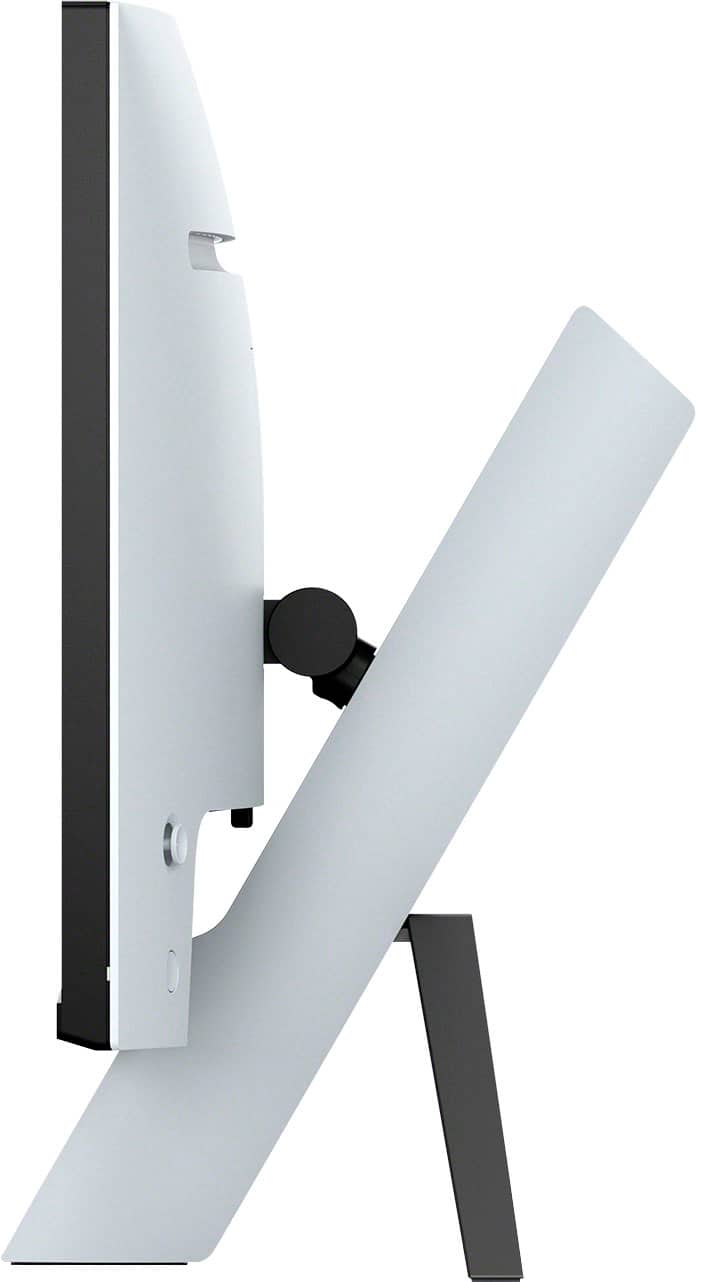
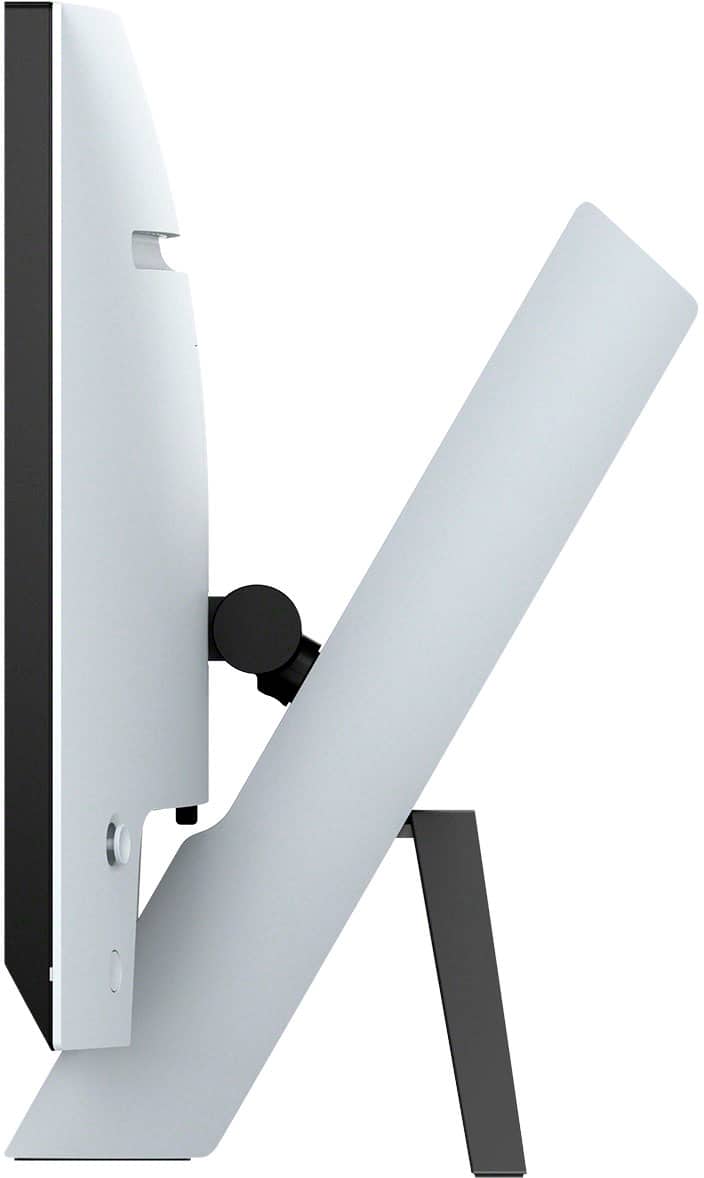
|Posted .This reviewer received promo considerations or sweepstakes entry for writing a review.INTRO: Sony is entering the gaming monitor industry with their first 4k 144Hz HDR display. While Sony isn’t new to producing monitors, their monitors have been focused on broadcast video production as opposed to consumer-oriented displays. But Sony has also been making some very premium televisions—many of which have modern features for gamers. So does the premium price tag hold up when the competition is very strong? UNBOXING: The unboxing experience is pretty typical of most monitors. Everything was packaged well and arrived without damage. In the box you get a 2-piece stand that is assembled by screw driver (not included), the display, and the power supply. One notable omission is that unlike every other monitor manufacturer in the market, Sony has opted to not include any display cables with the M9. I think the assumption here is that you are using the M9 with your PlayStation 5—which does include an HDMI 2.1 cable in the box. But this is really unfortunate for PC users who expect to have an included DisplayPort 1.4 cable or HDMI 2.1 cable. So you’ll need to bring your own cable. SETUP: Setup is pretty straight forward, and all you’ll really need is a screwdriver (not included). First gently place the display face-down on a flat surface. Then connect the stand to the back of the display and make sure it clicks in and locks. Lastly, take the legs and screw them into the stand using the two provided screws. There is also a cable clip for letting you organize the cables from the back of the display. BUILD: The build is clearly inspired by the PlayStation 5 design aesthetic. It shares a similar plastic build as the PlayStation 5, and even features a LED light bar spanning horizontally across the rear of the display that you can change the color of or turn off entirely. The vertical height adjustment is easy to perform, as you slide the display upon the diagonal stand. So as you move it higher, it moves slightly away from you, and as you move it lower, it moves slightly closer to you. You get 70mm (~2.75”) of vertical height adjustment, which isn’t a ton, but you can always purchase a different 100x100 VESA mount. Unfortunately, Sony does not make their own alternative stands that match the aesthetic. You also get 70 degrees of upward tilt on the M9, but no down-facing tilt, which isn’t an issue for most people, as you should be using this at straight eye level and in a relaxed position by having the M9 tilted slightly upward. There is no swivel or pivot on the M9, so you can’t put it in portrait orientation, and if you need to rotate it, you’ll have to readjust it by picking up the base and rotating the entire monitor Not a big deal, but I think I expect monitors of this price range to have some degree of freedom, as there are plenty of much cheaper (yet high quality) displays that come with decent physical adjustment options. CONNECTIVITY: The M9 comes with 2x HDMI 2.1 ports, 1x DisplayPort 1.4 input, 1x USB-C (with DisplayPort alt mode and only 15W of power delivery), 3x USB Type-A ports for peripherals, 1x USB Type-B upstream, and a 3.5mm headphone output. If you’re using a computer that supports DisplayPort alt mode 2.0 over USB-C, you can achieve the full 4k@144Hz with HDR if your laptop’s GPU can provide the necessary bandwidth. Should your computer not support DisplayPort alt mode, you can simply connect to the DisplayPort 1.4 input or the HDMI 2.1 input. It’s important to note that for PC’s, to achieve the 144Hz refresh rate, you must use DisplayPort. In my testing, HDMI 2.1 will be capped at 4k 120Hz should you have a graphics card that supports HDMI 2.1. Additionally, it should be noted that Ultra High Speed HDMI (48Gbps) cables are necessary to achieve the full throughput over HDMI. Additionally, the USB-A ports on the M9 will connect to the USB-C host, which means you can connect a mouse, keyboard, and a USB headset or other devices to the M9. Alternatively, you can use a USB Type-A to Type-B cable from your host PC to the M9 so that it may function as a USB hub for your peripherals. I was disappointed to find that the Type-B cable did not work with my PlayStation 5, and Sony has limited the KVM functionality to the USB-C port for the PlayStation 5. So I think this KVM solution is really half-baked. I don’t know if Sony can fix this in a firmware update, but this is not a true KVM. Other comments online seem to indicate that you need to unplug the USB cable of the previous device before changing output to the next device if you have two devices powered on simultaneously. Additionally, I found that my Valve Steam Deck could not connect to the M9’s display via USB-C. It was able to detect the devices plugged into the USB hub, but was unable to deliver a signal to connect to the display of the M9. My first guess is that the M9 uses DisplayPort alt mode 2.0 exclusively, which is a part of the USB4 specification. Unfortunately, the Steam Deck doesn’t use USB4, so it does not have this newer technology. SOFTWARE: In terms of software, you can download the INZONE Hub which allows you to perform all the same customizations as the on screen display. It can take 10 seconds for the INZONE Hub to recognize the M9, but is otherwise a nice feature since physical controls on monitors can be pretty clunky and slow to navigate. Right off the bat, you can use Auto Picture Mode to let the monitor pick what’s best. Additionally, there are presets like Game1, Game 2, Standard, FPS Game, and Cinema. There are also your typical manual adjustments but you cannot change these when HDR is enabled. Unfortunately, it’s not entirely clear what settings are locked down when you have other features enabled. You also have framerate counter and Adaptive-Sync/VRR toggles, 3 levels of display response time adjustment, and a 4 levels of black equalizer adjustment. DISPLAY: In my subjective experience, the INZONE M9 is a pretty awesome display on its own. I enjoy the high refresh rate and Adaptive Sync when playing games, and the HDR is pretty impressive when playing movies or HDR-supported video games. But there is no denying that there are other displays with superior HDR implementations with more local dimming zones. The M9 supports 96 local dimming zones, which is great to have if you’re coming from an edge lit display, but there’s certainly more blooming when displaying bright foreground content against a black background when compared to the Neo G7 with its 1,196 dimming zones. If you are not a display geek (I don’t find myself to be), I think you will still be able to appreciate this display. But you should not expect it to be OLED-like. As someone who also owns a QD-OLED display, the M9 will not be able to compete on that level. The new QD-OLED displays get incredibly bright unlike older generation OLED displays, and won’t exhibit the kind of blooming you’ll find on the M9. That being said, the M9 gets plenty bright. Day to day, I don’t really notice the blooming on the M9 when I’m not comparing it against the QD-OLED. From a practical perspective, if I’m playing a game or watching a film, there’s really so much movement going on that my eyes are not fixated on looking for bloom. Instead, I’m really focused on the content, and it absolutely pops out. If you’re just watching 4K HDR videos on YouTube that highlight deeply contrasting elements for OLED TV’s, you’re likely to notice bloom, but I’m not the kind of person who actually watches this content outside the context of assessing or showcasing a display. Also, I don’t notice any ghosting on the M9 which is awesome. Most console players play on TVs which will exhibit much more ghosting than monitors, but it’s nice to see that Sony is trying to make a monitor that caters to both PC and console players. The 4k resolution makes images crisp and detailed, and the HDR implementation makes cinematic games and movies feel much more vibrant and colorful. Overall, I’m quite pleased with the experience. Most budget “HDR'' panels at $500 or lower end up with a lot of gradient color banding that make HDR gaming not worthwhile, but that is not as much of an issue on my unit. That being said, very bright uniform colors tend to show vertical bands. So viewing pages with bright white backgrounds may exhibit this unfortunate behavior. SOUND: I just want to briefly mention that the M9 does have built-in 2x2W stereo speakers, but be assured that these have the sound of greeting cards. I have a 14” Alienware x14 laptop that sounds legitimately better in a much smaller form factor. So you should consider the M9 to be a monitor, not a TV. Any TV on the market right now has objectively better sound than the M9. The 3.5mm headphone output is more serviceable by comparison. I hooked up a pretty efficient pair of Beyerdynamic DT 700 Pro X to the headphone output and they were able to get plenty loud without an audible noise floor. While I probably wouldn’t use this over a dedicated amplifier for nicer audiophile headphones, it should suffice for most standard consumer headphones, but I wouldn’t make it my first option. CONCLUSION: The INZONE M9 makes the most sense for folks looking for one of the best 27” HDR gaming monitors under $1k. It’s best thought of as a display-first piece of technology with some other “okay” features. They could refine their KVM experience, they could have provided speakers that people would actually want to use with their PS5 console, and they could have provided at least one display cable for PC players. Depending on availability and sale pricing, there are certainly some options I would be more inclined to pick over the M9, but they often cost over $1k when not on discount. The M9 is good as a display under $1k. But I do think the M9 has better local dimming than many of the options in that sub $1k price bracket. But I’ve also seen 48” OLED TV’s go for this price which will yield an even better experience.
No, I would not recommend this to a friendBrand response from SonyListens
Posted .Hi Xephyroth,
Thanks for sharing your in-depth review and experience with the INZONE M9. Your feedback is extremely important to us and is very much appreciated. For optimum performance, make sure that the software version of the monitor is up-to-date. You may refer to this link for more information:
https://helpguide.sony.net/tv/u27m90/v1/en/contents/TP1000670514.html
You can also download the INZONE Hub software. It allows you to personalize experiences by customizing a wide range of operations, including a variety of sound and picture settings. You can also assign specific picture mode and sound profiles of the headset to individual computer applications and games. Please refer to this link:
https://www.sony.com/electronics/support/televisions-projectors-monitors/sdm-u27m90/downloads
Please note that the available settings differ depending on Preset mode or input signals.
-When the Preset mode is set as Standard, FPS game, or Cinema: Sony provides the best setting by default, and menu items are grayed out.
-When the Preset mode is set to Game1 or Game 2: Can be adjusted with desired settings. If Eco mode is on, the menu items are grayed out.
-When the input signal is HDR: Only the Aspect ratio can be set.
Additional troubleshooting steps and information are available on this link:
https://www.sony.com/electronics/support/televisions-projectors-monitors/sdm-u27m90/articles/00279504
In case you need further assistance, please don’t hesitate to reach out to us at socialsupport@am.sony.com.
Full Name:
Best Buy Username:
Telephone Number:
Sony Monitor Model Number:
Issue:
Additional Information regarding your experience with the SDMU27M90.
Sincerely,
-Ralph
Sony Social Support
- Pros mentioned:Brightness, Picture quality, Refresh rateCons mentioned:Stand design
Excellent Monitor
||Posted . Owned for 10 months when reviewed.This reviewer received promo considerations or sweepstakes entry for writing a review.Whether using a PC or PS5 the colors are amazing, brightness is good, picture quality is impressive . The 144hz is smooth and 1ms eliminates any blur in gaming. Movies looked crisp and clean. The display stand could have been better designed and feels a little unstable, but not a deal breaker. Would definitely recommend this monitor.
I would recommend this to a friend Good overall
||Posted . Owned for 1 week when reviewed.This reviewer received promo considerations or sweepstakes entry for writing a review.I'm overall happy with this monitor. I'm certainly not sorry I bought it (although I did get it on sale on Black Friday). Pros: The image it produces looks good. Its HDR output is much better than edge-lit. 144 Hz 4K support. Looks nice. Cons: The stand only allows you to point the monitor downward a tiny bit. I ended up having it lower than I would like, because otherwise it wasn't pointed right. Connected to a Mac Studio using a USB 4 cable, the monitor often refuses to go to sleep. So I have to power it off, which then requires me to power it back on later. The HDMI ports apparently only support 120 Hz @4K. The first day I set it up, at one point it refused to display any 4K inputs greater than 60 Hz. The only way I could find to fix it was to unplug it an plug it back in. Fortunately, this problem has not repeated.
I would recommend this to a friendBrand response from SonyListens
Posted .Hi CairasTravis,
Thanks for sharing your review and experience with the INZONE M9. We're glad that you like the picture quality of the gaming monitor. It's also good to know that the issue with the 4K inputs was resolved. We appreciate your feedback about the stand design, sleep function, and supported HDMI formats of the monitor.
For optimum performance, make sure that the software version of the monitor is up-to-date. Please refer to these links for more information:
https://www.sony.com/electronics/support/monitors-inzone-m9-series/sdm-u27m90/software/00284042
https://helpguide.sony.net/tv/u27m90/v1/en/contents/TP1000670514.html
The monitor goes into standby mode if it is not receiving any signal input. Your connected Mac device might still be sending input signals to the monitor.
Aside from using the supplied stand, you do have the option to mount the monitor on your desired wall mount design. You can use a VESA compatible wall-mount bracket that supports 3.94 x 3.94 inches (100 × 100 mm) (W x H) hole pattern. For product protection and safety reasons, Sony strongly recommends that installation of the LCD Monitor on the wall be performed by qualified professionals. Do not attempt to install it yourself.
HDMI is only supported up to 120 Hz. Please refer to this link for the supported formats of the monitor:
https://helpguide.sony.net/tv/u27m90/v1/en/contents/TP1000676626.html
Hope this helps. If you need further assistance, please email us at socialsupport@am.sony.com with the following details:
Name:
Username:
Model Number:
Issue:
Telephone Number:
Or contact our product support team via phone call or chat through this link:
https://us.esupport.sony.com/support/s/support-contact?language=en_US
Sincerely,
-Ralph
- Pros mentioned:Brightness, Picture quality, Refresh rate
Good, But Too Expensive
||Posted . Owned for 2 weeks when reviewed.This reviewer received promo considerations or sweepstakes entry for writing a review.It's a great monitor, but I'd never, ever, buy this thing at full price. It's good, but it's not $900 good. The local dimming feature is better than most other monitors, but not nearly as good as even a mid-range TV. Still, that's more a commentary on the sorry state of PC monitors than it is on this monitor. Colors are very good, refresh rate and response times are absolutely stellar, and generally I love it. Ergonomics are terrible. Limited tilt, no swivel, and pathetic height adjustments. If you're thinking of this, do yourself a favor and get a monitor arm.
No, I would not recommend this to a friendBrand response from SonyListens
Posted .Hi JasonB1984,
Thank you for your time writing this review. We're glad that you like the local dimming features, colors, refresh rate, and response time of your INZONE gaming monitor. We appreciate and taken note of your feedback with the ergonomic design of the unit. Rest assured that your feedback will not go unnoticed and will pass it to the rest of the team. Thanks again for purchasing Sony! - Kris
Great Monitor, With Minor Setbacks- 4 Stars
||Posted . Owned for 3 months when reviewed.This reviewer received promo considerations or sweepstakes entry for writing a review.Monitor itself is great. 4k, good refresh rate, much more hdr dimming zones than anything near this price cetegory. Noticeable upgrade over my 1440p screen. However, the stand does suck; shape is awkward, zero downward tilt, no side swivelling. I quickly got it vesa mounted. But, the worst part on pc is the screen going black as it scans for signals, every single time you tab out of a game, and sometimes when starting a new game. I dont know what 'feature' is causing this, but I cannot get it to not doing. Incredibly annoying at first, I got used to it since the performance elsewhere is fantasti.
I would recommend this to a friendBrand response from SonyListens
Posted .Hi Wayne,
While we're glad that you like most features of the INZONE M9, we're sorry you've been running into difficulty. Your feedback regarding the supplied stand and searching for signal is greatly appreciated. The unique height and tilt adjustable tripod stand provides total gaming comfort for all your peripherals while optimizing desk space.
For optimum performance, make sure that the software version of the monitor is up-to-date. This monitor automatically selects the input to which the signal is being input. If there are multiple input signals, the inputs are selected in the following order of priority. HDMI 1→HDMI 2→DisplayPort→USB-C. You can also switch the input manually, use the joystick. Make sure that all connections are secured. Sometimes cables are the easiest cause for concern and fix most issues like a black screen.
If there nothing is displayed on the screen, please isolate the issue by following this link: https://helpguide.sony.net/tv/u27m90/v1/en/contents/TP1000668898.html
Explore gaming worlds full of brilliant depth and detail. Our 27" INZONE M9 gaming monitor with 4K HDR, Full Array Local Dimming, IPS and over 95% DCI-P3 coverage fills scenes with supreme contrast and color. You’ll react faster too with a 144 Hz refresh rate and IPS 1 ms GtG. Thank you for choosing Sony! -Jess
Great Monitor by Sony for Great Picture Clarity
|Posted .This reviewer received promo considerations or sweepstakes entry for writing a review.Sony has released a great option for those that user both PS5 and PC on the same monitor. The package includes the 27" Inzone monitor, power "brick" with AC connection cord, and paperwork. The monitor comes with a manufacturer's 1-year warranty. PROS: ----------- * Unique look to the stand, sturdy * Only 2 screws (Phillips head screwdriver) provided were needed to attach the 2 rear legs to the base. * Monitor moves up and down at an angle (slides up the white angled piece), and tilts front to back at the angles shown in my pictures. The most upright setting doesn't quite hit 90-degreees though... maybe closer to 88-89-degrees, so not completely perpendicular to your table top. * Ton of ports to pick from to have multiple devices connected at the same time (PC, XBOX, PS5, TV). It even includes a DisplayPort (DP) and USB-C DP along with 2 HDMI 2.1 ports and 3 USB ports. See zoomed picture for port designations. * The screen is anti-glare which is huge if you have windows behind you, Display HDR 600, G-Sync Compatible (works with both NVIDIA and AMD graphics cards). It also includes 96 dimming zones which gives you better contrast and image clarity over the whole monitor. * 1ms response time is claimed by Sony which is huge for gaming. * The display settings (using the mini "joystick" control on the back) are very intuitive and easy to maneuver. * The vent on the back lights up which looks pretty cool. You can change the color in the monitor settings. The only issue is that it's not very bright. CONS: ----------- * Though it has "cable management", it's a bit sloppy having the cables showing as they go through the front hole of the main white base and out the back. I wish there was a better way of keeping the cables hidden better on the front. * The 3-legged base may not work in some situations where a circular or oval middle base would normally work. Those rear leg supports go out a ways, so if you're placing this monitor near a table edge or corner, keep in mine the 2 rear supports might force the monitor to be placed more inward instead of near the table/desk edge. * When the monitor is tilted front/back or slid up and down the front white base, the cables move with it and might be tricky if the cables aren't very loose as they go into the base for its cable management system. * The speakers on this monitor are about completely useless. You better have headphones or a sound bar/system to utilize audio. * The monitor does not rotate clockwise or CCW. Just up/down and tilt. OTHER OBSERVATIONS: ----------- * This monitor can be used for any device, but for PS5 specifically, it has Auto HDR Tone Mapping and Auto Genre Picture Mode so you'll get the best HDR mapping based on what you're playing or watching. You may have to do an initial HDR setup on the PS5 when you start using this monitor, but it's painless. CONCLUSION: ===================== With all of the features available on this monitor, it makes a great option for those with multiple devices that need to be connected at the same time to the same monitor. PS5 graphics look incredible, the easy-to-navigate menus are just that, 4K HDR, great picture contrast, and the physical appearance make it the complete package. There are some "cons" listed, but they do not affect the performance of the monitor, just some of the physical characteristics of setting up. The price tag is a bit high on this monitor but it does deliver. Great job by Sony to create this unique monitor look & even better performance.
I would recommend this to a friendBrand response from SonyListens
Posted .Hi BADog,
Thanks for sharing your in-depth review and experience with the INZONE M9. We're glad that you like the screen design, available ports, and picture quality of the gaming monitor. It's also great that you are enjoying this monitor with your PS5. We also appreciate your review about the cable placement, leg design, monitor rotation, and sound quality of the INZONE M9.
With the INZONE Hub software, you can personalize experiences by customizing a wide range of operations, including a variety of sound and picture settings. You can also assign specific picture mode and sound profiles of the headset to individual computer applications and games. For more information, please refer to this link:
https://www.sony.com/electronics/support/televisions-projectors-monitors/sdm-u27m90/downloads
In case you need further assistance, please email the below information to socialsupport@am.sony.com.
Full Name:
Best Buy Username:
Telephone Number:
Sony Monitor Model Number:
Issue:
Additional Information regarding your experience with the INZONE M9 (SDMU27M90).
Sincerely,
-Ralph
Sony Social Support
- Pros mentioned:Picture quality
Almost perfect for my needs
|Posted .This reviewer received promo considerations or sweepstakes entry for writing a review.I mainly play PC and I have had several 1440p high refresh rate. And I’ve always wanted to step up to a 4K high refresh rate -low response time monitor. So I decided to give this Sony gaming monitor a shot. I’ve had it and ran it through its paces for almost a week now. There are many things I love but a few things that need to be noted. 1st and foremost. Sony makes great panels no matter the type or size. And this monitor looks amazing at native 4K. Very rich colors nice contrast and just over all super sharp while playing games like metro exodus(pc), forbidden west (ps5). And even call of duty warzone (pc). I have a 32 inch 1440p I was using before and you would think 1440p vs 4K isn’t a huge jump but it is and i only use the Sony m9 now. I can’t go back. I hit almost 144hrtz @4k with dlss set to quality. I have a 3080. So yes you will need a powerful card but it’s worth it if you love gaming. As far as the response time goes. This is just as good if not better than many other brands. Super fast and I have been getting more kills in warzone. The higher detail really makes a difference. So if you are looking for 4K. Give this model a shot, if you are looking for a 27 inch of course. So that is where one of my issues is. While I am more than happy I really don’t know why Sony decided to go with a 27 inch when majority of companies are doing 32 inch and bigger nowadays. Hopefully sony releases a 32 inch model with the same specs later. Panel is super bright too with hdr working amazing. Tho sometimes my eyes start to hurt since it’s so bright. Lol. Not a deal breaker but it’s an issue. One minor but bothersome problem I had is when you change a picture setting In Game or change hdr or something the screen will flicker or act like it’s changing inputs. Kinda weird. I’m guessing it’s just a minor software issue and will be fixed with an update later. Stand is fine in my opinion. I don’t see why people gave it such a hard time. It’s a stand and it’s sturdy and works as it should. Sure it looks a little odd but it’s kinda cool at the same time. Height adjustment is fine as well it’s plenty good with a little tilt as well. No biggie there plus it’s a 27 inch so you don’t really need to adjust too much in assuming, at least I don’t. For the price I think it a justified as this is a 4K 144hrtz with super fast response time. Hopefully these type of monitors come down in price sooner rather than later. But if you are into high end gaming you understand that you get what you pay for. And to me this is definitely worth it for either PC or your ps5. Tho I play my ps5 mainly 75 inch Sony tv. I probably will only use this with my pc. Menu buttons are simple and easy to navigate. There is no hdmi or display port cable included. Personally for the premium price point I think both cables should have been included. I have plenty of extra cables but most people don’t so that’s an extra charge. minor issues aside it’s definitely a recommend for me.
I would recommend this to a friendBrand response from SonyListens
Posted .Hi BestbuyGuy210,
Thanks for sharing your in-depth review and experience with the INZONE M9. We're glad that you like the panel design and picture quality of the gaming monitor. We also appreciate your review about the size and flickering screen. Switching content formats or HDMI ports for HDCP handshake may cause the screen to quickly flicker because the monitor is adjusting for the higher bandwidth signal. Mostly, this is seen when going from an SDR signal to HDR signal. For optimum performance, make sure that the software version of the gaming monitor is up-to-date. Please refer to this link for more information:
https://helpguide.sony.net/tv/u27m90/v1/en/contents/TP1000670514.html
Additional information about the INZONE monitor can be found on this link:
https://www.sony.com/electronics/support/televisions-projectors-monitors/sdm-u27m90/articles/00279504
In case you need further assistance, please email the below information to socialsupport@am.sony.com.
Full Name:
Best Buy Username:
Telephone Number:
Sony Monitor Model Number:
Issue:
Additional Information regarding your experience with the SDMU27M90.
Explore gaming worlds full of brilliant depth and detail. Our 27" INZONE M9 gaming monitor with 4K HDR, Full Array Local Dimming, IPS and over 95% DCI-P3 coverage fills scenes with supreme contrast and color. You’ll react faster too with a 144 Hz refresh rate and IPS 1 ms GtG. Thanks for choosing Sony!
-Ralph
A Game-Changing Experience with the INZONE M9!
||Posted . Owned for 3 weeks when reviewed.This reviewer received promo considerations or sweepstakes entry for writing a review.I recently got my hands on the Sony 27” INZONE M9 4K HDR Gaming Monitor, and it's nothing short of spectacular. The 4K resolution combined with HDR brings games to life in ways I hadn't imagined, displaying vibrant colors and pin-sharp details that have elevated my gaming sessions. The 144Hz refresh rate ensures silky-smooth gameplay, and I've noticed a significant improvement in my reaction times, thanks to the reduced motion blur. The Full Array Local Dimming is a feature I didn't know I needed until I experienced it; it offers deep blacks and brilliant contrasts, making every scene stand out. NVIDIA G-SYNC integration is the icing on the cake, ensuring tear-free gaming even during the most intense action sequences. Beyond performance, the sleek white design of the monitor adds a touch of elegance to my gaming setup, making it look modern and clean. The build quality is robust, as you'd expect from Sony. All in all, the INZONE M9 is a stellar investment for any serious gamer out there. Kudos to Sony for creating such a masterpiece in the world of gaming monitors!
I would recommend this to a friendBrand response from SonyListens
Posted .Hi AKB2,
You made the right choice! We're thrilled that you are enjoying the picture quality and design of the INZONE M9. Explore gaming worlds full of brilliant depth and detail. Our 27" INZONE M9 gaming monitor with 4K HDR, Full Array Local Dimming, IPS and over 95% DCI-P3 coverage fills scenes with supreme contrast and color. You’ll react faster too with a 144 Hz refresh rate and IPS 1 ms GtG. Thank you for choosing Sony!
-Ralph