Customer Ratings & Reviews



- Model:
- RADIUS 11 L15W-B1208
- SKU:
- 8342114
to a friend
Customers are saying
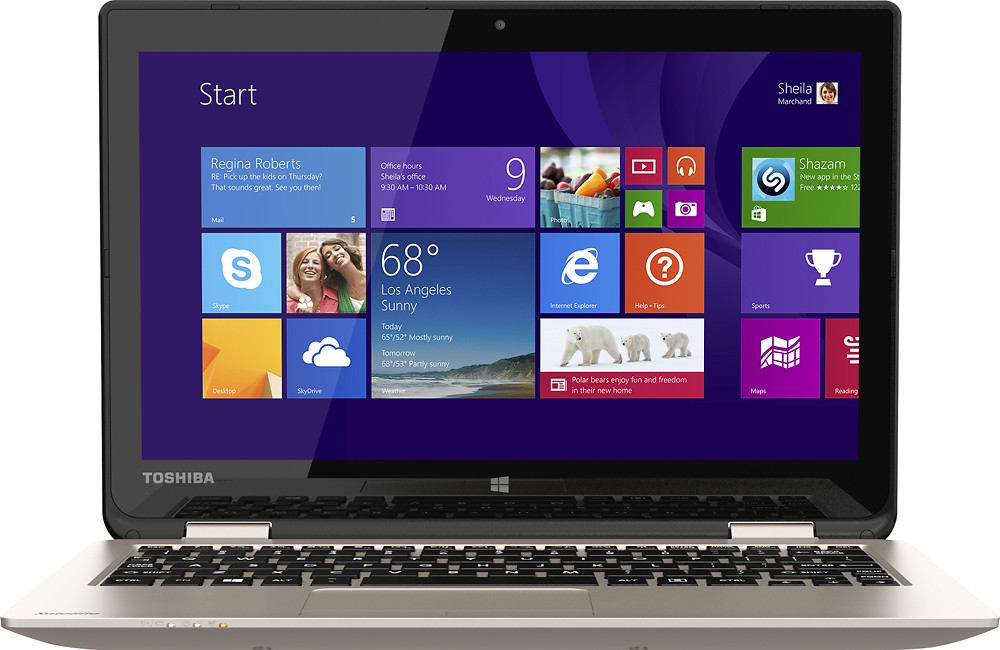
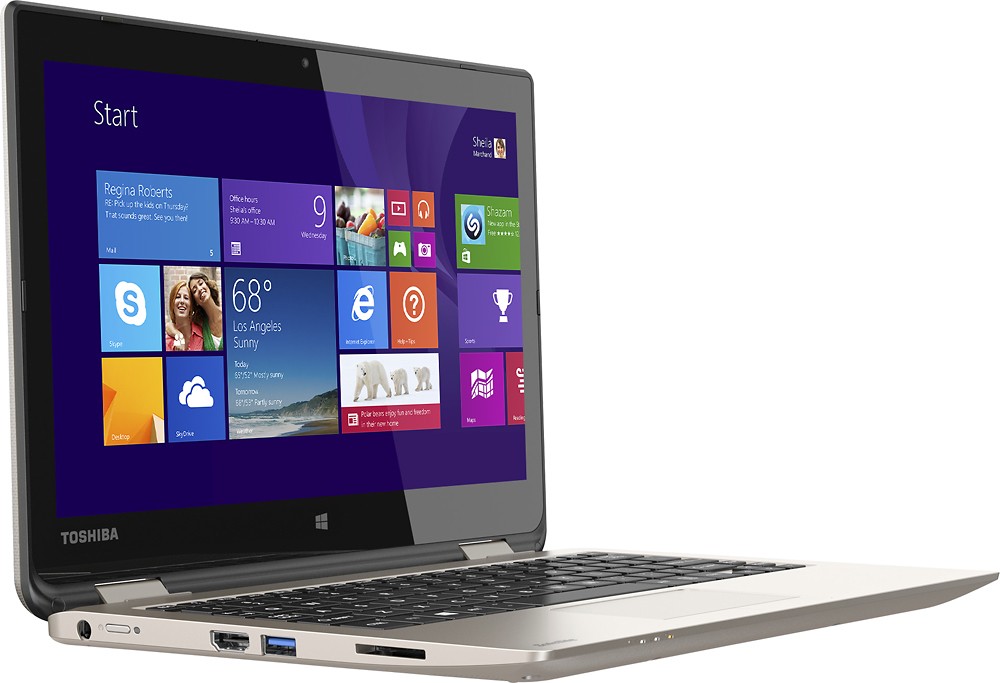
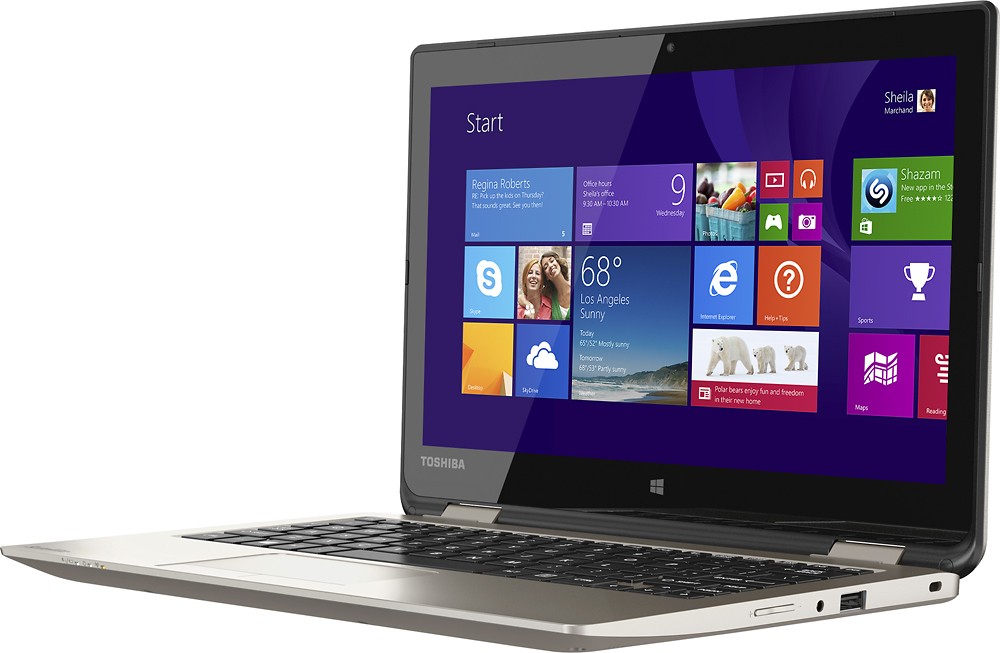
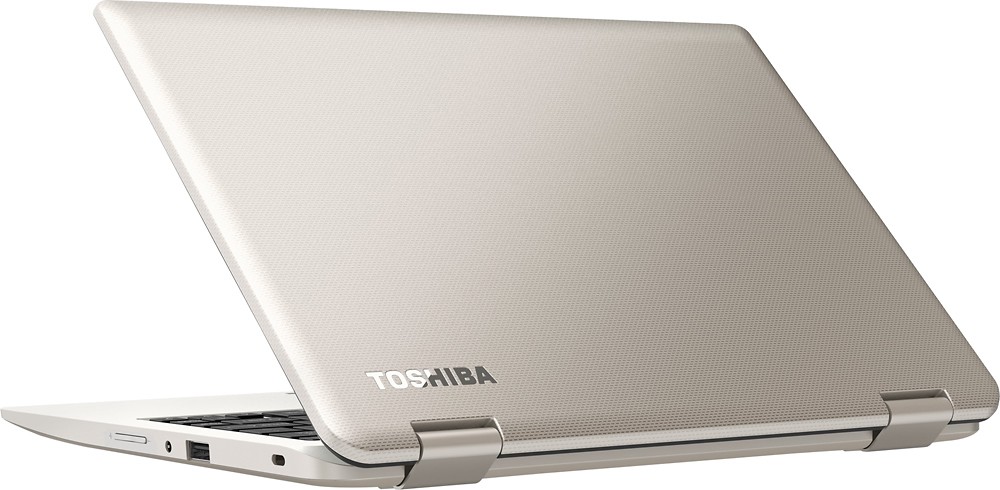
Customers commend the Satellite Radius 11.6" Touch-Screen Laptop for its portability, light weight, touchscreen capabilities, and compact size. They appreciate its affordability and user-friendly interface. However, some users have expressed concerns about its slow performance and occasional freezing issues.
This summary was generated by AI based on customer reviews.
great
||Posted .This reviewer received promo considerations or sweepstakes entry for writing a review.its great for the college student life , great, its great
I would recommend this to a friendThis laptop is everything
||Posted .This reviewer received promo considerations or sweepstakes entry for writing a review.I love it this laptop is easy to work with. Great buy
I would recommend this to a friendgreat for all ages
||Posted .This reviewer received promo considerations or sweepstakes entry for writing a review.I would really recommend this one to everyone nice
I would recommend this to a friend- Cons mentioned:Slow performance
Save your money
||Posted .This reviewer received promo considerations or sweepstakes entry for writing a review.This laptop is slow and frustrating. Even just web surfing and document processing was a chore.
No, I would not recommend this to a friendBrand response from ToshibaStaff
Posted .Thank you for the review, Christine237, and sorry to hear that you may be having some sort of performance problem with your Satellite L15W-B1208.
This model is equipped with an Intel Pentium N3540 Processor and 4GB of RAM which, while a value level configuration, is fully capable of handling typical day-to-day consumer computing needs such as email, social media, and general web browsing.
I wonder how long you've had this unit and if perhaps Windows Update has been busy downloading & installing updates. That's typically the case with brand new systems, and if so it will tax initial performance until the updating process is completed.
If you feel that you're not getting the appropriate performance for this hardware configuration, please contact Toshiba support at 800-457-7777 for troubleshooting help.
Thanks again for the feedback and for choosing Toshiba.
I like the compact size for traveling.
||Posted .This reviewer received promo considerations or sweepstakes entry for writing a review.I am disappointed in the fact it doesn't automatically pick up wifi in the hotels I stay in or at home for that matter. After working online, playing movies on it is slow.
No, I would not recommend this to a friendBrand response from ToshibaStaff
Posted .Thank you for the review, Teresa.
Windows, in general, doesn't automatically connect to new wireless connections. You can tell it to automatically connect to a Wi-Fi connection by checking the box to "Connect Automatically" when you connect to a given network, so it will automatically connect the next time it is within range of the same network connection.
Streaming movies online is highly dependent on having a reasonably fast network connection. This can be a little dicey when traveling and using Wi-Fi connections in hotels and other shared hotspots. If you have the same problem at home, try reinstalling or updating the Wireless driver by downloading and installing the latest available one from support.toshiba.com/support/modelHome?freeText=1200010412 -- Click the 'Drivers & Updates' tab, then filter by Operating System and "Wi-Fi" to find the latest driver for your laptop.
If you need further assistance please contact Toshiba support at 800-457-7777.
Thanks again for the feedback and sorry for the trouble.
Not as advertised
||Posted .This reviewer received promo considerations or sweepstakes entry for writing a review.Windows 10 installed but really Windows 8 and wait. Not happy.
No, I would not recommend this to a friendBrand response from ToshibaStaff
Posted .Thank you for the review, sadtoshiba, and sorry to hear that you expected to find Windows 10 preinstalled on your Toshiba Satellite Radius L15W-B1208.
As the product description here on bestbuy.com says, this specific model comes with "Microsoft Windows 8.1 operating system preinstalled" and an option to "Upgrade to Windows 10 for free."
Thanks again for the feedback and for choosing Toshiba.
hate it!
||Posted .This reviewer received promo considerations or sweepstakes entry for writing a review.I hated this laptop. Everytime I tried to use it as a tablet buttons on the bottom would press, then it would freeze. I also hated how bulky it was. Overall not the best. I returned it and purchased a new one.
No, I would not recommend this to a friendBrand response from ToshibaStaff
Posted .Thank you for the review, Tessa, and sorry to hear that your Satellite Radius apparently wasn't disabling the keyboard when used in tablet mode.
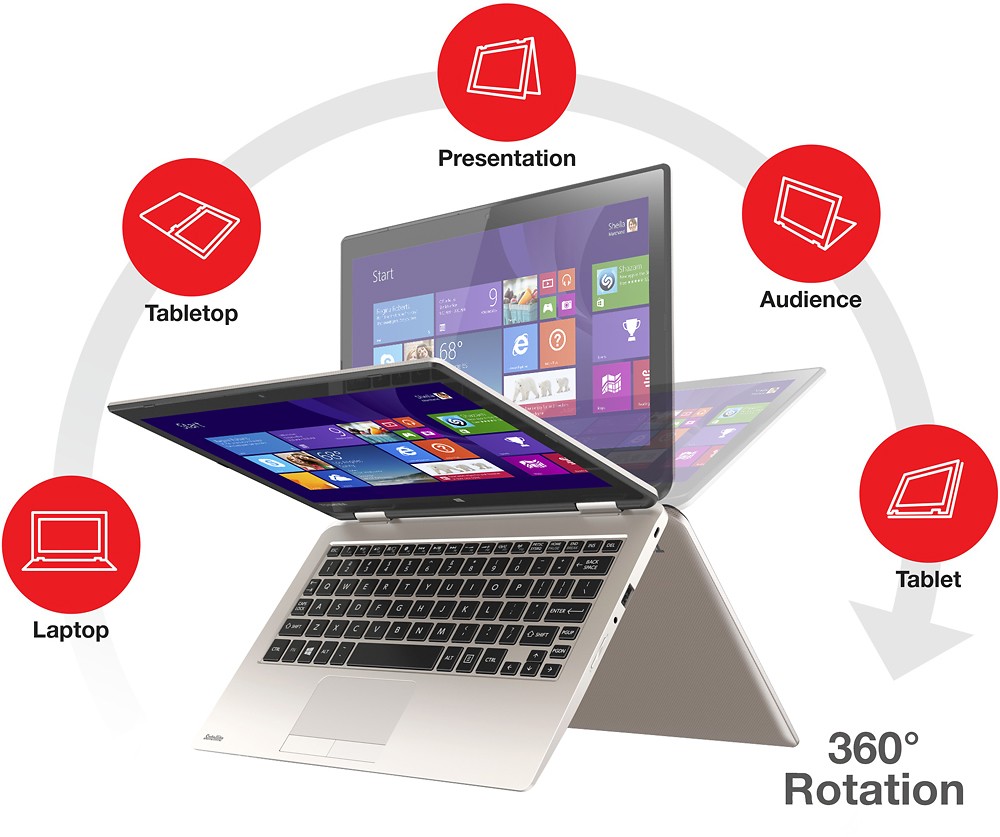
I understand that you already returned the unit but just want to explain that you experienced an unusual symptom. The mode change is normally recognized when the display is pivoted back over 180-degrees, disabling the keyboard to eliminate any risk of accidentally press a key or button while holding the Radius in tablet mode.
Thanks again for the feedback and sorry for the trouble.
- Pros mentioned:TouchscreenCons mentioned:Updates
Good First Computer
Posted .This reviewer received promo considerations or sweepstakes entry for writing a review.I bought this computer for my Sons 9th Birthday and he really enjoys it so far. This is mainly used for him to do his school work, and play some games. Minecraft runs really good on this system just keep in mind you may need to adjust some of the graphic settings to get better frame rates. The only reason I gave this a 4 rating is because of the updating that needed to be done before my Son could use the computer. I bought this a week before his Birthday, set everything up so when he opened it he could start using it. I started it many times and all seemed fine. Then when he turned it on for the first time after opening it on his Birthday it just would not work, for some reason the mouse cursor disappeared. When I tried to reboot the system it started installing updates and that lasted for about an hour…Excitement for my child was gone! I am not sure what updates were installed, and I noticed there were More updates that could be done so I started that as well…another hour gone…It is no fun on your Son’s birthday to have to tell him no when he asks many times if he can play on his new computer. The touch pad was still a problem, so I went to Toshiba's web site, downloaded and installed the latest driver, problem solved. Now that all the updates have completed I believe this is a Great Computer for my son, and he really loves it. In my opinion a company like Best Buy should help setup and install the updates when a customer buys a new computer for several hundred dollars, especially when the customer purchases the Geek Squad Support and Hardware Protection for an extra fee. I know the people in the computer department at Best Buy are trained, maybe mentioning at the time of sale that updating the system may take some time, and explain it is necessary should be communicated. Not everyone has the common computer knowledge that they have.
I would recommend this to a friend Garbage
||Posted .This reviewer received promo considerations or sweepstakes entry for writing a review.Caught a virus immediately-- Returned it, bought a MacBook. No problems since.
No, I would not recommend this to a friend- Pros mentioned:Portable, Touchscreen
Great for basic tasks!
Posted .This reviewer received promo considerations or sweepstakes entry for writing a review.Wifey loves her new school laptop! It's portable, light, and gold! Overall perfect laptop for my wife as she will only be using it for typing up papers, interwebs browsing, and streaming youtube/netflix. Pros: Pentium Processor, 4GB Ram, Touchscreen, Free Microsoft Office 365 Personal (1-year subscription) [perfect for starting school] Cons: 4GB Ram non-upgradeable.. slow HD (will probably upgrade to SSD if possible). BLOATWARE loaded.. Remove as much as you can to make this laptop run at its rated speeds.
I would recommend this to a friend - Pros mentioned:Portable
Toshiba Satellite Radius
Posted .This reviewer received promo considerations or sweepstakes entry for writing a review.Description The Toshiba Satellite Radius is a small, lightweight laptop. It is equipped with an 11.6 inch touchscreen, which rotates around the keyboard to create a tablet like feel, 4GB of memory, a 500 GB hard drive, USB ports, Bluetooth, and a webcam. Purpose I purchased this laptop as a portable computer for college, with a decent budget in mind. I purchased it for writing, and studying. I needed something small, easy to use, and durable, with enough power and memory to store all my files. I wanted to be able to have all my important files with me. So, I could study and write on campus. Lastly, I wanted to be able to occasionally watch videos, and stream music. Performance Pros: • Easy to use and maintain. Especially, for someone with limited technical experience. • Equipped with Microsoft Office to write and edit assignments • Equipped with 4GB of memory, which enables me to save all my files. • It is small and lightweight. I can carry it all over campus, and have all my files with me. • It is durable. I have dropped it a few times and had no issues. • Good battery life for a small computer. The battery last a few hours of studying and music streaming. • Good processor that boots ups fast and operates all necessary programs. • I am able to watch Netflix and stream music. Cons: • The video, and music occasionally lag. • Every once in a while the mouse stops working. However, if you give the machine a minute or two to reset it will reappear. • It can get a little hot, but this only occurs under extreme use. Overall Overall, this laptop is a good option for someone who needs a small machine, good for travel, and the basic necessities of reading, studying, and writing, at a decent price. This laptop has exceeded my expectations for a small computer. It is able to perform all the tasks I require, and I am happy with my purchase.
I would recommend this to a friend - Pros mentioned:Price
Nice little 2 in 1
Posted .This reviewer received promo considerations or sweepstakes entry for writing a review.First time I bought a Toshiba and the first impression wasn't good. The first one I got had a red hot pixel and I was debating to return it or get a replacement, I got a replacement and so far so good. I choose the Pentium instead of the Celeron for it's faster speed. It's now upgrading to Windows 10 so I'll add programs after completion. This 2 in 1 will be used for travel, internet and storing pictures/videos. This notebook is solidly built with no flexing of the lid or keyboard. There are no gaps where the top and bottom meet. Affordable and light weight, what else can you ask for, got this on sale for $329
I would recommend this to a friend - Pros mentioned:Touchscreen
Less than adequate keyboard/mouse pad
Posted .This reviewer received promo considerations or sweepstakes entry for writing a review.I read reviews on this computer before purchasing and noticed a couple people saying they had problem with the keyboard skipping or lagging, and the mouse pad just stopping for a moment out of nowhere. There was only a two out of 45 reviews like this, so I figured I'd give this computer a shot since it is what I could afford. Well, they were right. Typing an entire essay on this is a nightmare, it constantly (about every 5 words) skips letters. The mouse pad freezes approximately every three minutes for about 5 seconds before it starts working again, and I've only had it for three days. One good thing I can say about this laptop`is the touchscreen. I love having that feature for faster web browsing (and when my mouse pad stops working). Will definitely save up more next time and purchase a better quality one. If you're planning on doing a decent amount of typing, do NOT get this computer.
No, I would not recommend this to a friend Good, not great, for school
Posted .This reviewer received promo considerations or sweepstakes entry for writing a review.Have been using this for a week and feel like I've put it through its paces. The only reason I would say it's good but not great for school is that the battery life is pretty short. The recharge time is pretty short, but having to be tethered to a power cord after 2 classes is a bit annoying. And having to carry around a power cord in my backpack every day is a bit inconvenient and kind of undercuts the otherwise compact and efficient size. Touch screen works OK, seems to be a little hypersensitive, and I have to sort of pry the device open. Maybe that will loosen up a bit over time. The external speakers are OK, but at school I use it with headphones anyway. Keyboard is a little soft; would prefer a more distinct keypress. The webcam is OK; I don't use that much.
I would recommend this to a friendPerfect All In one
Posted .This reviewer received promo considerations or sweepstakes entry for writing a review.. Does more than a tablet can do, transforms in what you need when you need it. Radius 360 is extremely cool. Shopped for a touch screen monitor for my wife and came upon this great deal. The one on display in the store was sluggish (maybe slow connection so I had my reservations about buying it but with Best Buy return policy decided to give it a try. Happy I did. This machine kicks but and has very powerful graphics and processor which impressed me so much I bought one for myself. Ever since tablets became popular I wished someone will combine the best of both worlds and with this combo Toshiba built exactly what I needed and best of all it is upgradable to Windows 10 and the same model with Windows 10 installed is $50 more> I grabbed mine for $100 less 2 days ago. I am super thrilled about my purchase and this has even Bluetooth, usb 3, office 365 and Power Director video and photo editing which I tested at work as the most affordable and powerful value for money home user video editing software. If you are still wondering go ahead this is one of thse buys that you cannot go wrong with.
I would recommend this to a friend- Pros mentioned:Portable
Great little 2-in-1
Posted .This reviewer received promo considerations or sweepstakes entry for writing a review.I've only had this for a few days but so far I am impressed! I was going to save for a mac because I hated windows 8 but when windows 10 came out I decided to save my money to use toward my wedding and buy a more affordable computer. I wanted something ultra portable that i could take to class and work and this is it! I love it.
I would recommend this to a friend Comes standard with ad-ware and junk programs
Posted .This reviewer received promo considerations or sweepstakes entry for writing a review.Nice little laptop for my daughter for school. BUT, I had to remove MANY adware (Deals And Offers) and junk programs right after setting it up. One of these seems to have attracted additional malware and I had a heck of a time getting them all removed. McAfee and Super Anti Spyware were not too helpful either. These things kept popping up and interrupting her work. I finally used something called Malwarebytes. SO far this seems to have worked but the day is young.
No, I would not recommend this to a friendBetter than a tablet
Posted .This reviewer received promo considerations or sweepstakes entry for writing a review.2 in in 1s at 1/2 the price of a tablet or laptop. Lightweight, additional ports, great screen quality. Actual keyboard! I am very happy with my purchase
I would recommend this to a friendExcellent For The Price
Posted .This reviewer received promo considerations or sweepstakes entry for writing a review.I purchased this for myself to replace a similar laptop. I am very happy with it. It was a great value for the price point. I did replace the hard drive with a solid state drive and gained a little speed up.
I would recommend this to a friend- Cons mentioned:Updates
worst laptop ever
Posted .This reviewer received promo considerations or sweepstakes entry for writing a review.this laptop was good for about 6 months. One day i saw a little scratch on my screen and i just pressed on it and the screen got 2 big cracks!!!!! and since it cracked, the touch screen glitches. it randomly updates and doesn't warn me so that i can save the work i had. DO NOT BYE THIS
No, I would not recommend this to a friendBrand response from ToshibaStaff
Posted .Thank you for the review, ashleytodd, and sorry to hear about the cracked screen of your Satellite L15W-B1208.
See the Microsoft article at windows.microsoft.com/en-us/windows-10/getstarted-choose-how-updates-are-installed for help choosing when restarts will occur after Windows Updates are installed.
The glass of the display panel doesn't scratch in normal use so, unfortunately, what you saw there was the beginning of a crack. While the standard warranty covers all defects in parts & workmanship, that doesn't include cracked display panels. Toshiba does offer a SystemGuard warranty extension option to cover accidental damage which would cover such issue if purchased.
See support.toshiba.com/aspLocator?subs=tais to locate your nearest Toshiba Authorized Service Provider or visit www.toshibarepairservices.com if there are no service centers nearby.
Thanks again for the feedback and sorry for the trouble.
Thank you for the review, ashleytodd, and sorry to hear about the broken display.
Please contact Toshiba support at 800-457-7777 or visit https://www.toshibarepairservices.com for help getting the broken panel replaced.
Thanks again for the feedback and for choosing Toshiba.