Customer Ratings & Reviews



- Model:
- TWQ064STW-07-BUS
- SKU:
- 6514508
Rating by feature
- Value
Rating 3.5 out of 5 stars
- Quality
Rating 4.2 out of 5 stars
- Ease of Use
Rating 4.2 out of 5 stars
Customers are saying
Customers recognize the Squares LED Panels 5+1 Combo Pack for its easy setup, brightness, and unique design, making it a great decorative addition to any home. The companion app is also considered really good, and customers are happy with the LED quality. However, some customers have reported experiencing connectivity issues with the app.
This summary was generated by AI based on customer reviews.
- Pros mentioned:Setup easeCons mentioned:Connectivity
Could be awesome!
||Posted . Owned for less than 1 week when reviewed.This reviewer received promo considerations or sweepstakes entry for writing a review.Almost cool almost I bought my first set a few days ago. It was really cool the install worked (for this one) really well and I was loading up some pixel art. But the pixel art on 6 panels needs to be extremely enlarged to have any detail on these squares. Ok I get it I’ll need to buy more if I really want these squares to shine. Well that’s where the issue comes in. I bought a second starter set since any of the expansions are weeks away from even being in stock. So I decided to spend another $260+ and set them up with the existing panels. Nope. It only recognized 5 and not the main board of the second set. So that’s a bummer now I have a small square gap in a corner since the 2nd main panel doesn’t work with another starter set. So I then tried to set it up separately to have both running 6 panels and group them and more problems arise. It wouldn’t map the lights it just kept erroring out with different error numbers. Then 1 side would map while the other wouldn’t or if I tried to just use the patterns given 1 side worked and the other would do something else. I returned both which is a shame. I probably would have bought another 3 extensions or even another starter if they actually worked together. Even when they were installed separately and paired to work together they still didn’t work properly.
No, I would not recommend this to a friendBrand response from twinkly Team
Posted .Thank you for the feedback,
our User Satisfaction team will be happy to help you solve your problem.
Please get in touch with us via the "Contact Us" form found in the Help section of our Twinkly Official website,
We look forward to hearing from you!
Kind regards
Meh
||Posted . Owned for less than 1 week when reviewed.This reviewer received promo considerations or sweepstakes entry for writing a review.In theory these sound great but in real life theyre just meh. I thought this would be a cool nanoleaf/lifx panel competitor but it just doesnt do it for me. On the wall it looks a little dated in comparison and wheres the homekit support!? My panels updated when i set them up but not to the firmware listed on the website thats required for homekit. Kinda frustrating being so expensive. Also how are you supposed to get to 16 panels when the expansions sets are 3 panels each? 6 + 3+ 3 + 3 = 15 ($550) so i have to buy another expansion set just to get 1 extra panel?
No, I would not recommend this to a friendBrand response from twinkly Team
Posted .Hi! In the future, single Square Extensions will be available for purchase. Keep an eye on our website.
Regarding the Homekit compatibility, you can find the QR code on the Master Panel of your Square.
If you need any assistance just contact our User Satisfaction Team through the Help page of the Twinkly website.
- Cons mentioned:Connectivity
Poor quality for such a high price.
||Posted .This reviewer received promo considerations or sweepstakes entry for writing a review.They were great at first, until adding extensions. Ultra cheap connectors tend to break, no matter how carefully you unplug them, and the pins will no longer line up/make connections. I now have multiple panels with only 1 connection possible, meaning you can’t extend beyond that square. Some panels now have no connection at all. I have been working with electronics for 40 years, and expect some frailty with the plug type used, so was very careful. The plug design literally grips the port so hard that it takes it with it once it comes undone. The port on the left side of the tile pictured is fine, but the one on the right is an example of the damage.
No, I would not recommend this to a friendBrand response from twinkly Team
Posted .Hi Nick and thanks for the feedback!
We can send you a replacement connector.
Please get in touch with our User Satisfaction team using the contact us form found on the Help section of the official Twinkly website.
We will be happy to help you!
Amazing product!
||Posted . Owned for less than 1 week when reviewed.This reviewer received promo considerations or sweepstakes entry for writing a review.I bought these squares for the first time not knowing what I was getting myself into. I struggled at first but once I figured out how I wanted to display them, I knew this product was for me. It is so cool and the options for design and colors are endless! You can create your own design, upload some gifs, and even do it all through your phone! They even sell sets of 3 squares on the side if you want a bigger design! I would say my only issue was the mounting process, they have holes for screws but I chose to use a super duty velcro tape that worked perfect for not damaging my walls and can also support the weight of each panel! Definitely will be adding more to the set up!
I would recommend this to a friend- Pros mentioned:Brightness
Amazing!
||Posted . Owned for 4 months when reviewed.This reviewer received promo considerations or sweepstakes entry for writing a review.Amazing lights. These little panels pack alot of power and brightness. Thwy are perfect to set the mood and spice up your gaming room. I strongly recommend them!
I would recommend this to a friend Love my twinklys
||Posted . Owned for 1 month when reviewed.This reviewer received promo considerations or sweepstakes entry for writing a review.I bought this about 2 weeks ago and I decided to go with 16 panels,the are amazing, my mom just passed and i have her picture and it looks so realistic thank you for such a great product .
I would recommend this to a friendSuggested lights
||Posted . Owned for 1 week when reviewed.This reviewer received promo considerations or sweepstakes entry for writing a review.My son loves these lights!!! They were tricky to hang but I think that had to do with operator error…lol they are great and look so good on!!!
I would recommend this to a friendGreat lighting
||Posted . Owned for 1 week when reviewed.This reviewer received promo considerations or sweepstakes entry for writing a review.Amazing, the features are great paired it to alexa with no problem and added my own custom animation of my favorate characters walking
I would recommend this to a friend- Pros mentioned:Brightness, Led quality, Setup ease

Twinkly Squares are of good quality and look great
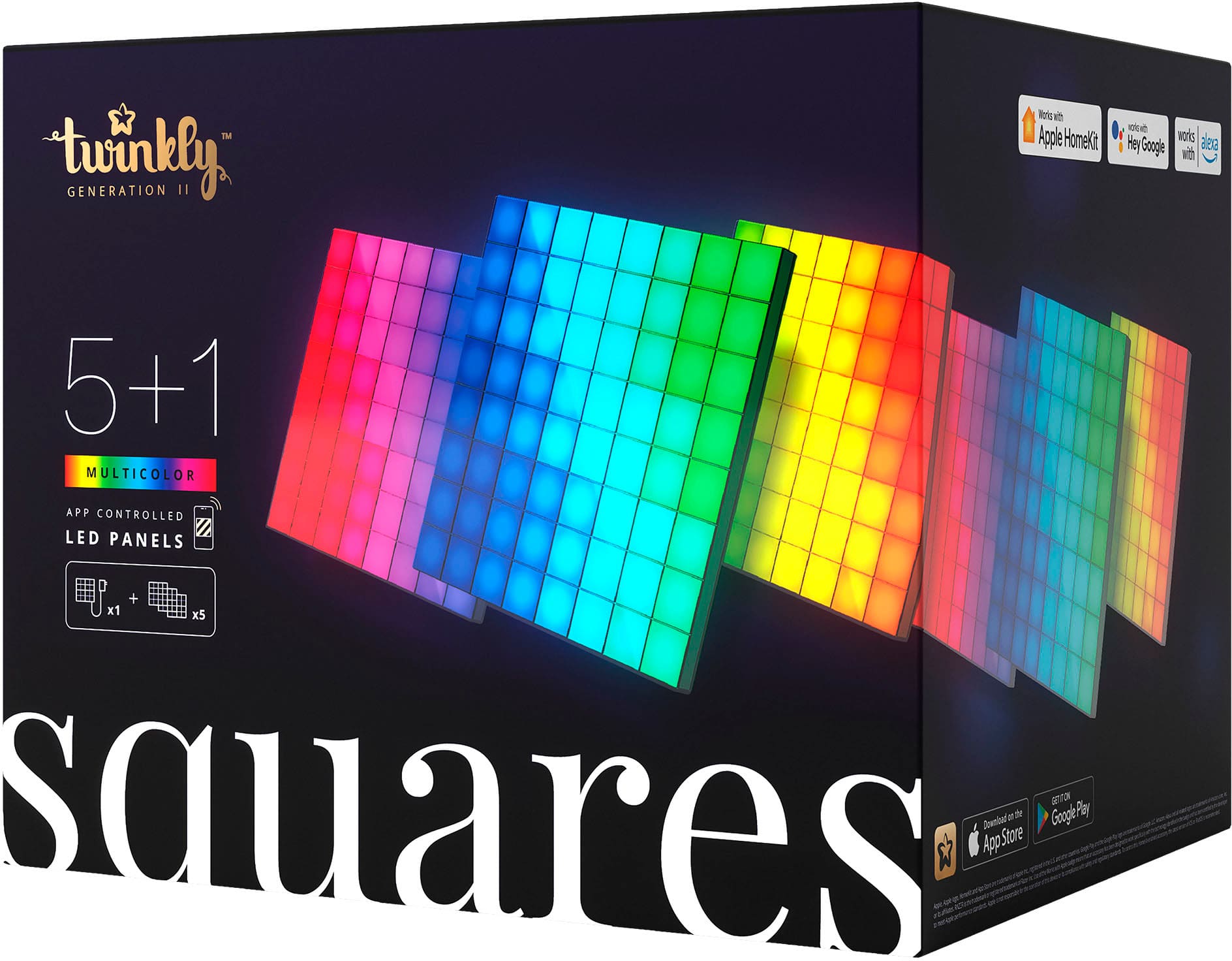
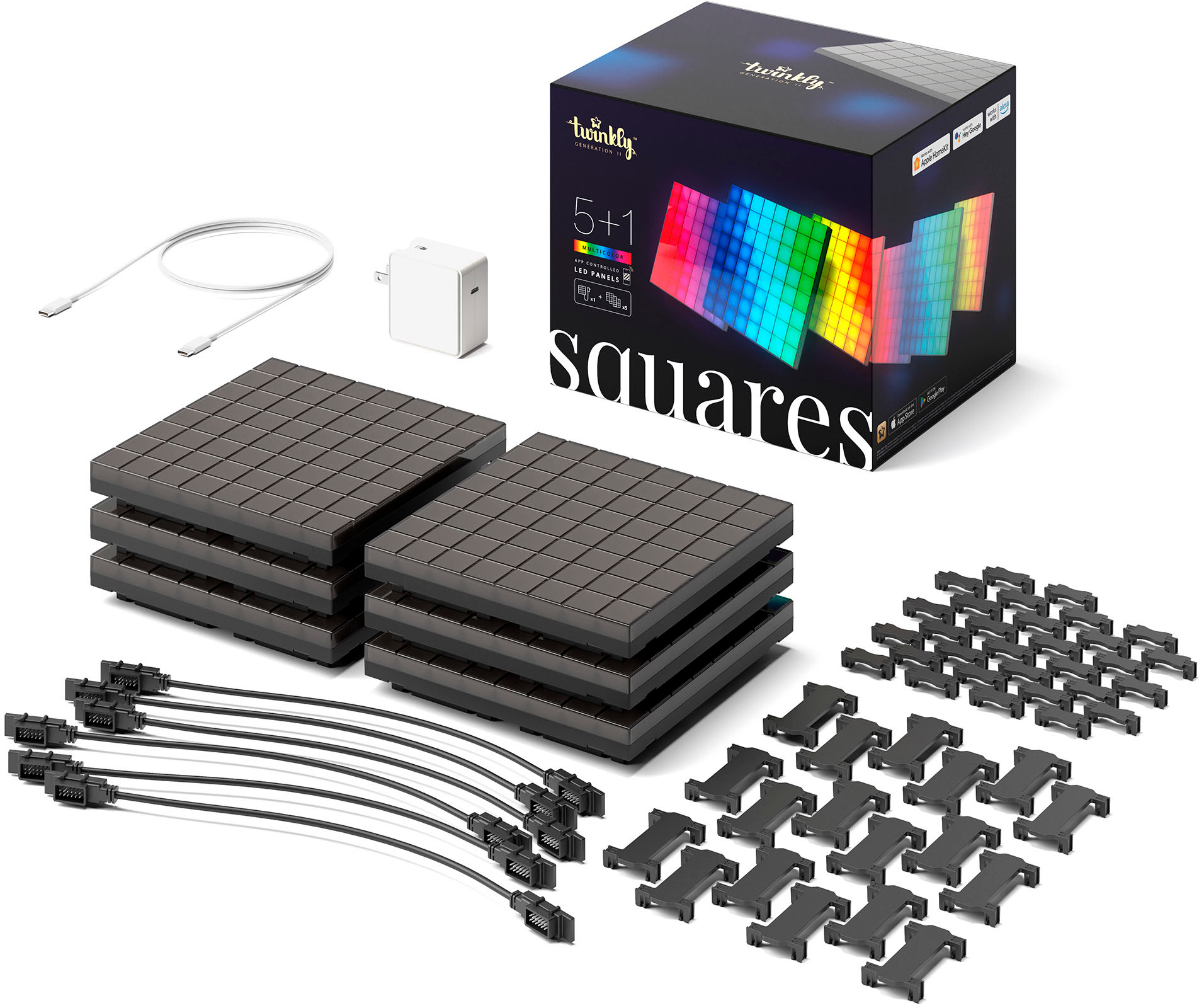
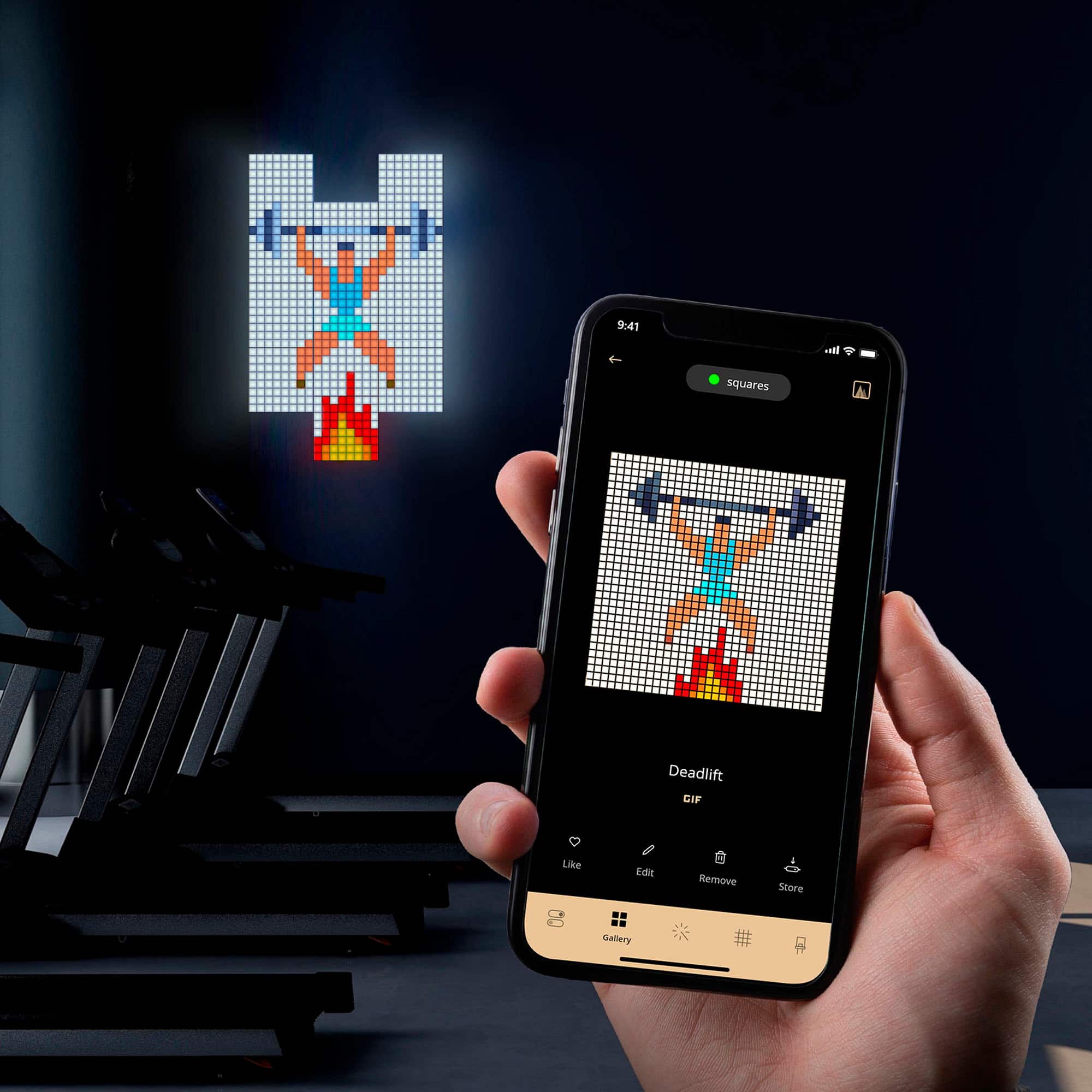
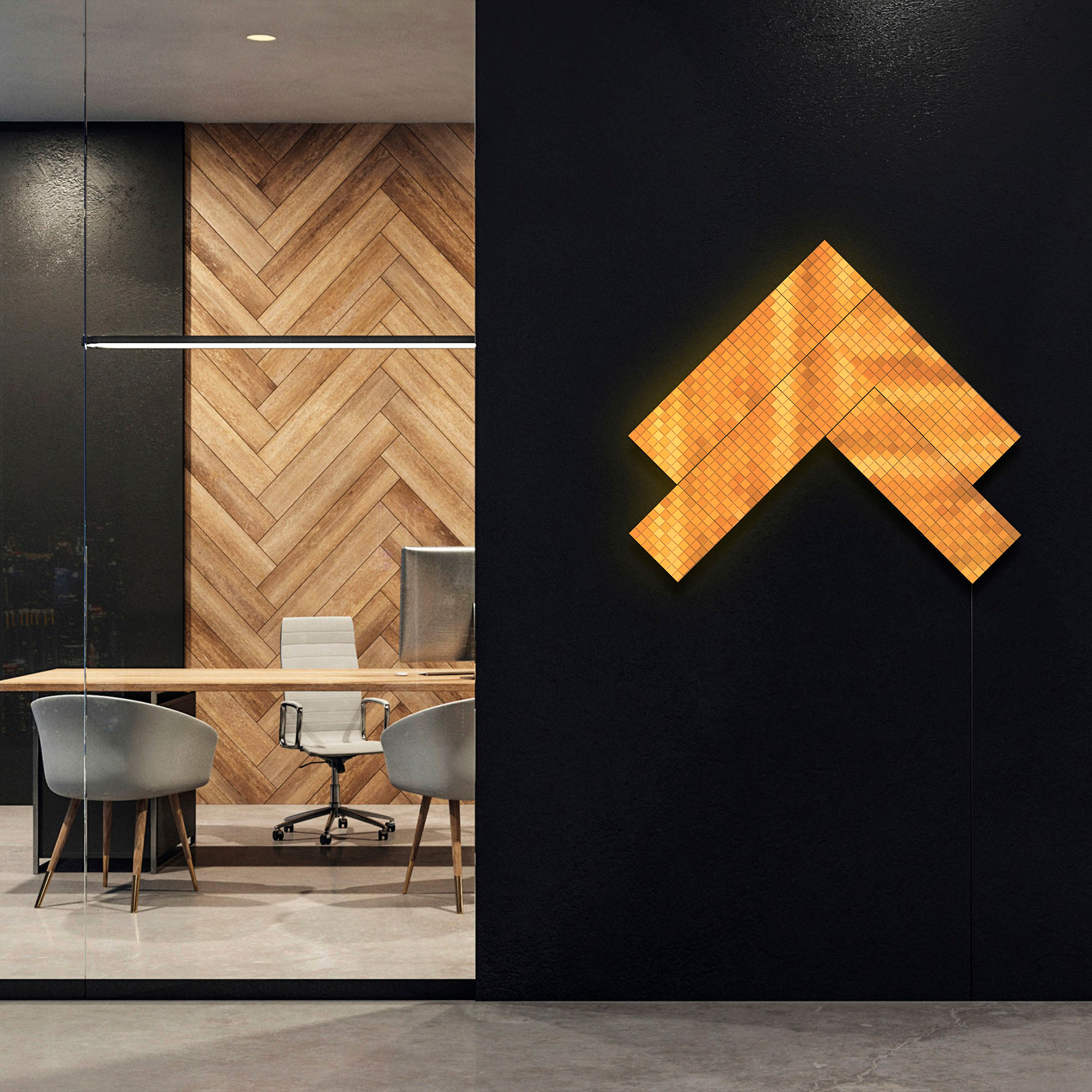
|Posted .This reviewer received promo considerations or sweepstakes entry for writing a review.I like to have ambient light especially in my office and these squares from twinkly are a great addition to create an amazing looking office space. The lights come in with one controller square; this square has 4 connectors so it can be either in the middle or on the side. The other 5 squares are the additional squares that are controlled by the first one, these squares have input opposite sides so they can connect to another one as well. I like that the cables can be installed one way or another and the squares can be connected from either one side. The instructions are clear, download the app, turn on the main square by plugging it in and then follow instructions. The squares have holes so you can hold them with nails, screws or even double-sided strong tape. The set comes with brackets if you want to hold the squares together and they are easy to put them on or off. I think 6 squares look great but to make it look much better I will get the extension, these are another 3 squares so it can be a big square. I am glad I can add more, up to 15 extension panels so I will keep that in mind. Once on the wall the application maps the squares so it reads the shape you have created with the squares so it also sends the signal to create different effects. The effects included are plenty, from Snow, Rainbow, fireworks, sunset, flare and more. The colors can be changed I can draw with my finger any shape I want and have lights flicker, I can also import a Gif so I can show it here, but to show a gif I think I do need more squares, each square has 64 LEDs and they function as pixels so the more pixels the clearer the image will look. I just want them so I can have some cool lights around my desk and they do so. I also like that I can ask my assistant to turn on the lights or off, in the application there is also a timer so they can turn on and off at specific times. The lights are dimmable so I dim them to focus but when I want to have bright lights these do the work. They are also compatible with Razer Chroma and Omen so they can sync with the computer. Overall the Twinkly Squares are easy to setup, they look great and bright with so many colors, shapes and effects. To show gifs I will need more squares and I am glad there are extensions to get for that as well.
I would recommend this to a friend - Pros mentioned:App usability, Setup ease
The ultimate pixel art decor
|Posted .This reviewer received promo considerations or sweepstakes entry for writing a review.Light panels and pixel art have both been steadily growing in popularity over the last few years, so I suppose it was inevitable that someone would eventually combine the two in a single product. Twinkly’s sleek light panels are perhaps the ultimate eye-catching accessory for your gaming room, provided you’re willing to take the time to work around some of their eccentricities. The setup experience was very good, particularly compared to some of the previous light panels I’ve experimented with. Data and power is handled by some very sturdy socketed cables (and a spare is included.) The structural links are handled with some sturdy plastic clips, which come in two varieties and are plentiful enough to handle just about any weird arrangement you think you could throw at it. Previously I’ve had some issues with connectors like these being overly fragile, to the point that I wasn’t convinced you could ever expect to reconfigure them later without tearing or snapping something, but Twinkly’s system here is pleasantly durable. I experimented with a variety of shapes before hanging them on the wall and think I might continue to experiment as I get more familiar with the effects. The downside of this approach is that it does make the panels considerably thicker though – to the point where I’m debating if I might try to 3D print a frame to go around them so that they’ll look a bit more appealing from the side. This also made hanging them on the wall a bit tricky. Rather than relying on dedicated brackets that can be stuck on using command strips or a single screw, these panels are meant to be hung on standoff screws. None are included, unfortunately, but they did throw in a template to help position them. While this was nice, I really do wish they’d expanded the template a bit to cover more than a single panel. Realistically I think most will probably be hanging these things from at least 2 or three adjacent panels and making sure that the template was positioned at the correct height and distance from the previous markings was quite time consuming. A fold-out guide that covered multiple panels would have spared me a lot of frustration. On the plus side though, hanging it from screws like this made the things a LOT more solid than any similar product I’ve used in the past, which have occasionally had issues with the things falling off the wall. I’d even be okay hanging them off the ceiling, though I’d dread having to mark all the holes for it. Once they were hung and power was run (using a standard USB-C cable, which means you should have lots of options for color matching and cable routing to hide it away) setup continued in the app. I found this to be mostly good, but it needs some work. The app in question was originally designed for the company’s smart Christmas tree lights, and all the functionality relating to these panels is still very clearly a work in progress. The first step of scanning the panels to tell the app how they’re hooked up and oriented assumes that you'll be holding the camera in portrait mode, rather than checking the phone’s gyroscope to figure out which way is up or allowing you to manually determine the orientation. It also initially ran into problems when I didn’t hold the phone entirely level, resulting in it concluding that the panels were canted and messing with the effects. And manipulating various sliders for brightness and effects speed would make the diagram of the panels shrink. There's currently not any kind of zoom either, so creating your own drawings and effects seems to be borderline impossible if you have a larger arrangement. I don’t want to take too many points off for this since apps for new smart devices are almost universally horrible at launch, but early adopters should be aware that creating new effects will be a struggle until these issues are fixed. Good news is that once I’d gotten through the worst of the app and loaded a few effects, it worked very well. The ability to play animated GIFs is a lot more fun than I should probably admit, and would look amazing in a home arcade. I do feel like you need at least twice as many panels as they give you to do the REALLY fun stuff, but that’s a complaint I feel I have about almost every light panel system out there. Pairing them with the Google assistant was very straightforward and it works well, though sadly it doesn’t seem to let you specify specific effects through voice commands. And there are a host of interesting effects available through the app for those who don’t want to bother setting up their own. And, if you’re a bit more boring, it does a pretty good job of lighting up a room too. They’re probably about as far as you can get from a practical design for a lighting system, and the price does reflect that, but I’m betting we’re going to see them popping up behind a lot of streamers in the next few months. I’d recommend them for anyone looking for a big canvas to show pixel art the way it was meant to be seen or something to make the homebuilt arcade cabinet really pop.
I would recommend this to a friendBrand response from twinkly Team
Posted .Hi! Thank you for your decision to share your impressions and suggestions with us.
Our customers’ opinions and feedback are essential to improve !
We always try to offer you the best experience ever, and we would like that every idea can come true in the blink of an eye, but ... unfortunately, this takes time!
By the way, I forwarded your request to our research and development team, which will certainly take it into consideration for possible future implementations.
However, we wanted to let you know that through the Fx Wizard feature you can adjust brightness, speed, shift, angle, and also the zoom! So you are able to zoom! If you need more help with product customisation or you would like advice on how to get the best out of Twinkly Square, we also recommend that you contact our customer service via the help centre on our website! Here you will find the Contact us button where you will be able to talk to our team!
- Pros mentioned:App usability, Setup ease
This is a fun product!
|Posted .This reviewer received promo considerations or sweepstakes entry for writing a review.There are a number of light augmentation/sculpture tile-panel thingies on the market that can pulse colors in different patterns and in configurations you can customize. This does that too but gives you the added capability of showing pixelized art and animations (albeit, in BIG pixels). Yes, it's a little gimmicky and yes the expense grows the bigger you make the overall panels (naturally), but this 5+1 Combo Pack is a good start. And again...it's just FUN! One of the big plusses is that you can connect to the panel via bluetooth and/or wifi. I don't have to worry about swapping SD cards when I want to change something. And on that front, I have to say the companion app is really good. Setup was really easy, downloading and creating my own content was straight-forward. If there was one challenge I ran into, it was training the app to understand the panel map configuration. The squares can be connected to each other however you want, but the app needs to know where each tile is in relation to each other. The app does this really smart thing where it sends a color pattern to the panel and figures out both how they are connected to each other and in what orientation. It's pretty ingenious, really. The problem is that you really have to balance your ambient light conditions and make sure you're getting the panel in the frame correctly. It took me a number of tries for the app to finally understand the correct the configuration map. But that's really the only problem I had and I was able to resolve it in no time. One last thing...a little tip: Animated GIFs. You can just send them to the panel! But try to use animations that are close to the resolution of your panel. Otherwise, they will still play, but won't look like much.
I would recommend this to a friend - Pros mentioned:DesignCons mentioned:Connectivity
Fun LED lights to spruce up a room
|Posted .This reviewer received promo considerations or sweepstakes entry for writing a review.The Twinkly squares LED panels are a fun way to add some flair to your room but they do have a high cost though. In the box you have 5 panels and one main panel that you can connect the USB Type C power cable to. There are multiple ways so connect these so you limit is mostly your imagination. I just set up a simple rectangle shape. You have some 10” cables that you route thru the grooves on the back of each one to provide connectivity to each panel. The connectors on the cables have 12 long wire pins that are flimsy so be cautious when you connect them since they will bend easily if they are not lined up perfectly. This could be designed better in my opinion. Also, there are plastic clips that you use to connect each panel to the next one and overall, it will hold it together, but there is some flex in the structure as a whole. Not a big deal since it is meant to be mounted on a wall anyway. These panels are meant to be expanded so you can purchase an add on kit to make it much larger if you wish. Setting up the panels was quick and simple. The Twinkly app walks you thru the process and was quick and easy. You do have to have a 2.4 GHz wireless network to connect to though and I was able to attach them to my IoT network. The Twinkly app has some neat features and settings to customize what you want displayed on the panels. Power, brightness and setting an on/off timer are found on the first screen, then you can access the designs in the app in the gallery. There are some default ones, and you can go to the online store and download some for free. The app also allows you to create your own using the FX Wizard. This is where you can import a gif if you want as well. I tried a few of the gifs I had and I wasn’t overly impressed with the results, it seems that I need about twice as many panels for it to show up like I wanted. When the app first loads up the gallery, it can take it some time to pull that data so hopefully this can be sped up with a future update (app version 3.6.2 build 6124). Overall, these are a fun way to light up a room or provide some ambiance to it, but they are pricey for what they are. My girls play with the design feature and have come up with some neat patterns and designs.
I would recommend this to a friend - Pros mentioned:Brightness, Led quality
Pricey Square LED Panels Work Better on Apple
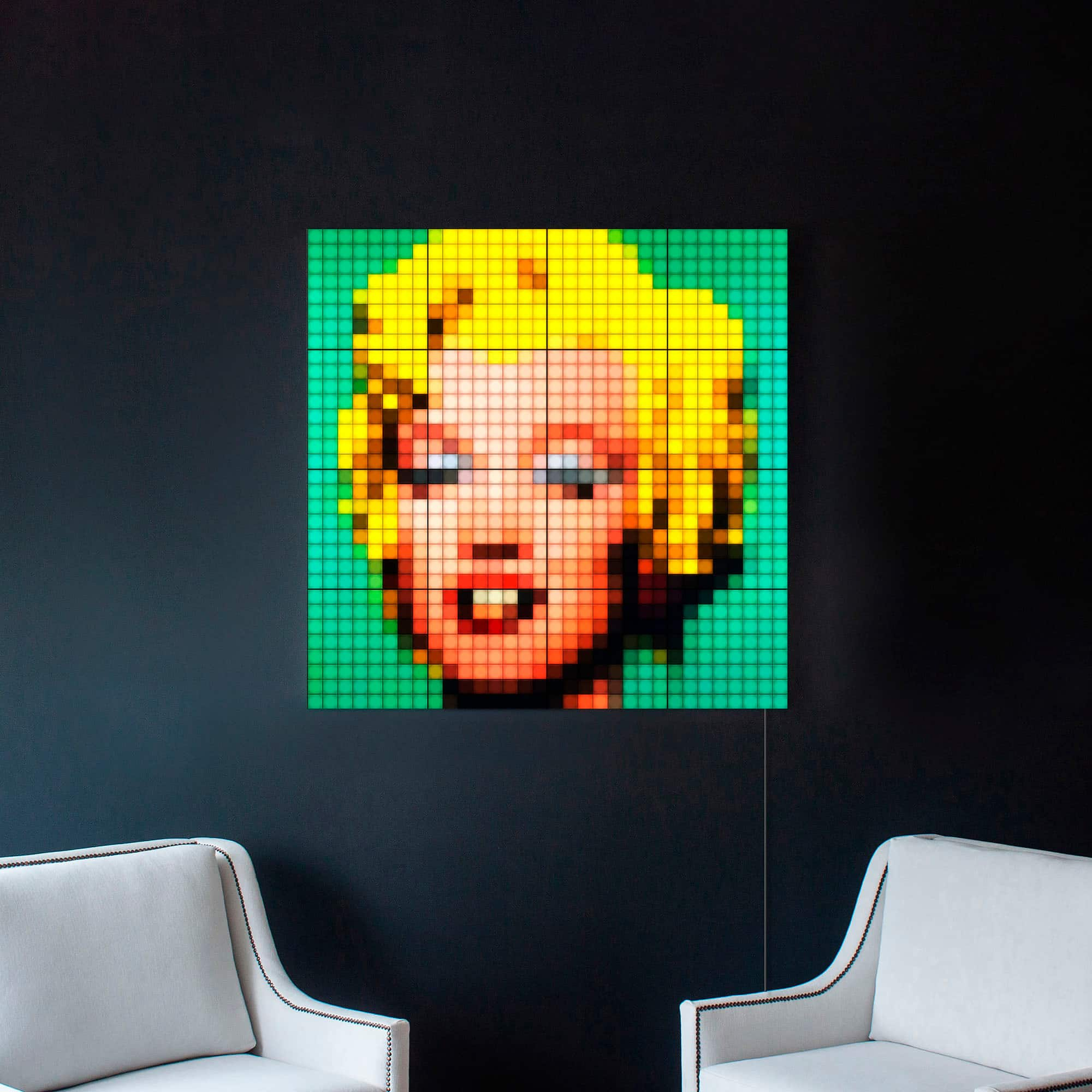
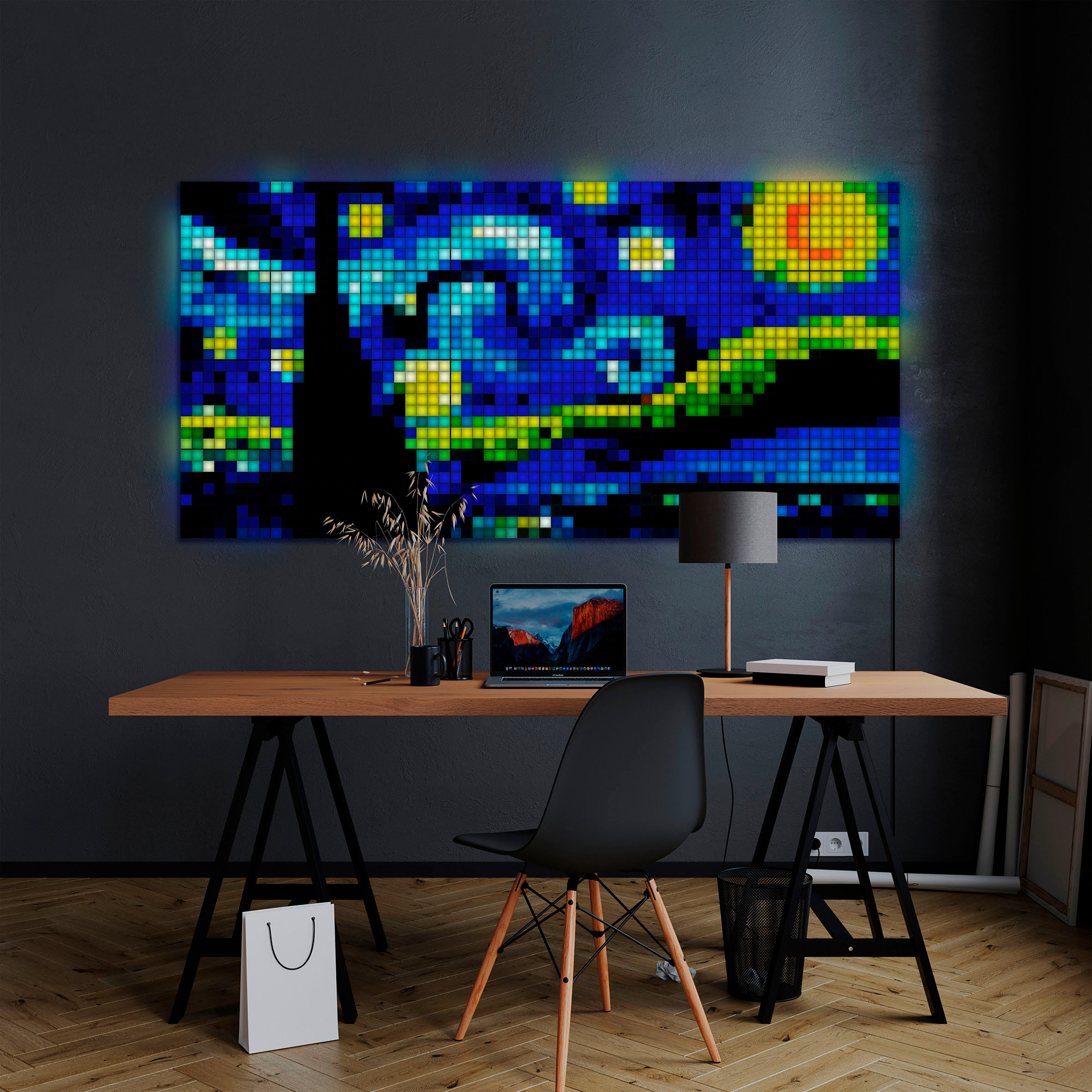
|Posted .This reviewer received promo considerations or sweepstakes entry for writing a review.Summary: I just want to say upfront that I love Twinkly. I have a few Twinkly products. I wanted to love these panels. The Twinkly Squares LED Panels are bright, assemble easily, and have a premium feel to them. They are customizable. You can place them on the wall in many different configurations. Managing cables and locking panels in place is fun and works well. Because the connection cables have a bit of reach to them, you can leave space between panels. I had no dead panels or LEDs. But, the advertised living art and animated gif features for the software are lacking. The Android experience isn't near as complete as the Apple iOS version. While iOS users can import their own photographs, importing images on Android phones and tablets didn't work in my experience. On top of that, at $100 for 3 extra panels, they're extremely pricey. Because of their price and the weak app support, I can't fully recommend these lights at this time. I hope the Android software is improved, but for the time being, I can only recommend the Twinkly - Squares LED Panels 5 + 1 Combo Pack to people with Apple phones and tablets. Even then, if you want to have detailed digital artwork on your wall, you will need to invest in many more panels to have an image with any detail at all. But, for the iOS user looking for solid light panels to add abstract lighting to their space, the panels are well made and work well. Installation: Setup is easy. These need to be hung on the wall. There is no included 3M strip and I don't think 3M tape would work well with these. I hung them on the wall with nail tack hangers. Hardest part is measuring out where you need to place the nails. The control panel has a USB-C connection and power button. Once you have everything turned on, the app walks you through the software setup process. I highly recommend setting up with the iOS app as my Samsung Galaxy struggled to map all the lights. Experience: You can only have 16 panels on one array. More than that and you will need another control panel. Each panel is 8 X 8. On the box, Twinkly shows off a picture of Marilyn Monroe. To recreate that picture on your wall, you would need 16 panels. To create the Starry Night living art, you would need over 30 panels. It all feels like a bit of a tease. For most people, that look is cost prohibitive. Each panel has 64 LEDS. While that seems like a lot, most images have many more pixels per square inch. Adjusting images so that they are recognizable at all, takes some tinkering in the app. 8-bit art and gifs from old Nintendo games worked well. Out of the box, the panels required a firmware update. Conclusion: I wanted to like these better, but they are super pricey. Limitations of the panels are to be expected, but the features missing from the Android version of the Twinkly app are inexcusable. As is, I can only recommend these Panels to folks with Apple devices.
I would recommend this to a friendBrand response from twinkly Team
Posted .HI! Thanks for sharing your experience with us! Our customers’ opinions and feedback are essential to improve. With the latest update of the App, you will find some of the Art and GIFs in the Gallery and we are working on greatly improving the experience for both Android and IOS users.
Ultimate Pixel Art Showcase
|Posted .This reviewer received promo considerations or sweepstakes entry for writing a review.Twinkly is a super fun and fantastic light panels that give any home of vibrant eight bit pixel art extravaganza! I am such a huge fan of these little LED lights that’s broken up into pixel bits. They give you an artistry unlike anything before. Growing up, I was a huge fan of old consoles like Super Nintendo and Sega Genesis of that in the 16 but era, and a lot of the artwork was done in pixels but artist always found a way around the restraints of the console to give you a define look. Now I can have that display of anything I enjoyed as a kid on the wall. Twinkly is the first to give us a full art display with this level of detail and care. If you’re an old-school gamer, especially someone like myself this is the ultimate form of wall art to my home. Setting up takes a little bit of time but once you perfect it and get everything you want in the place you want it. It comes together very well. The box itself was a nice unboxing experience and even gave a little card for being a customer to twinkly services. In a box comes six panels that can connect to each other. The main panel one having the USB-C on the side to connect. There is a printed sheet of a panel so you can know your placement before hand or plan out how you would like the squares on the wall. This came in handy when you wanted to play screws into the wall in the correct position. The wall charger for the USB-C is 60w. And the USB-C cord is just long enough to reach, but I highly recommend getting a longer one if your outlet is further away. Once you have everything in the correct position that you would like. You can download the app for Apple devices and android devices on their App Store. “Twinkly” App is one of the better app experiences I ever had with one of these lighting companies. They give you just enough customization to get started, but I definitely would like to see extra features added in overtime. Once you have the app and set it up with Wi-Fi; You have to make an account. From here they’re going to want you to map out the lights according to your wall. Hold up the camera to the square panels and it will automatically map. So you don’t have to worry how you put the connectors into the squares panels. In the app you can turn the device on and off, make your own designs, schedule timers, download new themes, carousel the themes, and so much more. I was able to make themes from different video games from my childhood! This was the most fun part of using this product. Or you can simply download a .GIF of your favorite character! This is amazing and this is exactly what needs to be done with a product like this. It’s the level of customization to your liking that draws me in. Software updates also takes place inside the app. The downside to this product for me; They only give you six panels to start. And while this is a decent amount to get a nice image, trust me, you’re going to want to buy more squares to attach. I am going to buy more squares for sure because without a doubt you’re gonna need a lot more to get the image you really want especially for old-school pixel art from the 16 bit or 32 bit era. Any old school “90’s Arcade Manufacturer.” game will definitely need many more for a bigger image. Overall I am highly impressed and love this product. If you like pixel art and enjoy it being displayed though your room. This is the ultimate way of showing it. Twinkly made a great product and I’m assuming this will be their most popular one. its one of the better lights I've used for home use.
I would recommend this to a friend- Pros mentioned:Brightness
Fun but app needs refinement
|Posted .This reviewer received promo considerations or sweepstakes entry for writing a review.Pros Panels feel study Doesn’t require any proprietary mounting Pixel cells well isolated from light bleed Bright enough to see even during the day Quick and easy to map squares Wiring panels is easy USB-C power Master panel can control 15 panels Multiple master panels can be control together Works with Homekit, Alexa, and Google Assistant Compatible with Razer Chroma Cons Square connectors are a bit flimsy Panel still feels loose after connecting App feels unfinished Certain graphics crash the panel Doesn’t work with Aura Sync Design and Features The kit comes with five standard panels and one master panel. The master panel serves to power the other panels as well as control them. Each master panel can control up to 15 standard panel. Master panels can be combined. Power is provided by a standard USB-C port allowing increased flexibility. Panels can be daisy chained together for power and control. Plastic clips are provided to secure panels to each other. The back of each panel has standard holes for hanging from a screw or nail. This is good for flexibility but if you wanted to a damage free options with adhesive strips you might find it challenging to find enough flat area to attach the pads to the back. Setup and Performance Setup is very simple. Just use the included wires to wire the panels to one another. There is no need to worry about connecting them in a specific order. Just make sure each panel is connected to another. It doesn’t even matter if one panel is connected to more than one. Plastic clips are used to bind panels to one another. While they are fine to keep them together once they are hung up they are not structural and will allow panels to flex around before hanging. Once you have the panels arranged the way you like you just need to plug in power and press the pairing button. Once the app on your phone sees the panel you can connect it to Wi-Fi and your Twinkly account. After this, you will be prompted to map your layout using a very easy process. All you do is point your phone camera at the panels while the app has the panels display different color patters. The app will map out how you have them arranged and after this point you can control them as one unified panel. Once set up you can choose from a selection of patterns, browse more effects from the Twinkly Store, design your own graphics, or upload your own image and let the app map the lights for you. While the app works ok, it still could use some refinement and bug fixes. Sometimes tasks such as applying more intricate designs tend to cause the panel crash and turn off when applied. While not entirely a surprise for uploaded images, it is a surprise that some sample graphics cause the panel to crash. The doesn’t appear to be any physical problem with the panels but a software bug as panels can work for hours without problem until changing to certain graphics. You can schedule the panels to turn on and off to a schedule as well as cycle through pre-installed graphics but strangely not graphics uploaded. To cycle through graphics uploaded as well as pre-installed you instead create a playlist from your effects library. It’s small oddities in the interface as well as occasional freezes and crashes that illustrate Twinkly has work to do refining the app. Even with these quirks the panels feel high quality with no noticeable light bleed between cells and a maximum brightness that works even in well lit rooms. You can connect the Twinkly Squares to Apple Homekit, Alexa, and Google Assistant but at the current time the most you can do is turn the squares on or off and change to a solid color. You can also connect them to Razer Chroma and HP Omen which allows more options, such as syncing too music. Unfortunately, our household uses Asus Aura Sync which isn’t support at the time of writing this. Hopefully Twinkly will add support in the future. Even without support for Aura Sync, the Twinkly Square are still a nice edition to our gaming setup. Final Thoughts Software quirks aside, Twinkly Squares are fun to use. Even if the app is not improved there are workarounds for the quirks. As long as you are willing to learn to work through them, these squares would be a quick and easy way to add more customization to your setup.
I would recommend this to a friendBrand response from twinkly Team
Posted .Hi Craig! Thank you for your review, we have read your feedback very carefully and it is very helpful in understanding our customers' needs. There are many aspects for which your considerations will definitely be taken into account! However, as far as our app is concerned, it is very important to us that our customers write to us via the Help Centre on our website if they have any concern. Here you will find the Contact Us button that will give you the possibility to write to us. Our User Staisfaction Team will certainly help you to get the best out of your App! We look forward to hearing from you!
- Pros mentioned:Led quality
Lo-Res Fun
|Posted .This reviewer received promo considerations or sweepstakes entry for writing a review.Let me start by saying that I was already impressed how well Twinkly products work. We had two different models in the house, so I was interested in the squares since they were first announced. Initial setup Each square has 8x8 LEDs. These are RGB (Red, Green, Blue) and do not have an extra white channel, so they're mostly for color effects. Each LED is encased in a. semi-translucent block what creates a nice diffusion effect and they purposedly bleed into the neighboring squares. One square is the main controller and the rest are connected to the controller directly or indirectly. Each controller can handle up to 15 auxiliary squares. It comes with cables to patch the blocks, and removable clips to hold t them together. Putting it together is very simple. I started with a rectangle but they can be connected in any way, as long as there is at least one common line between them. The controller then connects to power via a 65W USB-C adapter and cable (all come with this). Through the Twinkly app, multiple controllers can be set to work as one display, allowing for massive installs. Initial setup can be made from either the Twinkly app, or via HomeKit if using an iPhone. If one starts via HomeKit, the Wi-Fi credentials are managed by Wi-Fi. Otherwise the setup via the twinkly app is straightforward. Once paired, it can be added to Alexa or Google Home via integrations through Twinkly cloud. (HomeKit connects directly to the panel, but Alexa and Google connect via the Twinkly service). All three home integrations can turn it on and off, control intensity, or change colors. If changing colors via these overrides whatever the squares were showing. Like other Twinkly lights, the app has excellent effects, and by using the phone camera it maps exactly the design on the squares. One can then select from built-in and custom effects libraries, which is quite extensive, draw by hand on the app, or select from a picture or image which the app will then map into the squares. For gaming, there are integrations for both HP Omen Light Studio and for Razer Chroma. For Omen, select the Twinkly integration, log into Twinkly and it works with all the Omen effects including the Volume-based effects which I found interesting. For Razer, it needs an integration app available at Twinkly. Both Omen and Razer worked fine and are very responsive. Using the squares I was planning on using them in part to display messages, but I quickly realized that each square is only 8x8 pixels, which is about one letter per square otherwise becomes hard to read. To make it into a display one will need a lot more squares. The Marilyn image that's advertised by Twinkly uses 16 squares, which would end up costing quite some more. Ideally I'd prefer there were more LEDs per square. Overall it's great for lighting effects. The responsiveness is excellent and it's very flexible in what one can do with it. Integrations are very good. For Gaming, both HP Omen and Razer Chroma work very well. Just keep your expectations in check with the pixel density on these: An art install requires quite a few more squares to have some level of definition.
I would recommend this to a friend Fun Digital Art & Ambient Lighting For All
|Posted .This reviewer received promo considerations or sweepstakes entry for writing a review.The Twinkly Squares LED Panels 5+1 Combo Pack is a very unique addition to any room. Inside the box, you will find one control panel and five extension panels. Each panel is about 8” X 8”. You can set them up in any pattern you want, but you have to connect them with the provided connector cables. If you want them to be right next to each other, then you can use the included mounting clips to hold them in pace. Lastly, there is the power adapter, cable, and instructions in the box. Generally speaking, connecting the cables from panel to panel is fairly simple. However, you have to make sure you map your cables accordingly if you want to hide them. There are grooves on the back to accomplish that, but it will take some practice to get them right. Once you have them connected, you can power them up and walk through the setup on your phone. It’s an easy process, but I did have some issues. This is my second Twinkly product and both of them gave me issues pairing, connecting to the Wi-Fi, and mapping. Ultimately, I had to update the app to get where I needed to be. Considering I have my apps set to auto-update every night, it’s a little annoying that I need to do a manual one for some reason. After going through the little headaches of the setup, I was finally able to tinker and have some fun. I found it fairly simple to click and play with what was on the app. The thing to note here is that some of the provided images are designed for sizes different from what you have to work with here. I found some stretched beyond the six panels and others didn’t stretch out to all of them. With that being said, it’s pretty impressive to watch the stationary and moving images on the panels. These panels will work great to provide fun ambient lighting in either my office or the basement family room. I might entertain adding more to this because I want to see what I can really do with more real estate. It appears you can have 15 extension panels on 1 controller so that’s good to know. All in all, the Twinkly Squares LED Panels are a very fun piece of lighting and digital art to tinker with. I will certainly have my fun displaying things and I am sure the kids will love making requests when they have guests over. I think most will have the same experience as well.
I would recommend this to a friend- Cons mentioned:Connectivity
Disappointing Product
|Posted .This reviewer received promo considerations or sweepstakes entry for writing a review.I've been testing the Twinkly Squares 5+1 combo pack for about a week and overall, I am not impressed. This 5+1 combo comes with one led controller panel, five standard led panels. six 10.5-inch connectors, one USB-C power brick, one 5ft USB-C Cable and a ton of connectors for joining the panels together. With that said, everything about this product just seemed half baked. The USB-C cable and connector cables were too short which limited the modularity of the panels. The pins inside of all but two of the connector cables were bent to the point that I needed to use a flat head screwdriver to straighten them all out. The six panels are too small for my liking and only cover a 12' x 19" area. The App is buggy, outdated and is not user friendly. The built-in animations are very basic, and I was unable to find a Gif that the panels were able to display. I hate to write negative reviews so I will mention a few positives. The LEDs are bright, and the Inferno and Fire animations were kind of cool. Also, if you are patient and creative, you probably can make some cool animations of your own. However, the limited value, utility, and modularity, along with inadequate quality control and an outdated buggy App make this a disappointing product.
No, I would not recommend this to a friendBrand response from twinkly Team
Posted .Hi,
Feedback from our customers, even the most negative, is very important to us. We listen to every comment from our users because it helps us to improve the experience you can have with our products. That said, we are sorry that you were disappointed with our product, but there are some aspects that our app can certainly surpass. For example, the animation builds are very simple because the most important value for Twinkly is creativity and customisation, with the Fx Wizard or the Drawing mode the user becomes the artist and effect creator of the App. With the possibility to import Gifs you can choose the mood you prefer. Obviously, on the other hand, with regard to the App's bugs, we absolutely want to discuss with you the behaviour you are experiencing and ask you to contact our Help Centre via our website. Our User Satisfacion Team will certainly be able to better analyse these bugs and give you solutions! We look forward to hearing from you!
Cool, but has downsides
||Posted . Owned for 1 month when reviewed.This reviewer received promo considerations or sweepstakes entry for writing a review.Pros: Cool, different patterns to choose from, custom layouts are possible CONS: Setup was harder than other Twinkly products, not as bright as other Twinkly products, cords that link the squares are short, expensive, effects are cool but somewhat limited, can be linked to Home Assistant (open source smart home platform) but it only does on/off SUMMARY: Twinkly lights are VERY cool and usually easy to setup with cool effects, but I would not recommend buying these. Buy one of their light strings instead for a bigger, brighter lightshow.
No, I would not recommend this to a friendBrand response from twinkly Team
Posted .Hi there, thanks for your feedback!
We're sorry you didn't like Squares as much as the other products, just consider that regarding the cords, the one provided to connect the tiles are perfectly studied to be able to attach the tiles together without cable leftover, so that the installation can be seamless.
They're only thought to link the tiles together, so they don't need to be longer.
You can eventually find a useful tutorial on the connection of the tiles, in the Help Center on twinkly.com, it might help!
As for the effects though, the combos are pretty much infinite! In fact not only you can use the preset content on the app, but you can create new ones with the FX Wizard, download other from the Explore section of the app (compass icon) , and last but not least upload GIFs and JPEGs directly from your phone's gallery.
For anything else you can refer to our Support team at twinkly.com > Help > Contact Us, we'll be happy to assist!
- Pros mentioned:Design, Setup ease
Cool Lights
||Posted . Owned for 2 weeks when reviewed.This reviewer received promo considerations or sweepstakes entry for writing a review.easy to use and well designed. a little expensive if you want to make some of the bigger art pictures. and you have to buy the music portion separately.
I would recommend this to a friend