Customer Ratings & Reviews
- Model:
- VX2370SMH-LED
- |
- SKU:
- 6775865
Customer reviews
Rating 4.7 out of 5 stars with 25 reviews
(25 customer reviews)Rating by feature
- Features4.1
Rating 4.1 out of 5 stars
Customers are saying
Customers appreciate the vibrant color quality and sharp picture of the 23" Widescreen Flat-Panel IPS LED HD Monitor, along with its ease of setup and HDMI connectivity. However, some found the placement of the controls inconvenient and the lack of stand height adjustment to be limiting factors. The monitor's ease of use was frequently praised. Overall, the positive feedback on picture quality outweighs the negative comments regarding the controls and stand.
This summary was generated by AI based on customer reviews.
- Pros mentioned:Color quality
Rated 5 out of 5 stars
ITS A VIEWSONIC
||Posted .This reviewer received promo considerations or sweepstakes entry for writing a review.Can not get much better. Great colors and clarity.
I would recommend this to a friend - Pros mentioned:Color qualityCons mentioned:Controls, Stand height
Rated 5 out of 5 stars
very good choice
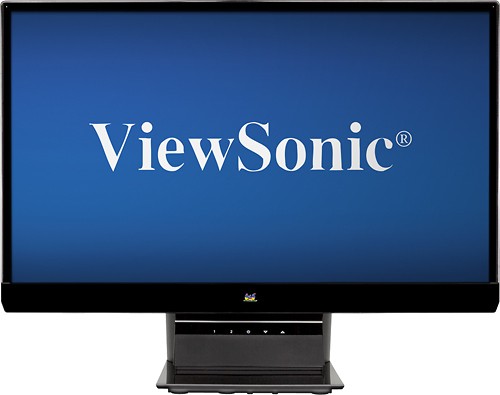
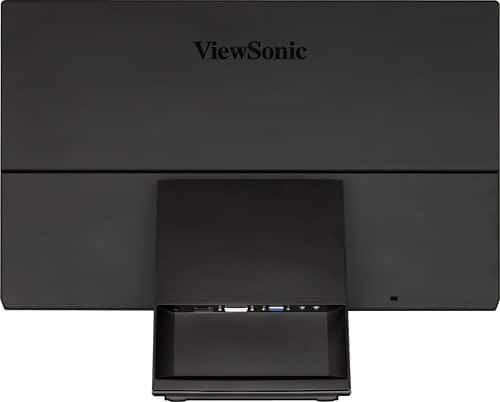
Posted .This reviewer received promo considerations or sweepstakes entry for writing a review.First of all I usually don't read good reviews at all when choosing something because there's no problems noted to watch out for...so I just read the bad reviews for this one. Here's what others had to say: First complaint: The monitor doesn't raise up or heighten. Well very few monitors do...so it made me wonder if this monitor was somehow shorter than the others since people are putting books under the stand. It didn't make since to me since the monitor measures 16.1 high with the stand on the specs. So I set it up and I'm still baffled. Unless these people are really really tall or using desks that are only two feet high there's no need to place books under the stand. My other monitor (a Viewsonic VA1912WB) is the same height and its eye level without a monitor raiser or books to raise it up and I'm six feet tall. Second complaint: The controls are hard to get to. Yes and no. At first they take getting used to (they're located on the front of the stand directly under the Viewsonic emblem on the bezel. they are touch sensitive but that's because they're touch based. Once you play with them for a minute they're no problem to use except honestly you do need a flashlight to see what your pressing. And really now how often do you adjust your monitor settings? I think with my other monitor I adjusted the settings twice in the past eight years. Unless you lead a really boring life your not going to be adjusting your monitor that much. Third Complaint: It's too bright. That's true, it is at first. So I went in and turned the brightness down about a third of the way, didn't touch the contrast, and that solved the problem. Just to be sure I used the Win7 calibration tool and it passed fine. Fourth complaint: The speakers are weak. Well...that's because they're monitor speakers, lol. Are you really going to buy or not buy this monitor because of the speakers? OK so much for the complaints or concerns. Here's my summary. Its very easy to set up out of the box. Viewsonic was the best brand monitor 13 years ago and still is. They've been making PC monitors for 23 years and they're good at it. No bad pixels, sturdy stand, incredible colors and sharpness with my ATI Radeon HD7570 (I hooked it up HDMI to HDMI), the price is really good with it being a Viewsonic(they used to be very expensive years ago)and its a really nice looking monitor. I'm happy I stayed with Viewsonic.
I would recommend this to a friend Rated 4 out of 5 stars
Maybe for you
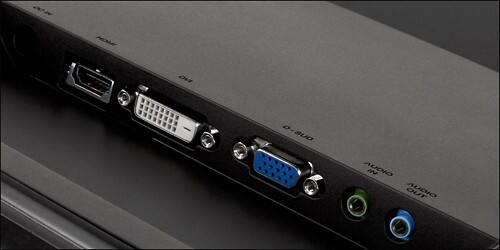
Posted .This reviewer received promo considerations or sweepstakes entry for writing a review.I use my monitor in a multi-computer setup, with a USB/D-Sub KVM to switch between them. Since I like to watch the occasional blu-ray, I also have to make a digital connection to the monitor. My principle beef with this monitor is that, when the active PC goes to sleep, this switches to the VGA. What??? Stay on the chosen input, please!! In a single PC/Monitor application, this is a non-issue, of course. Annoying feature #2 - those buttons. I really dislike those touch buttons on the stand. Only by adding 1/4 inch rubber stick-ons under each button could I manage to find the right ones to press when I needed to change an input or brightness or whatever. Since I frequently need to change the input, this is maddening. With regard to the monitor's features and quality, there is much to otherwise like about it. The styling is excellent, with a quasi-edgeless design that makes it look _very_ sleek on the desktop. Tilting is easy and secure - the base is quite sturdy. The IPS panel keeps brightness and color accurate at relatively extreme off center angles. OK, I slouch in my chair, alright? <G> The matte finish is done nicely also - I see everything I want, and nothing reflected that I don't want to see. And, as far as I can tell, it has mostly superb back-light control - I don't see any bleed at all. Dark pictures are wonderfully dark everywhere they should be. My last beef with this monitor isn't the final straw, but this particular unit has two flaws. Near the bottom left and right corners there are a pair of relatively dark areas noticeable when the screen is bright. This annoys me! And, while there are no apparent bad pixels, there is something apparently _behind_ the screen near the bottom left corner that looks like dust that just _won't_ go away. Change angle, and it affects something else - it isn't bad pixels. Oh - the included HDMI cable is the reason I couldn't keep the monitor at 1600x900 without image issues. Don't believe those who say any HDMI cable is good enough. So very WRONG... Summary? This might be the monitor for you. Sleek, stylish, and overall a superb picture. If you don't get one with any noticeable flaws, you will have an excellent monitor. I'm tempted to keep it for my wife's setup, but I won't. I'm going to get one with VESA mounting options, IPS _and_ 3D!! Yes, BB carries it...
I would recommend this to a friend- Pros mentioned:Color qualityCons mentioned:Controls
Rated 4 out of 5 stars
Nice monitor, after two days of use
Posted .This reviewer received promo considerations or sweepstakes entry for writing a review.I'm glad that I bought this monitor for the wife; it is a sharp picuture that was well calibrated whhen I first turned it on. I really hated buying a monitor with no other reviews, but it was on sale so I took a chance. Glad that I did. So it the wife. If there was something I was going to complain about, the controls are weird. Touch in the wrong place and the monitor turns off. On the other hand, it's set up and that shouldn't be a concern. Haven't tried the speakers yet, and probably won't for awhile. I expect nothing but some sort of noise from them. Had been using a flat screen tv as the monitor previously; this is a good improvement.
I would recommend this to a friend - Pros mentioned:Color quality, Hdmi
Rated 4 out of 5 stars
Excellent, sharp picture. Easy to install
Posted .This reviewer received promo considerations or sweepstakes entry for writing a review.I hadn't planned on getting a View Sonic monitor, but after researching and reading reviews, I decided to try it. It's great - easy to install, has an HDMI cable, simple to adjust (although I really didn't have to - I just wanted to check my options). Clean, light design except for the adjustment and on/off buttons - awkward, but certainly not difficult. I did not find it too low at all - the only adjustment I needed was the tilt. I will purchase a View Sonic again (assuming it does not have a short life like the HP that died after only 1 1/2 years). I think the image and clarity is better than the Samsung next to it.
I would recommend this to a friend