Customer Ratings & Reviews





- Model:
- E43U-D2
- SKU:
- 4988400
to a friend
Customers are saying
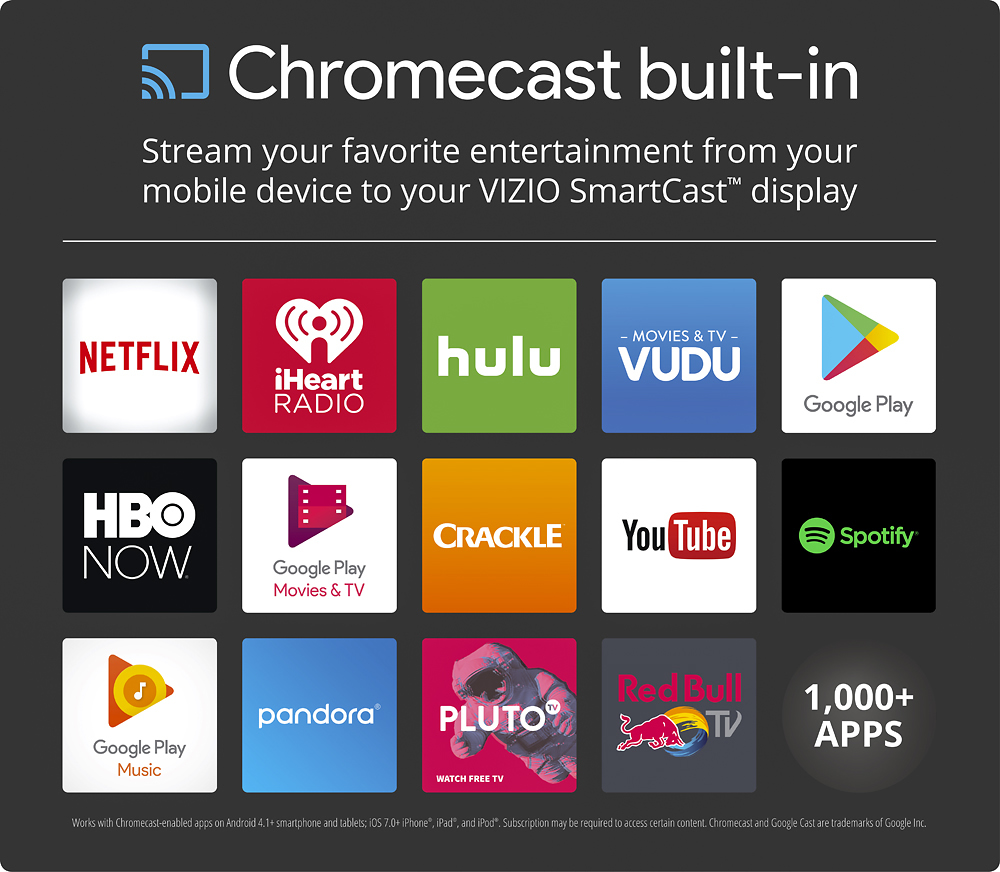
Customers appreciate the excellent picture quality and ease of use of this 43" 4K Ultra HD TV, frequently praising the Chromecast built-in and the affordability. However, some users have noted issues with the remote control and the accompanying app. A few also mentioned the lack of a built-in tuner as a drawback.
This summary was generated by AI based on customer reviews.
very dissapointed
||Posted .This reviewer received promo considerations or sweepstakes entry for writing a review.I AM 70 YEARS OLD. THE 43 IN VIZIO IS VERY DISSAPOINTING. TO GET A GOOD PICTURE YOU HAVE TO BE SITTING AND LOOKING STRAIGHT AT THE TV. AT ANY ANGLE THE CLARITY IS TERRIBLE. I HAD A SONY FOR 15 YEARS AND NEVER HAD THAT KIND OF PROBLEM. I ALSO HAVE A 32 IN VIZIO IN OUR BEDROOM AND IT KEEPS SHUTTING OFF. SOMETIMES IT TAKE 3 TIMES TURNING IT ON AND OFF TO GET IT TO STAY ON. VERY DISSAPOINTED. I GUESS YOU GET WHAT YOU PAY FOR. I WILL NEVER BUY ANOTHER VIZIO.
No, I would not recommend this to a friendAbsolute Garbage
||Posted .This reviewer received promo considerations or sweepstakes entry for writing a review.When we first bought this junky TV it had no apps installed and we had to cast everything. The backlight went out on the right side and Vizio covered that under warranty. Then somehow they added apps, but made us buy a new remote for it. Now the backlight of the left side wont turn off so we have to unplug it. They of course wont cover it now since they already replaced it once.
No, I would not recommend this to a friendLousy picture. Poor SmartCast capability
||Posted .This reviewer received promo considerations or sweepstakes entry for writing a review.Sorry I chose this setup. Picture quality second rate, surprising for Visio. SmartCast feature very hard to use.
No, I would not recommend this to a friendNot Smart At All
||Posted .This reviewer received promo considerations or sweepstakes entry for writing a review.This display concept by Vizio requires the user to use their smart phone/ tablet to make this display smart. You have to get all the apps on your phone which takes up memory and battery. If the phone or tablet is not there then what? you got nothing! Poor concept not user friendly.
No, I would not recommend this to a friendBrand response from VIZIOEntertainmentExpert
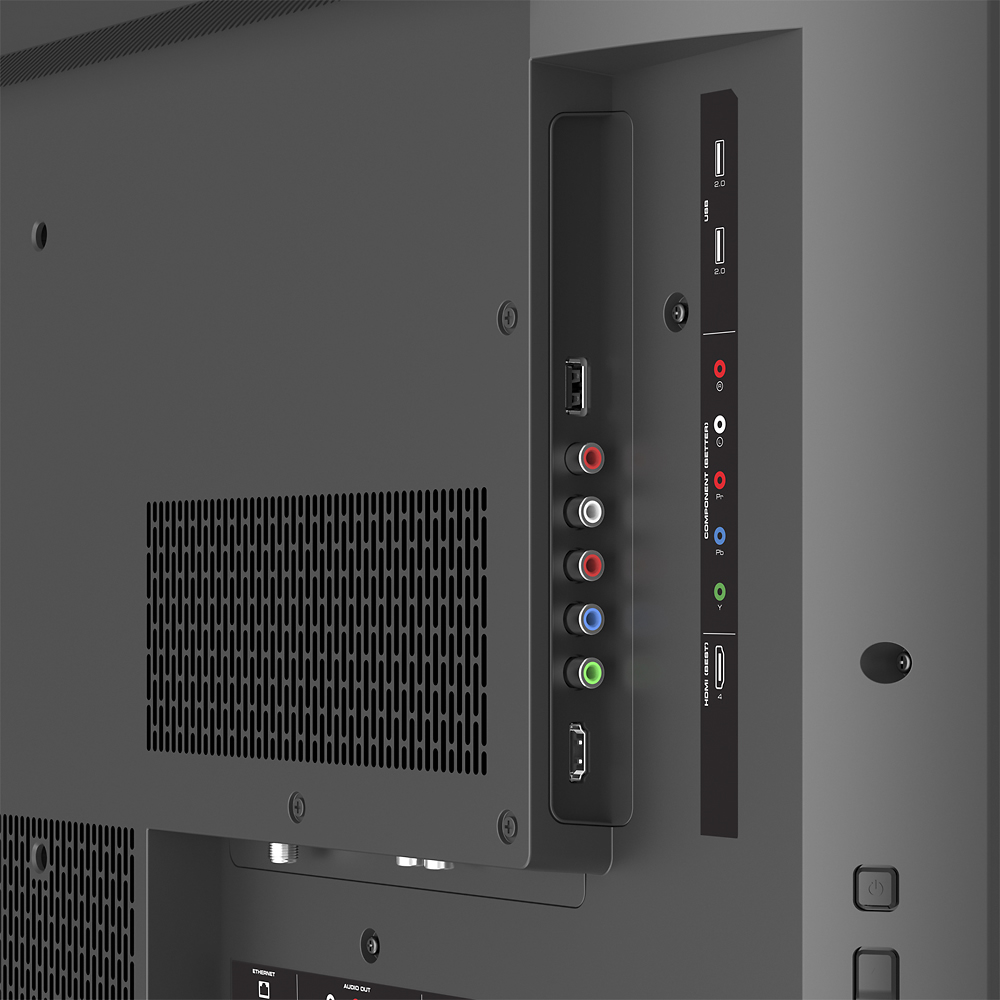
Posted .VIZIO SmartCast with Chromecast Built-in is a technology designed to bring the user experience to the next level. By utilizing Chromecast technology within the display there is access to thousands of Cast Capable applications to watch content through whatever services are available. Once an application or content has been "Cast" to the display you can lock the control device or turn the screen off to help conserve battery. This display also has standard inputs such as HDMI and audio outputs to connect to a home theater system or Sound Bar.

Must use a cell phone for remote
||Posted .This reviewer received promo considerations or sweepstakes entry for writing a review.Do not buy!!! Doesn't have a remote. You have to use an app on a cell phone. Not a tablet...only a cell phone. They don't disclose this fact on the box. It says smart device. I bought it for my young son who only has a tablet. It was useless.
No, I would not recommend this to a friendWe returned this tv
||Posted .This reviewer received promo considerations or sweepstakes entry for writing a review.The tv was difficult to operate and mostly works from a mobile device. We returned it the next day. I would not recommend it for a family room
No, I would not recommend this to a friendBrand response from VIZIOEntertainmentExpert
Posted .Thanks for your purchase and feedback on the all-new VIZIO SmartCast™ E43u-D2. We’re happy to share that we recently made changes to the product setup experience in order to make it easier and more intuitive. Because VIZIO SmartCast™ puts control of the display into your mobile device, we’re now able to make updates much faster and more frequently, right to your VIZIO SmartCast™ app. We realize this is brand new technology and it takes some time to get used to it. That’s why we’re committed to continuous improvement which is going to make VIZIO SmartCast™ the best streaming experience and easiest way to control your display from anywhere in your home. If you have any questions or concerns, we encourage you to reach out to our Support team at 844.254.8088. – Collin
- Pros mentioned:Picture quality
Great TV - except for the setup!
Posted .This reviewer received promo considerations or sweepstakes entry for writing a review.Some background, because I think it's worth noting: I am an IT administrator by trade. I read reviews saying there were issues pairing the phone to the TV, but I usually can figure things out no problem - for me to experience issues with setting up this TV is, quite frankly, astounding, especially when the method that works is not the default (seriously, Vizio, what's up with that?) The Setup: You need to download the app on your phone or tablet in order to use the full functionality of this TV. Not exactly ideal, but I always have my phone with me, especially when I'm at home, so it's not a big deal at all. Well, it wouldn't be, anyway, if the setup weren't so difficult. There are 2 ways that you can connect to the TV: through an in-built wifi setup or via good ol' Bluetooth. Unfortunately, the wifi setup doesn't work at all on my TV - I can see the network that the TV is broadcasting, but connecting to it via the app never actually does anything to pair the phone to the TV. It will sit there and say "Connecting" forever, with no response from the TV whatsoever. After reading online instructions and struggling for half an hour, I finally saw the tiny text at step 2 that says "Try Bluetooth instead" - why isn't this the default option, Vizio? As soon as I tried the Bluetooth and held my phone in the bottom right corner (where the flashing icon is) - boom. TV paired. Setup complete. Easy. Once that headache was over, I found the TV to be perfect for my needs. 4K resolution, 120Hz refresh rate, perfect screen size, and the quality exceeded my expectations considering the price. I use the TV as my main living room TV, and it works great. I use it with a PS4, a cable box (Xfinity/Comcast X1 DVR) and a HTPC server, all via HDMI. I also have an old Nintendo 64 which works on the old input. Casting has been excellent. The Netflix app on my phone finds the TV immediately and the casting starts instantly. This works well for me as I have an Amazon FireTV on another television, so I can use my phone to cast to either of them. So, in summary - use the BLUETOOTH option to connect your phone to the TV and you'll avoid the pain that others are reporting (including one reviewer who returned the TV due to this exact issue - I bet Bluetooth would have worked for that person, as it did for me - a shame it's not the default option to make everyone's lives easier). But despite the pain of setting up the TV, the functionality leaves nothing to complain about. I take away 1 star for the setup and give the TV a 4 star review. Very highly recommended.
I would recommend this to a friend Open box item
||Posted .This reviewer received promo considerations or sweepstakes entry for writing a review.Great tv I love it. However the open box item it was did not come with the 2 stands for the tv so I have to prop it up until I go by best by today and see if they do the right thing. Will update.
No, I would not recommend this to a friendno tuner, exchanged for a hisense
||Posted .This reviewer received promo considerations or sweepstakes entry for writing a review.i was not informed at the time of purchase that you have to use your smart phone or tablet to operate the tv. that is ridiculous. i had to exchange it for a hisense which i am very happy with
No, I would not recommend this to a friendNever got TV to work.
||Posted .This reviewer received promo considerations or sweepstakes entry for writing a review.THe Chromecast system never performed after 5 nights of working with customer service.
No, I would not recommend this to a friendBrand response from VIZIOEntertainmentExpert
Posted .We’re sorry to hear that. It is extremely rare for this to happen. Please contact us at 844.254.8088 and we would be happy to help you out with any questions that you may have. Thanks! -Randal
CRAP
||Posted . Owned for more than 2 years when reviewed.This reviewer received promo considerations or sweepstakes entry for writing a review.Crap. Absolute crap. No words to describe what an absolute pile of dog crap this is.
No, I would not recommend this to a friendBasically just a screen
||Posted .This reviewer received promo considerations or sweepstakes entry for writing a review.I hate the fact that I can't use it without my cell phone. It's basically just a big screen
No, I would not recommend this to a friendBroken
||Posted .This reviewer received promo considerations or sweepstakes entry for writing a review.Arrived broken. Completely broken and looks to have broken prior to shipped.
No, I would not recommend this to a friendNot made for coaxial hookup
||Posted .This reviewer received promo considerations or sweepstakes entry for writing a review.Would of been great purchase but cant hook to coax
No, I would not recommend this to a friendBrand response from VIZIOEntertainmentExpert
Posted .Thanks for your purchase and feedback on the all-new VIZIO SmartCast™ E43u-D2.We’re happy to share that we recently made changes to the product setup experience in order to make it easier and more intuitive. In order to achieve the best picture quality and to take advantage of the 4K Ultra HD technology, it is recommended to use the HDMI connections. Most high definition cable or satellite boxes have an HDMI output. If using the coaxial cable is a must, there are external turners that can be purchased.We realize this is brand new technology and it takes some time to get used to it. That’s why we’re committed to continuous improvement which is going to make VIZIO SmartCast™ the best streaming experience and easiest way to control your display from anywhere in your home. If you have any questions or concerns, we encourage you to reach out to our Support team at 844.254.8088.- Jesse
- Pros mentioned:Chromecast, Picture qualityCons mentioned:App
Why even sell this?
Posted .This reviewer received promo considerations or sweepstakes entry for writing a review.I went into the store, found nobody to help pick out a TV to replace the one I was returning. I found this Vizio on the wall and the picture looked great. A quick check of the box and verified it was 4K and a smart TV and out the door I went. Got home and realized it's not actually a TV at all but a monitor. This and the fact that the app you have to use is pretty buggy made me decide to return it to the store. It's 2016 I'd like something with a digital tuner built in. I was first in line when they opened and explained to the employee in the TV dept what I needed and that I had made a return. When she asked which model I returned she visibly shuddered and just said "I see". My question is this, if your employees know it's a not a good buy, let alone a BEST BUY, why even sell it? I should have taken a clue from the fact that there were two open box models on the floor when I bought mine. BTW the TV I had returned the day before that had a defect had been put out as Geek Squad certified, that will be another customer that has to make an unnecessary return trip. Do your homework and if you decide that you want cast everything to your monitor from your tablet or phone then maybe this is for you. Like I said it does have a great picture. I think I may be done with Best Buy.
No, I would not recommend this to a friendBrand response from VIZIOEntertainmentExpert
Posted .Thanks for your feedback. VIZIO SmartCast™ products are controlled using an application instead of a traditional remote. This means that any VIZIO SmartCast™ device can be controlled using most smartphones and tablets. Some VIZIO home theater displays no longer include connection for a coaxial cord. We do include a complimentary HDMI cable to provide a higher resolution image from your cable or satellite box. Inexpensive external tuners can be connected to an HDMI input. If you have any questions or concerns, we encourage you to reach out to our Support team at 844.254.8088. Thanks -Randal
- Pros mentioned:Picture qualityCons mentioned:Remote control
Very good picture but the remote?
Posted .This reviewer received promo considerations or sweepstakes entry for writing a review.For the money and features it is a good buy and picture is very good. I am old school when it comes to remotes and was a little leery when it came to using smart phone or tablet as a remote. Sales person said our Kindle Fire would work but this ended up being false and we had to use wifes phone to finish the set up and are now thinking about getting another devise to use or load to both our phones. I prefer to keep things on my phone to a bare minimum and would much prefer the the TV had come with a remote to do things it needs to do. But so far seems to be ok and remote is only reason for 4 stars.
I would recommend this to a friend - Pros mentioned:Picture qualityCons mentioned:Remote control
Good 4K TV, but no control??
Posted .This reviewer received promo considerations or sweepstakes entry for writing a review.Got this TV for Christmas, it has great picture quality, (which ive seen at Best Buy, alot better than the LG 4K I compared it to), also love the sleek and modern design. After reading the manual before installation, I had to return this TV as it has no control. it comes with a small remote that only allows you to change the channel, inputs, and volume. Everything else has to be done with your phone with their app. Not sure why they did this kind of setup, but I preferred the simple remote setup and having all the apps on the TV itself and not on my smart phone. Great TV if you dont mind this setup.
I would recommend this to a friend - Pros mentioned:Picture qualityCons mentioned:Motion blur
The picture is good, so there's that.
Posted .This reviewer received promo considerations or sweepstakes entry for writing a review.I'll start with that the picture on this TV is good. I have been happy with that part of it, and I actually like the Google Cast even though I have my desktop computer hooked up to the TV and use it primarily for that (no cable or satellite TV, got rid of them a couple of years ago and haven't looked back). So, the Google Cast isn't of much use to me though even though it is a neat feature, and you can find apps that actually work to Cast just about anything you want. This is the only reason I'm not giving it a 1-star. Honestly though, if I was able to take the TV back and return it, I would. I unfortunately am passed the time that I can do that according to Best Buy's return policy, and being as busy as I have been the past couple of months working and not using it much until the past week (had it a bit over a month). Here is why, the motion blur is really really sub-par and disappointing, even with all the flashy advertisement on the box and the flashy features that it supposedly has to "have clear action" it is amazing that it still handles motion blur so poorly. The "clear action" feature also creates a strobe effect, which I also think there is an issue with it because when I Cast Netflix, or anything else, it strobes so badly that I swear it is going to give everyone in the room a seizure and renders the show completely unwatchable (I'm not exaggerating, it is that bad), I did find that the solution is to turn the feature off and back on after starting to Cast something and it is better afterward, it does help a little with the motion blur, but it is extremely annoying to have to do that and it seems like that is an issue, but it does help the blur a little, so I prefer to leave it on when it works. According to Vizio customer support, this is normal and this is what it does. It also doesn't matter what input I'm using or what I'm doing (Cast, HDMI-1, etc., etc,). I'm just not impressed and quickly grew to being very dissatisfied with it. I realize this is an inexpensive TV, but I probably could have expected the level of motion blur on a TV that actually advertises itself as 60Hz at a lower price (I have an 8 year old LCD 60Hz TV in another room, this one is maybe slightly better at best). My advice is to not believe the flashy features shown on the box and spend a bit more money on a higher end TV, especially if motion blur is important to you. You will thank yourself for doing so.
No, I would not recommend this to a friendBrand response from VIZIOEntertainmentExpert
Posted .Thanks for your purchase and feedback on the all-new VIZIO SmartCast™ E43-D2. We’re happy to share that we recently made changes to the product setup experience in order to make it easier and more intuitive. Because VIZIO SmartCast™ puts control of the display into your mobile device, we’re now able to make updates much faster and more frequently, right to your VIZIO SmartCast™ app. We're sorry to hear you are having troubles with picture. We strive to deliver the highest quality product to our customers. Please contact us at 844.254.8088 and we would be happy to help you out with any questions that you may have. We realize this is brand new technology and it takes some time to get used to it. That’s why we’re committed to continuous improvement which is going to make VIZIO SmartCast™ the best streaming experience and easiest way to control your display from anywhere in your home. If you have any questions or concerns, we encourage you to reach out to our Support team at 844.254.8088. Thanks -Randal
PC Monitor Goodness
Posted .This reviewer received promo considerations or sweepstakes entry for writing a review.For years I've used Dell 30" displays running Windows. Windows is notoriously bad at SCALING, thus the key attribute for any potential display is DPI (or PPI) when in native resolution. Native resolution is provided by the actual physical hardware of the display, as opposed to lesser resolutions which are 'faked' by combining pixels on the physical display into virtual pixels used by applications. This combining process can create artifacts and/or blurry text which makes anything but NATIVE resolution less 'crisp' – and that lack of crispness can lead to eye strain (at least for me). Thus, to have a usable monitor, native resolution needs to be somewhere in the 96 to 108 dpi range (roughly). My Dell 30", for example, has a diagonal of 29.5", which, at 2560x1600 calculates to 102.33 dpi. When the Vizio 43" started showing up a few years ago, I became very interested. Why? because with a 42.5" diagonal display size, and 3840x2160 native resolution, the dpi calculates to 103.67. Bingo! This thing could be a perfect display for a lowly Windows PC, and with all that screen real estate fully available. The next problem, with large screens (that are really TVs) is usually LAG. Lag is just that, a delay between the time you move your mouse (or type on your keyboard) and the moment you see the results on the screen. A surprisingly small delay can make computer use impossible (or at least extremely frustrating). The Vizio M 43" had a single magical HDMI 5 port that was engineered specifically to handle this lag problem. In short, if you hooked your video card to HDMI5, (and flipped a setting in the TV), Mouse and Keystroke input would be rendered instantly (or close enough) to be usable. The LAG issue has been solved in this monitor (E43U-D2) for at least HDMI 1 and HDMI 4 (on the side of the unit and much easier to access). So apparently, though I have not seen it documented, the lag issue fixed in the HDMI5 port on the M was fixed on all the HDMI ports on this unit. (E43U-D2) The next issue for 4k as a computer display: refresh rate. Early on, 4k displays could only achieve 30hz refresh rates and while perception varies from user to user, I could detect the flicker. Essentially the screen was refreshing too slowly at 30hz and for me, it created eye strain. This too was addressed in the Vizio M 43", which provided 60hz on HDMI5. This unit appears to have passed that 60hz ability on to all of the HDMI ports. So we've got DPI, LAG, Refresh rate and things are looking good, no? Well wait. There's one more thing. Only a certain subset of video cards can run 3840x2160 at 60hz over an HDMI port. After doing the research, I decided to go with the GeForce GTX 970, (sold here by Best Buy). It has just had a price cut because the 1080s came out and with that, the final piece was in place. There is one more issue: chroma 4:4:4 is lossless basically, and 4:2:2 has artifacts in the form of reduced color quality - specifically for computer graphics. This will be a deal breaker for some, especially gamers I'd suspect, but for Windows work, 4:2:2 looks every bit as good as my old Dell 30". Caveats: Initially the GeForce GTX 970 (Windows 7 Ultimate) would revert to 1024x768 resolution any time the TV was turned off. This would trash the position of all my application windows and was quite an annoyance. Nvidia support helped me track this down to a corrupt driver installation. Well, that got me halfway there. I then had an issue with the TV simply not coming back on at all after powering down. 'No Signal'. I moved the cable from HDMI1 to HDMI4 and this behavior went away. Apparently HDMI involves a software handshake between devices and so sometimes it can be finicky. Now, for several days I have been successfully using this setup and I would recommend it for work-work. I'm not a gamer, so if the Chroma thing is an issue, so be it, but this unit is running circles around my old Dell 30" setup. Good Luck!
I would recommend this to a friend- Pros mentioned:Ease of use, Picture quality, Price
AAA+++ WOW!!!!!!
Posted .This reviewer received promo considerations or sweepstakes entry for writing a review.For the nice price....this tv is excellent! Easy set up! Speakers are great. Nice clear picture! Got this for my guest room.....hope my guests go home, and buy their own!
I would recommend this to a friend