Customer Ratings & Reviews
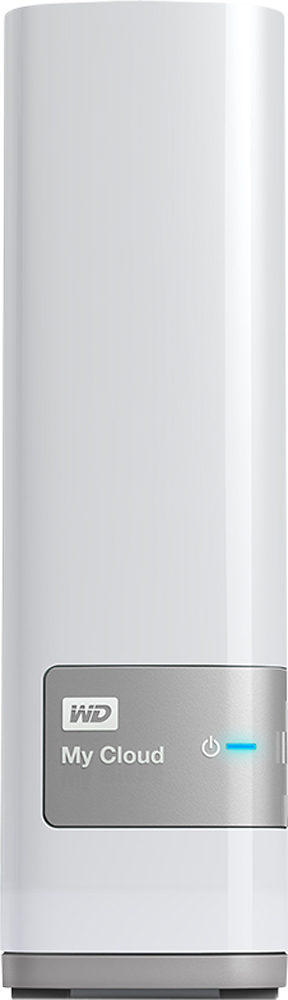
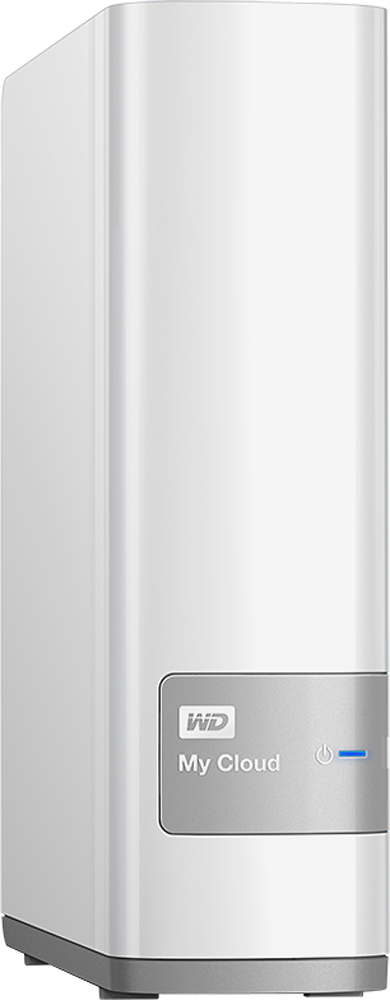
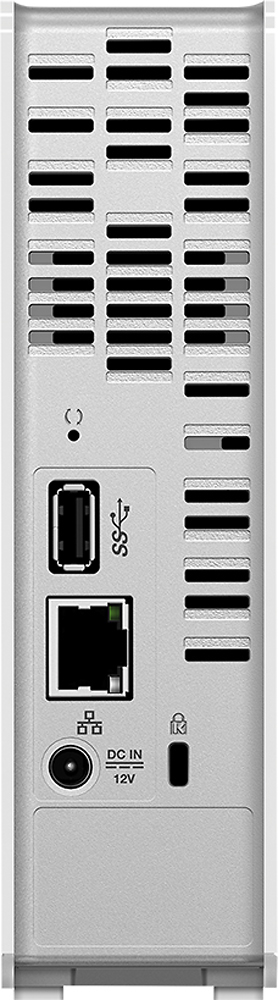

- Model:
- WDBCTL0040HWT-NESN
- |
- SKU:
- 2832018
Customer reviews
Rating 4.2 out of 5 stars with 1848 reviews
(1,848 customer reviews)Rating by feature
- Ease of Use3.5
Rating 3.5 out of 5 stars
Customers are saying
Customers find value in the My Cloud 4TB External Hard Drive's ease of use, large storage capacity, and relatively quick setup. Positive feedback also highlights its performance, remote access capabilities, and competitive price. However, some users experienced challenges with the software and interface, suggesting areas for improvement. The instructions could also benefit from greater clarity and detail.
This summary was generated by AI based on customer reviews.
- Pros mentioned:Performance, Price, Setup
Rated 4 out of 5 stars
Works Exactly as advertised
||Posted .This reviewer received promo considerations or sweepstakes entry for writing a review.Pros: -Easy Setup -Reliable Performance -Great Capacity -Great Price -Useful included software Cons: -Certain file types not supported -Automatic backup can consume a lot of system resources -ITunes Media Server and DLNA streaming are advertised as product features but really aren't that useful. Overall: Great security for at-home computer backup and storage, great to be able to access files from anywhere in the world, newer models are available but this meets all of my photo, document, video, and computer backup needs.
I would recommend this to a friend - Cons mentioned:Speed
Rated 4 out of 5 stars
Nice media server
||Posted .This reviewer received promo considerations or sweepstakes entry for writing a review.To start, I own one of these for my business. It's primary function is a media server. Because of our Internet firewall limitations at my business, you're not able to access this device outside of the business. Since I bought one for my home, and I knew I could use it outside of my home ( to access it when I need it without being at my home) it worked just fine. My only real complaint is that, when your first setting the device up on your network, most of the screens that you have to access load very slowly. I wish Western Digital would improve on that. It is a significant lag. I'm sure with future updates an issue, such as this, will be resolved. As a media server, I think it works very well. You will need to make sure that all of your videos, pictures, music, etc. are in the correct format for the device that it's going to be played on.
I would recommend this to a friend - Pros mentioned:Price, Storage
Rated 4 out of 5 stars
Very nice product
||Posted .This reviewer received promo considerations or sweepstakes entry for writing a review.Very nice to have a common location to store my family's files from all of our various devices. This is a great product for a pretty reasonable price. I expect to be able to keep my computers less cluttered and running faster now that I have the MyCloud.
I would recommend this to a friend - Cons mentioned:Speed
Rated 4 out of 5 stars
Works well
||Posted .This reviewer received promo considerations or sweepstakes entry for writing a review.Works well to back up all my family's devices (two laptops and two mobile devices). Can be a little slow at times, but I think that depends on the amount of data and the speed of the system. Love that you can access all your files away from home.
I would recommend this to a friend - Cons mentioned:Interface, Speed
Rated 4 out of 5 stars
Happy with reasonable expectations
||Posted .This reviewer received promo considerations or sweepstakes entry for writing a review.I purchased this after reading the reviews on bestbuy.com. The main complaints to me seemed to be the speed at which the drive would allow uploads. I bought this going into it that I would have to do batch uploading of files I wanted from my Mom's iPad. She had reached near her memory limit and I wanted to get the videos and pictures off without further complicating it for her by using the sync feature on the iPad and worry about reaching a limit on that. This way she is all set up for future devices and it allows me to help manage her files from anywhere. I think it's far from perfect, but if you have basic needs, it's good at doing them. I didn't have any problems backing things up and after doing several small batches quickly I started selecting more and more files to upload per queue. I never saw any of the freezing problems others have talked about but did have a few instances where the drive would lag as it was uploading several gigs. The only real problem I experienced was that the interface didn't update through Chrome. After the upload of the large batches of files they wouldn't show up on the drive through Chrome but did via IE or checking it through the app on the iPad. I contacted WD and they said they were doing some updates and to try again in several hours/tomorrow. The next day everything loaded fine in Chrome. This is nice as I have been able to share pictures my Mom wants with her without trying to e-mail them to her or anything. I'm able to copy them to the drive and she now only has one location she has to go for everything that I am able to manage and name more accurately.
I would recommend this to a friend - Pros mentioned:Performance, Price
Rated 4 out of 5 stars
Not perfect but not bad
||Posted .This reviewer received promo considerations or sweepstakes entry for writing a review.For the price it's hard to beat. Set up could be a little easier but google is your friend when it comes to tech. Bought it primarily for back up. With Windows 8.1, it would lose connection during backup but map a drive letter and it's rock solid.
I would recommend this to a friend - Pros mentioned:Ease of use, Storage
Rated 5 out of 5 stars
Great personal cloud solution
||Posted .This reviewer received promo considerations or sweepstakes entry for writing a review.It wasn't difficult to set up. I was able to connect all my devices (Mac and iOS). User friendly interfaces and robust settings controls. I used a non-wireless MyBook prior to this device and thought I would need to find another use for it. Simply plugging it into the MyCloud device via USB extended my storage capacity by seeing it attached. Now I have plenty of storage accessible by any device in my household.
I would recommend this to a friend - Pros mentioned:Ease of use, Storage
Rated 5 out of 5 stars
Easy to install, some questions but easy to get 2
||Posted .This reviewer received promo considerations or sweepstakes entry for writing a review.The connection and installation of personal files are a snap. Don't know why some saved video does not play when saved, will ask vendor. Got the MY cloud Back-up too for safety BP and is a snap to use! Never a LOST PROGRAM, PIX OR VID EVER AGAIN USING SEAGATE AND OTHER EXTERNAL, EXPENSIVE HARD -DRIVES. 3 HAVE ALREADY BLOWN WITH MEMORIES I'll NEVER SEE AGAIN! ED@SHO BUZ
I would recommend this to a friend - Pros mentioned:Ease of use, Storage
Rated 4 out of 5 stars
Does what it says
||Posted .This reviewer received promo considerations or sweepstakes entry for writing a review.The WdMyCloud offers what we needed for additional storage. Being able to access it from anywhere was the key. We back up our iMac and Laptops to it as well as all our phones and ipads. Simple and easy to set up!
I would recommend this to a friend - Cons mentioned:Interface
Rated 4 out of 5 stars
Functionally delivers, interface lacking
||Posted .This reviewer received promo considerations or sweepstakes entry for writing a review.Th mycloud delivers on function, and although it has a few poor default setting choices, if they are configured correctly, it is a decent return on investment. Much of the interface is not intuitive, especially for mobile devices, and requires much more investigatory self training that I would expect. The controls and setting interface could have been greatly improved upon. The navigation between controls is burdensome and not intuitive. Overall, the download and upload speeds are not an issue (once settings are corrected from factory defaults), and the convenience of all device backup, sharing, and internet remote access has been well worth initial pains of configuration and learning curves,
I would recommend this to a friend - Pros mentioned:Ease of use, Storage
Rated 5 out of 5 stars
Best investment I ever made
||Posted .This reviewer received promo considerations or sweepstakes entry for writing a review.I travel a lot and use multiple cameras and my phone to take pictures this is a great place to back everything up and organize it and when I want to show it off to my friends it's all-in-one place and it does not matter if I look up at home, work or search the drive on my phone using the my cloud app
I would recommend this to a friend - Pros mentioned:Ease of use
Rated 4 out of 5 stars
Lots of Storage with lots of functionality
||Posted .This reviewer received promo considerations or sweepstakes entry for writing a review.The set up for WD My Cloud is very easy. Once plugged into our network my computer reads it and WD installs the necessary software. Although the original setup was a snap, I had a bit of difficulty with other settings. Such as privacy options for a single computer with multiple users. WD creates a shortcut link on your desktop to help with such settings. The WD My Cloud mobile app is also slighty different between iOS and Android phones under settings. But functionality is present for both and privacy options are a plus.
I would recommend this to a friend Rated 5 out of 5 stars
Slow and steady at-home cloud storage
||Posted .This reviewer received promo considerations or sweepstakes entry for writing a review.I read a lot of negative reviews on this unit, mostly around the fact that many people who purchase this drive expect to attach this drive to their computer and start transferring files like they do with other USB drives. This is not a USB-attached drive and it's meant to be used as a direct access drive either. This is a cloud-storage *backup* drive that connects to your network via Ethernet cable so it is never physically attached to any computer. In essence this is your personal version of Google Drive or iCloud at home, uploading and downloading files to the drive using either a web interface or an app on your desktop or phone/tablet. You can provide yourself and family/friends cloud access to your home drive from the outside, via Western Digital's cloud service. It can even backup your home computers automatically and can also backup your mobile device's photos and videos automatically. Once set, this also gives you the option of accessing your files from work or while traveling and you can setup family shared folders so your family in other states/countries can also share photos and files directly. When loading up the drive with your backups or when transferring files in bulk, be prepared to wait. This is not going to be like transferring files via USB as most people are used to. When doing your first backup and transferring hundreds of gigs and tens of thousands of files, it's going to feel like it's crawling compared to USB transfers. This is to be expected as your speed will be limited by your network, wiring, and computer's network adapter speeds. Having a gigabit network is a plus as long as your equipment is gigabit as well. And to be clear, network transfers will never compare to transferring direct to drive via USB 2.0 or 3.0. Definitely download the tools provided by WD to make this job happen automatically so you can set it and walk away, allowing it to sync folders for you. And to reiterate, this is a backup drive and that is a good thing. Don't expect to just open a folder and launch a file to work on it. To work on files stored on this drive, you will have to download them to your computer to work on them then upload them again when done. So instead, work on these files on your regular drives then let the sync tools take care of backing it up for you. Or, if you really don't want to wait, upload it manually yourself. For our home office setup, our two computers have the usual internal drives plus an external USB drive for what we call quick backup/running backups. These drives (selected folders) are then backed up automatically to the WDCloud unit for safekeeping. If you use this drive as intended by WD, as a backup drive and file sharing platform for your family/friends, you're going to love it. If you think this will be just another USB drive to dump files on, you're going to be disappointed.
I would recommend this to a friendRated 5 out of 5 stars
Better than expected
||Posted .This reviewer received promo considerations or sweepstakes entry for writing a review.This is my second personal cloud. This one actually works the way WD says it will. It will work remotely via android phone and iPad. Automatically uploads my photos when taken for great backup instantly. Every device finds it, smart tv, android and iPhone, laptops, desktops. Works fast even on cellular signals. One big item I found is to turn off the sleep mode. This is the only flaw I have found so far. If sleep mode is on, it will loose connectivity. Otherwise,works great. Already loaded 250 GB of photos, 500GB of music and 100 GB of files and no corruption. Started file transfers and let it run overnight, done in the morning. Still need to play with streaming movies and backup software but so far works great.
I would recommend this to a friend- Pros mentioned:StorageCons mentioned:Software, Speed
Rated 2 out of 5 stars
Not as good as I had hoped
||Posted .This reviewer received promo considerations or sweepstakes entry for writing a review.Set up was a bit confusing due to supplied software. The supplied software is clumsy to use and is much worse than just accessing it like another drive on the network via explorer. It is not particularly fast via wifi. The good points are that it was cheap and does hold a lot of data. The bad is supplied software and speed (lack of)
No, I would not recommend this to a friend - Pros mentioned:Ease of use, Storage
Rated 4 out of 5 stars
Easy to Use
||Posted .This reviewer received promo considerations or sweepstakes entry for writing a review.Easy to use, great item, no need to install anything. Lots of space to make backups
I would recommend this to a friend - Pros mentioned:Ease of use, Performance
Rated 4 out of 5 stars
Fast NAS Drive
||Posted .This reviewer received promo considerations or sweepstakes entry for writing a review.This NAS drive is easy to set up, Quick, and reliable. I have bought 5 of them and they all perform well. The user credentials feature is incredible useful.
I would recommend this to a friend - Pros mentioned:StorageCons mentioned:Speed
Rated 4 out of 5 stars
My Cloud, no, more like my saviour!
||Posted .This reviewer received promo considerations or sweepstakes entry for writing a review.When initially looking for a standalone/network drive I was looking at the 2TB which was priced pretty good. For the heck of it I clicked the 4TB and was shocked how little more the cost of it was. Well 4TB it is. I got it home, plugged it into the network. It showed up pretty quick Under my Network section. The instructions that came with it was not correct. I could not connect to it via the way listed. I had to bring up a command prompt and type in 'ping wdmycloud'. This gave me the IP address which I could then connect to. If I put wdmycloud in the browser it would auto add a .com which was not getting me to my device. Once I got this figured out I was able to create an account and start making media directories. I made a movie folder and allowed it as a share. I then went to My Computer, Networks, WDMyCloud and started copying movie files over to it. Pretty simple. The only reason I gave it a 4 and not 5 star is that the transfer speed is slower than I would have expected. I was aware of this due to previous reviews here on BestBuy.com as well as other sites. Other than that It's great. I can access it from my smart TV, tablet, and PC. The MyCloud account allows me to administer it when I am not home. It also provides the option of hitting the shared folders remotely, but I have not tried this yet.
I would recommend this to a friend - Cons mentioned:Software
Rated 4 out of 5 stars
Would recommend
||Posted .This reviewer received promo considerations or sweepstakes entry for writing a review.My family travels a lot so I wanted a simple solution we could share to maintain data across the world. Since getting this setup, it has worked fine. I did have issues getting it setup originally. I am an IT director and have been for double digit years. The problem was with the software on the device. They ended up having to remote into my computer to update the hardware with custom updates. They were good to work with. it just took around an hour to complete.
I would recommend this to a friend - Pros mentioned:Setup
Rated 5 out of 5 stars
Reliable, convenient, and well priced
||Posted .This reviewer received promo considerations or sweepstakes entry for writing a review.The WD MyCloud NAS is a very good and inexpensive way to store a small to medium size collection of data locally (with the ability to acces the content remotely over the web). Setup of the drive is extremely simple although some may object to having to create an account with WD in order to get up and running. However as this is the second of these devices that I have purchased (all for relatives) I knew ahead of time what I was getting into. Once all of the configuration and security credentials have been setup the device works exactly as it's supposed to. However let me clarify a couple of things if you are the type of person that loves to customize everything with open source software and or are expecting a similar feature set to a more advanced (more expensive) NAS this is not the product for you. Overall this product is very competent and recommendable for users who want to keep it simple and do not require a wide feature set.
I would recommend this to a friend