Customer Ratings & Reviews
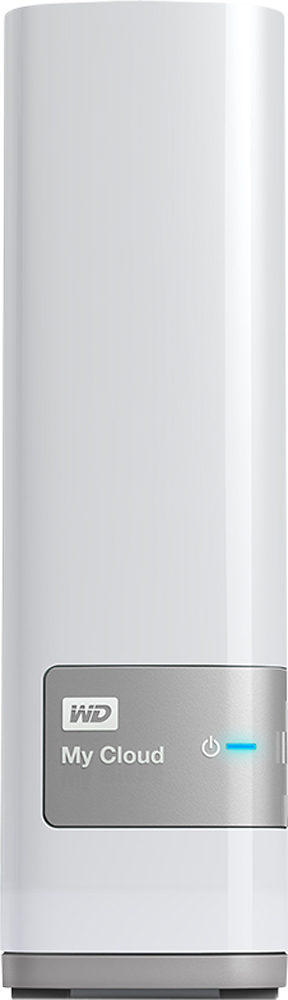
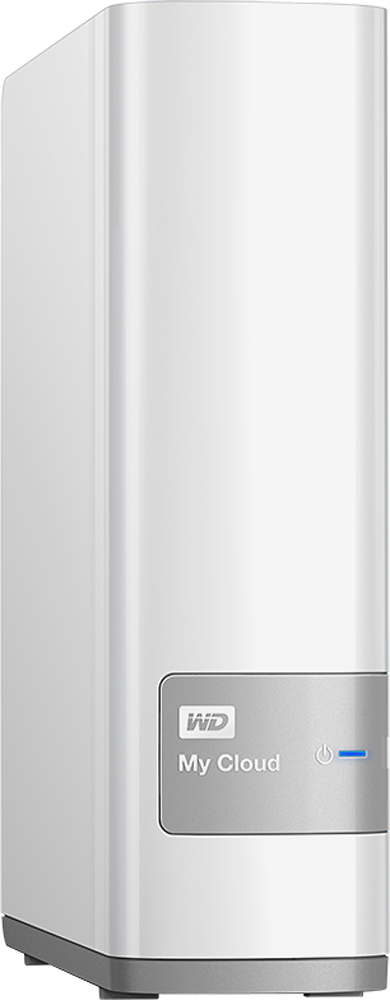
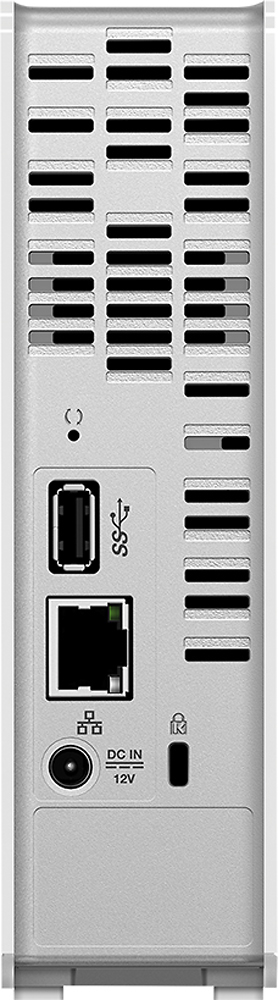
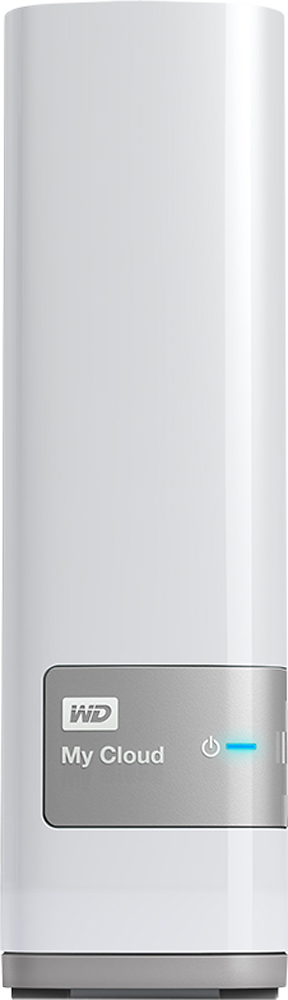
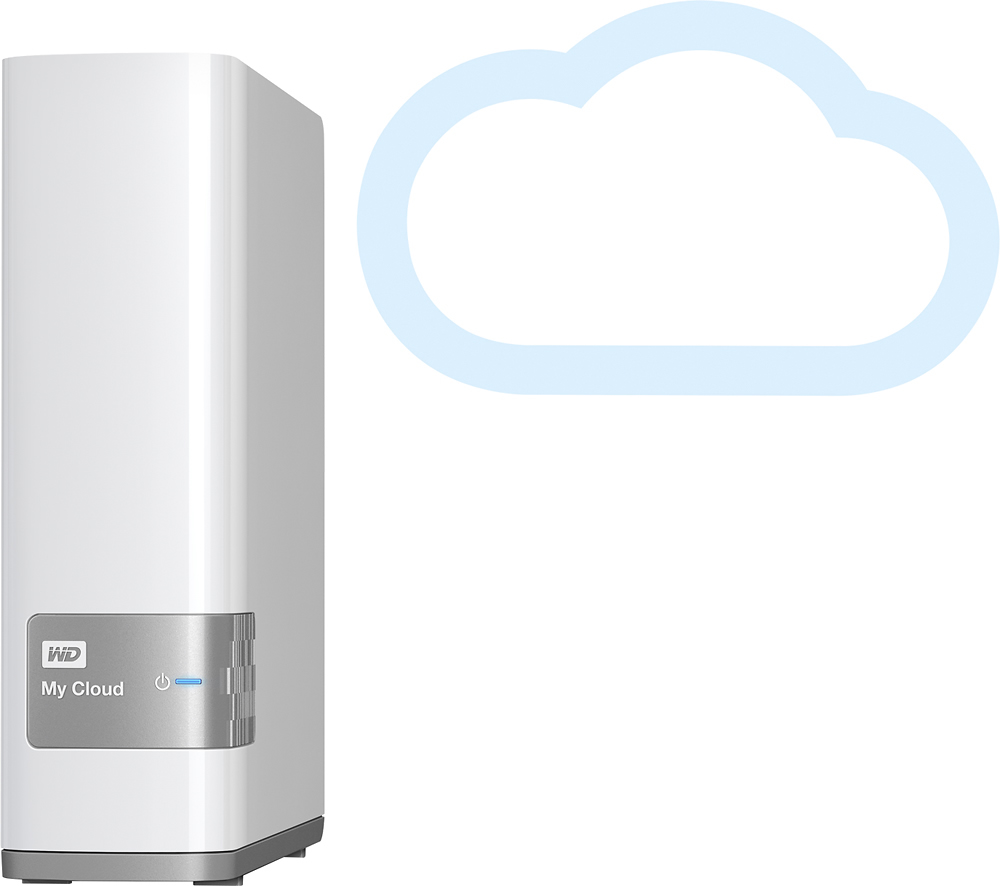

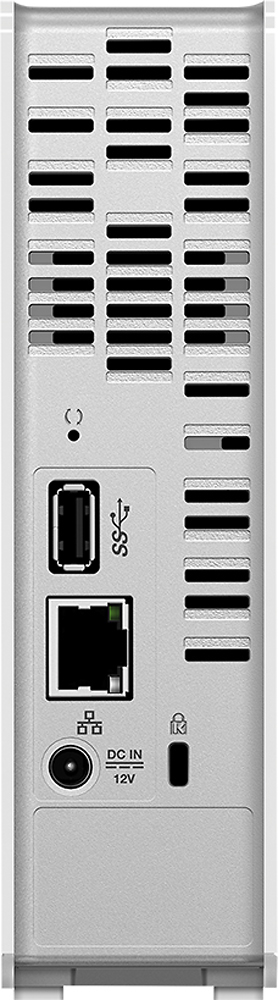
- Model:
- WDBCTL0040HWT-NESN
- |
- SKU:
- 2832018
Customer reviews
Rating 4.2 out of 5 stars with 1848 reviews
(1,848 customer reviews)Rating by feature
- Ease of Use3.5
Rating 3.5 out of 5 stars
Customers are saying
Customers find value in the My Cloud 4TB External Hard Drive's ease of use, large storage capacity, and relatively quick setup. Positive feedback also highlights its performance, remote access capabilities, and competitive price. However, some users experienced challenges with the software and interface, suggesting areas for improvement. The instructions could also benefit from greater clarity and detail.
This summary was generated by AI based on customer reviews.
- Pros mentioned:Ease of use
Rated 5 out of 5 stars
I love having everything together!
||Posted .This reviewer received promo considerations or sweepstakes entry for writing a review.This is the first product that has networked to my two PS3 systems, and various computers around the house. The connection was zero effort! The Cloud and my external hard drives are as different as night and day. The hard drives only back up, My Cloud is user-friendly and connecting all my media (Pictures/Videos/Music/Documents) and making it easily assessable everywhere, even to my PS3! I am impressed!
I would recommend this to a friend - Pros mentioned:Storage
Rated 5 out of 5 stars
Level up my storage
||Posted .This reviewer received promo considerations or sweepstakes entry for writing a review.This is my first mycloud and I absolutely love it. While I didn't buy the largest storage configuration available it is still a step up from what I've had. Local storage is becoming outdated and too small considering the growing size of media and data these days. Not only does this address my needs for backing up my multiple computer drives, it also allows access to anything that you save on it via the web. When I don't want to overload my iphone with music and photos, I can simply use the WD MyCloud app to stream and even download media from the web. WD also made a nice looking drive casing that is quiet contains an additional USB 3.0 port on back that you can plug yet another drive into for access over your home network, so even though the storage of the actual drive may be only 4TB I can effectively expand it with another external drive for additional space for backups or whatever.
I would recommend this to a friend Rated 5 out of 5 stars
The WD My cloud works amazingly well
||Posted .This reviewer received promo considerations or sweepstakes entry for writing a review.The WD My Cloud synced to all of our devices without a hitch. Our Office has laptops and desktops or several pedigree and generations. It linked seamlessly with the Apple and Mac Products as well as the windows 7, 8.1 and later versions. We will add more of these as needed.
I would recommend this to a friendRated 4 out of 5 stars
Good product, once you figure it out.
||Posted .This reviewer received promo considerations or sweepstakes entry for writing a review.Admittedly, I am not very technologically savvy. I purchased this product to put my iTunes library on so that I could stream it through a Sonos player. The first drive I purchased suddenly stopped working -- it couldn't be located on the network -- and I spent quite a while speaking with customer support before they ultimately told me to return it for a new one. I had a similar issue with the new one, but customer support was able to figure it out, finally. It finally works, but I wish that it wasn't such a hassle to get it up and running.
I would recommend this to a friend- Pros mentioned:Ease of use
Rated 5 out of 5 stars
WD My Cloud 4T- great place to keep all your files
||Posted .This reviewer received promo considerations or sweepstakes entry for writing a review.The MY Cloud Personal Storage by WD is the best place I found so far to keep all of my files. It has replaced the USB drives I had been using. All my data cam be kept in one place. No more switching USB drives back and forth looking for files. One note- the WD My Cloud is not the easiest to set up, but once you have it installed and running, it works smoothly. All my smart devices have access to the Cloud.
I would recommend this to a friend - Pros mentioned:Performance
Rated 5 out of 5 stars
A drive that can take the hammering.
||Posted .This reviewer received promo considerations or sweepstakes entry for writing a review.I have customers who need real time video storage. Other drives, (who shall herein remain unnamed), fail like bricks falling from the sky! Right now in my office I have three of that other brand that need to go back because the simply could not take the pounding from over 40 cameras storing data all at once. I can put in a WD My Cloud drive, walk away without ever looking back. What a nice feeling!
I would recommend this to a friend - Pros mentioned:Ease of use, Storage
Rated 5 out of 5 stars
Great value
||Posted .This reviewer received promo considerations or sweepstakes entry for writing a review.This external hard driver has plenty of space, is easy to use and reasonably priced
I would recommend this to a friend - Pros mentioned:Ease of use
Rated 4 out of 5 stars
This is a great product
||Posted .This reviewer received promo considerations or sweepstakes entry for writing a review.This product is wonderful. I was able to set it up in just a few minutes to start using it. For your first dump to it use it wired on both sides if you can. The system I have been able to see my stuff from anywhere I have service.
I would recommend this to a friend - Pros mentioned:Ease of use
Rated 5 out of 5 stars
Perfect for a small office
||Posted .This reviewer received promo considerations or sweepstakes entry for writing a review.I run a small office and was looking for a way to access my data while on the run and backup my data so that I didn't have to fear losing anything. I got the MyCloud and it works perfectly. I can use the app to access all my data anywhere I am and I can automatically back the data up (once a week) to a separate hard drive. Very easy to set up, easy to use and takes away a whole bunch of worry.
I would recommend this to a friend - Pros mentioned:Ease of use
Rated 5 out of 5 stars
great nas
||Posted .This reviewer received promo considerations or sweepstakes entry for writing a review.great for simple users, powerful enough for streaming video to PS4 or other devices
I would recommend this to a friend - Pros mentioned:Storage
Rated 5 out of 5 stars
Great all around NAS
||Posted .This reviewer received promo considerations or sweepstakes entry for writing a review.A little history about myself; I graduated from a Uni in Computer Science and I'm an IT analyst for a Fortune 500 company that focuses on computer networking. I initially thought about making my own NAS (aka mini computer used only for storage), but I don't want to bight the bullet just yet on that expense. So I opted for a "Cloud" storage device from a name brand manufacturer. I wanted to purchase the Buffalo dual bay NAS, which I think would have provided me with more "play" and features to mess around with. But one morning I was hung over and wanted to stay home most of the day to hydrate, and work on something fun. I found myself at Best Buy (hung over and felt like buying something fun to tinker with during the day) and inadvertently purchased the WD My Cloud (WD and Seagate were the only options at BB it seems). I have to say, this thing is awesome. First, there are way more options with this WD My Cloud then I realized or what I have read. It does have a good rating in all the stores that it's located in though, and I see why. I bought the 4TB version, thinking that's all I need for the moment and with the USB 3.0 port I could add more storage. Little did I know that the USB port can also be used as a backup store for the NAS. Yes I can buy a different NAS, like the Buffalo that I was looking into with 2-bays for a RAID-1 configuration, but why bother when I can use this cheaper WD and add an external HDD to back itself up. Yes, it's not as efficient or as fast, but it should be able to handle to job. I haven't purchased a 4tb external just yet. I want to put this My Cloud through it's paces first. I've only had this for two days now, and so far I'm loving it. I'm backing up all my data that I want on it now. Nervously migrating my data from my other Cloud services. Features: **Mobile App- Photo/Video automatic backup option without any compression to the photos. Tested on Android (S7 Edge) **WD Sync- Windows/Mac software to sync folders/drives to the NAS. (haven't tested out the 'delete folder' to see how well it syncs yet). Will provide update after a few weeks of usage. **Windows/MacOS 'shared' network/folder location. Both OS' are able to see it on your home network without any tinkering. You can easily mount folders in the drive as a 'Network Drive' in Windows, or just go to your 'Network' location and see it there. MacOS will just see it in the 'Shared' location in Finder. **MacOs- TimeMachine is already available and has it's own folder already created. I have both a Windows and MacOS machine (peace and love in the OS wars I say). And this WD My Cloud delivers for both platforms! I use it for both, and it works for both right out of the box. On a side note, I also have a PS4 and XB1, and DNLA works flawlessly on them. As far as data speed goes, this thing flies for a single hard drive. I'm almost certain that this has as 5400rpm hard drive in it [sadly, but it's the best option for a NAS]. I'm able to achieve a consistent migration (from my PC with a gigabit throughput) speed of 50-80MB/s with a Windows Explorer copy (while WD Sync was still syncing in the background). Conclusion: I highly recommend this to anyone that is looking for a home NAS, or wants their own private data storage option. Great for Windows, MacOS, Mobile usage. There are so many features on it, that I can't name them off at the moment. Please feel free to ask me any question you have on this and I'll be happy to answer it for you.
I would recommend this to a friend Rated 4 out of 5 stars
Large Cloud Drive for Cheap
||Posted .This reviewer received promo considerations or sweepstakes entry for writing a review.Purchased this as a way to have a portable back-up for my computer and my video collection. I really appreciate how easy it is to set-up on a network, however I will admit, I still haven't figured out how to do a back-up from my Windows 8 laptop to the drive wirelessly. Only other complaint is that the actual interface of the drive is sometimes a little too restrictive/confusing (running into issues editing file details) and it still runs on what chrome feels is "unsecure" java. Really, in the end, for what I need it to do, the drive is wonderful. Hopefully I'll figure out how to fix the kinks and then I can say it is perfect.
I would recommend this to a friend- Pros mentioned:Setup
Rated 5 out of 5 stars
Personal Cloud Computing
||Posted .This reviewer received promo considerations or sweepstakes entry for writing a review.I like the concept of this device. I am partial to Western Digital, which is why I bought this one. It works great, easy to set up (more so than some of the comments I found online). From a personal use, it feels weird to use THIS device as my usual storage for computer functions, rather than the connected computer hard drive, but you can access it when you need, which I like.
I would recommend this to a friend - Cons mentioned:Speed
Rated 4 out of 5 stars
WD MyClould Works as Expected
||Posted .This reviewer received promo considerations or sweepstakes entry for writing a review.I ordered the MyCloud so I could have another hard drive back up, but needed it connected to the internet. The ability to connect from another location via internet is nice. The streaming of movies located on the drive is a nice option (I don't have to have a server running on the PC anymore). The only issue was in the beginning was some timing out options. Once I turned off the auto timeout, its never done it again. This would happen in the middle of transferring files. As others have mention, large files via wifi takes a while.
I would recommend this to a friend Rated 4 out of 5 stars
Great Operation but documentation lacking
||Posted .This reviewer received promo considerations or sweepstakes entry for writing a review.The operation is flawless but due to the documentation lacking some of the steps, I needed to contact tech-support. After 45 minutes with a very professional tech support, it was determined that I needed to download two additional pieces of software to "find" the drive then "use" the drive (I forget since it's been a few months). Since then it has worked flawlessly. Also, for each computer in the network, you need to run the additional software packages so that they can "find" and "use" the drive. Best of all, one computer can save files which are easily accessible to the other computers in the network.
I would recommend this to a friend- Pros mentioned:Ease of use
Rated 5 out of 5 stars
Excellent for remote access!
||Posted .This reviewer received promo considerations or sweepstakes entry for writing a review.Excellent storage device for videos or documents that you need access to while away from your home location. Easy to setup and access. I used to carry a passport device wherever I went. Now I don't have to carry one in most situations and there are no wires or connectors to worry about. It works great!
I would recommend this to a friend - Pros mentioned:Performance
Rated 5 out of 5 stars
Excellent for streaming videos to tablets, iphones
||Posted .This reviewer received promo considerations or sweepstakes entry for writing a review.The reason I wanted to get a personal cloud server was so that I could transfer a ton of martial arts DVDs that I had over to a cloud and have the ability to watch the videos on my phone or on a tablet. This MyCloud device does exactly what I needed (transfer software is separate). Works just as planned!
I would recommend this to a friend Rated 4 out of 5 stars
Nice cloud drive for home
||Posted .This reviewer received promo considerations or sweepstakes entry for writing a review.It took me awhile to figure out how to upload my iTunes library, but once I did, I am now able to play my tunes from any system hooked up to my network. I haven't yet tried to backup to this device, but I will soon.
I would recommend this to a friend- Pros mentioned:Ease of use
Rated 5 out of 5 stars
Easy to setup and even easier to use!
||Posted .This reviewer received promo considerations or sweepstakes entry for writing a review.Bought this device to keep all the family photos available to everyone no matter where they were. Can access them anytime any place. Gives notifications on any event that occurs and customer support was there when I needed to register it. All in all I'm quite satisfied and the price was great!
I would recommend this to a friend - Pros mentioned:Ease of use
Rated 5 out of 5 stars
Great Network Drive for backup and streaming
||Posted .This reviewer received promo considerations or sweepstakes entry for writing a review.So I went into the store looking for a network drive to be able to stream movies to my PS3. Was a choice between this one and the Seagate one and my personal preference is WD so I picked this one up. It was simple and easy to setup and also comes with the ability to log in over the web to view my files from afar, which I wasn't exactly looking for but is a big plus.
I would recommend this to a friend