Customer Ratings & Reviews
- Model:
- WDBAAE5000ASL
- |
- SKU:
- 9798753
Customer reviews
Rating 3.8 out of 5 stars with 5 reviews
(5 customer reviews)to a friend
Customers are saying
Customers admire the My Passport Studio 500 GB External Hard Drive's ease of use and intuitive software. Many found it very easy to install and use. There were no negative customer comments reported.
This summary was generated by AI based on customer reviews.
- Pros mentioned:Ease of use
Rated 5 out of 5 stars
Great Drive for a Mac User
Posted .This reviewer received promo considerations or sweepstakes entry for writing a review.So far this has been a great drive it is fast and very easy to use. I travel with this drive from work and home, so it is nice to transport large files. I use a MAC 95% of the time so to me this was the obvious choice. I like the fact that all the cables you might need are included. They even included a FW 800 to 400 adapter. Previously I owned the Passport Se, but it had major issues. You had to format the drive to use it with a Mac. Then the drive would not stay connected to the computer. I would have to wiggle the cable to get it to reconnect. I have NONE of these issues with the PASSPORT STUDIO. There is the annoying smartware software, but that is no problem. Just move the VCD file from the drive and run the app. It will disable the software. Even with the software on the drive there is 499.11 GB of space. Not as bad as some others. Cons: To me I hate paying extra for a drive that has FW 800, because it is almost 30-40% more costly for the same drive without FW. In my opinion they could get rid of the usb and onlty have fw. Overall I think it is the best drive for a MAC. Easy to use, it stays connected, it does not have to be formatted, FW 800 is a major plus. P.S. Western Digital, please stop with the extra software on the drives. Most people hate it!!!
I would recommend this to a friend Rated 2 out of 5 stars
Fast Decent (static-platform) Drive
Posted .This reviewer received promo considerations or sweepstakes entry for writing a review.The drive comes as HFS+J (Mac Extended format with Journaling) formatted as one partition encompassing about 499GB (99.8%) of the drive with the last 1GB used for a built-in "Virtual CD" partition that contains the drivers, Mac and Windows programs, instructions, etc. You need to manually print the instructions (including the installation instructions) from the "Virtual CD" as the drive does not come with any hard copy of any instruction manual... so basically you need to figure out how to connect and mount the drive on your own or elsewhere before you can actually get to the instructions. The HFS+J partition only works with Macs, if you want to use it with Macs and PC/Linux then you need to run Disk Utility on a Mac and reformat the partition to HFS+ (Mac Extended without Journaling) and set the permissions to "Everyone: Read & Write". I wasn't able to find a way to simply disable Journaling, so I had to reformat the partition. Linux will mount an HFS+J partition but only as read-only. If you want to use it on PC/Windows, you need to still get it to a Mac and reformat it with the WD Smartware program (not Disk Utility) that comes with the drive (found on the drive's Virtual CD partition) and recreate the main partition as NTFS. This partition will not work well on Macs, there will be nodes above 200GB that will be unwritable in some cases on Macs so only do this if you want to use it on PC/Windows only. I was not able to find a way to make it work on Macs and PC/Windows. There were no problems with Mac and PC/Linux using HFS+. If you plan to only use it with Macs only then leave it as HFS+J. I also want to add that I feel this incomparability-problem is solely the fault of Apple and Microsoft and not Western Digital. The cables that come with the drive have incorrect labelling, if you try to roughly connect them you will damage the ports, below is the list of corrections to make: Drive Ports: FW800: Inverted USB-B: Inverted (Basically, the top side of the ports are facing you when you hold the drive upside down and the drive's undercarriage is facing you) Cable: FW800 to FW800: "Bilingual" label side is up, "WD" label side is down. FW800 to FW400: "Bilingual" label side is down on the FW800 end, FW400 end is correct. USB-A to USB-B: Inverted on both sides (USB-B label is on wrong side) I made my own labels on paper and taped them over the cables to cover the incorrect ones.
No, I would not recommend this to a friend- Pros mentioned:Ease of use
Rated 5 out of 5 stars
Awesome for multi-track audio recording on Macs
Posted .This reviewer received promo considerations or sweepstakes entry for writing a review.I am a professional audio engineer, and I rely on hard drives not only for storage, but for initial music tracking. I utilize MOTU Digital Performer 7.22 as my DAW. This drive has been tremendous. I now own four of these drives, and I just recorded a my first 15 minute video file using Final Cut Pro. I was able to utilize the drive right out of the box. The software is very intuitive. Knowing that firewire is something largely enjoyed (and needed) by Mac users, I applaud Western Digital for their continued support. I have not had a situation where the drive did not work. I pray I have not "jinxed" myself. The price of the last three were far less than the $169 I originally paid.
I would recommend this to a friend Rated 5 out of 5 stars
Good portable Hardrive for Mac
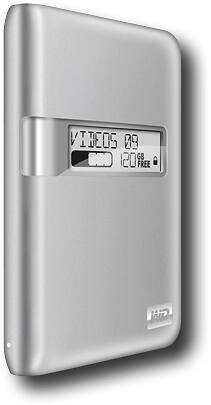
Posted .This reviewer received promo considerations or sweepstakes entry for writing a review.Good portable Harddrive with Firewire 800/400 Plus USB for Macs. Good design also match w/ imac aluminum finish, comes w/ wires to connect USB or Firewire. Love the display of the LCD and customize name. Wish it was bigger size
I would recommend this to a friend- Pros mentioned:Ease of use
Rated 2 out of 5 stars
Failed within a month
Posted .This reviewer received promo considerations or sweepstakes entry for writing a review.Purchased this to relocate iPhoto database, as I was running out of space on my iMac HDD. Very easy to install, daisy-chained off the MaxStor external drive I use for Time Machine. Thank goodness I took the time to set up time machine to back this drive as well, since it failed completely within 30 days of purchase.
No, I would not recommend this to a friend