Customer Ratings & Reviews







- Model:
- SR-C20ABL
- SKU:
- 10287095
Rating by feature
- Value
Rating 4.6 out of 5 stars
- Quality
Rating 4.6 out of 5 stars
- Ease of Use
Rating 4.6 out of 5 stars

Bass or Space
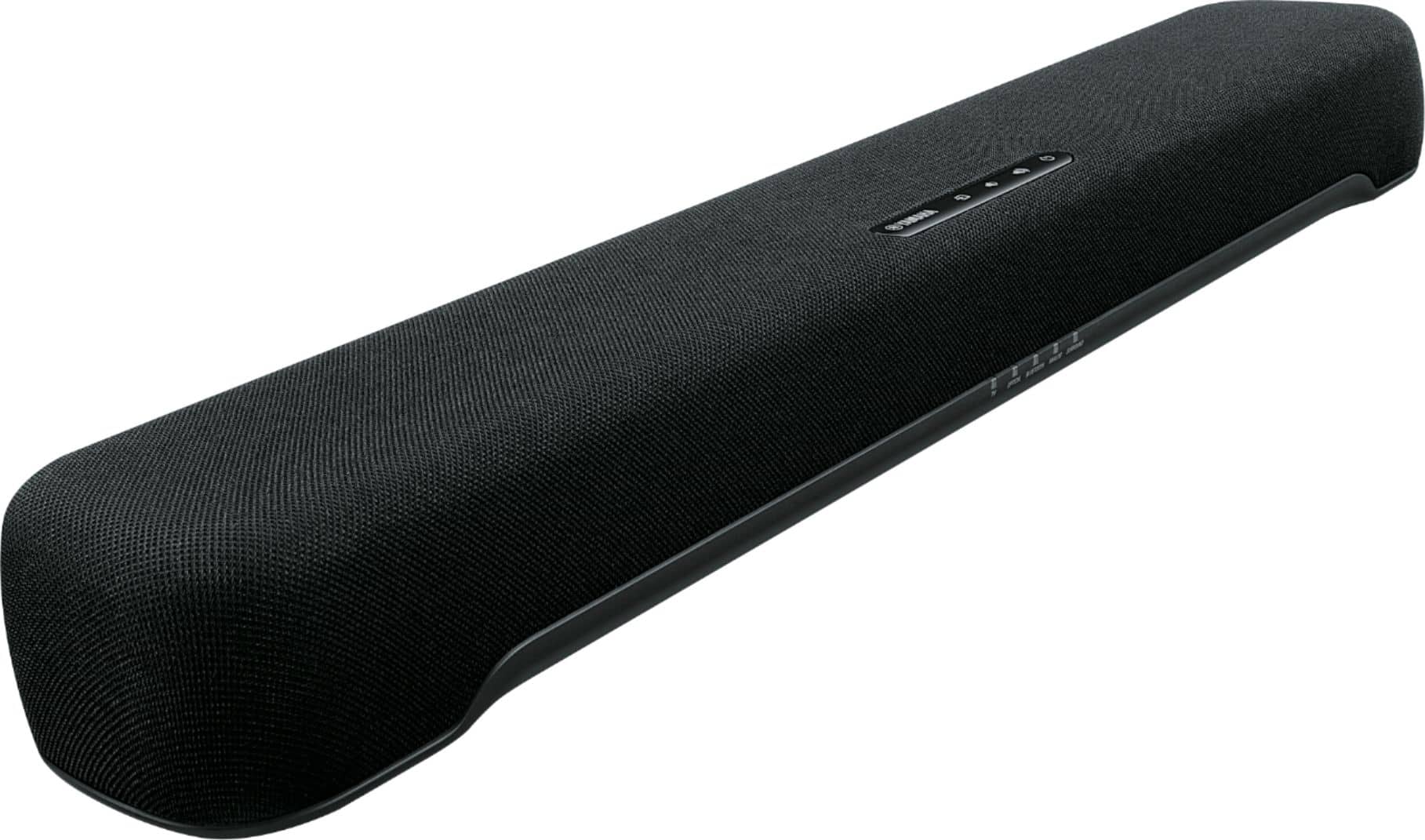
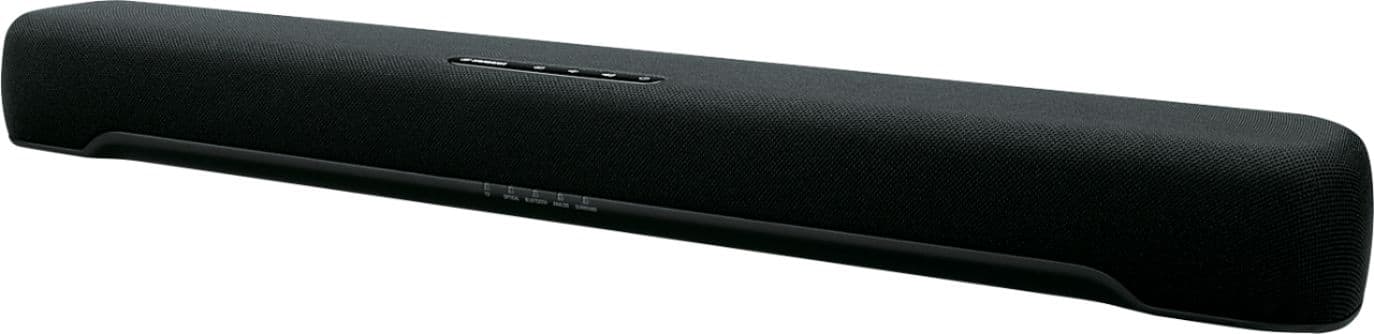
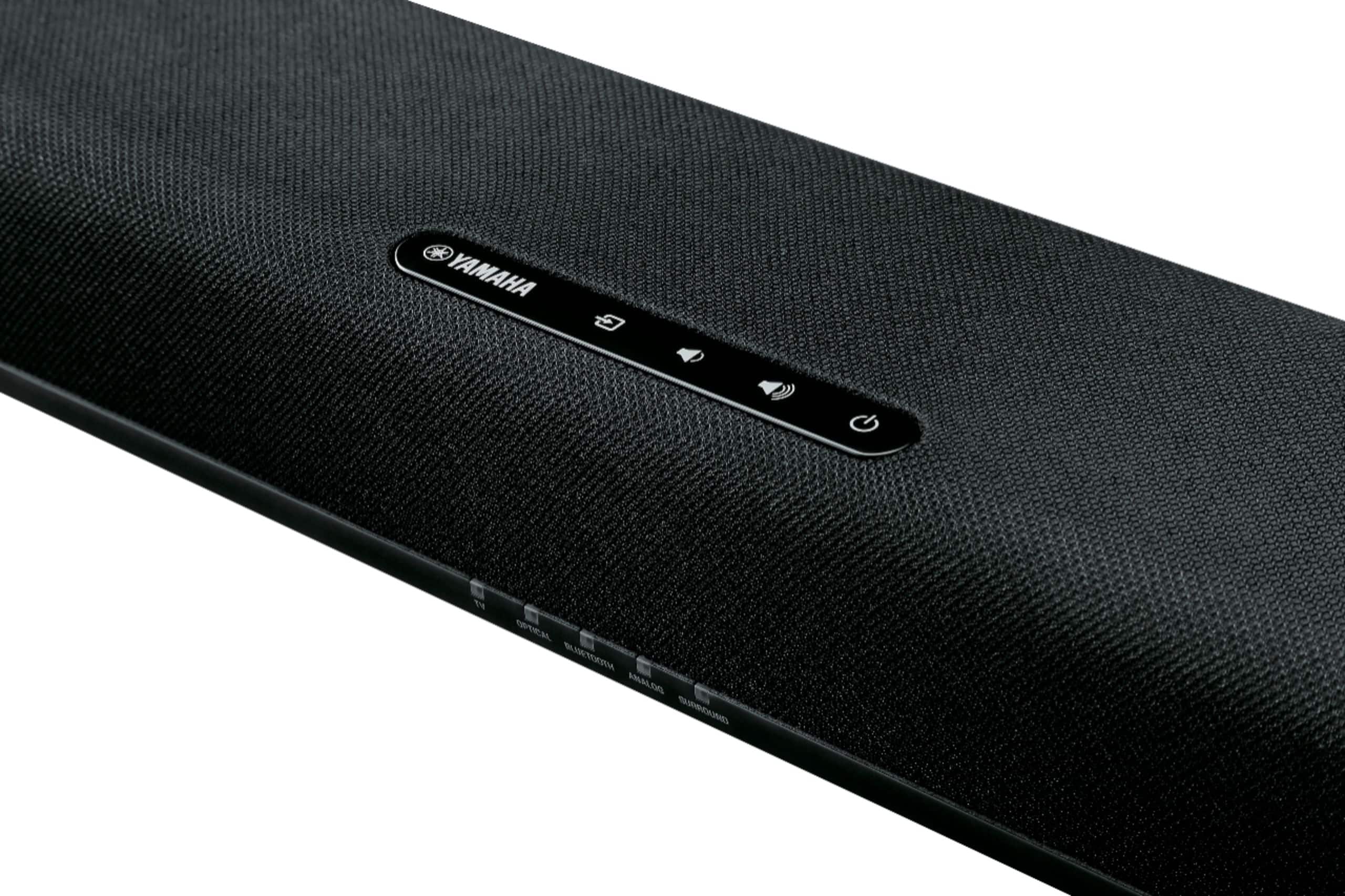
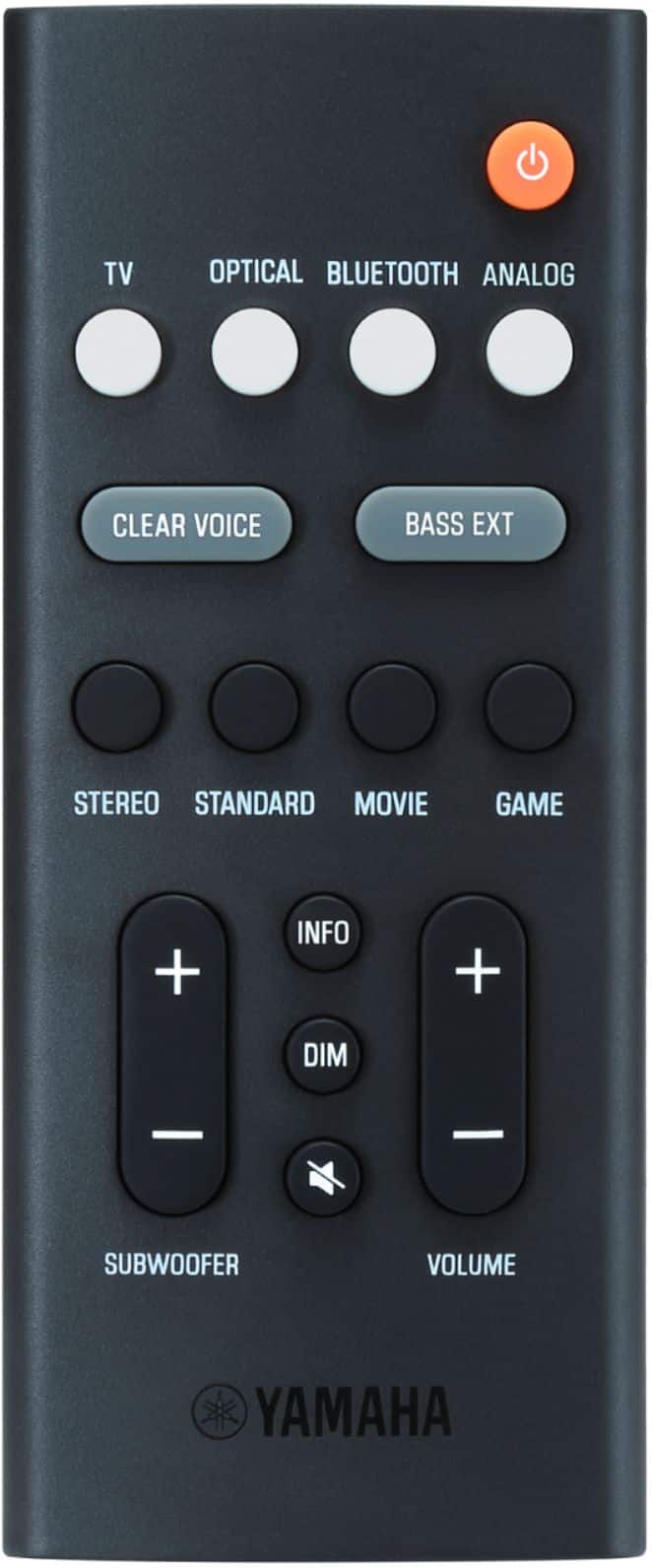
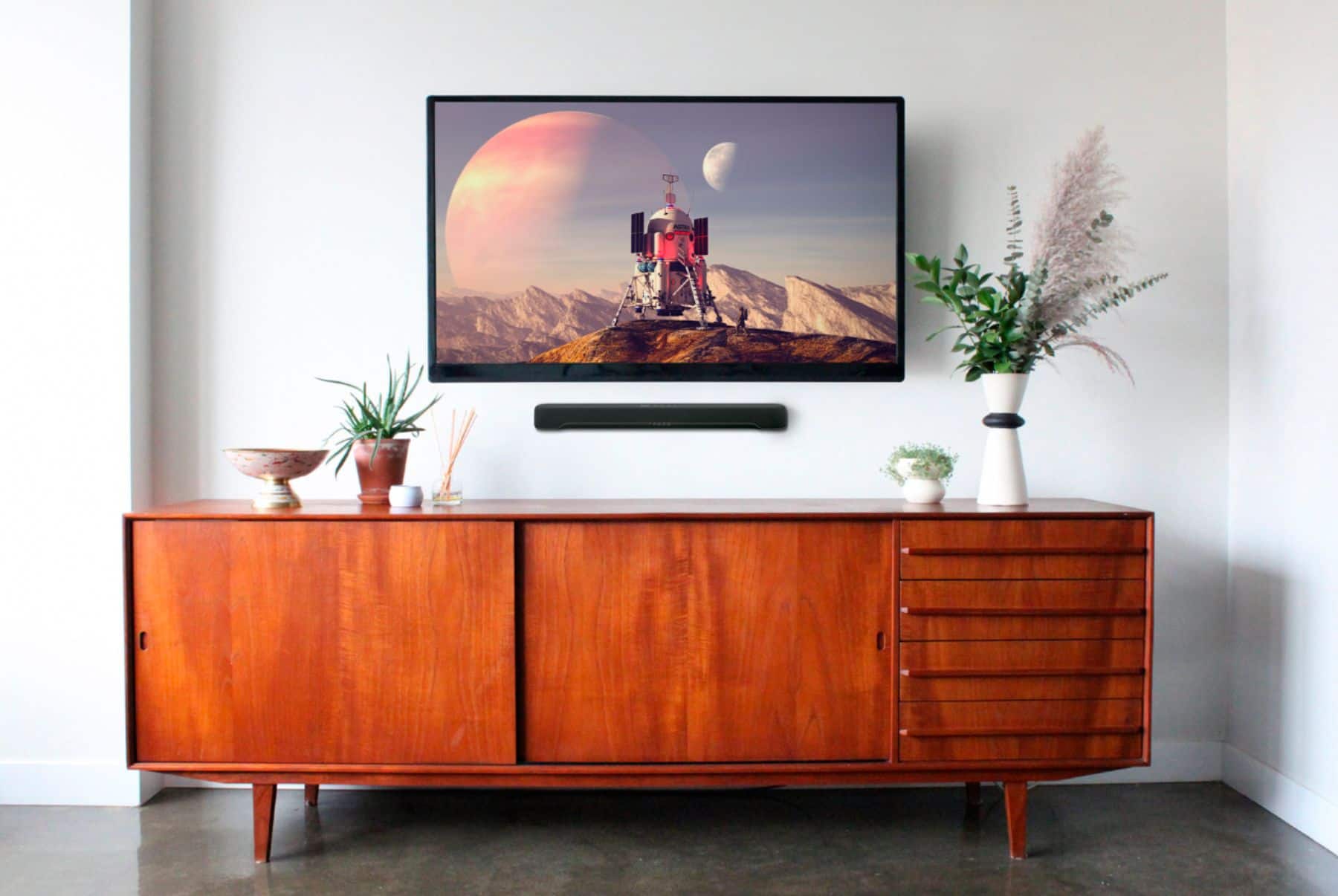
|Posted .This reviewer received promo considerations or sweepstakes entry for writing a review.From pianos to motorcycles, Yamaha’s history encompasses more than a century of product development and reputation for high-quality acoustic gear and small engines alike. Yamaha’s receivers, speakers, and musical instruments can all be found at Best Buy, and it seems only logical that they too would compete in the soundbar space. Yamaha’s SR-C20A is a compact stereo soundbar with an integrated subwoofer, promising exceptional sound in a tiny package that can fit just about anywhere. Though it does deliver some solid sound without the assistance of a dedicated subwoofer, you will still need to decide if you want more space or more bass, since this comes up just ever so short in execution. - Unboxing and Setup Arriving well-packaged, the first impression of the soundbar is the size. At just about two feet wide and only four inches deep, this is easily one of the smallest soundbars I’ve seen in quite some time, not much larger than two popular portable bluetooth speakers glued together. Fully wrapped in a speaker cloth material, the beveled edges of the soundbar are visually pleasing and give a premium touch to the sound system. The power cable is plenty long, and the power brick is a reasonable size to hide behind your TV stand or under the desk. A 4-foot optical audio cable is included to connect to a TV, blu ray player, or other compatible device. A basic product guide leads through connectivity options and using the remote. Yamaha also includes a drilling template and additional hardware for wall mounting options. Setup is as straightforward as can be - connect to your TV or other devices via either HDMI ARC, optical, or stereo 3.5mm (headphone or line out) input and turn the soundbar on for wired sound, or power on and set to the Bluetooth input to begin pairing. From there it’s just a matter of dialing in your settings with the included remote or the Yamaha remote app from a smartphone, and you’re off and running. - Sound Quality Soundbars without standalone subwoofers will always be compromised on bass. A sizeable driver (speaker) is needed to replicate low frequencies with power, and on a compact soundbar like the Yamaha SR-C20A there simply isn’t much room to integrate large drivers. A 3-inch subwoofer was chosen as the solution here, mimicking compact desktop studio monitors that include similar subwoofers. Four different equalizer presets are present: Stereo, Standard, Movie, and Game, though the best sound seemed to be in Standard mode throughout. Stereo and Game both felt tinny while Movie made sounds and music less impactful. A “Clear Voice” setting also seemed to make little difference in any audio circumstance. Overall, the Yamaha SR-C20A produces good sound. With some tuning, the response curve seems somewhat flat with no obvious tones overpowering the others, but true low-end bass is lacking as is expected from such small bass drivers. It can get pretty loud as well - even on my TV I never needed to go above two-thirds volume for clear sound to power across the room and I couldn’t pick up on any obvious distortion nearing maximum. The speakers seem to be upward-firing, which does explain why it sounds better as a personal or desktop soundbar rather than a TV or home theater one. I ended up keeping an older, larger soundbar with front-firing speakers as my TV’s sound system with the SR-C20A residing in front of my PC. In practice, the SR-C20A does an admirable job trying to reproduce bass, but it needs both the subwoofer maxed out and the extended bass (“BASS EXT”) option enabled to produce convincing sound, and even then it falls short. The bass is fairly clear and hits well at close distances, but at further distances most of the punch is lost from its physical limitations, and worse yet there’s almost zero reproduction of truly deep bass notes (sub-200Hz, the range of sound that really gives you that subwoofer boom). The soundbar works hard to try and get the bass through, but the lack of a dedicated large subwoofer really hurts the performance here. Some soundbars that ship without dedicated subwoofers have a port available to hook one up at a later time, but this one does not, so it will never be able to make up that shortcoming. The big surprise from this little soundbar is the sound stage it projects, or the perceived distance between left-panned and right-panned sounds. Listening up close, the sound stage feels anywhere from 6 to 8 feet wide, delivering enveloping sound that really drew me into music and games. It became quickly apparent that “personal” listening was the way to go for the best experience, as at close distance the difference between BASS EXT on and off became more of a preference than a necessary toggle. As I state in every speaker system review, quantifying something as subjective as home theater sound is difficult. Audio opinions are subjective and the listening experience is difficult to translate to text. I highly recommend sampling this sound bar in-store at your nearest Best Buy prior to purchase. - Connectivity & Ease of Use HDMI ARC leads the feature list for connectivity, letting you control your soundbar volume via your TV remote and reducing the need for another remote lying around. This worked well enough in practice, but the bigger surprise was the inclusion of two optical audio inputs. Though a little outdated against HDMI ARC, this does allow for more creative options that could help provide a better audio experience hooking up game consoles or blu-ray players on older, lower-end TVs. I ended up using the optical audio input to connect my desktop computer to the soundbar for use under my gaming monitor. The SR-C20A also supports bluetooth for streaming audio to the soundbar wirelessly. Pairing requires no passcode, and sound latency was minimal as far as I could tell. Perhaps 50-100ms at worst. The soundbar’s middle status LED will blink as it awaits connection then turn blue once established. Each of the 5 LEDs on the soundbar is labeled by its input name and a “Surround” option that always seems to be lit. These LEDs double as an information readout when adjusting volume, subwoofer level, or enabling and disabling Clear Voice and Bass EXT options. These work well enough in practice and the LEDs aren’t overly bright. - Remote & Settings Contrasted against the seemingly high quality construction of the soundbar, the included remote feels incredibly cheap. Labelling is very basic, the rubber buttons feel mushy to use, and the plastic clamshell is made of low quality plastic with uneven seams. If you’re using HDMI ARC, dial in your settings and leave this remote elsewhere, else it’s a pretty straightforward but disappointing affair to have in-hand. Yamaha does have a smartphone app available for both Android and iOS that acts as a remote control for its range of soundbars, and the SR-C20A was recently added to the supported list. I was hoping for further functionality or configuration that could store profiles or have one-click commands for various settings, but the app is arguably even more basic than the remote. It’s a mirror clone of the remote’s buttons and functions, but one that requires bluetooth access to use (and even more concerningly, location data). There is virtually no point to the companion app - as much as the remote disappoints, it’s at least not tethered to your phone. One final, though small, annoyance is that sound settings are stored at the soundbar level and applied across all inputs. You cannot set “Stereo” sound mode to be used only on one input and “Standard” to be used on another, for example, nor can you adjust for device-specific volumes or sound features like Clear Voice. Again, a minor complaint given you’re best served setting the sound up once and running with it universally, but still something that could be addressed with a future firmware update (through the USB port on the back of the soundbar). - Bottom Line If space is at a premium, the Yamaha SR-C20A is a solid companion for a personal setup or small room. It’ll handily outperform a TV’s inbuilt speakers and desktop USB-powered speakers, but I found myself longing for my old setup I bought nearly 15 years ago even though the cable management was a nightmare. The only thing that really hurts this soundbar’s potential is that there’s no way to get more bass out of it - any wired or wireless expansion for later would have been welcome, as would have a slightly thicker soundbar overall to pack in a bigger subwoofer that could have recreated that low-end rumble I so sorely miss. Regardless, this bar does create good sound at a reasonable price and looks quite good doing it. If that low-end rumble is something you can do without, the Yamaha SR-C20A soundbar comes recommended.
I would recommend this to a friendGet this one right here!
|Posted .This reviewer received promo considerations or sweepstakes entry for writing a review.wow this soundbar is amazing holy cow, for such a small device sounds way better than my vizio atmos soundbar, i’m loving this yamaha sound bar, and i’ve had it for a week now my experience with it is great! Pros - this sound bar packs a great sound, smaller than my current vizio atmos, it’s about 23” inc almost 2 feet long, and the width is 3.5”inc, so it’s not big at all - the quality of the audio was beyond what I was expecting, the build in sub sounded great with great amount of bass level - on the back you have. 2 optical plug, 1 analog plug, 1 usb slot for updating ( never touch it and I doubt i’d ever will) and 1 HDMI ARC, and one fairly basic controller to adjust settings of this soundbar - cant complain much about the design, it’s fairly simple with some rounded top corners - the voice audio level are crisp this coming from using vizio atmos and much bigger speakers, but the way the audio was balance on this yamaha sound bar I was not disappointed, have gone through problems where when people speak through movies i’d always have to adjust the volume on my previous soundbar, this is not an issue with this yamaha soundbar. - my experience been spending a lot of time on video games, play call of duty cold war, the treble and bass quality are excellent, they didn’t feel flat, I feel like a spear of sounds hits me every time I hear explosions on games Cons - nothing negative to say about this soundbar beyon the past days i’ve been using it, the only downside is the App I was suppose to check out was not great, download the app on ios, trying to connect the soundbar through bluetooth and nothing was happening, tried resetting the soundbar unplugging and re installing the app as well. nothing was working and I just couldn’t get it going. so I gave up. even after not able to experience the yamaha soundbar app I wouldn’t count that a huge negative, still got my vote on this great soundbar, I highly recommend it, check it out, if you have a small game room this soundbar is perfect.
I would recommend this to a friendsound bar
||Posted . Owned for 1 month when reviewed.This reviewer received promo considerations or sweepstakes entry for writing a review.This sound bar was easy to install and operate. The sound is great.
I would recommend this to a friendVery Big Surprises from Little Packages
|Posted .This reviewer received promo considerations or sweepstakes entry for writing a review.With 100 W of output power and a built-in subwoofer with surround sound and bass extended, this little sound bar of 3.9 lbs. packs a mighty sound. Yamaha, since 1887, has built a name based on excellence in music and the company still stands as the world’s largest piano maker. At 23-5/8" × 2-1/2" × 3-3/4", this little soundbar is no Steinway, but it sure can produce a very pleasant audio for your TV or from any streaming Bluetooth device. It fits perfectly in front of the TV or it can be mounted on the wall above the TV--mounting clips are included. To fully appreciate all that the Yamaha – SR-C20A has been designed to offer, it is important to set it up properly and to be sure all of the settings on your TV are set to the soundbar. This is really the only way to maximize the sound bar’s true potential. There are several ways to connect the soundbar to the TV, but the very best is to have an Arc HDMI input on your TV and to secure an Arc HDMI cable. This is the simplest method for connection, and it gives the best clarity and tone in the audio. You can also set the sound bar up with an optical cable that is enclosed with the system, and a regular HDMI or just an Optical cable. However, the Arc HDMI method gives you all of the features of the soundbar and I was pleasantly surprised at what the sound bar is capable of delivering. I love the size of the bar for a smaller TV and for a smaller space. It is not overpowering, and it still gives a dynamic sound that is crisp, clear, true in tone and also pleasant. What makes this little bar so great? There are a few features that combine to do so and to start with the built-in subwoofer and extended bass are two big ones. But probably the features that allow for fine tuning is why I like it so much. These features are based on sounds of various media and have been perfected to the audio of each. For instance, the Dolby Audio Surround Sound can be set to the different modes of Stereo, Standard, Movie, and Game and each is a perfected listening mode for that particular given media. Stereo is a 2-channel stereo playback and Standard delivers surround playback and is the best suited for general listening, such as, reality shows, sitcoms, and various sports. Surround playback is also present in the Movie mode and this, of course, is best for movies. Then there is the Game mode which also has surround sound but is best suited for gaming. The Yamaha design even goes further and in addition to the sound modes, there is the Enhanced Human Voice playback which is termed by Yamaha as “Clear Voice”. When this feature is enabled, voices are clearer in talk shows, dramas, and movies that have a lot of background effects of sound and music. The soundbar comes with a remote and works with a downloadable app which controls the sound, on/off, listening modes, etc. The remote operates on a lithium battery and is basic but has all of the control functions that one would need. It controls the TV, Optical, Bluetooth, or Analog set ups, allows for toggling Clear Voice and Base Extended on and off, provides a button control for each of the sound modes of Stereo, Standard, Movie and Game which facilitates the ease of switching between the modes and helps one get all of the benefits of the sound bar’s design elements. The remote also has a mute button and volume controls for the overall volume and for the subwoofer. As soon as I downloaded the app, it immediately connected the Bluetooth. The Bluetooth allows one to stream from any of your other devices that use Bluetooth. I think that the Yamaha-SR-C20A is well worth its cost and I feel that Yamaha has tried to design and deliver a quality sound instrument that allows the user to fine tune it with confidence even further. I give this little soundbar a 5 out of 5. I have another soundbar that I like very much. It is larger and has extra speakers, but I like the minimalist features of this one especially since the sound is still dynamic. I recommend you look at this if you are looking for a sound bar. If it is connected correctly and set correctly, I do not think you can beat it for the retail price for which it is offered.
I would recommend this to a friendA Sound Bar Designed for Compact Setups
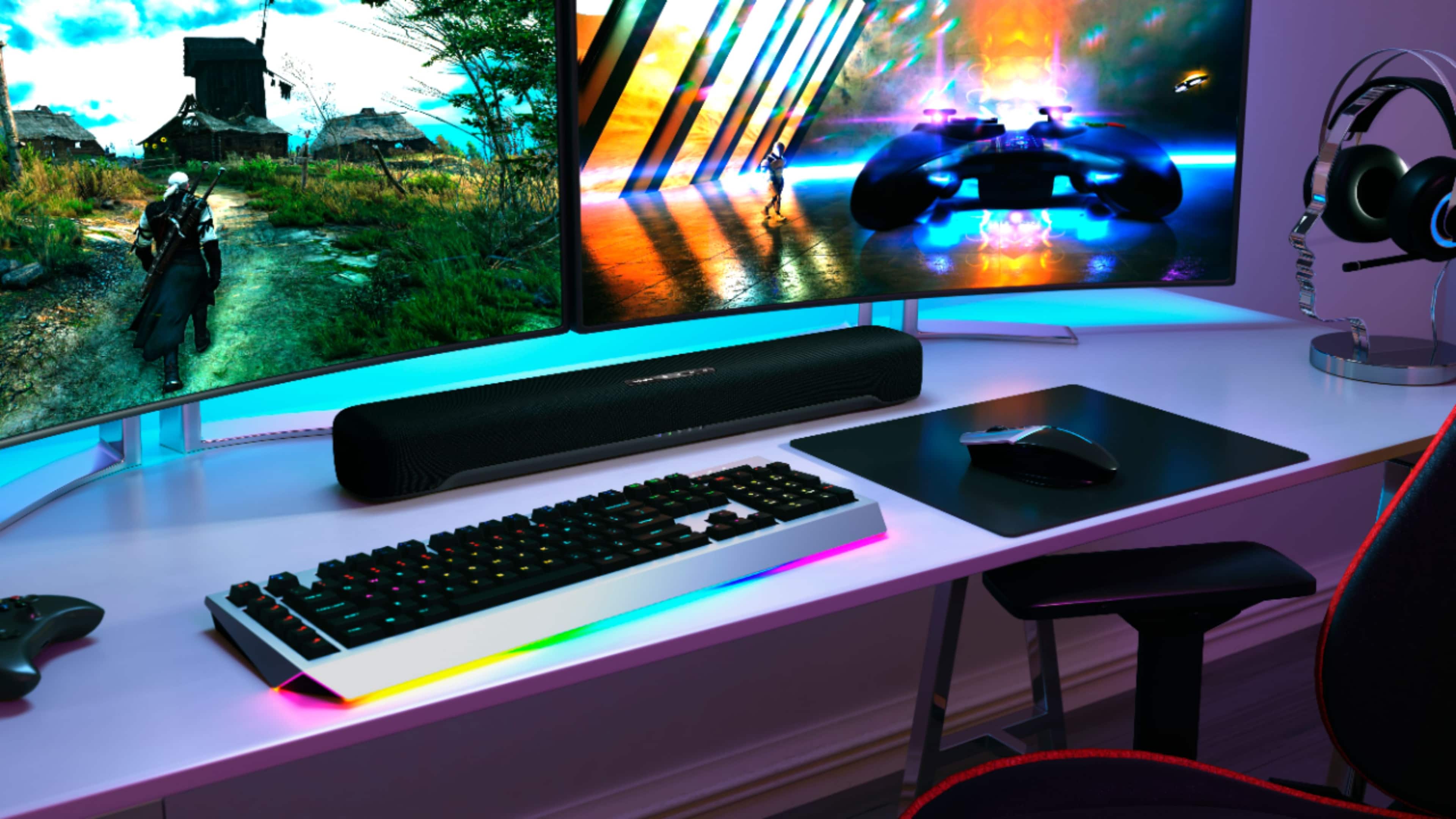
|Posted .This reviewer received promo considerations or sweepstakes entry for writing a review.INTRO: The Yamaha SR-C20A is a compact sound bar best suited for smaller setups—whether it’s for an apartment living room, bedroom or computer desk, this sound bar hopes to have you covered. SETUP & CONNECTIONS: Let’s get right into it. Setting up this sound bar is very easy, just as any should be. You plug in the power, and you connect it to your audio source via 1 of 4 options. Most modern TV’s these days have an HDMI port labeled ARC on them. ARC stands for Audio Return Channel, and by plugging one end of an HDMI cable (not included) into your TV’s ARC port and the other end into the sound bar, you’ll be ready to go. You may have to change some sound settings on your TV to route sound over this HDMI port instead of the built-in speakers, so you may need to reference your TV’s manual. Just be aware that you’ll need to bring your own HDMI cable, since this sound bar does not come with one for some reason. Alternatively you could consider using optical if you plan to use this sound bar with a computer or modern TV. Some low-budget TV’s don’t have ARC support, but nearly all do have optical output, leaving this as your next-best option, since Yamaha included an optical cable in the box. On TV’s, this will usually just be labeled as “optical”, but desktop computers and docking stations will usually have it labeled as “S/PDIF”. Not all computers will have S/PDIF (my small form factor custom computer doesn’t), but the vast majority of desktop computers do, while most laptops don’t. If you’re using the optical out on your TV, you’ll want to plug into the optical input labeled “TV” on the sound bar, but if you’re using the optical out on a receiver or other device, you’ll want to plug it into the optical jack labeled “OPTICAL” on the sound bar. Be sure to remove the small plastic caps from both ends of the cable, and refrain from bending the cable, as fiber optic cables don’t bend like HDMI cables and will be rendered useless if they can’t refract light correctly. Another option is to use the 3.5mm ANALOG jack for sound. Unlike HDMI and Optical, you cannot get Dolby Digital or Dolby Pro Logic II audio through this method. If available, I recommend using the LINE-level output jack on your source audio device to prevent double amplification. If you’re on a device that only has a 3.5mm headphone jack to use, you’ll want to balance the volume levels on both your source device and the sound bar to avoid distortion, clipping, and more importantly blowing out the speaker drivers. Lastly, you can use Bluetooth by touching the input control on the sound bar or pressing and holding “Bluetooth” on the included remote until the Bluetooth light starts blinking on the sound bar. I had no problems connecting 2 devices over Bluetooth simultaneously, but you’ll only get output from one device at a time, so you’ll need to pause playback on one device to start playback on another. I also found the latency to be great even when playing video games or videos via a Bluetooth 5 connection. I highly recommend reading the online manual, as it has a lot of great information and details a ton of features not explained in the included paper manual. DESIGN: I like the minimalistic look of this sound bar. Some people prefer not to be able to see the driver behind the fabric, so I tried shining a flashlight right up against the fabric and could not see the drivers. So aesthetically, it won’t leave any surprises, but maybe some curiosity about what it looks like behind that cloth. The sound bar has some nice small rubber feet to lift it up a couple millimeters so it doesn’t leave strange marks. A simple array of LEDs will tell you which input you’re currently on, but I found that this wasn’t particularly helpful in darker environments where I couldn’t read the labels below the LEDs. I chose to use this sound bar at my desk under my computer monitor and couldn’t really read the labels without getting really close to look. It could have been nice to see a proper LED clock-like display or something, as I’ve seen them on much cheaper sound bars, but for usage at my desk, I’m glad it takes a simple approach so it doesn’t distract me. There’s also the ability to dim the LEDs to 3 settings: normal, dim & off. The LEDs will brighten when you’re changing settings, but will dim again after a few seconds. The remote control is also very easy to guide—all the main options are on the remote control, making it easy to find everything. OTHER FEATURES: There’s a smartphone companion app called Sound Bar Remote that you can download to control the sound bar over a Bluetooth Low Energy connection. I found it to work very well for functioning the same as the physical remote control. There are some hidden functions that are only discoverable by reading the online manual like HDMI Control, Child Lock, Auto Power Standby, Bluetooth Standby & Dolby Digital Compression. Some of these features do require the usage of the remote control, so I recommend NOT losing it. It would be nice to see the ability to configure these advanced features from within the app. It’s definitely a missed opportunity at the time of this review. Most users will likely not reference the advanced online manual, so they’ll never end up learning about these features, and there’s still a low chance that they’d bother trying to use the app, but Yamaha could have made some mention of the online manual for more advanced features. SOUND: In terms of sound quality, the SR-C20A delivers decent sound in a compact form factor. Your experience will differ if you use a wall-mount versus a TV stand (you should reference the online manual to configure the soundbar’s frequency response to match your configuration), but overall, I’d say it’s full-bodied with a relaxed treble response. It doesn’t fatigue the ears, which is important if you’re using this in a tighter space where you’ll be listening closer to the sound bar. I think it’s important to remember that this isn’t promising to deliver the absolute ultimate experience, but a great experience for your small setup. It’s been great for dialog, video, music, & gaming. I’ve got access to expensive audiophile headphones, studio reference monitors, as well as surround systems, but having a humble sound bar like this at my computer desk just makes things easy without needing to hook up a bunch of things and press a bunch of switches. I primarily use this sound bar to listen to music and play games at my desk, while also frequently enjoying videos on YouTube with a lot of dialog, and I’ve got no complaints about its ability to do those things well. The SR-C20A has the following sound modes: Stereo: This mode is the simplest one without any surround sound. The sound stage is more narrow and focused, but best suited towards music, as there’s really no processing. Standard: This mode widens the sound stage just a bit. Yamaha says this is best suited for general content such as sports, sitcoms and reality shows. I’d say the amount of surround sound processing is pretty minimalistic and is actually nice for music, as well. Movie: This mode further widens the sound stage, but I honestly am not sure I could differentiate if there are any other meaningful differences compared to Standard mode. Game: This has the widest sound stage of them all. The effect can lead to a more immersive experience, but this is always subjective. I was actually impressed with this mode, even though I don’t typically use virtual surround. For all of the above sound modes, I honestly didn’t find any of them to be distasteful. Usually with sound bars I find that there’s only one or two modes that are usable, but I think Yamaha took a conservative approach by not overdoing it, and I can appreciate that. The differences are minimal, but provide enough differentiation to give a consistently enjoyable experience for any type of content. There’s also a Clear Voice mode which will emphasize the frequencies of human speech that is typically good for TV shows, podcasts & news. Yamaha’s approach here is not over-accentuated like I find on most sound bars. Remember, they’re expecting you to be positioned closer due to the compact nature of the sound bar, so there really isn’t a need to overdo it, and I can agree with this approach. All of the other frequencies are still very present and maintain a clarity without compromise. Lastly is the Bass Extension mode that accentuates the bass response without bleeding into the midrange. Your mileage will certainly vary for this experience, as different surfaces will have different resonance properties. In my case, my desk is just a slate tabletop with no “chamber” to resonate, so I preferred this mode to be on and the subwoofer to be maxed for the fullest experience. But if used with a TV stand with a closed back, I would foresee more resonance and you’ll want to adjust the subwoofer settings to ensure you maintain a balanced audio experience. CONCLUSION: The SR-C20A is a sound bar designed to deliver big sound for compact setups. If you’re looking to add a decent sound bar at your desk or a small space, Yamaha has done a good job at delivering a simple, clean solution. The experience has been enjoyable, overall, and with a bit of reading of their online manual (which is actually organized very well), you can leverage some additional features and maximize the experience for your setup. I look forward to seeing how Yamaha iterates on this design in the future.
I would recommend this to a friendSmall factor big sound
|Posted .This reviewer received promo considerations or sweepstakes entry for writing a review.Breakdown: The Yamaha SR-C20A is a compact sound that is best used in smaller spaces. It is built well and easy to maneuver. Unboxing and Setup: This speaker arrived in its original packaging with no outer box. It was well packaged even down to the tape ends being looped over to make it easy to pull. This thing has a pretty small footprint at about 23.6 inches long by 2.5 inches high and 3.75 inches deep. It has a pair of 1.8-inch cone drivers, built in 3-inch subwoofer and 2 passive radiators. To set this thing up you have a few options, the HDMI (ARC) input, two optical connections, Bluetooth and a 3.5mm analog. One thing to mention is the display is on the front not the top, so it makes it easy to read. The remote is a little on the big side, but it does offer all the functions you would need, and they are laid out very well. SOUND: I found that the sound was very well rounded. For playing video games, watching movies or just watching news the speaker performed very well. There is an app you can download called Sound Bar Remote to control the speaker. Even streaming music over Bluetooth had an excellent well-rounded sound. This speaker is also equipped with the following sound modes: Stereo (the simplest one that sounds pretty good when playing music), Standard ( this one is recommended for sports), Movie ( this one is really no different from standard in my opinion), Game (this mode worked very while gaming, I felt as if I was immersed in the game), Clear Voice (I found that it performed well while listening to podcasts, like it was slightly more focused on voice) and lastly Bass Extension( this mode did offer a noticeable difference in the bass and I actually preferred this mode when listening to music). Pro’s: -Easy to set up and use -Sounds great on movies and music -Lots of connection options Con’s: -No ability to add subwoofers -No DTS playback Summary: Overall, this product worked well and as intended, and I would recommend this to a friend if they are in the market for a device like this.
I would recommend this to a friendBIG SOUND (not giant) FROM A SMALLER SOUND BAR
|Posted .This reviewer received promo considerations or sweepstakes entry for writing a review.REVIEW: YAMAHA - SR-C20A SOUND BAR WITH BUILT-IN SUBWOOFER AND BLUETOOTH - BLACK Best Buy Tech Insider Network BIG SOUND (not giant) FROM A SMALLER SOUND BAR What you want from a soundbar is a vast improvement from what you get out of your video system (TV). Clear Crisp Voices, and overall good sound for a variety of content. The SR-C20A checks all those boxes. You should also look for legacy and modern audio connections for all of your old and new devices. The SR-C20A supports all typical audio connections including Bluetooth. (while some other brands might only have Bluetooth for example in this compact size). Setup was very straight forward no surprises. It does not support all digital audio formats as inputs (Like ATMOS), but in general I am OK with that. It really makes no sense to pump ATMOS audio into a single device like a sound bar (you want a room full of speakers for ATMOS). In short, I recommend the SR-C20A for anyone looking for a compact, high quality, and moderately priced sound bar for your TV or PC. However, if you are after BIG SOUND (bass) which is also clear sounding at high volume then you probably need to look at much larger sound bars. BEST FEATURES - Large Remote - Good Functional Apps - Variety of Inputs - Included Optical Cable I conducted 3 tests (1) Movies in a 10x20 room with a Home Theater Projector (2) Streaming Music & News / Desktop 10x10 room (home office) (3) Vinyl Record Playback in 20x20 room (recreation room) Overall, the SR-C20A is a competent performer. It definitely sounds better than other similarly small sized and priced sound bars I have tried (for example from another company that makes game consoles TVs, and Cameras rhymes with pony). As expected, it is way behind my 6 year old Yamaha full sized ATS-1030 (YAS-103) soundbar, and slightly above my 5 year old - Mini Desktop Speaker Bar (rhymes with rose) for rich bass. Keeping in mind these other bars easily cost 3x the price of the SR-C20A (at today’s prices). At a low to medium volume (background music for example) the SR-C20A sounds fantastic. The louder I made the volume, the more “muddy” the SR sounded (MP3 256bit) anything below 50% (about 80db) volume was great. When watching movies, at first it felt a little underpowered, but as the movie progressed, I found it performed well overall especially with voice enhancement. With the bass maxed out, I found the table shook, so it was clear there was a subwoofer, but there just was not that much bass sound. For example, the explosions were unimpressive (Avengers Age of Ultron). I enjoyed the overall balance of the SR-C20A, but “explosions” are definitely better on my other sound bars mentioned. I was able to test each connection, everything worked as expected. I was able to easily pair the SR-C20A with my phone and other systems for playback. I used it Via HDMI, Bluetooth, Analog, and Digital Optical and everything worked perfectly. The App is useful and makes it easy to fine tune the sound effects and as an extra remote. The included remote is good size so it wont get misplaced as easily. The SR-C20A performed surprisingly well in my Vinyl Test (Eric Clapton / BB KING), it actually outperformed my other 2.1 system from another maker (also rhymes with rose) as far as clarity and richness overall. (Usually, I route my Vinyl though my main Yamaha Receiver but sometimes this 2.1 setup is more convenient due to its proximity) In my opinion the SR-C20A’s sweet spot is to supplement TV sound in every day use and to bring a little more umph to the occasional movie. Music is Good, clear and bright, but not much bass. Movie dialog is crisp, but missing deep sound. If you want booming sound, then you should be looking for a system with a dedicated subwoofer, anyway (or at least a very large soundbar). If you want perfect ATMOS sound, then you really need to get a full ATMOS system. Speakers are probably the most important part of any audio experience and there are no shortcuts in price and quality. They are also very subjective. Before I landed on my first set of speakers, I tested (and returned) about 4 other sets. My first real speakers are still in use 25 years later. That being said, you don’t need an expensive audio system for every TV in your home. SUMMARY / CONCLUSION / RECOMMENDATION The SR-C20A is perfectly at home for most uses, and definitely better than any TV Speakers. The bass is perfectly fine for everyday use, but not room filling. I would definitely recommend the SR-C20A for a good all-around sound bar. You really can’t go wrong with Yamaha for overall quality, in my experience. I have 2 Receivers, 2 Sound Bars, 1 Sub Woofer, (all from Yamaha) and most are pushing 10-15 years of flawless performance.
I would recommend this to a friendBig sound in a small package. Perfect for a PC
|Posted .This reviewer received promo considerations or sweepstakes entry for writing a review.Don’t let its small size fool you. It sounds really good and has nice clean, tight, bass. It will get pretty loud but it’s not going to compete with a larger system with a separate subwoofer and rear satellite speakers. Nor is it meant to. The soundbar is small compared to most you find but what it lacks in physical size and high volume it makes up for in sound quality. Spec wise here’s what you get. The soundbar comes with power supply, remote control, digital optical audio cable and wall mounting hardware. The soundbar has 4 inputs on the back and Bluetooth. There are 2 optical SPDIF inputs (1 is labeled TV), analog audio and HDMI ARC. I suggest using HDMI ARC if your TV has it as it should work seamlessly with your TV's remote for volume and power on and off. And of course the power supply input. A 3 inch subwoofer with passive radiator and and a couple of front firing 1.8 inch cone speakers. There are 4 sound modes. Stereo, Surround, Movie and Game. A couple of EQ options. “Bass Extension” and “Clear Voice”. Subwoofer volume level on the remote. You can connect via Bluetooth from your phone, TV, PC, tablet, ect as a standard speaker. There’s also an app to control the soundbar too that pretty much duplicates the remote control. Bluetooth setup is simple. Just follow the instructions. Also there’s more than one Yamaha soundbar app. Make sure you get the right one. It will tell you what devices it work with it when you go to download it. There are 4 touch buttons on the top front of the soundbar for Input, Volume and Power. There are 5 LED status indicators on the front below the touch buttons. They show current input selection, Surround, Volume level and some other things. Middle Bluetooth indicator glows Blue when Bluetooth is in use. Download and see the user manual for more details. https://usa.yamaha.com/support/manuals/index.html?l=en&c=audio_visual&k=sr-c20a Note: The writing for the buttons and status LEDs is small and lacks contrast. It’s almost impossible to see in dim light. The status LEDs can indicate many things when hitting info on the remote. Good luck remembering them all. No biggie, you can hear the difference when you hit the buttons on the remote to change something. It’s pretty simple in that manner. Sound modes are pretty simple. Stereo is just basic 2 channel sound and good for listening to music. The other modes add simulated surround sound with varying degrees depth and width. Bass Ext bumps up the lower bass frequencies a bit. Clear voice sounds like it bumps up the mids a little. It supports Dolby Pro Logic II with a stereo signal that contains it. My setup with the soundbar ended up being my desktop PC under a 27 inch monitor. Perfect fit I did have to add some taller rubber feet so the soundbar would clear the monitor’s big foot. I watched some movies, TV shows, YouTube content and played Music through it. I tried all the sound modes. I listened to analog and Bluetooth from my PC and phone. I switched back and forth and thought that the analog input sounded slightly better. I didn’t have a way to test the optical inputs as my PC and TVs do not have optical outputs. But I would guess they would feed the same DACs as the Bluetooth and HDMI ARC and sound the same. At the maximum setting the bass can be overpowering but you have to push it hard to make it distort. Even when listening to Alan Parsons Project’s, Sirius, the instrumental everyone’s heard since 1982 that precedes Eye in the Sky, the ping pong delayed guitar arpeggios where clean and didn’t gurgle in sync with the droning low B note on the synthesizer. But of course you can reduce the bass to a bare minimum too. I do wish it had a little more high end. You can add more high end if your TV or other devices have EQ settings. Preferably EQ that you can manually adjust. Opinion wise I think it's good value for the price. Especially if you find it on sale. Just bear in mind that it’s small. Superb build quality like everything Yamaha I’ve ever owned. I have professional Yamaha keyboards and speakers going back to the mid 80s that still work as good as when new. I think this will last years down the road too.
I would recommend this to a friendGood Sound bar
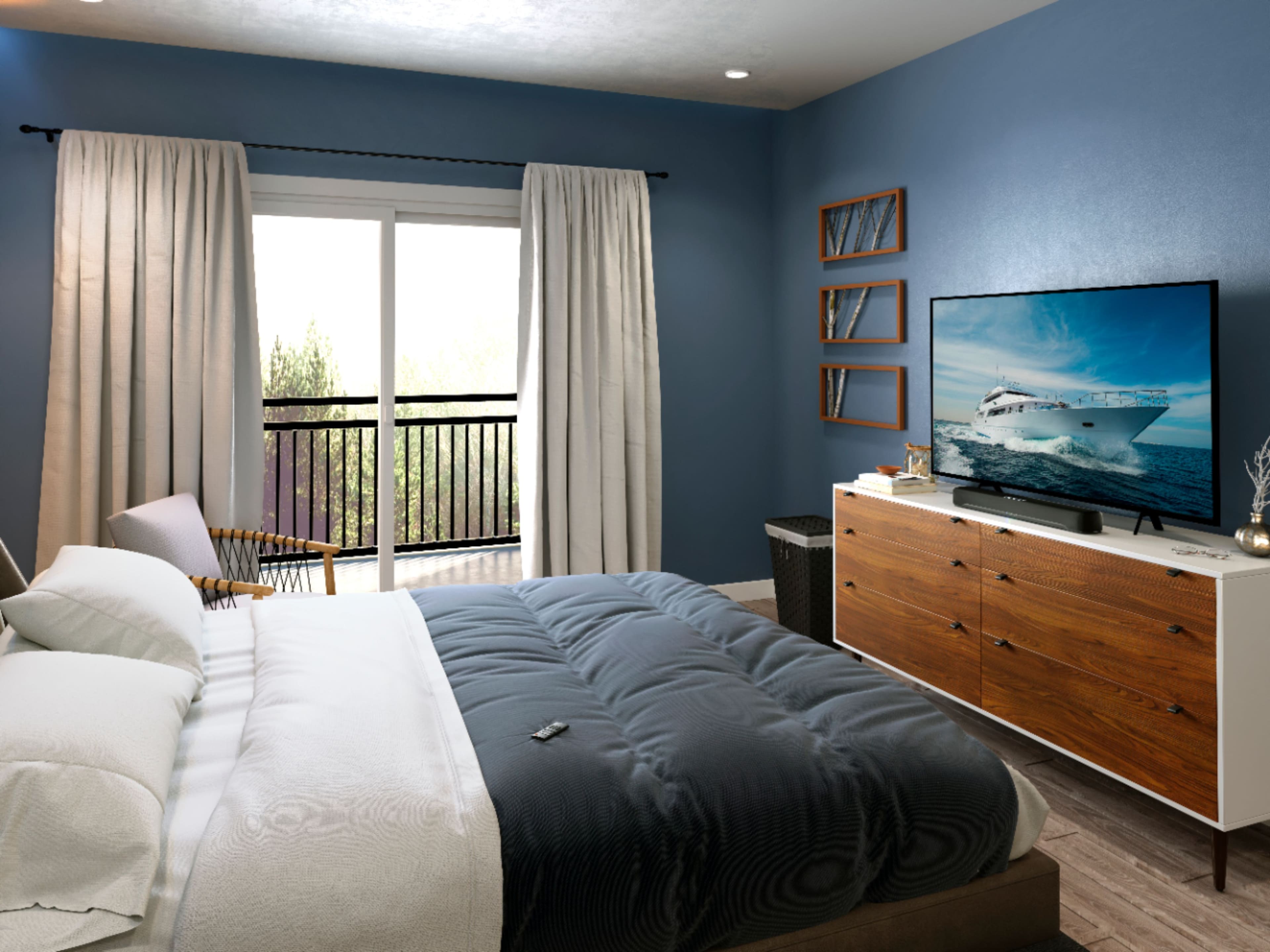
||Posted . Owned for 3 weeks when reviewed.This reviewer received promo considerations or sweepstakes entry for writing a review.Good quality speaker. I was looking for something nice and compact for my bedroom TV. I like that this speaker is has a built in subwoofer because I didn’t want one with the subwoofer on the side. It comes with a optical cable that you can use to hookup to your TV. If you choose to you can also use the HDMI arc port in the back of the sound bar but you need to have a HDMI cable because one isn’t provided in the box. I also like that it comes with a remote which has a descent amount of options to adjust your sound quality. Most importantly this speaker gets loud. It has Bluetooth pairing so you can hook it up to your cellphone and listen to music through the sound bar and it definitely has a nice sound for something so compact. Of course it’s not going to give you the all around surround sound feel because it’s smaller and doesn’t have extra speakers and a subwoofer on the side but it definitely packs a punch for how small it is. Definitely would recommend to someone who wants to add extra volume to their bedroom TV.
I would recommend this to a friendYamaha SR-C20ABL Sound Bar review
||Posted . Owned for 1 month when reviewed.This reviewer received promo considerations or sweepstakes entry for writing a review.This is my first soundbar purchase, it offers pretty decent audio and features for a compact size. I bought this to enhance movie watching experience as the TV speakers are just fine but don't deliver. The soundbar has good volume and bass (high, mid, and low), the build is good, and feel the price was just right. I used the optical cable to connect it to the TV and felt the setup was easy enough for most. It took a few tries to figure out the correct phone app to use the phone as a controller rather than the one supplied, I was using the wrong one. I found it on the app store by searching "Sound Bar Remote", 2nd result from the top of my search. The app gives greater assurance over the controls. Overall, it's a good product. I've used Yamaha audio components in the past, they've been around and are trusted for audio devices. Would I recommend it to a friend? sure. Does it fulfill my needs for enhanced sound rather than using the TV speakers? Yes, it's much better. Is it surround sound like a movie experience? No, don't kid yourself. One would need to add additional speakers for that. One thing Yamaha could improve on is the remote, the keys are not backlit and of course difficult to see if one is watching a movie in the dark, maybe this has already been addressed with newer or higher-priced units. That's my review, hope this is useful for someone and if you buy one hopefully you'll enjoy it.
I would recommend this to a friendNice sound - Value for your money
|Posted .This reviewer received promo considerations or sweepstakes entry for writing a review.I liked the sound and dialogue clarity. I tested this product with my other sound bar/s. Package comes with all required things like remote, mounting screws, optical audio cable. Built in Sub woofer is good ( do not expect top natch :) ), good for this kind of size. Maximum sound filling the room not very loud and noisy. Bluetooth works well no issues at all. I liked the remote it has preset buttons for various modes like movie, game, standard and stereo. But i did not able to find much difference between modes, all good. I think for the price it is worth.
I would recommend this to a friendNot bad…
Posted .This reviewer received promo considerations or sweepstakes entry for writing a review.I’ve always considered Samsung sound bars to be a great addition to my tv. Nevertheless didn’t tell me at all. Although there were two minor issues that had with this sound bar 1 it wasn’t HDMI compatible and 2 It didn’t have an app like other higher end models do but I didn’t have a problem with it because the sound quality was just great. Not to mention the deep base from the subwoofer.
I would recommend this to a friendBang 4 Your Buck
||Posted . Owned for 1 year when reviewed.This reviewer received promo considerations or sweepstakes entry for writing a review.Nice size, not huge but still loud. The subwoofer sounds great. Easily change from tv to bluetooth to blast music. Overall great price, build, and features.
I would recommend this to a friendSuper happy with this sound bar!
Posted .This reviewer received promo considerations or sweepstakes entry for writing a review.I wanted a small sound-bar without a sub and this fills the bill perfectly! I have a nice 5.1 system in our game room if I want the theater experience but since this TV is located in our family room near our bedroom I wanted something that wouldn’t keep my wife awake since she goes to bed early. I’ll start with set up - sound bar HDMI to the HDMI ARC jack in TV and the other components connected to the other available jacks. I was concerned about losing an HDMI jack by using the ARC one for the sound bar (using the ARC HDMI jack on you TV essentially makes it just an audio cable with CEC - more on CEC later). But since my 65” Vizio M65Q7-H1 has 4 HDMI jacks and I only have my Xbox One X, Nintendo Switch and Armstrong Cable box connected to the TV I had an unused one. That said - if you have more than 3 devices connected via HDMI and want to use the ARC feature you’ll not have enough jacks unless your TV has more than 4 (not very common). The big advantage of connecting via HDMI ARC is that all of your devices sound will be sent to the sound bar -and- if your TV has CEC (most newer ones do) you can use your TV or Cable box remote to control the sound bar volume (which is what I wanted) - using an optical cable eliminates the advantage of CEC. I have my Armstrong Cable EXP remote programmed to control my Vizio TV’s sound, inputs and power and now with CEC turned on on the TV it also controls the Yamaha sound bar (volume and power - you still need the Yamaha remote or Yamaha Sound Bar Remote app on your phone to control the other sound bar settings) - which helps with the rest of the family not having to worry about multiple remotes. The sound on the Yamaha is very impressive for such a small device and the “Clear Voice” setting really works great. This isn’t a big theater experience for $149 but it’s way better than stock TV speakers! The iPhone app is also extremely useful for choosing the settings you want as the various light combinations on the front of the bar that denote what mode you’re in are hard to remember without referring to the user manual (which must be downloaded from the Yamaha website as only a quick start guide is included). All in all I couldn’t he happier with my purchase and would highly recommend this sound bar if your pressed for space and don’t really want a separate subwoofer and booming sound but want a much better experience than what built in TV speakers offer. I hope my review helps others in making a decision. I know I was kind of confused on just how well ARC would work and whether CEC would allow me to use my Cable box remote to adjust the sound. I did have to delete the Blu-ray app on my Xbox external storage and reinstall it on the internal drive and clear the persistent storage to get 4K movie sound working properly but after that it’s working great!
I would recommend this to a friendFeature Packed
|Posted .This reviewer received promo considerations or sweepstakes entry for writing a review.Despite being labeled compact, the sound of this product (especially the subwoofer) is booming without taking away from the clarity. There are a variety of ways to connect audio equipment. I found the availability of options convenient and the performance pleasing. The different modes enhanced my entertainment experience by allowing me to select suitable options tailored towards the programming I'm watching. However, there seems to be a misleading claim (from manual) of this device being able to be controlled via the Yamaha Sound Bar app. Unfortunately, this would not work on Android or iOS devices given that the soundbar does not have network capabilities. Overall, this is a great product.
I would recommend this to a friendSound as a pound!
||Posted . Owned for 1 month when reviewed.This reviewer received promo considerations or sweepstakes entry for writing a review.Purchased this to replace my old JBL sound bar that I use with my PC. It looks great, sounds awesome (the speaker's capability of bass is incredible) and was as easy to set up as all other soundbars. Also, the remote control which comes with this has all functions available and then some over what you would normally expect, able to control every single feature the soundbar has. It's a soundbar which is not the most exciting piece of hardware to get, but I am very impressed with it as a whole. And the build quality is top notch for the price point. Love it.
I would recommend this to a friendGreat Sound
||Posted . Owned for 1 month when reviewed.This reviewer received promo considerations or sweepstakes entry for writing a review.I needed a smaller sized soundbar to pair with a 24” TV in my home office, and this Yamaha 2.1. channel Soundbar is compact and is the perfect match. The sound is great - very clear. The built-in subwoofer provides adequate bass for a small to medium sized room, and definitely enhances the sound when watching movies and listening to music channels/apps. It also enhances voices when listening to dialogue, and has 4 listening modes to choose from. The soundbar also has Bluetooth connectivity. You can pair up to two devices and switch between the two. Pairing and switching is pretty simple to do. This is my first Yamaha product and I’m very satisfied with the purchase. Overall very good quality and value. Would recommend.
I would recommend this to a friendnice soundbar
||Posted . Owned for 1 week when reviewed.This reviewer received promo considerations or sweepstakes entry for writing a review.I tried to connect this soundbar to my pc with bluetooth, suprisingly no audio lag when playing video games. This is a very good small soundbar with excellent sound quality and build in subwoofer . perfect for small bedroom and desktop .I made a good decision to purchase this soundbar.
I would recommend this to a friendExcellent Small sound bar.
||Posted .This reviewer received promo considerations or sweepstakes entry for writing a review.I wanted a soundbar to use for a desktop 27 inch monitor and this works very well. Sound is amazing with deep base and surround sound effects. Clear voice makes it seem like there is a center channel. Gets pretty loud. Would be great for TV's up to 50". I have a Bose solo 5 and this is much better in sound quality and bass.
I would recommend this to a friendMuch better sound than expected
||Posted . Owned for 2 weeks when reviewed.This reviewer received promo considerations or sweepstakes entry for writing a review.This sound bar gets plenty loud for its size, and the built in subwoofer is amazing. I never expected it to get as deep as it does, and the overall volume is great. My only real complaint is if I have the volume up, it would be nice for it to stay that way, but I get why it turns down when it was left at max volume. The fact that there is an analog jack on this sound bar is a nice addition when more and more devices are removing it. I currently have this sound bar connected to my desktop through a TC-Helicon GoXLR, and that jack is needed. It is incredibly simple to mount it using the included template and the built in keyholes, so no additional mounting hardware is needed at all. Just a couple of screws and mollies if you don't mount it into a stud. Overall, I am very impressed with it.
I would recommend this to a friend