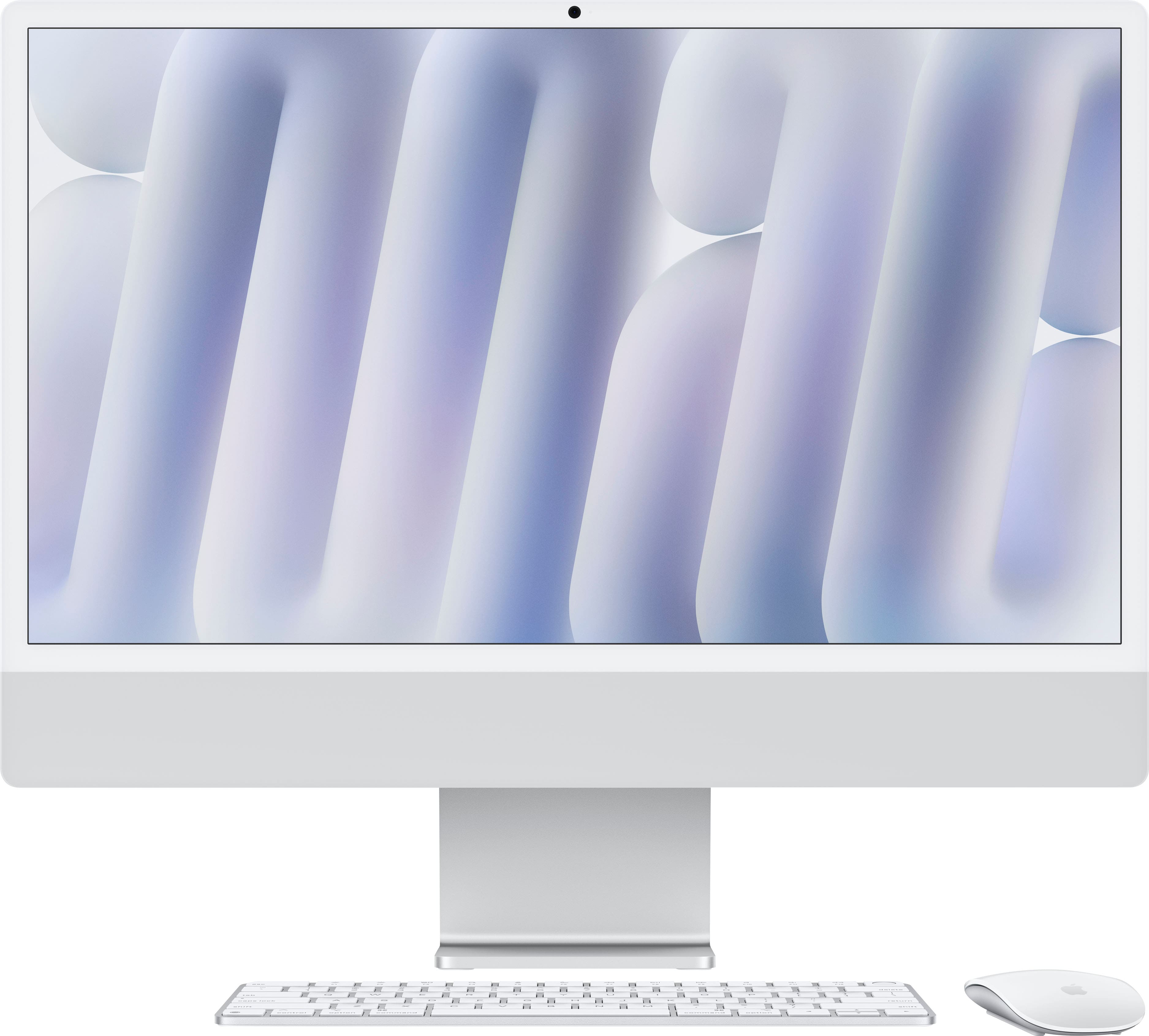
iMac For Creative Work
Unlock new possibilities in your artistic projects with the right technology designed to support your vision. Choosing an iMac for creative work means investing in a powerful tool that can elevate your productivity, whether you're editing photos, designing graphics, or producing music. Explore a selection of iMac options tailored for professionals and enthusiasts who demand performance and reliability from their devices. Find the ideal setup to bring your creative ideas to life and streamline your workflow with ease.
Read More-
Apple - iMac 24-inch All-in-One - M4 chip - Built for Apple Intelligence - 8 Core CPU - 8 Core GPU - 16GB Memory - 256GB SSD - Blue
SKU: JJGCQ3FFR7I love Apple the best. And at Best Buy I love it....Great setup for college student....I love all my mac products. and i’ve purchased all of them from Best Buy!!
See all All DesktopsProduct Description
A sleek blue all-in-one desktop featuring an M4 chip, 16GB memory, and a vibrant 4.5K Retina display.$1,499.00 Your price for this item is $1,499.00 -
Apple - iMac 24-inch All-in-One - M4 chip - Built for Apple Intelligence - 8 Core CPU - 8 Core GPU - 16GB Memory - 256GB SSD - Silver
SKU: JJGCQ3F4SGBest Buy new computer...I love my Apple - Mac computer its great and best buy gave me the best service the employee help me find...the best....Apple is the best...We love Apple Computers! Great for our...
See all All DesktopsProduct Description
A sleek silver all-in-one desktop featuring an M4 chip, 16GB memory, 256GB SSD, and 4.5K Retina display.$1,499.00 Your price for this item is $1,499.00 -
Apple - iMac 24-inch All-in-One - M4 chip - Built for Apple Intelligence - 10 Core CPU - 10 Core GPU - 16GB Memory - 256GB SSD - Silver
SKU: JJGCQ3VJ99Best Buy had the lowest price and best payment options....the best sistem always, i love imac, extremely better...imac the best of the best...Best price
See all All DesktopsProduct Description
A sleek silver all-in-one desktop featuring an M4 chip, 16GB memory, 256GB SSD, and 4.5K Retina display.$1,699.00 Your price for this item is $1,699.00 -
Apple - iMac 24-inch All-in-One - M4 chip - Built for Apple Intelligence - 10 Core CPU - 10 Core GPU - 16GB Memory - 256GB SSD - Blue
SKU: JJGCQ3V3H7Best purchase, I love the ease of starting. Love all my Apple products....Great purchase, great value, best buy customer service is excellent
See all All DesktopsProduct Description
A sleek blue all-in-one desktop featuring an M4 chip, 16GB memory, 256GB SSD, and 4.5K Retina display.$1,699.00 Your price for this item is $1,699.00 -
Apple - iMac 24-inch All-in-One - M4 chip - Built for Apple Intelligence - 10 Core CPU - 10 Core GPU - 16GB Memory - 512GB SSD - Pink
SKU: JJGCQ3VGT3The best and love the color...It’s Great!...Best I Mac ever bought! Highly recommended!
See all All DesktopsProduct Description
A sleek pink all-in-one desktop featuring an M4 chip, 16GB memory, 512GB SSD, and 4.5K Retina display.$1,899.00 Your price for this item is $1,899.00 -
Apple - iMac 24-inch All-in-One - M4 chip - Built for Apple Intelligence - 10 Core CPU - 10 Core GPU - 16GB Memory - 512GB SSD - Silver
SKU: JJGCQ3VC3CLove my new Mac!...Love my new Mac! Easy to use and much faster than my old one....The service I received at Best Buy was great, she made sure I was getting the Mac that was best for me...Love my mac......
See all All DesktopsProduct Description
A sleek silver all-in-one desktop featuring an M4 chip, 16GB memory, 512GB SSD, and 4.5K Retina display.$1,899.00 Your price for this item is $1,899.00 -
Apple - iMac 24-inch All-in-One - M4 chip - Built for Apple Intelligence - 10 Core CPU - 10 Core GPU - 24GB Memory - 512GB SSD - Silver
SKU: JJGCQ8Z36KEasy setupRuns greatColors fantasticBest Buy ever easy to use...Great Computer...I love my new 24-inch iMac All-in-One with an M4 chip.
See all All DesktopsProduct Description
A sleek silver all-in-one desktop featuring an M4 chip, 24GB memory, 512GB SSD, and 4.5K Retina display.$2,099.00 Your price for this item is $2,099.00 -

Apple - iMac 24-inch All-in-One - M4 chip - Built for Apple Intelligence - 16GB Memory - 256GB SSD - Nano-texture glass - Silver
SKU: JJGCQG3XLCI do also want to add, I did purchase the Best Buy Total membership prior to this purchase, so I knew
See all All DesktopsProduct Description
A sleek silver all-in-one desktop featuring an M4 chip, 16GB memory, 256GB SSD, and 4.5K Retina display.$1,899.00 Your price for this item is $1,899.00 -
Apple - MacBook Pro 16-inch Laptop - M5 Pro chip with 18-core CPU and 20-core GPU - 48GB Memory - 1TB SSD - Silver
SKU: JJGCQLZHLSGreat deal!...I believe Best Buy has the best deal at this moment with their 18 months financing....So far having the best experience....Best performance...Best performance, better battery performance,...
See all MacBooksProduct Description
A powerful silver laptop featuring an 18-core CPU, 20-core GPU, 48GB memory, and 1TB SSD.$3,599.00 Your price for this item is $3,599.00
An iMac for creative work can give a photo editor, designer, video creator, illustrator or student a focused workspace without the clutter of a separate desktop tower and monitor. Its all-in-one design keeps the computer, display and speakers together, which is especially helpful in a bedroom studio, shared office, dorm room or compact apartment where every inch of desk space matters. The built-in high-resolution display is well suited to examining fine details in photographs, adjusting gradients, arranging type and reviewing video timelines, while a wide color gamut can help creative professionals make more confident decisions about tones and saturation. For everyday projects, the experience is often as much about comfort as speed: opening a large image, moving between reference material and a design canvas, or viewing a finished edit at full size feels more natural on a desktop display than on a smaller laptop screen. During the warmer part of the year, an uncluttered workspace can make it easier to move a creative setup between a home office and a brighter room, while the cooler months may bring longer sessions spent refining a portfolio, assembling family videos or completing coursework. These computers can also make thoughtful gifts for a design student, aspiring photographer, content creator or relative who has outgrown a basic notebook. A gift recipient may use one to build a portfolio, create social media graphics, retouch travel photos, edit interviews, design invitations or learn new creative software. Before choosing one, consider the kind of work that will happen most often. Photo editing, illustration, layout work, web design and light video projects generally benefit from a responsive processor, a sharp display and enough memory to keep several applications open. More demanding work, such as editing high-resolution footage, working with complex layered compositions, creating 3D scenes or running multiple creative applications at once, places greater demands on memory, graphics performance and storage.
Configuration deserves particular attention because the internal components in an iMac are not intended for routine user upgrades after purchase. The memory and storage selected at checkout may need to serve the computer for years, so it is sensible to plan around both present habits and the projects likely to arrive later. A configuration with 16GB of memory can be a comfortable starting point for many photography, vector design, illustration and school workflows, especially when projects are moderate in size. Creators who regularly keep a photo catalog, editing application, browser tabs, animation tools and communication apps open together may appreciate 24GB or 32GB where available. More memory can also help a system remain composed as files become larger and creative software grows more capable. Storage is just as important. High-resolution photos, layered design files, sample libraries, video clips, render files and automatic backups can fill a smaller solid-state drive surprisingly quickly, sometimes before a creator has finished a single major project. Choosing at least 512GB, or more when the budget and workload allow, leaves additional room for applications, active files and temporary cache data. External high-speed storage can provide a practical way to archive completed work, maintain a second copy of important projects or keep large media libraries organized, but active editing is often smoother when frequently used files remain on the internal drive or a fast external connection. It is also wise to review the available ports before buying. A basic configuration may offer fewer Thunderbolt or USB 4 connections, while step-up configurations can add more connectivity, stronger graphics capability and features such as wired networking. Think about the accessories already in the workspace, including cameras, card readers, drawing tablets, audio interfaces, external drives and color-calibration tools. A compact hub may expand connection options, but planning for those devices from the start helps avoid a desk covered in adapters. Screen size is another personal decision. A 24-inch display offers a generous canvas while preserving a relatively small footprint, but video editors and artists who keep several panels, timelines and toolbars open may prefer a larger display or a second screen. Those who need more workspace or greater graphics performance may instead compare a separate desktop computer and monitor setup, accepting the additional cables and components in exchange for expanded flexibility.
The best choice ultimately matches the rhythm of the creator’s work rather than a single benchmark or specification. A photographer who spends evenings sorting vacation images may value accurate color, quiet operation and ample storage for a growing library. A graphic designer may prioritize memory for layered files, a comfortable display for typography and dependable connectivity for a drawing tablet. A filmmaker may need stronger graphics performance, faster storage and enough room for source footage, proxies and exports, while a student might favor a balanced configuration that supports classes today and creative ambitions after graduation. Musicians can also benefit from an all-in-one desktop with a clear display for arranging tracks and managing plug-ins; shoppers comparing related setups can explore iMac For Music Production for another creative direction. Regardless of the discipline, a reliable backup routine matters as much as the computer itself. Keeping working files on the internal drive, archived projects on external storage and an additional backup in a separate location can protect months of work from accidental deletion or hardware trouble. It is also helpful to leave some free storage for temporary files and software updates, calibrate the display when color-critical work demands it and organize projects with clear folders before the desktop becomes crowded. For a first-time creative computer buyer, an iMac can simplify the transition from casual projects to a more deliberate studio routine: one display for the canvas, one central location for applications and a workspace that is ready when inspiration arrives. For an experienced creator, the appeal is a clean, dependable environment that reduces setup time and keeps attention on the image, soundtrack, layout or story taking shape. During the changing seasons, that consistency can support everything from a new class and a growing freelance business to personal projects shared with family and friends.
Best Sellers
Related Pages
FAQ
iMacs are favored by creative professionals due to their powerful processors, high-resolution Retina displays, and seamless integration with creative software like Adobe Creative Cloud. The all-in-one design also saves space and offers a clean, organized workspace.
iMacs offer vibrant color accuracy, fast graphics performance, and high-resolution 24-inch Retina displays that are ideal for detailed visual work. Their hardware supports demanding applications for photo editing, video production, and other creative projects.
Yes, iMacs are equipped with powerful CPUs and memory options that can support multitasking across creative applications, with higher-memory configurations especially helpful for resource-intensive workflows.
macOS provides a stable and intuitive environment optimized for creative tasks. It offers features like Mission Control for easy window management and smooth compatibility with industry-standard creative software.
iMacs support a wide range of external devices such as drawing tablets, external monitors, audio interfaces, and storage drives through Thunderbolt and USB ports, making them versatile for various creative workflows.