Leverless Arcade Controllers
-
Razer - Kitsune All-Button Optical Arcade Controller for Playstation 5 and Windows - Black
SKU: J39HWFH8LGLearn to Fight with the Best...Hands down the best lever-less fight-pad....I love the feel of the buttons as it feels like I stepped my game up to the next level....Best FGC CONTROLLERS
See all Gaming ControllersProduct Description
A black all-button optical arcade controller offering precise quad movement and ultra-fast input for PS5 and PC.Your price for this item is $223.99Save $76The previous price was $299.99 -
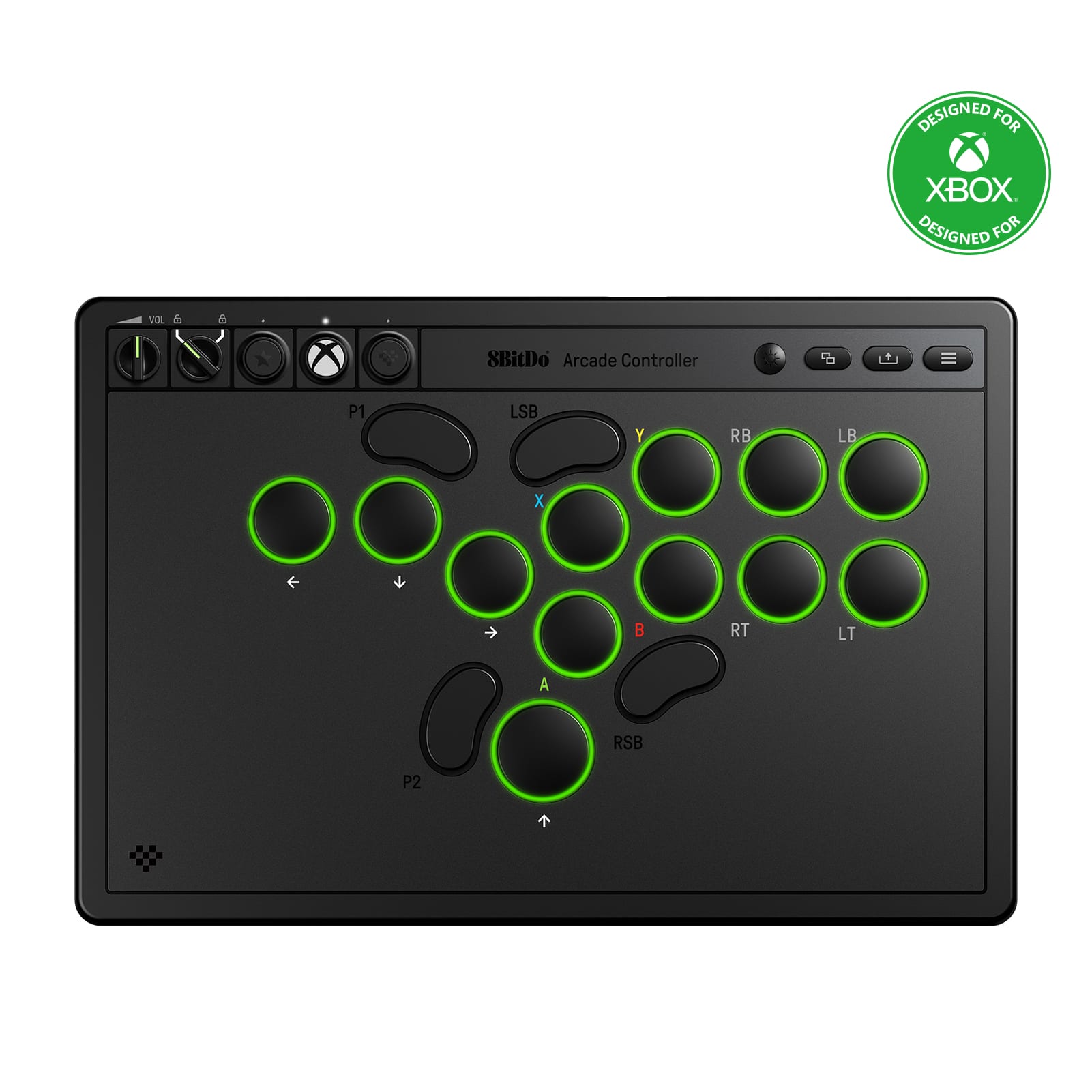
8BitDo - Arcade Wireless Gaming Controller for Xbox One, Xbox X|S, PC - Black
SKU: CZY3JSJS59It’s a solid and great equipment piece for beginners and players that have started moving towards a more...It’s affordable and durable, the battery life is great and the LEDs add your own personalized...
See all Gaming ControllersProduct Description
A retro-inspired black arcade controller offering ultra compatibility with Xbox One, Xbox X|S, and PC.Your price for this item is $99.99 -
8BitDo - Arcade Gaming Wireless Controller for Nintendo Switch, Nintendo Switch 2, PC - N Edition
SKU: CZY3JSJ9XSGreat controller. Buttons are much improved over the older 8bitDo arcade stick....It works great and I love the form factor....Great arcade controller
See all Gaming ControllersProduct Description
A retro-inspired gray arcade controller offering broad compatibility with Nintendo Switch, Switch 2, and PC.Your price for this item is $89.99 -
CORSAIR - Novablade Pro Wireless Hall Effect Leverless Controller - Black
SKU: J39TSCPTKPCorsair novablade Best leverless controller...Great for fighting games and the quality is superb!
See all Gaming ControllersProduct Description
A wireless black leverless controller featuring Hall Effect switches, rapid trigger, and tri-mode connectivity for PlayStation and PC.Your price for this item is $249.99 -
Turtle Beach - Victrix Pro KO Leverless Fight Stick with Hot-Swappable Switches for PlayStation 5, PlayStation 4 & Windows - Black
SKU: J39T968Q7GOne of the best…...Amazing product great value easy to mid and is officislly livensed.
See all Gaming ControllersProduct Description
A fully customizable black leverless fight stick with hot-swappable Cherry MX Speed Silver RGB switches and tournament mode.Your price for this item is $279.99 -
Turtle Beach - Victrix™ Pro KO™ Leverless Fight Stick for Xbox - Black
SKU: J39T968Q7RBest Controller hands down....I love it less stress on the hands plus I love thr light up features....PDP quality with turtle beach bugs, but great cont...Great quality, amazing controller.
See all Gaming ControllersProduct Description
A fully customizable black leverless fight stick with hot-swappable Cherry MX switches and RGB lighting for Xbox.Your price for this item is $279.99



Best Sellers
Related Pages



FAQ
A leverless arcade controller uses buttons for directional inputs instead of a joystick or directional pad. Separate action buttons handle in-game commands, creating an all-button control layout commonly associated with fighting games.
Leverless arcade controllers are commonly used for fighting games, but they can also work with other games that support digital directional inputs and button controls. Compatibility depends on the game, platform, and controller.
Platform support varies by controller. Some support PCs and selected consoles, while others are designed for a particular platform. Check the listed compatibility and connection requirements, since a USB connection alone does not guarantee console support.
SOCD stands for simultaneous opposite cardinal directions, such as pressing left and right at the same time. SOCD handling determines how the controller processes those opposing inputs, such as registering a neutral direction or prioritizing one input. Tournament rules may specify which SOCD behavior is allowed.
Customization options vary by controller and may include button remapping, saved input profiles, and firmware settings. Some designs also support replaceable button caps or switches. Check the controller’s specifications for supported adjustments and compatible accessories.