PC Switches
-
Glorious - Lubed Mechanical Keyboard 3-pin Hot Swappable Switches (36x) - Tactile - Panda
SKU: J3GWJX2H8WBest sounding switches...These are the best sounding switches i ever they feel great and arent to loud ir quiet definitely recommend...Works great with my GMMK PRO...Best tactile switches ive ever used....
See all Gaming Keyboard Switches and KeycapsProduct Description
A pre-lubed tactile switch set in panda colors, offering smooth, responsive feedback for gaming keyboards.Your price for this item is $29.99Save $10The previous price was $39.99 -
Glorious - Lubed Mechanical Keyboard 5-pin Hot Swappable Switches (36x) - Clicky - Raptor
SKU: J3GWJX2HG7I love how firm and clicky they are....Best decision ever....Great for gaming...Love the sound, great price works perfect for gaming
See all Gaming Keyboard Switches and KeycapsProduct Description
A set of clicky, hot-swappable black switches with crisp tactile feedback and transparent RGB-ready housing.Your price for this item is $29.99Save $10The previous price was $39.99 -
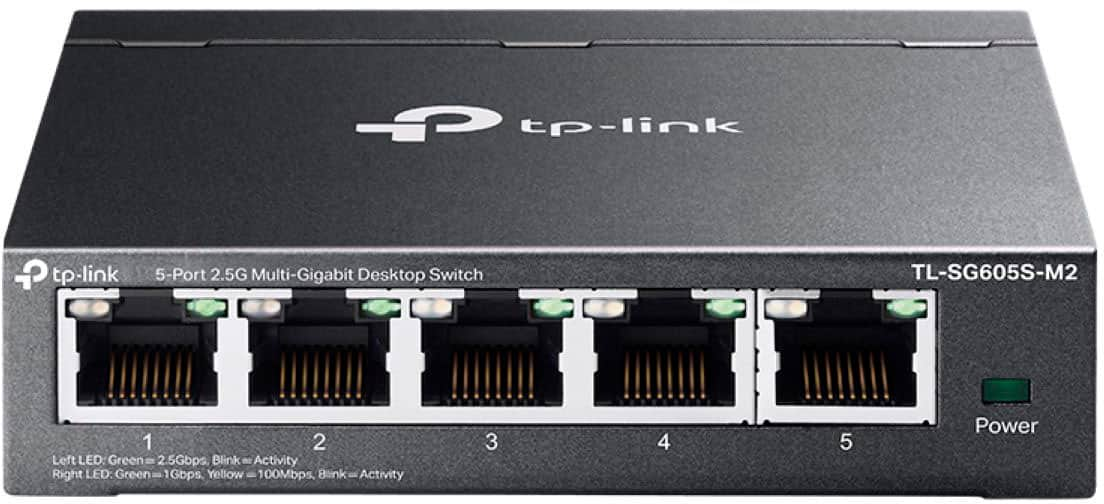
TP-Link - 5-Port 2.5G Multi-Gigabit Desktop Switch - Black
SKU: J3GWLQQR6GThe five switches are the best thing ever for the system in our home...Great value
See all Network SwitchesProduct Description
A black desktop switch offering five 2.5G multi-gigabit ports and silent, fanless operation.Your price for this item is $79.99Save $20The previous price was $99.99 -
Glorious - Lubed Mechanical Keyboard 5-pin Hot Swappable Switches (110x) - Tactile - Mako
SKU: J3GWJX2Q73If you love tactile switches you’ll love this mako switches as the tactile feel and responsiveness is...Great switches. Would buy more switches from Best Buy....Great switches
See all Gaming Keyboard Switches and KeycapsProduct Description
A tactile, hot-swappable mechanical switch in Mako color, designed for smooth, customizable gaming performance.Your price for this item is $16.99Save $23The previous price was $39.99 -
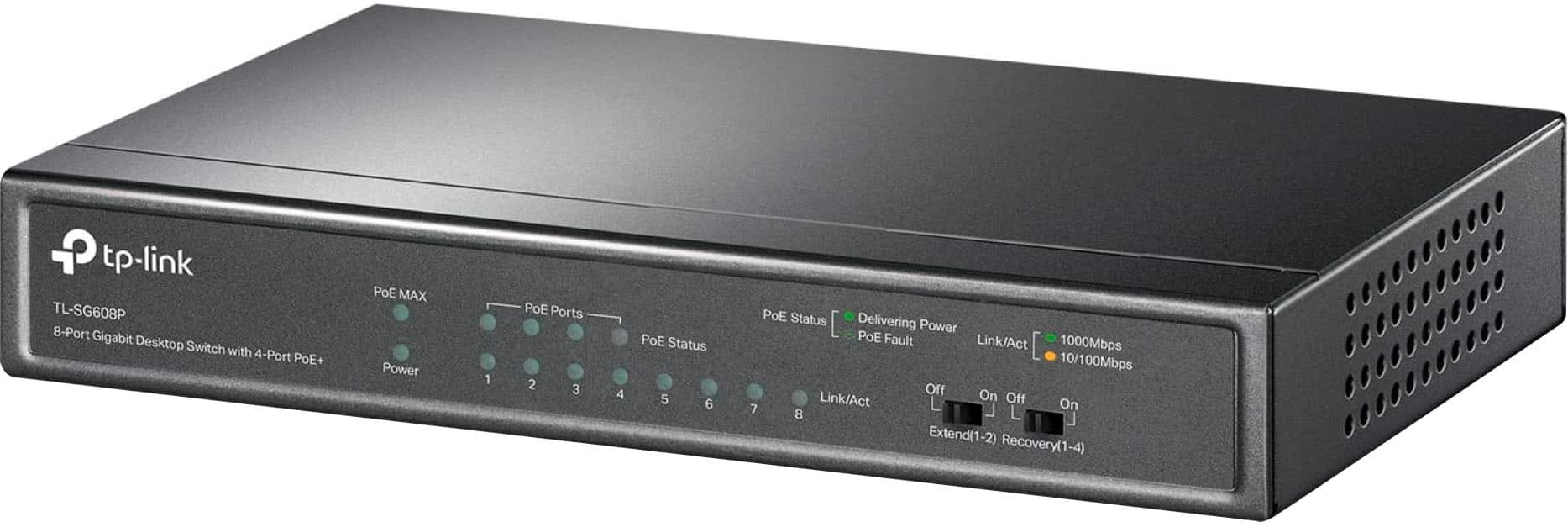
TP-Link - 8-Port Gigabit (10/100/1000Mbps) Desktop Unmanaged PoE Switch - Black
SKU: J39QK2QSQCWorks great for extending our security system! Easy to set up & use! Plug & play!...LOVE IT!...Best Buy sticks them so when my other PoE Switch went out I was able to replace it within hours from...Best...
See all Network SwitchesProduct Description
A black metal desktop switch with 8 gigabit ports, including 4 PoE+ for easy device connectivity.Your price for this item is $59.99Save $20The previous price was $79.99 -
SonicWall - Switch SWS12-8POE 8-Port Gigabit PoE Managed Switch - Black
SKU: JXV8W8ZYP8See all Network SwitchesProduct Description
A black Gigabit switch with eight PoE ports, SFP uplinks, VLAN, QoS, and link aggregation.Your price for this item is $303.96 -
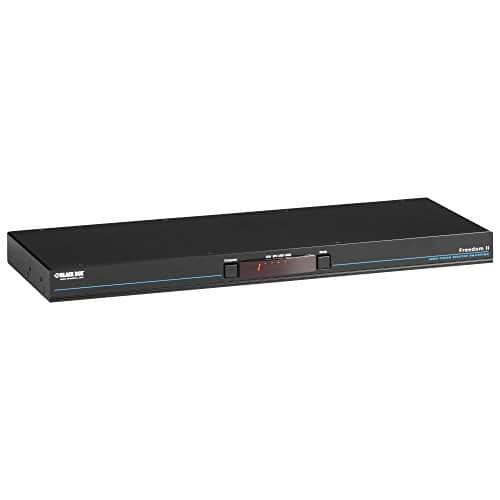
Black Box Network Services - Freedom II KM Switch - 8-Port - Multicolor
SKU: J3YT8ZQYR9See all A/V SwitchersProduct Description
A black 8-port KM switch controlling computers and displays with cursor switching and USB 2.0 support.Your price for this item is $1,512.24




Best Sellers




Related Pages


FAQ
PC switches are essential components used to control the power, reset, or other functions on a desktop computer. They are often installed on PC cases to allow users to easily turn their system on or off, reset the system, or control lighting and other features.
There are several types of PC switches, including power switches, reset switches, and RGB or LED control switches. Some switches are designed for aesthetics with illuminated buttons, while others focus on durability or specific tactile feedback.
Yes, many PC switches come in a variety of colors, styles, and lighting options, allowing you to personalize the appearance of your computer case and match your overall setup.
Most PC switches are designed to fit standard case mountings and connectors, but it’s important to check your case’s specifications and the switch’s connector type to ensure compatibility.
To install a new PC switch, you typically need to connect the switch’s cable to the appropriate header on your motherboard. Make sure your computer is powered off and follow the instructions provided with the switch or your case’s manual for proper installation.