Swimming Mp3 Players
-
Pyle - Waterproof MP3 Player, 8GB Memory, IPX8, Rechargeable, USB, Earbuds Included for Swimming, Running & Gym - Black
SKU: J7SGX38WS3See all All HeadphonesProduct Description
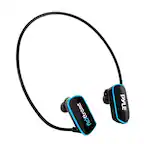
A waterproof black MP3 player with 8GB memory, rechargeable battery, USB connectivity, and included earbuds.Your price for this item is $59.99 -
H2O Audio - Stream 3 PRO Waterproof MP3 Player, Bluetooth & Surge S+ Short Cord Headphones - Black/Blue
SKU: J3R8Q7HQ7SSee all MP3 PlayersProduct Description
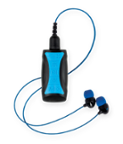
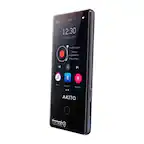
A waterproof black and blue MP3 player with Bluetooth, Playlist+ offline streaming, and Surge S+ headphones.Your price for this item is $129.00 -
H2O Audio - Stream 3 PRO Waterproof MP3 Player, Bluetooth & Surge+ Normal Cord Headphones - Black/Blue
SKU: J3R8Q7HQXPSee all MP3 PlayersProduct Description
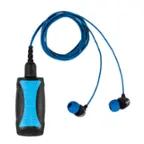
A waterproof black and blue MP3 player with Bluetooth, bone-conduction support, and Surge+ cord headphones.Your price for this item is $129.00 -
PRIMEPLUS - Swimming Headphones Underwater, IP68 Waterproof Bone Conduction Headphones with 8GB MP3 Player, Bluetooth 6.0 Open Ear - Black
SKU: J2V3W34TQ2See all Open-Ear HeadphonesProduct Description
An IP68 waterproof, black bone conduction headphone with 8GB MP3 storage and Bluetooth 6.0 connectivity.Your price for this item is $89.99


Best Sellers



Related Pages


FAQ
Yes, most swimming MP3 players are designed to be used in both freshwater and saltwater environments. However, it's important to rinse your device with fresh water after use in saltwater to help prolong its lifespan.
Typically, you can transfer music to your swimming MP3 player by connecting it to your computer via USB. Once connected, you can drag and drop compatible audio files, such as MP3 or WMA, into the device’s music folder.
Most swimming MP3 players use wired, waterproof headphones because Bluetooth signals do not transmit effectively underwater. Always check the product specifications for compatibility details.
Swimming MP3 players typically require you to download and transfer audio files directly, as Wi-Fi and streaming services are not supported underwater. You can use downloaded, compatible audio files from your music library.
After each swim, rinse your MP3 player and headphones with fresh water to remove chlorine or salt. Make sure to dry the device thoroughly before storing it, and follow the manufacturer's care instructions to maintain performance.