What's the Best Streaming Device for You?
Best Selling Products carousel(6 Items)
Exploring devices for TV streaming
Streaming has changed the media landscape and if you want to enjoy the latest TV shows, movies and sporting events, you’re going to need a good streaming device. From compact plug-in sticks to powerful media hubs, options offer different features and experiences. The best streaming device for you depends on how you watch, the services you use and your TV setup.
Keep reading as we explore the differences between popular streaming devices and how to choose the right one.
Roku Streaming Stick
With the original Roku Digital Video Player being released in 2008, Roku were early pioneers of the streaming era.See Disclosure 1 Roku streaming devices are still a popular choice today, with three Roku stick options available:
Model | Unique Features |
Roku Streaming Stick | Best budget option and supports HD streaming |
Roku Streaming Stick Plus | 4K streaming support with vivid HDR color |
Roku Streaming Stick 4K | 4K with Dolby Vision/HDR10+ and long-range Wi-Fi |
Other than these differences, all three Roku sticks are largely the same. Roku Streaming Stick, Roku Streaming Stick Plus and Roku Streaming Stick 4K pros include:
- Slim design. With no blocked ports and no power brick, you can easily plug any Roku stick into your TV.
- Roku OS. A simple, easy-to-navigate interface makes it quick to find apps, live TV and settings.
- User-friendly interface. Roku makes it easy to customize, browse and discover new content across different streaming apps.
- Private listening. Bluetooth headphones or earbuds can be directly connected to the Roku stick, which is ideal for late-night viewing or shared spaces.
While Roku sticks are great options, they do have some drawbacks, including:
- No Ethernet port. Every Roku stick relies solely on Wi-Fi, which can lead to buffering or connection drops if your router isn’t nearby.
- Cluttered home screen. Increasing ads and content recommendations can be too much for some users. Luckily, there are ways to clean up your home screen, like hiding recommendation rows and disabling menu shortcuts.See Disclosure 2
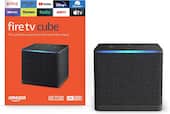
Amazon Fire TV Stick
Integrated deeply with Amazon services, Amazon Fire TV Sticks and streaming devices are widely accessible and affordable. There are several Fire TV Stick choices available:
Model | Unique Features |
Fire TV Stick HD | Best budget option and is compatible with non-4K TVs |
Fire TV Stick 4K Select | Most affordable 4K option without Dolby Vision and Dolby Atmos |
Fire TV Stick 4K Plus | Dolby Vision, Dolby Atmos and Wi-Fi 6 for smoother performance |
Fire TV Stick 4K Max | More storage, faster performance and premium audio/video support |
Here are some pros that all Amazon Fire TV Sticks share:
- Alexa voice control. Hands-free searching, smart home control and voice navigation are built into the remote.
- Compact and travel-friendly. The small stick design makes it easy to move between TVs.
- Consistent interface. Regular software updates from Amazon ensure security patches, performance improvements and new features.
- Wide app support. Access to major streaming services, live TV apps and Amazon Prime Video content.
Each model of the Amazon Fire TV Stick offers a unique combination of features designed to meet different streaming needs. However, Fire sticks also come with some limitations, such as:
- Ad-heavy interface. Sponsored content and recommendations dominate much of the home screen.
- Performance varies by model. Entry-level models may feel slower compared to premium streamers. Although, there are ways to speed up slower-running Fire TV Sticks, like clearing the cache, updating the device and more.See Disclosure 3
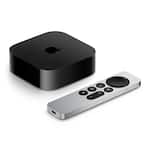
Apple TV 4K
Not to be confused with the Apple TV streaming service, Apple TV 4K is a premium streaming device designed for users who value performance, picture quality and tight ecosystem integration. There are two models of Apple TV 4K available:
Model | Unique Features |
Apple TV 4K 64GB | Wi-Fi capability |
Apple TV 4K 128GB | Wi-Fi and Ethernet capability and Thread network support |
The pros of Apple TV 4K 64GB and Apple TV 4K 128GB include:
- Powerful performance. The fast processor ensures quick app launches, fluid navigation and smooth multitasking.
- High-end picture and sound. Support for Dolby Vision, HDR10+ and Dolby Atmos enhances movies, shows and sports.
- Apple ecosystem integration. Seamlessly works with iPhone, iPad, AirPods and HomeKit-enabled smart home devices.
- Clean interface. The home screen focuses on content with minimal ads compared to many competing platforms.
While Apple TV 4K delivers a premium experience, it does have some downsides, including:
- Higher price point. Apple TV 4K can cost more than most other streaming devices.
- Limited customization. The interface is streamlined but offers fewer layout and launcher options than Android-based devices.
Google TV Streamer
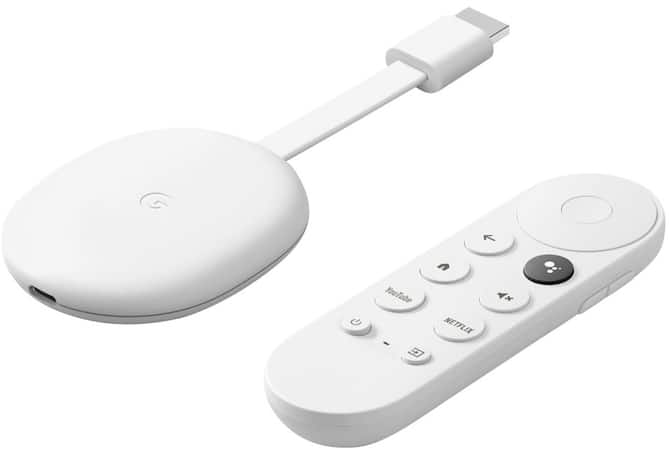
Once known as Chromecast with Google TV, Google TV Streamer offers a modern streaming experience centered around content discovery and Google services. Built on the Google TV interface, this Google streaming device emphasizes personalized recommendations pulled from multiple streaming platforms in one place. Google TV Streamer pros include:
- Unified content discovery. The organization of shows and movies across apps reduces the need to jump between services.
- Built-in Google Assistant. Voice search and smart home control are integrated directly into the remote.
- Multiple devices are supported. Content from phones, tablets and laptops can easily be cast to your TV.
- Clean, modern layout. The interface is visually appealing and easy to navigate.
With support for 4K HDR and voice control via Google Assistant, Google TV Streamer is a solid option for Android users. That said, it does have a few limitations, including:
- Recommendations can feel busy. Heavy emphasis on suggested content may overwhelm some users.
- App performance varies. Some apps may not run as smoothly as they do on higher-powered devices.
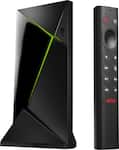
NVIDIA SHIELD
The NVIDIA Shield is a streaming device that caters to media streaming as well as gaming. It runs on the Android TV platform and includes a vast selection of streaming apps and games. With its robust hardware and extensive app support, the NVIDIA Shield is a versatile and powerful streaming NVIDIA SHIELD is a high-performance streaming device built for power users, home theater enthusiasts and gamers.See Disclosure 4 There are two types available, NVIDIA SHIELD TV and NVIDIA SHIELD TV Pro:
MODEL | Unique Features |
NVIDIA SHIELD TV | Compact, tubular design with one USB port and 2GB RAM |
NVIDIA SHIELD TV Pro | Bigger, box-style with two USB ports, 3GB RAM and Plex Media Server |
Both NVIDIA SHIELD models share many of the same features, including:
- Powerful performance. The Tegra X1+ chip delivers fast processing and AI-powered upscaling for sharper, more detailed visuals.
- High-end picture and sound. 4K HDR playback with Dolby Vision and HDR10 as well as Dolby Atmos, Dolby Audio and DTS-X pass-through for theater-like sound.
- Smart home integration. Built-in Google Assistant enables voice control and compatibility with smart home devices.
- Versatile entertainment. Access to Android TV ecosystem, Google Play apps and GeForce NOW cloud gaming.
Despite its strengths, NVIDIA SHIELD isn’t for everyone, with drawbacks such as:
- Higher cost. NVIDIA SHIELD is one of the most expensive streaming devices available.
- Overkill for casual users. Many features may go unused if you only stream basic apps.
What is the best device for streaming?
There is a lot to take in when researching devices for TV streaming and understanding the key differences makes it easier to choose the right one for your setup. Many users agree that both Apple TV 4K and Google TV Streamer provide the best overall experience with their powerful performance and premium picture and sound.
At the same time, you don’t need to spend top dollar to enjoy great streaming. Affordable options like the Roku Streaming Stick and Amazon Fire TV Stick deliver excellent value and wide app support. And if you’re a gamer or home theater enthusiast looking for extra power and flexibility, NVIDIA SHIELD is hard to beat.
Regardless of which streaming device you ultimately go with, setting up a streaming device can be quick and straightforward with just a few simple steps. Then, you can enjoy all your favorite shows, movies and live content on your TV with ease.
References
1. Bouma, Luke. “Roku Revolution: 17 Years Ago, a Little Box Changed How We Watch TV.” Cord Cutters News. March 2, 2025. https://cordcuttersnews.com/roku-revolution-17-years-ago-a-little-box-changed-how-we-watch-tv/.
2. Bayer, Chris. “How to disable ACR on your TV (and why doing so makes such a big difference).” ZDNET, Ziff Davis Company. December 31, 2025. https://www.zdnet.com/home-and-office/home-entertainment/best-tv-audio-settings/.
3. Picaro, Elyse Betters. “Own a Fire TV? I changed 10 settings to make the system run like new again.” ZDNET, Ziff Davis Company. January 4, 2026. https://www.zdnet.com/home-and-office/home-entertainment/best-amazon-fire-tv-settings-to-change/.
4. McGregor, Janhoi. “Nvidia Shield TV Long-Term Review: An Expensive Niche.” Forbes, Forbes Media LLC. April 29, 2017. https://www.forbes.com/sites/jaymcgregor/2017/04/29/nvidia-shield-tv-2017-long-term-review-an-expensive-niche/.