Rating 4.5 out of 5 stars with 59 reviews
4.5- Recycled plastic (10)
- Backlit keyboard (6)
- Price (5)
- Fast (3)
- Ports (3)
- Charger (4)
- Ram (3)
- Design (2)
- Screen issue (2)
- Weight (2)
Customer Images
The vast majority of our reviews come from verified purchases. Reviews from customers may include My Best Buy members, employees, and Tech Insider Network members (as tagged). Select reviewers may receive discounted products, promotional considerations or entries into drawings for honest, helpful reviews.
- Rated 5 out of 5 stars
Acer laptop
Amazing. “I reviewed the laptop and I liked it. It’s a good one.”
Posted by JoseM
- Rated 4 out of 5 stars
Good for everyday computing!
Bottom Line: there aren’t many standout features, but the Acer Aspire Vero works well as a productivity laptop for students and other budget-conscious consumers. Performance-wise, this unit has a 1.30 GHz i5 processor, 8 GB RAM, and 512GB SSD, which is more than capable of handling everyday computing such as word processing, spreadsheeting, and web browsing/web app work. These tasks feel snappy and responsive. That said, I have found the fan speed (and heat load) noticeably increases under moderate workflow. The fan isn’t particularly loud, but it is noticeable when running. In terms of hardware and design, the Vero has a backlit keyboard with numeric keypad. I think the keys are smaller than full-size, but the typing experience is comfortable. The keypad is a different story. I find it hard to turn my wrist to use my pinky on the top keys, and I can’t see using it for anything more than some light data entry. The fingerprint sensor, embedded in the trackpad, works reliably and is more conveniently placed than on the keyboard. The trackpad itself works reasonably well, although there’s one spot where tapping causes it to bounce just a tiny bit that I find annoying (the hinge starts to move before the full click is engaged thus creating the slight bounce). Images and text look good on the 15.6” FHD screen, while the speakers deliver adequate but not great sound. For movie watching, the two combine for a standard laptop experience that is on par for the price point (once again, adequate but not great). The webcam offers a FHD resolution and produces a surprisingly good image in low light. There are also a generous number of ports (2 x USB-C/Thunderbolt; 2 x USB-A; HDMI; 3.5mm). As a final point, the Vero’s “Green PC” design may not be for everyone. Acer touts that the case is made of plastic that incorporates post-consumer recyclables, and it certainly feels like a plastic product in hand although I personally like the texture and design of the case. The “OceanGlass” trackpad is also made of recycled plastic, although I don't think this is as noticeable. Acer also reversed the lettering on the “E” and “R” keycaps, which are backlit in green, but it doesn’t really impact the user experience. Somewhat surprisingly, this model includes a “barrel” charger, where the more green option would have been to include a USB-C one that can be used with other devices.
Posted by SteveL
- Rated 5 out of 5 stars
An Eco-Friendly Laptop with Sustainable in Mind
The Acer Aspire Vero series represents a lineup of eco-friendly laptops designed with sustainability in mind—a realization that struck me when reflecting on the number of laptops I've gone through over the past 20 years, many of which likely ended up in recycling bins or landfills. As someone deeply conscious of our environment, I decided to give this laptop a try, with the intention of passing it on to my kids for schoolwork. This laptop is a sturdy, energy-efficient, and environmentally friendly device built from recycled materials. Its design is paint-free and features a simple construction for easy disassembly. I love the subtle green color and the laptop's textured surface, which serves as a reminder of one's commitment to environmental responsibility. Even the packaging is built from 100% recyclable materials. Its appearance alone captures attention and sets it apart from the crowd. As for its specifications and functionalities: • It falls within the mid-tier category, sporting a 15.6" full HD LCD display (non-touch) powered by an Intel 13th-gen i5 processor (10-core), 8GB of RAM, a 512GB SSD, and an Intel Iris Xe Graphics card. • The laptop comes preloaded with Windows 11 Home edition along with a 30-day trial option for Office 365. • Charging options include the provided charging cable that connects to a DC charging port or via the USB-C port. • Connectivity is ample with 2 Thunderbolt 4 ports, 2 USB ports, and 1 HDMI 2.1 port. • The laptop boasts an impressive 8.5-hour battery life when utilizing energy-efficient settings. • A backlit keyboard with fingerprint login provides an ideal means of securing your device through biometric authentication. • While it held up reasonably well during mid-tier PC gaming sessions, it's not designed for intensive gaming, exhibiting occasional lag and heat buildup after prolonged use. • The laptop feels slightly bulkier and heavier at 3.84 pounds for a mid-tier device, attributed in part to its rugged design. • It features a 1080p camera and microphone for video calls. • Acer offers a 1-year warranty covering parts and labor. • The VeroSense utility software facilitates easy switching to power-saving modes, ideal for everyday use. Some pre-installed bloatware can be removed if not needed. Every aspect of this laptop serves as a constant reminder of one's contribution to sustainability by choosing an eco-friendly and energy-efficient product. In summary, it offers solid performance for school-related tasks, with a price point that aligns with the value it delivers.
Posted by TechGeek
- Rated 4 out of 5 stars
Amazingly Lightweight and Perfect Feel
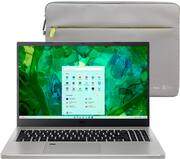
I love the colors of this Acer Aspire Vero AV15-53P-54MV Vero i5 Refresh laptop. It is unlike any other color laptop that I have seen in the past. It has specks of off white on the gray that just makes it so unique. I love the lightweight and thinness of the laptop itself. It just feels good. I replaced an i7 of another brand with this and this has as much speed as the i7 had. Granted it is still new and that will slow a bit with time but I am impressed. I love the design of the keyboard. The taps on the “F” and “J” key are perfectly designed. I like a tab that is easy to find without looking at the keyboard and this one is perfect. The strange thing is the the “E” and “R” are backwards and are green in color. I am not sure what that is all about. The backlit keyboard is a must for my aging eyes and this has a great backlit keyboard that is just perfect for me. The finger scan is on the mouse part of the keyboard. I have never saw one placed in that location before. I do love finger scans and this location does work well. I do not like the plug in cord that is used for recharging the battery. It is flimsy and the end that goes into the computer is not long enough to stay in place. It is always coming out when I think it is charging. I am really disappointed in the entire plugin. It is of very poor quality. The cord is very thin as well. Acer really needs to redesign the entire cord. It comes with a nicely padded zip up sleeve to transport and protect the laptop.
Posted by Villageanne
- Rated 3 out of 5 stars
Heavy, Slow, Average Battery Life, Good Speakers
I was really excited to try out this laptop as it was made from recycled parts and with the environment in mind. Even the packaging was made of recycled materials and nicely packaged with an included cover. I really was hoping this laptop would turn out as a great companion to my other laptops when traveling for business however it turned out to be a bad experience all around. The first thing you will notice with pulling out of the packaging is that its very heavy. This thing is as heavy as those heavy duty gaming laptops without the hardware specs. Also I am not a fan of the laptop screen tucking under the base when opening up. It puts pressure on the joints and the base of the unit when using the keyboard. I found myself having to lightly rest my hands on the keyboard however I am sure over time its going to start bowing due to that gap underneath throughout normal usage. Thankfully setup was very simple due to how easy Windows 11 was upon startup. I noticed it runs quick on bootup however once a few applications start running it becomes sluggish. That is most likely due to only having 8GB of RAM. I found myself always running at 75% utilization on RAM with high page system usage. Another issue was the mousepad, its very tough to press the bottom left clicking area with sometimes it not registering. Even with increased sensitivity it feels like I am dragging the cursor across the screen. I do like how it has the finger scan placed there and works great. Speaking of working great, the speakers sounds really good. I was impressed with how loud they are! The sound is clear with great highs, mid level bass. I was also impressed with the read/write speeds of the SSD, its small at 500GB however there are options to upgrade. The software that came on the laptop was impressively limited not having a ton of bloatware. Its nice to see ACER went with a clean OEM image to save on space. I really liked the Acer Care Center that provides a way to maintain your system all in one easy spot. The Acer Care Center does everything you would want to perform on the laptop to keep it functioning efficiency. On the other hand, the intel software for the graphics driver is very limited, there is not much room to push the graphics on this thing. Overall this laptop is heavy, hard to travel with, sluggish with high ram usage, very tough mouse pad, rests on monitor hinges but has some great speakers. Honestly it is hard to recommend this laptop even at the current price point. You could find a laptop with same hardware specs that are lighter and more responsive.
Posted by TechTux