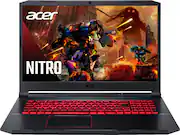
Rating 4.5 out of 5 stars with 828 reviews
4.5- Performance (218)
- Speed (109)
- Screen Size (73)
- Price (56)
- RAM (50)
- Battery Life (33)
- Heat (15)
- Fan Noise (12)
- Lag (8)
Customer Images
The vast majority of our reviews come from verified purchases. Reviews from customers may include My Best Buy members, employees, and Tech Insider Network members (as tagged). Select reviewers may receive discounted products, promotional considerations or entries into drawings for honest, helpful reviews.
- Rated 5 out of 5 stars
It’s seriously great
I haven’t bought a laptop for a while and wow I was surprised how fast this beast is! The review says there’s no microphone built into this but there is btw..it’s just not that great of a sound quality..the camera is the same but I’m not too surprised for a laptop camera..but overall, its seriously great. Totally recommend people to buy it for school even if they don’t think this need this because it’s a gamer pc
Posted by Emma
- Rated 5 out of 5 stars
Love it
Bought for my daughter, it really is a awesome computer for a good deal. She’s a gamer so this computer is great choice!
Posted by Whitney
- Rated 5 out of 5 stars
Good deal
Laptop works great good value works great for all games
Posted by NathanC
- Rated 5 out of 5 stars
Good, safe purchase
It does everything I need out of the box. Looks beautiful, works perfectly. Everything played on ultra settings is nice and smooth. Its clean and crisp. If you choose to upgrade, its very simple. But for gaming, its not necessary. Outstanding laptop for this price.
Posted by Capizaz
- Rated 5 out of 5 stars
Perfect gaming Laptop
The Laptop is for my gaming son. He said it is just what he needed to play his game as well as edit his video. Therefore, I'm giving this laptop a perfect rating
Posted by Alee