Acer - Wireless Mouse for Laptop, 2.4GHz Computer Mouse 5 Adjustable DPI Office Cordless USB Mice with USBA Receiver - Wireless - Purple
Customers are saying
Customers express satisfaction with the connection stability of this product. Users have specifically noted that the 2.4GHz wireless connection remains reliable during use.
Color
PurpleFeatures
Plug and Play for Home Office
The wireless mouse for laptop features 2.4GHz connectivity, providing a stable, interference-free connection of up to 33ft. Designed for 𝐦𝐞𝐝𝐢𝐮𝐦 𝐭𝐨 𝐥𝐚𝐫𝐠𝐞 hands, it ensures all-day comfort. Simply plug the 𝐔𝐒𝐁-𝐀 𝐫𝐞𝐜𝐞𝐢𝐯𝐞𝐫 into your device for instant pairing. Please remove the film at the bottom of the mouse before use.
5 Levels Adjustable DPI
This laptop mouse features 5 adjustable DPI levels (800/1200/2400/3200/4000), giving you the flexibility to choose the right sensitivity for detailed design work and boost your efficiency.
Visible Indicator Light
The cordless mouse includes a visual indicator that shows both the current DPI setting and low battery warnings. A red light flashes once (800 DPI), twice (1200 DPI), three times (2400 DPI), four times (3200 DPI), or five times (4000 DPI). When battery falls below 10%, the light flashes red continuously until power runs out.
Efficient Workflow
With forward and backward buttons, this USB mouse helps you quickly navigate web pages and files, making work more efficient with just one click.
Click to Wake
This travel mouse saves power by entering standby after 10 minutes of inactivity and wakes with just 2–3 clicks, extending battery life. This pc mouse is rated for up to 10 million clicks and offers exceptional long-term durability.
Specifications
- Connection TypeWireless
Reviews
Rating 4.5 out of 5 stars with 32 reviews
- Connection Stability (3)
Customer Images
The vast majority of our reviews come from verified purchases. Reviews from customers may include My Best Buy members, employees, and Tech Insider Network members (as tagged). Select reviewers may receive discounted products, promotional considerations or entries into drawings for honest, helpful reviews.





Compare similar products
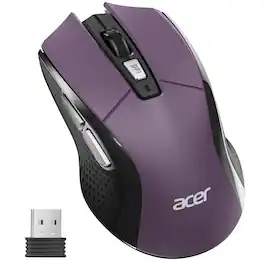
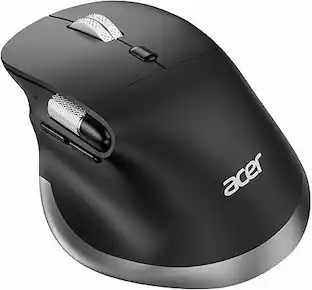
5-Level DPI (Up to 4000DPI), Requires 1x AA battery (Not Included), 𝐌𝐞𝐝𝐢𝐮𝐦 𝐭𝐨 𝐋𝐚𝐫𝐠𝐞 𝐒𝐢𝐳𝐞𝐝 𝐇𝐚𝐧𝐝𝐬, 𝐍𝐨𝐭 𝐁𝐥𝐮𝐞𝐭𝐨𝐨𝐭𝐡, 𝐍𝐨𝐭 𝐑𝐞𝐜𝐡𝐚𝐫𝐠𝐞𝐚𝐛𝐥𝐞5-Level DPI (Up to 4000DPI), Requires 1x AA battery (Not Included), 𝐌𝐞𝐝𝐢𝐮𝐦 𝐭𝐨 𝐋𝐚𝐫𝐠𝐞 𝐒𝐢𝐳𝐞𝐝 𝐇𝐚𝐧𝐝𝐬, 𝐍𝐨𝐭 𝐁𝐥𝐮𝐞𝐭𝐨𝐨𝐭𝐡, 𝐍𝐨𝐭 𝐑𝐞𝐜𝐡𝐚𝐫𝐠𝐞𝐚𝐛𝐥𝐞
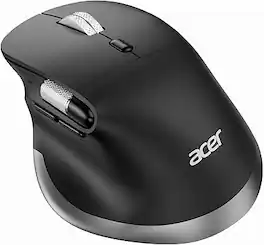
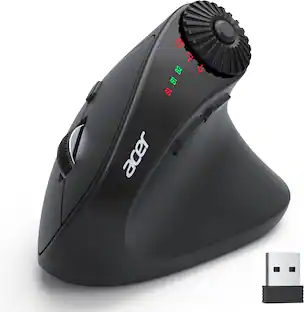
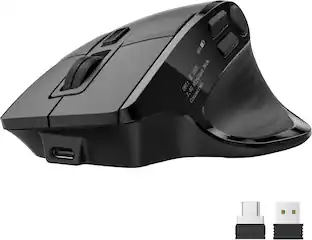
acer Ergonomic Mouse Wireless Rechargeable with Side Scroll (BT5.2+2.4GHz), Bluetooth Computer Mouse for Laptop, 6 Adjustable DPI, Office Cordless USB Mice, 8 Buttons, 4800 DPI for PC, Desktop
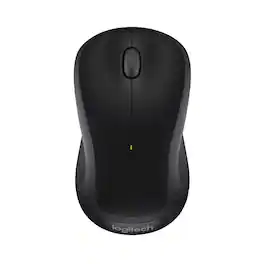
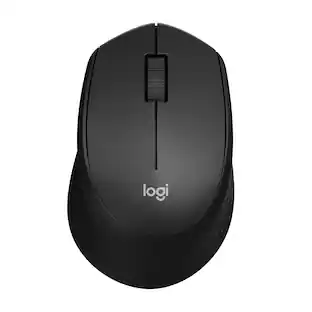
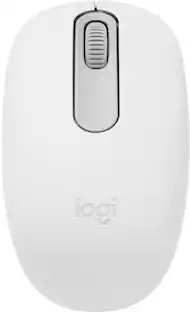
Logitech M310 Wireless Mouse is an easy-to-use, full-size mouse that feels just right. Feel comfortable for hours on end - in your right or left hand - thanks to its contoured, ambidextrous design with soft rubber side grips. M310 comes with a plug-and-forget nano USB receiver that is small enough to stay in your USB port so you won't lose it no matter where you take your laptop. Navigating on your PC or Macbook is simple, with smooth, responsive tracking and Logitech Advanced 2.4 GHz wireless connectivity. For hassle-free use and extreme reliability and durability, choose M310 wireless mouse.
| Pros for Acer - Wireless Mouse for Laptop, 2.4GHz Computer Mouse 5 Adjustable DPI Office Cordless USB Mice with USBA Receiver - Wireless - Purple | |||
|---|---|---|---|
| Connection Stability | There were no pros for this product— | Ergonomics, Connectivity, Battery Life, Build Quality, Performance | Ease of use, Overall Performance, Size, Price, Wireless |
| Cons for Acer - Wireless Mouse for Laptop, 2.4GHz Computer Mouse 5 Adjustable DPI Office Cordless USB Mice with USBA Receiver - Wireless - Purple | |||
| There were no cons for this product— | There were no cons for this product— | There were no cons for this product— | Scroll Wheel, Lag, Weight, Sensitivity |
Specs
Customers often buy these together
Computer Keyboards

![esc ~ ! 1 tab caps lock shift ctrl F2 Fl # 2 3 Q W A S Z start opt L F3 $ 4 E D X alt cmd3 ) FS F4 A % 5 6 R T F G V C logi 44 HI & F9 FID FB F7 F6 * ) - - & 0 8 9 7 O P U I Y K L H J > < N M 1 B PM + = { [ : I ; ? I alt cmd D 2 4 300 3 1 F12 . * page I insert home up clear backspace 8 9 + 7 page A pg up end down home } I delete ] / 6 4 5 4 enter 2 3 enter 1 dn Pg end shift = 0 del ins etrl fn opt](https://pisces.bbystatic.com/image2/BestBuy_US/images/products/6539/6539505_sd.jpg;maxHeight=232;maxWidth=233?format=webp)
![Esc F1 F2 F3 F4 F5 F6 F7 F8 F9 F10 F11 F12 Print Screen Scroll Lock Pause Break 1 2 3 4 5 6 7 8 9 0 - + = Backspace Insert Home H Page Up A Num Look 1 I Tab Q W E R T Y U I o P { [ } ] I I Delete End IN Page Down 7 Home 8 9 Pg Up Caps A Lock A S D F G H J K L ; : DE g Enter 4 5 6 Shift Z X C V N M < > ? I Shift 1 End 2 3 Pp Dn Enter Ctrl Alt Alt Ctrl 0 Ins Del](https://pisces.bbystatic.com/image2/BestBuy_US/images/products/a588d446-5678-40ae-86b8-1f15e0026e66.jpg;maxHeight=232;maxWidth=233?format=webp)












Customers ultimately bought
 $46.99The price was $59.99

Explore tech essentials Sponsored
 $69.99The price was $99.99
 $80.99The price was $99.99
 $123.99The price was $139.99
 Top Deal$73.99The price was $99.99




Keep exploring

Logitech - B100 Corded Mouse – Wired USB Mouse for Computers and laptops, for Right or Left Hand Use
$13.29The price was $20.06 $79.95The price was $109.95