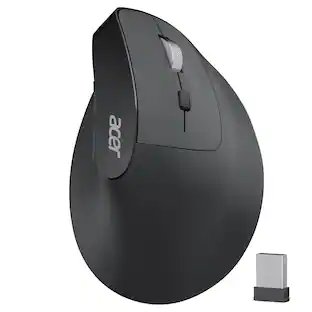
Acer - Ergonomic Mouse Wireless Rechargeable with Side Scroll (BT5.2+2.4GHz), Bluetooth Computer Mouse for Laptop, 6 Adjus - Wireless - Black
Customers are saying
Customers are satisfied with the professional ergonomics and the high-quality materials used in the construction of this product. Users frequently praise the seamless performance and reliable connectivity options, noting that it operates without any lag. Additionally, the long-lasting battery life is highlighted as a key benefit for daily use.
Features
Switch Effortlessly Across 3 Devices
This dual-mode bluetooth mouse for laptop allows you to switch between 2.4G and Bluetooth (2.4G, BT1, BT2) with a single click of the Mode Switch Button, allowing for seamless connection across three devices. Boost your productivity by effortlessly switching between your computer, laptop, and tablet. Note: Bluetooth mode and 2.4G mode cannot be used simultaneously.
Ergonomic Design for Lasting Comfort
This ergonomic mouse wireless positions your hand in a natural handshake posture. The computer mouse maintains neutral wrist and arm alignment to reduce pressure and pain, ensuring smoother movement, less strain, and lasting comfort during extended use.
6-Level DPI Control
This cordless mouse offers 6 adjustable DPI settings (800/1200/1600/2400/3200/4800), allowing you to adjust sensitivity for precise design work. Easily switch sensitivity for a seamless workflow and enhance productivity.
Seamless Thumb-Scrolling
Experience instant left and right page movement right under your thumb. This side scroll wheel enables effortless horizontal navigation, perfect for video editing, spreadsheets, timelines, and wide documents. Glide seamlessly through your work without lifting your hand.
Navigate with Ease
This travel mouse boosts your workflow efficiency with dedicated forward/back buttons, enabling swift browsing, seamless folder navigation, and quick application switching—all with a simple click.
Specifications
- Connection TypeWireless
Reviews
Rating 4.7 out of 5 stars with 13 reviews
- Ergonomics (7)
- Connectivity (4)
- Battery Life (3)
- Build Quality (3)
- Performance (3)
Customer Images
The vast majority of our reviews come from verified purchases. Reviews from customers may include My Best Buy members, employees, and Tech Insider Network members (as tagged). Select reviewers may receive discounted products, promotional considerations or entries into drawings for honest, helpful reviews.





Compare similar products
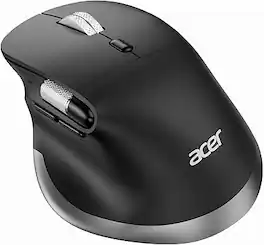
acer Ergonomic Mouse Wireless Rechargeable with Side Scroll (BT5.2+2.4GHz), Bluetooth Computer Mouse for Laptop, 6 Adjustable DPI, Office Cordless USB Mice, 8 Buttons, 4800 DPI for PC, Desktop
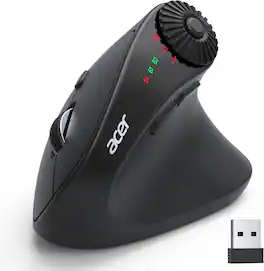
acer Ergonomic Mouse Wireless with Side Scroll Wheel, Bluetooth Mouse for Laptop(BT5.2+2.4GHz), Office Vertical Computer Mice, Right Hand Ergo Mice, 8 Buttons, 2.4GHz USB Receiver for PC and Desktop
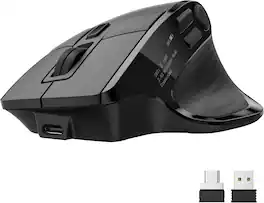
142g(5oz), Medium to Large Sized Hands, 5 Programmable Buttons【16 Preset Options】, Bluetooth & 2.4GHz & Wired, OLED Screen, Rechargeable
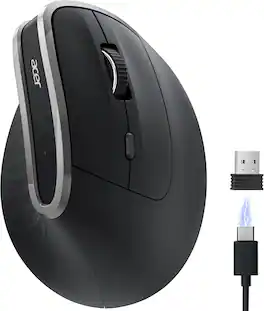
acer Ergonomic Mouse Wireless, Vertical Computer Mouse for Office, Ergo Mice Rechargeable for Right Hand, 2.4GHz USB Receiver, 800/1200/1600 DPI, 6 Buttons for Laptop, PC and Desktop
| Pros for Acer - Ergonomic Mouse Wireless Rechargeable with Side Scroll (BT5.2+2.4GHz), Bluetooth Computer Mouse for Laptop, 6 Adjus - Wireless - Black | |||
|---|---|---|---|
| Ergonomics, Battery Life, Build Quality, Connectivity, Performance | Ergonomics, Connection Stability, Scroll Wheel | There were no pros for this product— | Ergonomics, Battery Life, Build Quality |
Specs
Questions & Answers
Does it have its own app that is usually required to install on pc first before using all the mouse's features?
Answered by TeamAcerThe Acer M701 Wireless Mouse is designed as a plug-and-play device. It does not come with its own dedicated software for your computer.

Customers often buy these together
Computer Keyboards
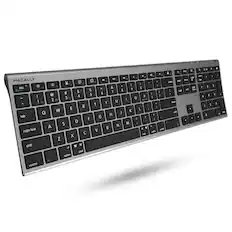

![esc ~ ! 1 tab caps lock shift ctrl F2 Fl # 2 3 Q W A S Z start opt L F3 $ 4 E D X alt cmd3 ) FS F4 A % 5 6 R T F G V C logi 44 HI & F9 FID FB F7 F6 * ) - - & 0 8 9 7 O P U I Y K L H J > < N M 1 B PM + = { [ : I ; ? I alt cmd D 2 4 300 3 1 F12 . * page I insert home up clear backspace 8 9 + 7 page A pg up end down home } I delete ] / 6 4 5 4 enter 2 3 enter 1 dn Pg end shift = 0 del ins etrl fn opt](https://pisces.bbystatic.com/image2/BestBuy_US/images/products/6539/6539505_sd.jpg;maxHeight=232;maxWidth=233?format=webp)
![Esc F1 F2 F3 F4 F5 F6 F7 F8 F9 F10 F11 F12 Print Screen Scroll Lock Pause Break 1 2 3 4 5 6 7 8 9 0 - + = Backspace Insert Home H Page Up A Num Look 1 I Tab Q W E R T Y U I o P { [ } ] I I Delete End IN Page Down 7 Home 8 9 Pg Up Caps A Lock A S D F G H J K L ; : DE g Enter 4 5 6 Shift Z X C V N M < > ? I Shift 1 End 2 3 Pp Dn Enter Ctrl Alt Alt Ctrl 0 Ins Del](https://pisces.bbystatic.com/image2/BestBuy_US/images/products/a588d446-5678-40ae-86b8-1f15e0026e66.jpg;maxHeight=232;maxWidth=233?format=webp)












Customers ultimately bought
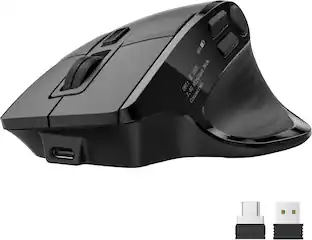



Explore tech essentials Sponsored


Keep exploring
 $119.95The price was $199.95
 $149.95The price was $215.95
 $139.95The price was $187.95