Acer - Wireless Ergonomic Mouse with Side Scroll Wheel, 4000DPI Bluetooth (BT5.2+2.4GHz) Vertical Mouse for Laptop - Wireless - Black
Customers are saying
Customers express satisfaction with the ergonomic design of this product, which users report significantly improves wrist comfort. Additionally, the device is praised for its highly stable Bluetooth connection. Users also appreciate the inclusion of a side scroll wheel, noting it as a particularly useful feature.
Features
One Mouse for Multiple Devices
This dual-mode bluetooth mouse switch between Bluetooth and 2.4G modes by double-clicking the DPI button (G1, B1, B2), allowing seamless switching between three devices. Perfect for multi-device workflows across computer, laptop, and tablet.
59° Ergonomic Vertical Design
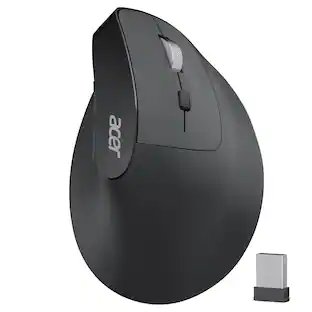
Designed with a 59° vertical tilt, this ergonomic mouse wireless positions your hand in a natural handshake posture. The computer mouse maintains neutral wrist and arm alignment to reduce pressure and pain, ensuring smoother movement, less strain, and lasting comfort during extended use. 𝐍𝐎𝐓𝐄: 𝐈𝐝𝐞𝐚𝐥 𝐟𝐨𝐫 𝐒𝐦𝐚𝐥𝐥 𝐭𝐨 𝐌𝐞𝐝𝐢𝐮𝐦 𝐡𝐚𝐧𝐝𝐬.
3-in-1 Side Scroll Wheel
This mouse for laptop features a multi-function side scroll wheel with a central button. A single-click allows for instant switching between three fixed functions: Only for Window Toggle, Zoom In/Out, and Horizontal Scrolling. This versatile control enhances multitasking fluidity and significantly boosts office productivity.Long-press to switch to the Windows (Red)/macOS (Green) system
4-Level DPI Control
This USB mouse offers 4 adjustable DPI levels (1200/2400/3200/4000), enabling precise cursor control for detailed design tasks. Easily switch sensitivity to match your workflow and enhance your productivity on the go.
One-Click Workflow Efficiency
This cordless mouse features convenient forward/back buttons for swift browsing and seamless folder navigation. Effortlessly toggle between tasks with a single click to optimize your workflow.
Specifications
- Connection TypeWireless
Reviews
Rating 4.9 out of 5 stars with 14 reviews
- Ergonomics (11)
- Connection Stability (6)
- Scroll Wheel (3)
Customer Images
The vast majority of our reviews come from verified purchases. Reviews from customers may include My Best Buy members, employees, and Tech Insider Network members (as tagged). Select reviewers may receive discounted products, promotional considerations or entries into drawings for honest, helpful reviews.





Compare similar products
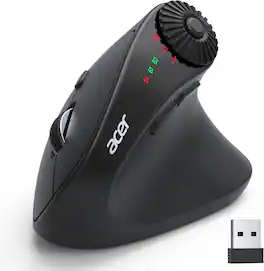
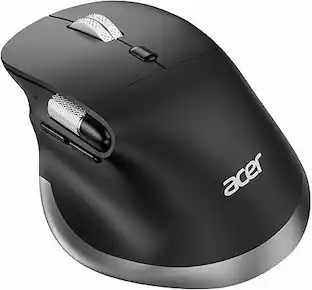
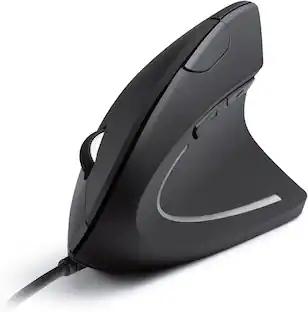
acer Ergonomic Mouse Wireless with Side Scroll Wheel, Bluetooth Mouse for Laptop(BT5.2+2.4GHz), Office Vertical Computer Mice, Right Hand Ergo Mice, 8 Buttons, 2.4GHz USB Receiver for PC and Desktop

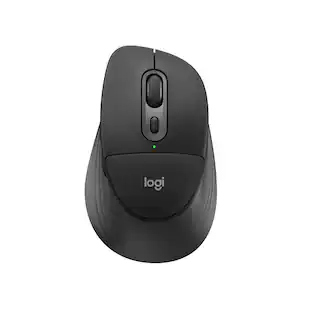
Minimize movement and maximize comfort with the Logitech ERGO M575S wireless trackball mouse. Thumb control lets you move the cursor without moving your arm, while the sculpted ergonomic design fully supports your hand and keeps your forearm in a more natural position. This wireless ergonomic mouse has been developed by Logi Ergo Lab experts, user-tested and certified by ergonomists to give you 25% less muscle strain in your forearm . The smooth and responsive thumb control can be used anywhere – and since it doesn’t need to be moved, the ERGO M575S is perfect for tight setups and busy desks.

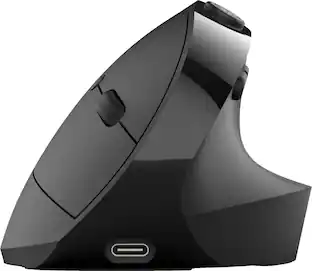
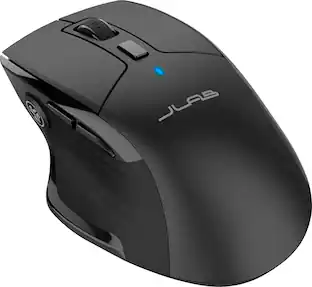
The JBuds Ergonomic Mouse offers blissful comfort with a personalized set-up for your favorite functions and tasks. With seven buttons, you have everything you need to reach working-from-home greatness, and everything you want to play your game, your way. The vertical design provides a natural angle for your wrist and hand, so switching between your favorite functions and your top devices is effortless.
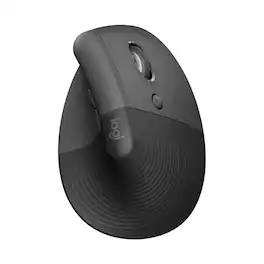
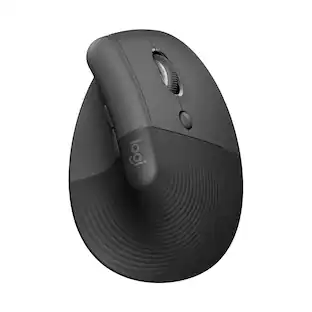
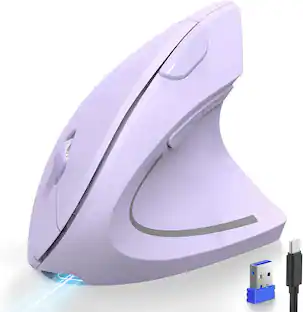
Desk life getting you down? Lift yourself up with Lift Vertical Ergonomic Mouse – a comfy and intuitive wireless mouse with quiet clicks crafted specially for small-to-medium hands. Available in right and left. Lift’s unique 57-degree angle elevates your wrist to give a feeling of relief — and sends a wave of comfort through the forearm and upper body. Scrolling feels second nature with SmartWheel, which easily shifts from precision to speed-scroll. Customize Lift ergo mouse using intuitive Logi Options+ Software.
| Pros for Acer - Wireless Ergonomic Mouse with Side Scroll Wheel, 4000DPI Bluetooth (BT5.2+2.4GHz) Vertical Mouse for Laptop - Wireless - Black | |||
|---|---|---|---|
| Ergonomics, Connection Stability, Scroll Wheel | Ergonomics, Overall Performance, Battery Life, Ease of Use, Connectivity | Ergonomics, Battery Life, Ease of use, Overall Performance, Button Functionality | Ergonomics, Ease of use, Overall Performance, Battery Life, Size |
| Cons for Acer - Wireless Ergonomic Mouse with Side Scroll Wheel, 4000DPI Bluetooth (BT5.2+2.4GHz) Vertical Mouse for Laptop - Wireless - Black | |||
| There were no cons for this product— | Button Sensitivity, Compatibility | Wrist Pain | Wrist Pain, Weight, Price |
Specs
Questions & Answers
Can you program the buttons and scroll wheel?
Answered by TeamAcerYes, this mouse features five buttons designed for customized shortcuts to streamline workflow.
Are the clicks silent? Or audible?

Customers often buy these together
Computer Keyboards
![esc 1 2 3 F F2 F3 F4 F5 U F6 44 F I F8 > F 0 11 F12 ins del logitech ~ ! 1 @ 2 # 3 $ 4 % 5 A 6 & 7 * 8 ( 9 ) 0 - - + = back num lock cleor / . - tab Q W E R T Y U I O P { [ } ] I I 7 home 8 A 9 g up + cops lock A S D F G H J K L : ; " enter 4 5 6 shift Z X V B N M < , > ? / shift 1 end 2 Y 3 PG pg dn enter ctrl fn start alt opt alt cmd x alt cmd x ctrl alt opt A Y 0 iins del](https://pisces.bbystatic.com/image2/BestBuy_US/images/products/5592/5592420_sd.jpg;maxHeight=232;maxWidth=233?format=webp)
Logitech - K780 Full-size Wireless Scissor Keyboard - Graphite
$75.99The price was $83.06![logi esc to 1 F1 2 F2 3 F3 F4 F5 F6 F7 F8 x F9 NI F10 x F11 F12 Ins del ~ ! 1 @ 2 # 3 $ 4 % 5 ^ 6 & 7 * 8 ( 9 ) 0 - + = backspace tab Q W E R T Y U | O P { [ } ] caps lock A S D F G H J - K L : ; " " J enter shift Z X V B N M V , > ? / shift ctrl fn start opt H alt cmd H alt cmd ctrl opt](https://pisces.bbystatic.com/image2/BestBuy_US/images/products/6478/6478159_sd.jpg;maxHeight=232;maxWidth=233?format=webp)
Logitech - MX Keys Mini TKL Wireless Bluetooth Scissor Keyboard with Backlit Keys - Rose
$111.53The price was $121.00


![esc ~ ! 1 tab caps lock shift ctrl F2 Fl # 2 3 Q W A S Z start opt L F3 $ 4 E D X alt cmd3 ) FS F4 A % 5 6 R T F G V C logi 44 HI & F9 FID FB F7 F6 * ) - - & 0 8 9 7 O P U I Y K L H J > < N M 1 B PM + = { [ : I ; ? I alt cmd D 2 4 300 3 1 F12 . * page I insert home up clear backspace 8 9 + 7 page A pg up end down home } I delete ] / 6 4 5 4 enter 2 3 enter 1 dn Pg end shift = 0 del ins etrl fn opt](https://pisces.bbystatic.com/image2/BestBuy_US/images/products/6539/6539505_sd.jpg;maxHeight=232;maxWidth=233?format=webp)
![Esc F1 F2 F3 F4 F5 F6 F7 F8 F9 F10 F11 F12 Print Screen Scroll Lock Pause Break 1 2 3 4 5 6 7 8 9 0 - + = Backspace Insert Home H Page Up A Num Look 1 I Tab Q W E R T Y U I o P { [ } ] I I Delete End IN Page Down 7 Home 8 9 Pg Up Caps A Lock A S D F G H J K L ; : DE g Enter 4 5 6 Shift Z X C V N M < > ? I Shift 1 End 2 3 Pp Dn Enter Ctrl Alt Alt Ctrl 0 Ins Del](https://pisces.bbystatic.com/image2/BestBuy_US/images/products/a588d446-5678-40ae-86b8-1f15e0026e66.jpg;maxHeight=232;maxWidth=233?format=webp)

Mouse Pads






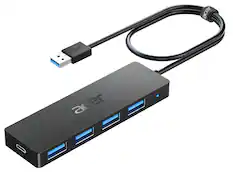
Laptop Docking Stations
Customers ultimately bought
Logitech Lift Vertical Wireless Optical Ergonomic Mouse with 4 Customizable Buttons
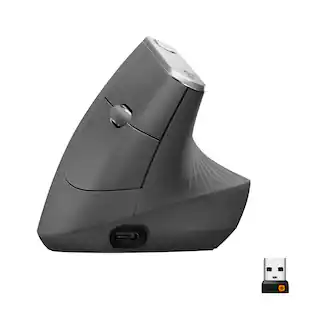
Top Deal$69.99The price was $79.99Logitech MX Vertical Advanced Wireless Optical Ergonomic Mouse with USB and Bluetooth Connection
$74.99The price was $119.99





Explore tech essentials Sponsored
CORSAIR Scimitar Elite Wireless SE MOBA/MMO Optical Gaming Mouse with 16 Programmable Buttons
$99.99The price was $139.99Logitech MX Anywhere 3S Wireless Bluetooth Optical Fast Scrolling Mouse with Programmable Buttons
Top Deal$69.99The price was $89.99CORSAIR DARK CORE RGB PRO Wireless FPS/MOBA/MMO Optical Gaming Mouse with Slipstream Technology
Top Deal$79.99The price was $99.99



Keep exploring
Logitech Design Mouse Limited Edition Wireless Optical 3-button Mouse with Broad Compatibility
$29.46The price was $55.07GravaStar Mercury X Pro Wireless 8K Hz Gaming Mouse with 32000 DPI and 49g Magnesium Alloy Frame
$139.95The price was $187.95