AcuRite - Iris (5-in-1) Weather Station with Direct-to-Wi-Fi Display for Remote Monitoring - White/Black
About this product
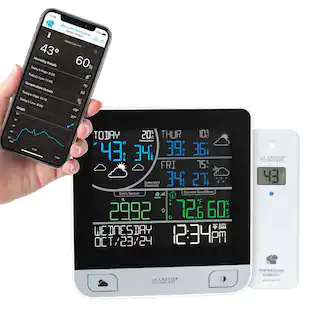
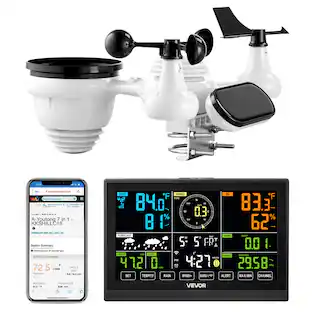
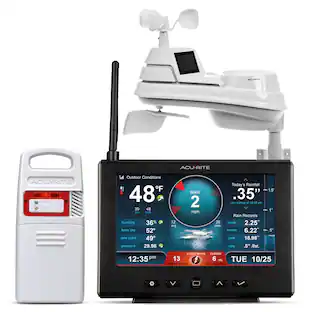
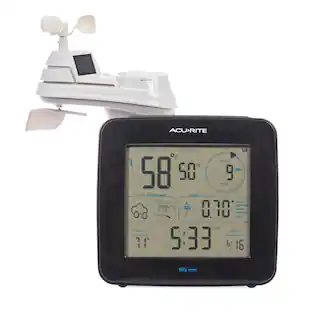
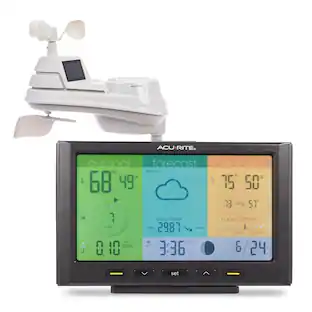
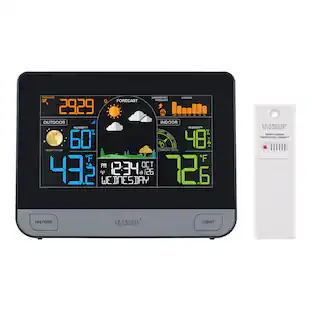
The AcuRite Iris (5-in-1) weather station provides essential weather information to keep you in the know. The easy-to-see, auto-dimming color display receives wirelessly transmitted weather measurements from the outdoor weather sensor. The cleverly designed information center allows for maximum info without clutter and provides the time and date. When connected to Wi-Fi, this weather station enables you to monitor the weather and receive alerts while on the go.
Mobile weather monitoring
Use the AcuRite NOW iPhone or android app to keep tabs on your hyperlocal weather and enable custom alerts to notify you of changing conditions around your home.
Real-time conditions
Receive indoor and outdoor temperature and humidity measurements, wind speed and direction readings, barometric pressure data, and rainfall totals.
Smart home friendly
Compatible with Amazon Alexa and Google Home, receive customized weather alerts and outdoor temperature, wind chill, lightning, UV index, rain, or barometric pressure readings by just asking Alexa or Google.
Patented self-calibrating forecasting technology
Install the wireless weather sensor outdoors and allow it to combine elevation data with barometric pressure readings to provide a personalized forecast for your exact location 12 hours from current conditions.
Wirelessly transmitted weather data
Keep your weather station installed within 330 feet (100 meters) of the indoor display to wirelessly receive weather measurements over a 433 MHz frequency, which show up on the high-contrast color display.
Weather underground enabled
Easily connect to weather underground to share your weather data directly with more than 250,000 personal weather stations across the globe.
Power
Plug in the display with the included 5V power adapter (and use three AAA batteries for optional backup, batteries not included), and install four AA batteries (not included) in the outdoor sensor to begin receiving weather measurements.
- BrandAcuRiteModel Number01544MCBProduct NameIris (5-in-1) Weather Station with Direct-to-Wi-Fi Display for Remote MonitoringColorWhite/BlackWarranty - Parts1 yearWarranty - Labor1 year
Reviews
Rating 4.6 out of 5 stars with 8 reviews
Customer Images
The vast majority of our reviews come from verified purchases. Reviews from customers may include My Best Buy members, employees, and Tech Insider Network members (as tagged). Select reviewers may receive discounted products, promotional considerations or entries into drawings for honest, helpful reviews.
Compare similar products
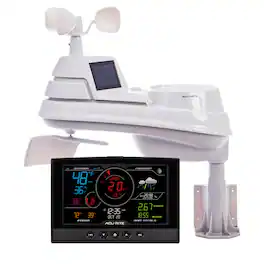
The AcuRite Iris (5-in-1) weather station provides essential weather information to keep you in the know. The easy-to-see, auto-dimming color display receives wirelessly transmitted weather measurements from the outdoor weather sensor. The cleverly designed information center allows for maximum info without clutter and provides the time and date. When connected to Wi-Fi, this weather station enables you to monitor the weather and receive alerts while on the go.

Track multiple weather conditions at your precise location instead of relying on weather data usually taken from your nearest airport. The AcuRite Iris (5-in-1) outdoor weather sensor boasts a rugged, weatherproof construction and an automatic, self-draining rain gauge. It features dual solar cells that power an internal fan to maximize ambient temperature accuracy at all hours of the day. For additional accuracy, the temperature, humidity, and barometric pressure measurements can be manually calibrated if sensor placement or environmental factors impact data accuracy.
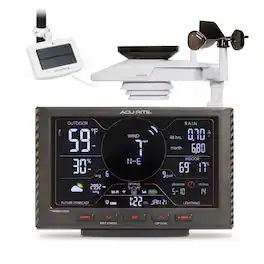
Tired of getting inaccurate weather news from the usual apps? It’s time to get your weather information straight from your own backyard with the AcuRite Optimus 6-in-1 weather station. This professional weather station conveniently keeps you informed of your hyperlocal weather conditions, whether you’re at home or away. Say goodbye to wrong weather reports and hello to reliable, personalized weather insight to gain the ultimate peace of mind! The AcuRite Optimus provides precise temperature, humidity, rainfall, wind speed, wind direction, and lightning data on a high-definition LCD in-home display. The low-profile design of the outdoor sensor brings a level of high-tech and sleekness to any outside space, and the bold, modern display delivers the most hyperlocal weather information, including a forecast 12 hours from your current conditions, perfect for reading at a glance. Further optimize your smart-home setup by adding the AcuRite Optimus, which seamlessly integrates with most connected smart-home devices. Ask your device to read aloud your Optimus-recorded data or set up custom rules to better manage weather-dependent tasks, such as watering the lawn or garden. Easily connect to home 2.4 GHz Wi-Fi to receive hyperlocal weather information on your mobile phone. Utilize the AcuRite NOW app to stay even more connected with your hyperlocal environment. Check conditions, view historical data trends, and receive weather alerts directly on your phone using the AcuRite NOW app — especially helpful for monitoring while you’re away. The AcuRite Optimus outdoor sensor is powered by the included AcuRite Solar Power Pack. The in-home display is AC-powered and features battery backup (3 AAA, not included) for data and settings retention. This ultra-durable weather station is built with automotive-grade materials and comes with a limited lifetime warranty. Receive trusted, reliable, and easy-to-read weather knowledge inside your home with an AcuRite Optimus.

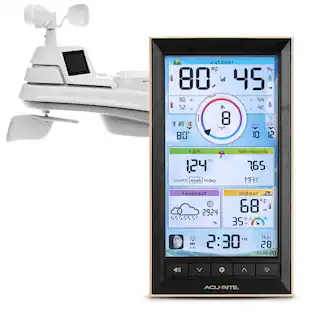
This AcuRite Iris (5-in-1) home weather station comes with a vertical color display to provide you with a wealth of hyperlocal weather knowledge! Enhance your home or workspace and receive essential weather information along with the time, date, and even the current moon phase.
| Pros for AcuRite - Iris (5-in-1) Weather Station with Direct-to-Wi-Fi Display for Remote Monitoring - White/Black | |||
|---|---|---|---|
| There were no pros for this product— | Display | There were no pros for this product— | Display, Accuracy |
Specs
How fast does this transmit data?
Answered by AcuRiteThe Iris (5-in-1) outdoor sensor transmits data to the display unit every 18 seconds. When using the remote monitoring feature, you will be able to view data on My AcuRite at 5-minute intervals. If also streaming to Weather Underground, you will be able to use RapidFire updates to transmit data to Weather Underground every 18 seconds. If you have further questions, please reach out to our support team via live chat or email request on the AcuRite Support website. Have a marvelous day! Haylee AcuRite Support Team

How do you connect to wifi?
Answered by AcuRiteWe would be happy to assist you with connecting your weather station to Wi-Fi. Please reach out to our support team via live chat or email request on the AcuRite Support website for assistance. Have an amazing day! Haylee AcuRite Support Team
Can the display unit work on only batteries? No wall power Is the adaptor for wall plug 110 or 220V Can readings be exchanged from C to F(temp), from knots to m/s(wind)?
Answered by AcuRiteWe recommend using the included power adapter for full functionality. When using battery power alone, the display will continue to receive data from the outdoor sensor, however, the backlight will remain off unless the momentary backlight is activated by pressing the backlight button. To change the reading units, please use the steps below. Press the gear button, located on the front of the display unit, to enter SET MODE. Once in set mode, the preference you are currently setting will blink on the display. To adjust the currently selected (flashing) item, press and release the UP or DOWN arrow buttons (press and HOLD to fast adjust). To save your adjustments, press and release the gear button again to adjust the next preference. The preference set order is as follows: RF CHANNEL (A, B, C; A recommended) AUTO DST (ON / OFF) 12 OR 24 HOUR CLOCK DISPLAY CLOCK HOUR CLOCK MINUTE CALENDAR MONTH CALENDAR DATE CALENDAR YEAR TEMPERATURE UNITS (ºF or ºC) WIND SPEED UNITS (MPH, KPH, Knots) RAINFALL UNITS (in or mm) PRESSURE UNITS (inHg or hPa) You will automatically exit SET MODE if no buttons are pressed for 10 seconds. Enter SET MODE at any time by pressing the gear button. If you have further questions, please reach out to our support team via live chat or email request on the AcuRite Support website. Have a fantastic day! Haylee AcuRite Support Team
What is the wireless range of this weather station?
This weather station can transmit data wirelessly up to 330 feet (100 meters) from the indoor display to the outdoor sensor.
This question and answer was generated by AI based on customer and product data.How does the forecasting technology work?
The weather station uses patented self-calibrating forecasting technology. It combines elevation data with barometric pressure readings from the outdoor sensor to provide a personalized forecast for your location.
This question and answer was generated by AI based on customer and product data.

Customers often buy these together
 $399.99The price was $410.49
 $179.99The price was $259.99
More to consider
 $179.99The price was $189.99
 $97.90The price was $118.90
 $110.61The price was $122.90
Control, Comfort, Convenience Sponsored
 Top Deal$139.99The price was $219.99
Discover related products




Keep exploring
 $69.99The price was $74.99