Adesso - EasyTouch 150 Mechanical Keyboard, Cherry MX Brown, Palm Rest, Copilot AI Key, Numeric Pad - Black
Reviews coming soon
About this product
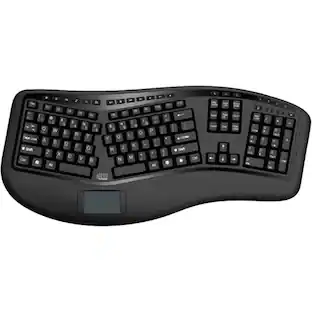
ADESSO EasyTouch 150 Ergonomic Wired Mechanical Keyboard with Cherry MX Brown Switches, Integrated Palm Rest, Dedicated Copilot AI Hotkey, Full-Sized Layout with Numeric Pad for Comfortable Typing
Ergonomic design reduces strain during typing
Features a split-key, contoured ergonomic design that promotes a natural hand, wrist, and forearm position, which can help reduce strain and discomfort during long typing sessions. The keyboard's
CoPilot Ai Hotkey
Equipped with high-quality Cherry MX Brown mechanical switches, renowned for providing a quiet, tactile bump with every keystroke for satisfying and accurate feedback. With a lifecycle of over 50
2X Size Large Print Keys
Includes a dedicated CoPilot AI hotkey, allowing for instant access to Microsoft's AI assistant directly from your keyboard. This feature helps streamline your workflow by letting you quickly gen
Gasket Structure
An integrated palm rest provides essential support for your wrists, preventing them from bending at an uncomfortable angle while typing. This built-in feature complements the ergonomic layout by
Ergonomic Design
The design of this keyboard with splitted key zones and gently sloped shape encourages natural position of hands, wrists, and forearm in maximum comfort for long use. More from the Manufacturer
- Form FactorErgonomicConnection TypeWired
Reviews
This product doesn't have any reviews yet.
Compare similar products
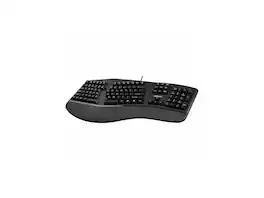
ADESSO EasyTouch 150 Ergonomic Wired Mechanical Keyboard with Cherry MX Brown Switches, Integrated Palm Rest, Dedicated Copilot AI Hotkey, Full-Sized Layout with Numeric Pad for Comfortable Typing

Increase your typing efficiency with this Adesso Tru-Form keyboard. Its ergonomic shape and split-key design encourage natural hand and wrist positions, and its integrated palm rest reduces wrist strain. This Adesso Tru-Form keyboard has a touch pad that replaces a traditional mouse and employs GlidePoint technology for precise cursor control.
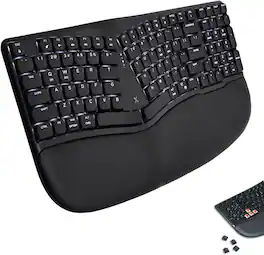
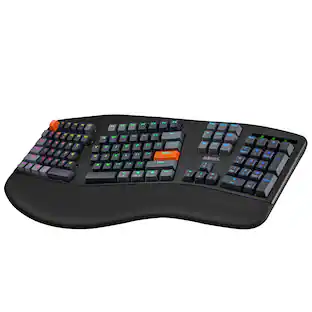
The X9 Performance X9RBLMERGKEYB is a low profile ergonomic mechanical keyboard designed for comfortable, flexible typing. Its split layout, built-in palm rest, and low profile red switches deliver a smooth, quiet, and responsive typing feel. Connect by Bluetooth 5.0, 2.4G wireless, or wired mode, then switch between Windows and Mac layouts with simple onboard commands. Monochrome backlighting with 4 brightness levels helps keep keys visible in low light, while the 2000 mAh rechargeable battery supports 1 to 2 months of use per charge. Layout: Compact split ergonomic layout with number pad Palm rest: Built-in palm support Switch type: Low profile red mechanical switches Connection modes: Bluetooth, 2.4G RF, wired USB Bluetooth channels: 2 channels, BT1 and BT2 OS support: Windows and Mac mode switching Backlight: Clear White backlighting Brightness levels: 4 levels Battery: 2000 mAh rechargeable battery Charge time: 2 hours Charging port: USB-C Shortcuts: 15 top-row shortcut functions Dimensions: 16.97" x 9.01" x 1.28" Included: Keyboard, RF dongle, USB-A to USB-C cable, user manual, QSG

Wireless/Bluetooth/USB Multi OS 2X Large Print Illuminated Ergonomic Mechanical Keyboard (Red switch)
Specs
Be the first to ask a question.
We’ll try to get your question answered within 24 hours by a Best Buy customer or brand representative.
Customers often buy these together



![Sure, here is the corrected and grouped text from the image:
**Top Row:**
- ESC
- F1
- F2
- F3
- F4
- F5
- F6
- F7
- F8
- F9
- F10
- F11
- F12
- PRTSC
- DEL
**Number Row:**
- 1
- 2
- 3
- 4
- 5
- 6
- 7
- 8
- 9
- 0
- -
- =
- \
**Letter Row:**
- TAB
- Q
- W
- E
- R
- T
- Y
- U
- I
- O
- P
- [
- ]
- \
**Letter Row:**
- CAPS
- A
- S
- D
- F
- G
- H
- J
- K
- L
- ;
- '
**Letter Row:**
- SHIFT
- Z
- X
- C
- V
- B
- N
- M
- ,
- .
- /
**Function Row:**
-](https://pisces.bbystatic.com/image2/BestBuy_US/images/products/9be10b95-8e90-4a5d-b85f-cbc6a7d8e8df.png;maxHeight=232;maxWidth=233?format=webp)



![esc 1 ! 2 @ 3 # 4 $ 5 % 6 ^ 7 & 8 * 9 ( 0 ) - = | F1 F2 F3 F4 F5 F6 F7 F8 F9 F10 F11 F12 tab Q W E R T Y U I O P [ ] { } | caps A S D F G H J K L : : enter shift Z X C V B N M , < > ? shift ctrl alt fn ctrl](https://pisces.bbystatic.com/image2/BestBuy_US/images/products/bc5bce35-ca08-45da-bcc3-8d6fb215154b.jpg;maxHeight=232;maxWidth=233?format=webp)
![esc F1 F2 F3 F4 F5 F6 F7 F8 F9 F10 F11 F12 1 2 3 4 5 6 7 8 9 0 - = backspace tab Q W E R T Y U I O P [ ] \ caps lock A S D F G H J K L ; ' shift Z X C V B N M , . / shift ctrl alt logi](https://pisces.bbystatic.com/image2/BestBuy_US/images/products/6411/6411501_sd.jpg;maxHeight=232;maxWidth=233?format=webp)

![Sure, here is the corrected and grouped text:
```
ESC F1 F2 F3 F4 F5 F6 F7 F8 F9 F10 F11 F12 1 2 3 logitech - - 1 2 # $ 4 % 5 6 & 7 8 9 0 - - back insert home page up num lock clear / . tab Q W E R T Y U I O P { [ } ] / delete end page down 7 home 8 A 9 P9 up + caps lock A S D F G H J K L : ; a enter 4 5 6 shift Z X C V B N M < > ? shift 1 end 2 3 pg dn enter ctrl fn start alt opt alt crnd x alt cmd x fn ctrl alt opt 0 ins del 1 logitech
```](https://pisces.bbystatic.com/image2/BestBuy_US/images/products/5761/5761911_sd.jpg;maxHeight=232;maxWidth=233?format=webp)
![Sure, here is the corrected and grouped text from the image:
---
**Top Row:**
- Esc
- F1 F2 F3 F4 F5 F6 F7 F8 F9 F10 F11 F12
**Second Row:**
- 1 ! 2 @ 3 # 4 $ 5 % 6 ^ 7 & 8 * 9 ( 0 ) - _ + =
**Third Row:**
- Tab Q W E R T Y U I O P [ { ] } \
**Fourth Row:**
- Caps Lock A S D F G H J K L ; ' Enter
**Fifth Row:**
- Shift Z X C V B N M , . / Shift
**Function Keys:**
- F1 F2 F3 F4 F5 F6 F7 F8 F9 F10 F11 F12
**Right Side:**
- Insert Home Page Up Delete End Page Down
**Bottom Row:**
- Ctrl Alt Spacebar Alt Ctrl
**Additional Keys:**
- Logi
- Scroll Lock
- Pause Break
---
This should match the layout of the keyboard in the image.](https://pisces.bbystatic.com/image2/BestBuy_US/images/products/0ce0f170-380c-41e4-8d6a-fa0aadbd534c.jpg;maxHeight=232;maxWidth=233?format=webp)

![esc ~ ! 1 tab caps lock shift ctrl F2 Fl # 2 3 Q W A S Z start opt L F3 $ 4 E D X alt cmd3 ) FS F4 A % 5 6 R T F G V C logi 44 HI & F9 FID FB F7 F6 * ) - - & 0 8 9 7 O P U I Y K L H J > < N M 1 B PM + = { [ : I ; ? I alt cmd D 2 4 300 3 1 F12 . * page I insert home up clear backspace 8 9 + 7 page A pg up end down home } I delete ] / 6 4 5 4 enter 2 3 enter 1 dn Pg end shift = 0 del ins etrl fn opt](https://pisces.bbystatic.com/image2/BestBuy_US/images/products/6539/6539505_sd.jpg;maxHeight=232;maxWidth=233?format=webp)
![Esc F1 F2 F3 F4 F5 F6 F7 F8 F9 F10 F11 F12 Print Screen Scroll Lock Pause Break 1 2 3 4 5 6 7 8 9 0 - + = Backspace Insert Home H Page Up A Num Look 1 I Tab Q W E R T Y U I o P { [ } ] I I Delete End IN Page Down 7 Home 8 9 Pg Up Caps A Lock A S D F G H J K L ; : DE g Enter 4 5 6 Shift Z X C V N M < > ? I Shift 1 End 2 3 Pp Dn Enter Ctrl Alt Alt Ctrl 0 Ins Del](https://pisces.bbystatic.com/image2/BestBuy_US/images/products/a588d446-5678-40ae-86b8-1f15e0026e66.jpg;maxHeight=232;maxWidth=233?format=webp)
Customers ultimately bought
 $83.99The price was $84.99
 $152.02The price was $161.51
Explore tech essentials Sponsored
 $68.99The price was $114.99
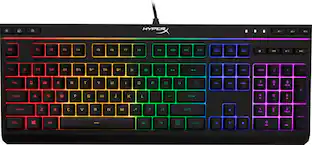 $38.99The price was $54.99


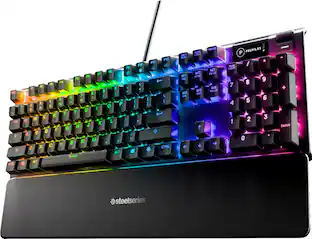
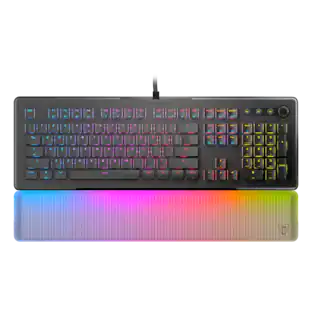
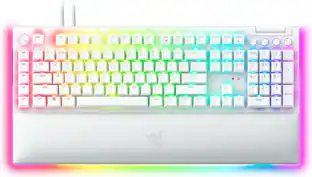
Keep exploring
 $129.95The price was $159.95