Adobe - Express for Chromebooks - Chrome [Digital]
About this product
Make amazing work that stands out with generative AI features powered by Adobe Firefly. Design flyers, TikToks, resumes, and Reels with the all-in-one Adobe Express. Create easier. Dream bigger.
Features
Text to image
Generate images from a detailed text description.
Generative fill
Add or remove elements with a text prompt.
Text to template
Create templates from a text prompt.
Text effects
Apply styles or textures to text with a text prompt.
One-click quick action
Explore one-click tasks for videos, photos, PDFs, and more.
Tons of templates
Start inspired with thousands of professionally-designed templates - free and easy.
Video made easy
Drag. Drop. Impress. Add Adobe Stock videos and music quickly for social videos that stand out. No experience necessary.
Take your PDF's from drab to fab
Drag and drop your PDF's into Adobe Express to take them from drab to fab with eye-catching text, backgrounds, and design elements.
Resize any asset
Turn your design into a social campaign instantly. Resize for any channel in one click. Download it. Schedule it.
Build your brand
Brand kits make it easy to stay on brand with Adobe Express. All your fonts, colors, and logos are ready to drop into any design.
Specifications
- Operating System CompatibilityChromeSoftware FormatDigital
Reviews
Rating 5 out of 5 stars with 2 reviews
The vast majority of our reviews come from verified purchases. Reviews from customers may include My Best Buy members, employees, and Tech Insider Network members (as tagged). Select reviewers may receive discounted products, promotional considerations or entries into drawings for honest, helpful reviews.
Compare similar products

Make amazing work that stands out with generative AI features powered by Adobe Firefly. Design flyers, TikToks, resumes, and Reels with the all-in-one Adobe Express. Create easier. Dream bigger.

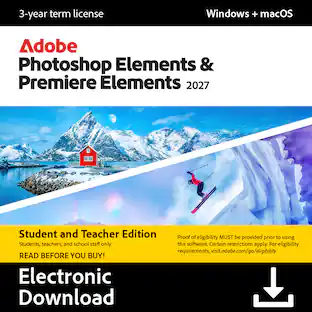
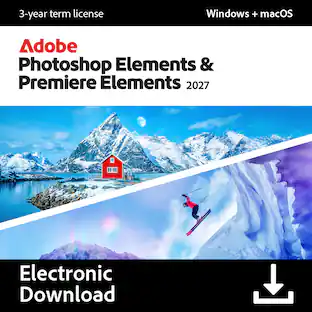
Your photos and videos capture the people and moments that matter. Make them all look incredible with Photoshop Elements & Premiere Elements 2027, the photo and video editing bundle that’s powered by AI and designed for simplicity. Easily clean up distractions in your pics, sharpen details, add scroll-stopping effects, or generate all-new images. Quickly trim, resize, and color-correct your videos, and set the perfect mood with music and effects.

Create DVD and Blu-ray Discs with professional authoring functions in VEGAS DVD Architect. The intuitive drag & drop interface, compact layout and comprehensive authoring tools make producing menu-based Blu-ray and DVD projects easy. This item cannot be returned or refunded, please visit to learn more.

Video deluxe 2026 Premium makes advanced video editing feel easy. Discover intuitive editing tools, the seamless all-in-one media window and the proDAD VitaScene V5 Pro effects suite with over 1,700 effects, filters and transitions for impressive cinematic results. Use AI-generated subtitles and voiceovers and browse premium stock content for your B-roll scenes. New features: Make your subtitles pop with the Highlight function, organize your footage with AI media management and access exclusive content— including customizable LUTs, music tracks and sound effects.
Specs
Customers often buy these together

More to consider









Explore tech essentials Sponsored


Discover related products
Acer USB C Docking Station With 2 HDMI, 9-IN-1 Docking Hub with USB A&C 3.0, SD/Micro SD, 100W Charging
Holiday Deal$36.99The price was $47.99Acer USB C to HDMI Cable for Home Office 6.6FT (4K@60Hz), High-Speed Type C to HDMI 2.0 Braided Cord
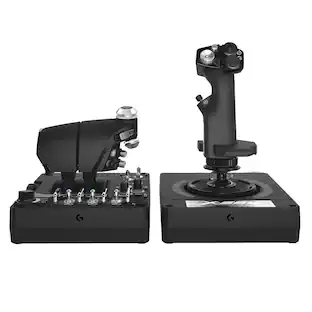
$12.99The price was $13.99Logitech X56 HOTAS Microsoft Flight Simulator RGB Dual-Throttle and Joystick
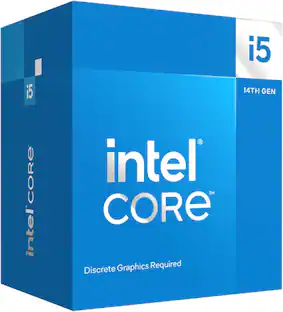
$247.00The price was $275.00Intel Core i5-14400F 14th Gen 10-Core 16-Thread - 4.7GHz Turbo Socket LGA1700 Unlocked Desktop Processor
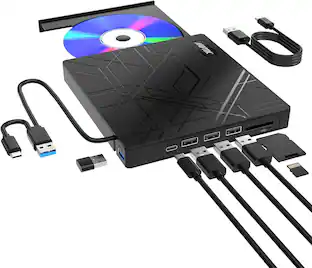
$167.54The price was $197.23AGPtek 8 in 1 External CD/DVD Drive for Laptop, USB 3.0 Ultra Slim Portable CD Burner with 4 USB Ports
$31.99The price was $32.99Acer Wireless Mouse for Laptop, 2.4GHz Computer Mouse 3 Adjustable DPI Office Cordless USB Mice with USBA Receiver
Holiday Deal$10.99The price was $12.99