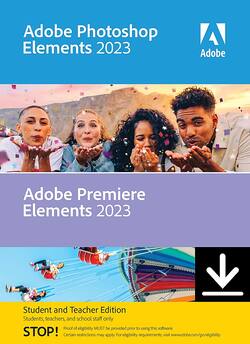
Adobe - Photoshop Elements 2023 & Premiere Elements Student & Teacher Edition 2023 - Windows [Digital]
Model: ADO951800V550
SKU: 6517263
This item is no longer available in new condition. See similar items below
- Key Specs
- Operating System Compatibility: Windows
- Software Format: Digital (Physical software requires a disc, cartridge, etc. be inserted into the gaming console or computer to download and/or operate the software. Digital software allows for downloading and/or playing the software on the gaming console or computer without a physical disc, cartridge, etc. Physical (Download Code Only) software is purchased in physical form with a code that allows for downloading and/or playing the software on the gaming console or computer without a physical disc, cartridge, etc.)
- General
- Brand: Adobe
- Model Number: ADO951800V550
- Product Name: Photoshop Elements 2023 & Premiere Elements Student & Teacher Edition 2023
- Publisher: Adobe
- Features
- Software Subject: Photo editing, Video editing
- Compatibility
- Operating System Compatibility: Windows
- Software Format: Digital (Physical software requires a disc, cartridge, etc. be inserted into the gaming console or computer to download and/or operate the software. Digital software allows for downloading and/or playing the software on the gaming console or computer without a physical disc, cartridge, etc. Physical (Download Code Only) software is purchased in physical form with a code that allows for downloading and/or playing the software on the gaming console or computer without a physical disc, cartridge, etc.)
- Requirements
- Digital Delivery Type: Download
- Other
- UPC: 883919285672
Your photos and videos say a lot about who you are and what matters most to you. From selfies with friends to footage of concerts and sporting events to the photos and videos you take to elevate your class projects, you want everything to look amazing. With Elements, you can capture your memories and tell your stories with creativity and style. Adobe Sensei AI technology*, automated editing options, and step-by-step Guided Edits make it fast and easy to create incredible photos and movies for social media, classwork, and everything in between.
- Select an area and make it move: Bring a touch of movie magic to any photo by selecting an area and adding motion. Choose the direction, adjust the speed, and then save your photo as an MP4 or GIF to share on social.
- Click once to turn your videos into art: Transform your clips with effects inspired by famous works of art or popular art styles. Just like with Photoshop Elements, you can click to add an amazing artistic effect.
- Easily build your skills with Guided Edits: Just follow along to make basic adjustments, artistic creations, visual effects, and more with 87 step-by-step Guided Edits.
- Add peek-through overlays to photos: Create the illusion of depth in any photo by framing your subject with natural and realistic overlays such as flowers, leaves, grass, and more. Easily resize, adjust blur, or add a vignette to get just the look you want.
- Edit photos with new modern content: Try fresh looks for your photos with new backgrounds in the Replace Background Guided Edit, new skies in the Perfect Landscape Guided Edit, and new patterns in the Pattern Brush Guided Edit.
- Quickly search and explore Guided Edit photo options: Easily find what you want to do with your photos or discover new things to try by searching on familiar terms, using keyword tags, or choosing from popular options.
- Try out great audio tracks: The perfect video needs the perfect soundtrack. Create just the feel you want with fresh audio tracks, including new options.
- Do more from any browser (English-only beta): Explore the new web companion app to access and view your edited Elements photos and videos from any browser, create collages and slideshows, and share the way you like.
- Have fun with your photos on the go (English-only beta): Try the new Android companion app to upload mobile photos and videos to Elements on desktop and web, do more creative and advanced editing on the desktop, and then access, view, and share back on your mobile.
- Enjoy ongoing companion app updates and included storage (English-only beta): The web and mobile beta apps are just the beginning—they’ll be updated throughout the year with new features. The apps are available to licensed Elements users and they come with 2GB of cloud storage.
- Tell stories with all-new collage and slideshow templates: Create photo collages and multimediaslideshows that feature a range of modern looks and themes.
- Experience better performance and stability: Enjoy up to 35% faster installation and up to 50% faster launch times. And since we’ve reduced the app size by up to 48%, less space is required on your computer.
- Erase distractions with ease: Put the focus on your subject by removing power lines, pedestrians, and other distractions with the swipe of a brush.
- One-click subject selection: Automatically select the subject of your photo with a single click. Then, easily make isolated edits to the subject or the background.
- Replace backgrounds in seconds: Select the subject of a photo and place it on a different background to make your pic even more amazing. Updated with new modern backgrounds.
- Quickly touch up facial features: Get the perfect shot every time by automatically opening closed eyes, turning frowns upside down, fine-tuning face tilt, automatically smoothing skin, and more.
- Beautiful new photo collage templates: Create collages with just a few clicks. Choose from new modern templates and add text for a personal touch.
- Select an area and make it move: Bring a touch of movie magic to any photo by selecting an area and adding motion. Choose the direction, adjust the speed, and then save your photo as an MP4 or GIF to share on social.
- Click once to turn your videos into art: Transform your clips with effects inspired by famous works of art or popular art styles. Just like with Photoshop Elements, you can click to add an amazing artistic effect.
- Easily build your skills with Guided Edits: Just follow along to make basic adjustments, artistic creations, visual effects, and more with 87 step-by-step Guided Edits.
- Add peek-through overlays to photos: Create the illusion of depth in any photo by framing your subject with natural and realistic overlays such as flowers, leaves, grass, and more. Easily resize, adjust blur, or add a vignette to get just the look you want.
- Edit photos with new modern content: Try fresh looks for your photos with new backgrounds in the Replace Background Guided Edit, new skies in the Perfect Landscape Guided Edit, and new patterns in the Pattern Brush Guided Edit.
- Quickly search and explore Guided Edit photo options: Easily find what you want to do with your photos or discover new things to try by searching on familiar terms, using keyword tags, or choosing from popular options.
- Try out great audio tracks: The perfect video needs the perfect soundtrack. Create just the feel you want with fresh audio tracks, including new options.
- Do more from any browser (English-only beta): Explore the new web companion app to access and view your edited Elements photos and videos from any browser, create collages and slideshows, and share the way you like.
- Have fun with your photos on the go (English-only beta): Try the new Android companion app to upload mobile photos and videos to Elements on desktop and web, do more creative and advanced editing on the desktop, and then access, view, and share back on your mobile.
- Enjoy ongoing companion app updates and included storage (English-only beta): The web and mobile beta apps are just the beginning—they’ll be updated throughout the year with new features. The apps are available to licensed Elements users and they come with 2GB of cloud storage.
- Tell stories with all-new collage and slideshow templates: Create photo collages and multimediaslideshows that feature a range of modern looks and themes.
- Experience better performance and stability: Enjoy up to 35% faster installation and up to 50% faster launch times. And since we’ve reduced the app size by up to 48%, less space is required on your computer.
- Erase distractions with ease: Put the focus on your subject by removing power lines, pedestrians, and other distractions with the swipe of a brush.
- One-click subject selection: Automatically select the subject of your photo with a single click. Then, easily make isolated edits to the subject or the background.
- Replace backgrounds in seconds: Select the subject of a photo and place it on a different background to make your pic even more amazing. Updated with new modern backgrounds.
- Quickly touch up facial features: Get the perfect shot every time by automatically opening closed eyes, turning frowns upside down, fine-tuning face tilt, automatically smoothing skin, and more.
- Beautiful new photo collage templates: Create collages with just a few clicks. Choose from new modern templates and add text for a personal touch.
Q: Which graphics card do you need to run this system in your computer?
A: Don't need one; integrated is all you need
Q: Can this product colorize black and white photos?
A: undefined