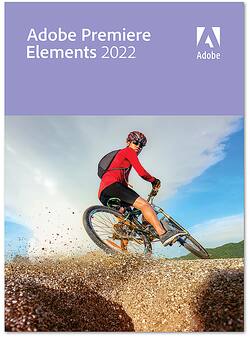
Adobe - Premiere Elements 2022 - Windows [Digital]
- Key Specs
- Operating System Compatibility: Windows
- Software Format: Digital (Physical software requires a disc, cartridge, etc. be inserted into the gaming console or computer to download and/or operate the software. Digital software allows for downloading and/or playing the software on the gaming console or computer without a physical disc, cartridge, etc. Physical (Download Code Only) software is purchased in physical form with a code that allows for downloading and/or playing the software on the gaming console or computer without a physical disc, cartridge, etc.)
- General
- Brand: Adobe
- Model Number: ADO951800V539
- Product Name: Premiere Elements 2022
- Publisher: Adobe
- Features
- Software Subject: Video editing
- Compatibility
- Operating System Compatibility: Windows
- Bit Version: 64-bit
- Software Format: Digital (Physical software requires a disc, cartridge, etc. be inserted into the gaming console or computer to download and/or operate the software. Digital software allows for downloading and/or playing the software on the gaming console or computer without a physical disc, cartridge, etc. Physical (Download Code Only) software is purchased in physical form with a code that allows for downloading and/or playing the software on the gaming console or computer without a physical disc, cartridge, etc.)
- Requirements
- System Requirements: Microsoft Windows 10 version 2004 or later (version 21H1 recommended); Microsoft Windows 11 (version 21H2); 64-bit versions only; Windows 7, Windows 8.1 not supported (The software that a product must have for it to be able to integrate with another product.)
- Other
- UPC: 883919283265
Tell your stories and share your memories in creative ways. Adobe Sensei AI technology* and automated options make it fast and easy to automatically reframe your subject, select specific areas to add effects, fix grainy footage, and more. Edit and export videos in social-friendly vertical and square aspect ratios. Grow your skills with 27 Guided Edits that add fun animated overlays to your videos and bring out details in shadows and highlights. Effortlessly organize your videos, and make memorable creations like dynamic photo and video slideshows and animated social posts. Compress videos for easy sharing. And enjoy an updated look that makes the software easier to use and navigate.
*Adobe Sensei is the technology that powers intelligent features across all Adobe products to dramatically improve the design and delivery of digital experiences, using artificial intelligence and machine learning in a common framework.
- Pick the perfect aspect ratio: Edit and export your videos in social-friendly vertical or square aspect ratios without losing content. Add motion titles, mattes, and backgrounds designed for non-horizontal videos, too.
- Auto-reframe your subject: Easily resize your videos for social media and more while keeping the most important part of the action in the frame. Works great for clips with a lot of movement, like a kid’s birthday party or a sporting event.
- Automation makes editing easy: Bring your vision. We'll make it happen. Adobe Sensei AI technology and automated options make it fast, easy, and fun.
- Make precise selections in video: Select a specific object—or area—of your video and easily apply an effect that tracks throughout the video, like brightening the subject or blurring the background.
- See effects in real time: See high-quality playback of many effects without rendering first—and crop videos faster—with GPU-accelerated performance boosts.
- Improve grainy videos: Shot your video in low light? Make it look crisperwith a simple drag and drop of the Reduce Noise effect.
- Easily grow your skills with Guided Edits: Amazing videos are just steps away. Simply follow alongto make quick fixes or add eye-catching effects, transitions, and animations with 27 Guided Edits.
- Add fun animated overlays: Jazz up any video with flitting butterflies, encircling hearts, and other beautiful and whimsical animations. Create a whole new look in a few quick steps.
- Adjust shadows and highlights: Easily reveal hidden details in the darkest or brightest areas of your videos so there’s more to see in every scene.
- Create cool double exposure videos: Make a little movie magic with double exposures. Just follow the simple steps to play a video within a photo and get the best of both worlds.
- Add animated matte overlays: Get artistic by revealing your video with animated matte overlays. Apply different shapes and animation styles to full videos, select scenes, or as transitions.
- Create dynamic time-lapse videos: Turn a series of photos or videos into a time-lapse that speeds up the action.
A: It's a one time fee for Adobe Premiere Elements 2022.
A: undefined
A: Yes, you can. It is an effect that is applied to the clip. Just be careful as it can be easy to ruin the aspect ratio
Q: Is this a good training tool for learning and using the full blown Adobe Premier?
A: Not really. While some features are the same, they are 2 vastly different programs. Elements is not just a watered down version of Pro. I find I have to specify "Elements" when I look at tutorials to ensure I can actually get the steps I need