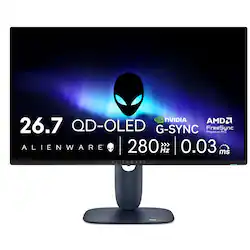
Alienware - AW2725D 27" QD-OLED QHD 280Hz .03ms FreeSync Premium Pro and G-SYNC Gaming Monitor with HDR (HDMI, DisplayPort) - Interstellar Indigo
- Key Specs
- Refresh Rate: 280Hz (The number of frames per second the device can produce natively without enhancement. Higher rates help produce smooth, seamless pictures.)
- Maximum Resolution: 2560 x 1440 (Maximum resolution refers to the highest number of pixels that a screen can process and display. Higher resolution signals produce more detailed images.)
- Response Time: 0.03 milliseconds (The speed at which pixels can change colors is called response time. It is measured in milliseconds (ms).)
- Panel Type: QLED (Technology that affects response time and image quality.)
- Synchronization Technology: FreeSync Premium Pro (AMD Adaptive Sync), G-SYNC Compatible (NVIDIA Adaptive Sync) (Generally, these technologies allow syncing between a computer/console game's frame rate and the device's refresh rate for a smoother display without tearing.)
- Screen Size: 26.7 inches (Size of the screen, measured diagonally from corner to corner.)
- OLED Technology: QD-OLED
- Display Connector(s): 1 x DisplayPort 1.4, 2 x HDMI 2.1 (The number and type of connectors used to connect to an external display.)
- General
- Brand: Alienware
- Model Number: AW2725D
- Product Name: AW2725D 27" QD-OLED QHD 280Hz .03ms FreeSync Premium Pro and G-SYNC Gaming Monitor with HDR (HDMI, DisplayPort)
- Color: Interstellar Indigo
- Operating System Compatibility: Windows
- Display
- Refresh Rate: 280Hz (The number of frames per second the device can produce natively without enhancement. Higher rates help produce smooth, seamless pictures.)
- Maximum Resolution: 2560 x 1440 (Maximum resolution refers to the highest number of pixels that a screen can process and display. Higher resolution signals produce more detailed images.)
- Contrast Ratio: 1,500,000:1 (Measured difference between a displayed image's brightest whites and darkest blacks. The larger the first number, the more detail and color that can be displayed.)
- Response Time: 0.03 milliseconds (The speed at which pixels can change colors is called response time. It is measured in milliseconds (ms).)
- Display Type: OLED
- Panel Type: QLED (Technology that affects response time and image quality.)
- Synchronization Technology: FreeSync Premium Pro (AMD Adaptive Sync), G-SYNC Compatible (NVIDIA Adaptive Sync) (Generally, these technologies allow syncing between a computer/console game's frame rate and the device's refresh rate for a smoother display without tearing.)
- Aspect Ratio: 16:9 (The measurement of the width of a screen compared to the height of a screen, expressed as a ratio.)
- Curved Screen: false
- Pixel Density: 111 pixels per inch (The number of pixels present per inch on the device's display. Higher pixel density improves the clarity and sharpness of the displayed image.)
- Brightness: 1000 candela per square meter (A measure of the total light output.)
- Screen Size: 26.7 inches (Size of the screen, measured diagonally from corner to corner.)
- High Dynamic Range (HDR): true (An HDR-compatible 4K TV or other HDR-compatible product displays HDR video content when it's available from sources like 4K Ultra HD Blu-ray Discs and 4K streaming services.)
- High Dynamic Range Format: VESA Certified DisplayHDR 400 True Black (There are a few HDR formats that tell the TV or other HDR-compatible product how to best utilize its capabilities to display HDR content. HDR technology can support one or multiple formats, each with various benefits to picture quality.)
- Horizontal Viewing Angle: 178 degrees (The maximum angle at which the display can be viewed with acceptable visual performance from either side.)
- Vertical Viewing Angle: 178 degrees (The maximum angle at which the display can be viewed with acceptable visual performance from above or below.)
- Touch Screen: false (Touch-screen devices make navigating more intuitive. Using a touch-screen display, you can do things such as tap to select, hold and drag to move items, swipe to scroll, and pinch to zoom.)
- On-Screen Display Languages: English, Spanish, French, German, Brazilian Portuguese, Russian, Simplified Chinese, or Japanese (The available language options for displayed text.)
- Display Surface: Anti-reflective
- Color Gamut (NTSC): 99 percent
- OLED Technology: QD-OLED
- Connectivity
- Number of DisplayPort Inputs (Total): 3
- Number of HDMI Inputs (Total): 2
- Display Connector(s): 1 x DisplayPort 1.4, 2 x HDMI 2.1 (The number and type of connectors used to connect to an external display.)
- Number of USB Ports (Total): 5
- USB Ports: 1 x USB-B, 3 x USB-A, 1 x USB-C (The number and type of USB ports the product has.)
- Number of USB-C Charging Ports: 1
- Number of USB-B Ports: 1
- Compatibility
- Wall Mountable: true (The product is able to be secured to a wall. Some products are designed ready to mount, while others may require additional hardware/accessories for installation.)
- VESA Wall Mount Standard: 100mm x 100mm (VESA wall mount standards refer to the spacing of screw holes built into a TV in order to fit with standard TV wall mounts. These standards are implemented into most TVs and monitors.)
- Features
- Tiltable: true
- Adjustable Stand Height: true
- Built-In Webcam: false
- Integrated Speaker(s): false
- Dimensions
- Product Height With Stand: 16 inches
- Product Height Without Stand: 14 inches
- Product Width: 24 inches (The out of box width of the item. Width is measured as the horizontal distance from one side of the item to the other as it would be primarily used or placed.)
- Product Depth (With Stand): 8.11 inches
- Product Depth Without Stand: 2.74 inches
- Product Weight: 14 pounds (The out of box weight of the item.)
- Stand Included: true
- Stand Width: 9.45 inches (The horizontal measurement of the stand/base, or the distance from the outside of one leg to the outside of the opposite leg, as it is attached to the product.)
- Power
- Power Consumption: 25.3 watts
- Power Saving/Off Mode: 0.3 watts (This mode will turn the display and/or the device off, or into a standby mode, after a preset length of time with no activity to conserve power.)
- Certifications Listings & Approvals
- ENERGY STAR Certified: false (Devices carrying the ENERGY STAR service mark, such as computer products and peripherals, kitchen appliances, and other products, generally use 20% to 30% less energy than required by federal standards.)
- EPEAT Qualified: false (The Electronic Product Environmental Assessment Tool (EPEAT) was designed to provide an environmental assessment tool for purchasers. In order to qualify for EPEAT, a product must meet all 23 required criteria.)
- Warranty
- Warranty - Parts: 3 Years Limited Hardware and Advanced Exchanged Service
- Warranty - Labor: 3 Years Limited Hardware and Advanced Exchanged Service
- Other
- UPC: 884116639633
Alienware 27 280Hz QD-OLED Gaming Monitor - AW2725D - 26.7-inch QHD 280Hz, NVIDIA G-SYNC Compatible, AMD FreeSync Premium Pro
- Stunning QD-OLED visuals in QHD: Dive into vast virtual worlds with QD-OLED’s superior color accuracy and brilliance.
- True to life visuals: See everything as intended with lifelike colors thanks to DCI-P3 99.3% color coverage with Delta E<2 color accuracy.
- Detailed contrast: Detailed contrast: Experience rich shadows and stunning lighting with infinite contrast ratio, VESA DisplayHDR True Black 400 certification, and up to 1,000 nits peak HDR brightness.
- Game comfortably: ComfortView Plus hardware-based low blue light solution optimizes eye comfort and minimizes distractions without color distortion.
- Smoother motion, more responsive action: Game without tears or stutters thanks to the latest adaptive sync technologies like NVIDIA G-SYNC Compatible, AMD FreeSync Premium Pro and VESA AdaptiveSync.
Whats Included
- Alienware 27 280Hz QD-OLED Gaming Monitor - AW2725D
- Stand riser
- Stand base
- Power cable
- HDMI 2.1 FRL cable (1.80 m)
- DisplayPort to DisplayPort 1.4 cable (1.80 m
- USB Type-A to Type-B 5Gbps cable (enables the USB ports on the monitor, 1.80 m
- Microfiber cloth
- QR Card, Alienware Sticker
- Safety, Environmental, and Regulatory Information
Product Manuals
Disclaimers
- AMD, AMD Arrow logo, AMD Athlon, QuantiSpeed, AMD PowerNow! And combinations thereof are trademarks of Advanced Micro Devices, Inc.
Q: Does this monitor have built-in speakers?
A: No, this monitor does not have integrated speakers.
Q: How many display port inputs does the monitor have?
A: The monitor has a total of three display port inputs.
Q: Does this gaming monitor support high dynamic range?
A: Yes, this gaming monitor supports high dynamic range.
Q: What is the refresh rate of this gaming monitor?
A: The gaming monitor has a refresh rate of 280Hz.
Q: What is the response time of this gaming monitor?
A: The response time of this gaming monitor is 0.03 milliseconds.
Q: Is the stand height adjustable for this monitor?
A: Yes, the stand height is adjustable for this monitor.
Q: Is the monitor compatible with the xbox series x?
A: Yes via HDMI. Note this monitor does not have an AUX or audio out port.
People also viewed
 $379.99The price was $499.99
 $431.99The price was $485.99
 $789.00The price was $899.99
 $229.99The price was $319.99
 $1,219.99The price was $1,299.99

Today's top picks
 $209.99The price was $329.99
 $279.99The price was $399.99
 $1,099.99The price was $1,699.99
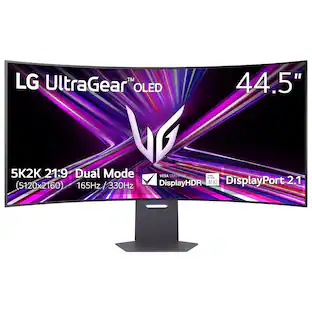 $1,499.99The price was $1,999.99
- $229.99The price was $319.99
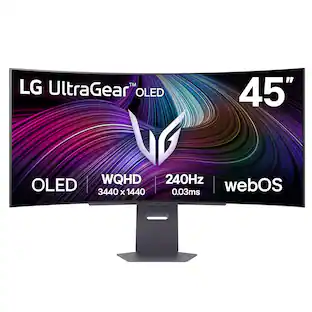 $999.99The price was $1,699.99
 $1,499.99The price was $2,099.99
- $379.99The price was $499.99