Rating 4.1 out of 5 stars with 90 reviews
4.1- Microphone Quality (32)
- Ease of use (4)
- Field of View (3)
- Focus (3)
Customer Images
The vast majority of our reviews come from verified purchases. Reviews from customers may include My Best Buy members, employees, and Tech Insider Network members (as tagged). Select reviewers may receive discounted products, promotional considerations or entries into drawings for honest, helpful reviews.
- Rated 5 out of 5 stars
Must buy! Excellent video and sound quality
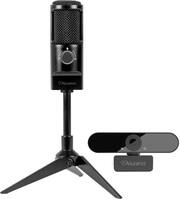
This is the 2nd Aluratek webcam I’ve bought because I want one for all of our computers! First of all, the quality is 1000x better than a laptop camera. The view is also waaaay wider than a laptop camera. The microphone is so nice so that you can have your laptop closed and still do Zoom chats. We also used the microphone to record voice recording for Build a Bears. Definitely worth the buy. Also I didn’t have to install anything.
Posted by kateui
- Rated 4 out of 5 stars
Microphone is great, jury is out on the webcam!
I love vintage-looking electronics (I have a vintage record player that sneakily has bluetooth capabilities and I even have a bluetooth typewriter), so I was in love with the look of this microphone. Set up of the microphone was seamless and I tested the microphone quality a few times while on work calls, to great results. The webcam wasn't as effective as I struggled to get a clear picture even after troubleshooting. All in all, I'm still thrilled with the microphone and its aesthetic so 1 out of 2 ain't bad :)
Posted by KrissieB
- Rated 3 out of 5 stars
Solid for beginner Broadcaster
This is a very fragile camera and has a hard time staying connected to the system. The microphone is better than your built in mic but not great for higher quality broadcasting. Great for a kid as a starter unit but not what you would want if you are looking to produce higher content.
Posted by CoachingSkul
- Rated 5 out of 5 stars
It looks nice and works well :)
First this is the perfect size for my work desk. Not clunky and it looks sleek and cute. It’s easy to use. My zoom coworkers can hear me better now too lol. Overall happy with my purchase
Posted by Tracy
- Rated 5 out of 5 stars
Great product for Zoom and other Virtual Meetings
Ordered this to improve the quality of my work meetings and Zoom classes! I'm so happy with it. I'm using it with my Macbook and it is very easy to switch to the webcam and microphone using the drop down options when Facetime, Zoom, or other apps are open. The webcam is much sharper than the Macbook webcam and also shows more in the image. It's great for multiperson videochats. It's also brighter and more vibrant! The microphone is also great with its three settings. One lets you mute yourself so that you know no sound is going through to the meeting. The other options let you focus in on your voice or work more like the computer, picking up any noises. The former section (tilting the control to the left) really accentuates the voice, making it much louder and clearer to hear. Overall impressed! Excited to see how my colleagues find the noise quality :)