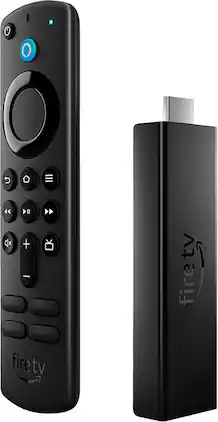
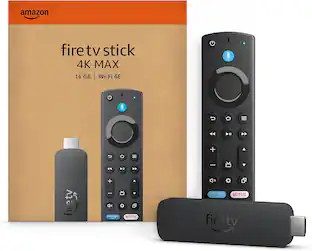
Amazon - Fire TV Stick 4K Max Streaming Media Player with Alexa Voice Remote (includes TV controls) | HD streaming device - Black
About this product
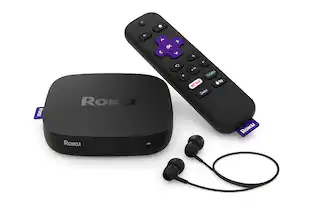
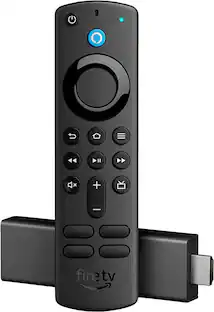
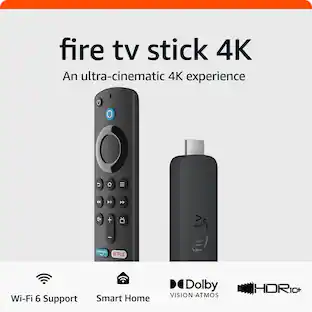
Our most powerful streaming stick with Wi-fi 6 support - Dive into 4K Ultra HD cinematic entertainment with a new quad-core 1.8 GHz processor that brings a 40% more powerful experience compared to Fire TV Stick 4K, plus faster app starts and more fluid navigation. Support for next-gen Wi-Fi 6 means you can enjoy smoother streaming across multiple Wi-Fi 6 connected devices. Enjoy vivid, lifelike colors with support for Dolby Vision, HDR 10, HDR10+, and the immersive audio of Dolby Atmos. Includes the Alexa Voice Remote with dedicated power and volume buttons to control your compatible TV, soundbar and receiver.
Series
Amazon Fire TV Stick 1st Gen 4K MaxOur most powerful streaming stick
40% more powerful than Fire TV Stick 4K, with faster app starts and more fluid navigation.
Support for next-gen Wi-Fi 6
Enjoy smoother 4K streaming across multiple Wi-Fi 6 devices.
Cinematic experience
Watch in vibrant 4K Ultra HD with support for Dolby Vision, HDR, HDR10+ and immersive Dolby Atmos audio.
Endless entertainment
Stream more than 1 million movies and TV episodes. Watch favorites from Netflix, Prime Video, Disney+, Peacock, and more, plus listen to millions of songs. Subscription fees may apply.
Live and free TV
Watch live TV, news, and sports with subscriptions to SLING TV, YouTube TV, and others. Stream for free with IMDb TV, Pluto TV, Tubi, and more.
Alexa Voice Remote
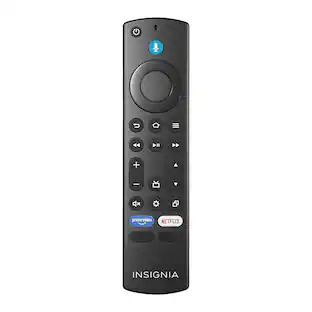
Search and launch content with your voice. Get to favorite apps quickly with preset buttons. Control power and volume with one remote.
Do more with your smart home
View the front door camera without stopping your show using Live View Picture-in-Picture. Ask Alexa to check the weather or dim the lights.
Game On
Fluid gameplay and fast-rendering graphics with a 750Mhz GPU. Access popular games with a Luna cloud gaming subscription.
Control your smart home
Ask Alexa to check weather, dim the lights, view live camera feeds, stream music and more.
- Featured Streaming ServicesNetflix, Hulu, Disney+, HBO Max, Prime VideoMaximum Supported Resolution2160p (4K)High Dynamic Range (HDR)YesOperating System CompatibilityFire OSRemote Control IncludedYesStorage TypeInternal, Cloud
Reviews
This product doesn't have any reviews yet.
Compare similar products
Our most powerful streaming stick with Wi-fi 6 support - Dive into 4K Ultra HD cinematic entertainment with a new quad-core 1.8 GHz processor that brings a 40% more powerful experience compared to Fire TV Stick 4K, plus faster app starts and more fluid navigation. Support for next-gen Wi-Fi 6 means you can enjoy smoother streaming across multiple Wi-Fi 6 connected devices. Enjoy vivid, lifelike colors with support for Dolby Vision, HDR 10, HDR10+, and the immersive audio of Dolby Atmos. Includes the Alexa Voice Remote with dedicated power and volume buttons to control your compatible TV, soundbar and receiver.

Our most powerful streaming stick - Elevate your entertainment experience with a powerful processor for lightning-fast app starts and fluid navigation.
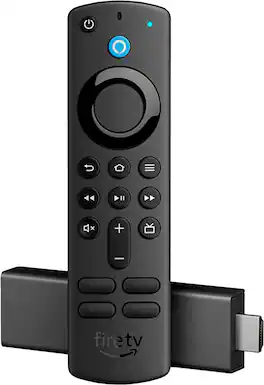
Vibrant 4K cinematic experience - Unlock a complete 4K Ultra HD experience with support for leading HDR formats, Dolby Vision, Dolby Atmos Audio, access to the latest 4K content, and a lightning-fast processor, Fire TV Stick 4K enables you to experience the beauty of 4K Ultra HD movies and shows on your TV. Includes the Alexa Voice Remote with dedicated power and volume buttons to control your compatible TV, soundbar and receiver. Plus, convenient preset app buttons make it easy to go directly to your favorite apps.

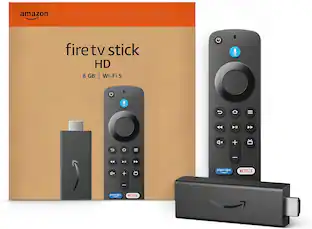
Stream in Full HD - Enjoy fast, affordable streaming in Full HD, and control it all with the Alexa Voice Remote.
| Pros for Amazon - Fire TV Stick 4K Max Streaming Media Player with Alexa Voice Remote (includes TV controls) | HD streaming device - Black | |||
|---|---|---|---|
| There were no pros for this product— | Overall Performance, Ease of use, Speed, Storage, Setup | There were no pros for this product— | There were no pros for this product— |
| Cons for Amazon - Fire TV Stick 4K Max Streaming Media Player with Alexa Voice Remote (includes TV controls) | HD streaming device - Black | |||
| There were no cons for this product— | Buffering, Remote Control, Lag | There were no cons for this product— | There were no cons for this product— |
Specs
Be the first to ask a question.
We’ll try to get your question answered within 24 hours by a Best Buy customer or brand representative.
Customers often buy these together
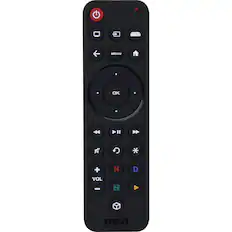
LG - 2025 Magic Remote
$51.95
NVIDIA - SHIELD Remote with Voice - Black
Clearance$25.99The price was $29.99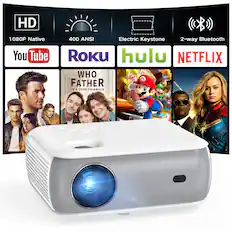
Groview - Native 1080p Bluetooth Mini Projector with Hi-Fi Stereo Speakers and 200-Inch Display Support
$69.99The price was $109.99


More to consider
Elevate your entertainment Sponsored
Discover related products
 $109.99The price was $159.97