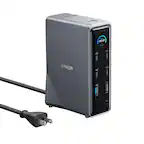
Anker - Prime Docking Station (DL7400), 14-Port Triple Display with DisplayLink, 140W Max USB-C Port - Gray
Related Item

Specifications
- Number of USB Port(s)7
- Key Specs
- Number of USB Port(s): 7
- General
- Brand: Anker
- Product Name: Prime Docking Station (DL7400), 14-Port Triple Display with DisplayLink, 140W Max USB-C Port
- Color: Gray
- Features
- Hub Type: USB hubs (The type of connection, such as Ethernet or USB, used to connect peripheral devices to the hub for shared access.)
- Ports
- Number of USB Port(s): 7
- Port Type(s): USB (USB 2.0 connects external drives, gaming controllers, smartphones, MP3 players and other accessories.USB 3.0 transfers data faster than USB 2.0, but only when used with USB 3.0 devices.USB Type-C provides fast speeds and versatile power, featuring connectors with identical ends that plug in upside down or right side up. Adapters allow for video as well as backward compatibility.Thunderbolt provides ultra-high bandwidth for fast data transfer between devices featuring a Thunderbolt or MiniDisplayPort connection.HDMI allows you to connect a projector or display HD media on your HDTV or monitor.Media card slots allow you to transfer photos from your digital camera or camcorder.)
- Dimensions
- Product Height: 1.97 inches (The out of box height of the item. Height is measured as the vertical distance from the bottom of the item to the top as it would be primarily used or placed.)
- Product Length: 7.68 inches (The out of box length of the item. Length is measured as the longest dimension of the item.)
- Product Width: 3.62 inches (The out of box width of the item. Width is measured as the horizontal distance from one side of the item to the other as it would be primarily used or placed.)
- Product Weight: 1.84 pounds (The out of box weight of the item.)
- Warranty
- Warranty - Parts: 24 months
- Warranty - Labor: 24 months
- Other
- UPC: 194644232849
Anker Prime Docking Station (DL7400), 14-Port Triple Display with DisplayLink, 140W Max USB-C Port, Smart Display and Built-In Cooling Fan, Up to 8K, For macOS and Windows, DisplayLink Driver Required
- 14 Powerful Connections: Designed for modern setups, featuring a 140W 10Gbps USB-C upstream port, two 100W 10Gbps USB-C ports, one 100W 5Gbps USB-C port, two HDMI ports, one DisplayPort, two 5Gbps USB-A ports, one 480Mbps USB-A port, a 2.5Gbps Ethernet port, a headphone and mic combo jack, plus SD and TF card slots for complete desktop connectivity.
- One 8K Output, Triple Display Versatility: Power up three external monitors at once, including one in 8K, for ultra-efficient multitasking. Compatible with both macOS and Windows setups. (Note: Only monitors that support 8K resolution can display in 8K. DisplayLink driver required.)
- Each Port Powers and Performs: Every USB-C port supports both charging and data transfer. Power your laptop with up to 140W via the upstream port, while each front USB-C port delivers 100W of high-speed charging. (Note: The front USB-C ports do not support media display.)
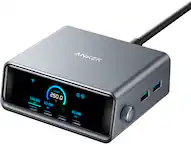
- Always Cool, Always in Control: View real-time updates on charging power, display performance, fan cooling mode, and settings directly from the smart display. The built-in fan and ActiveShield 3.0 help keep your device running cool and stable.
- What You Get: Anker Prime Docking Station (14-in-1, Triple Display, DisplayLink), USB-C to USB-C 3.2 Gen 2 cable for upstream port (3.3 ft, 10 Gbps), 6ft AC power cord, safety sheet with user manual QR code , 24-month warranty, and our friendly customer service.
- 14 Powerful Connections: Designed for modern setups, featuring a 140W 10Gbps USB-C upstream port, two 100W 10Gbps USB-C ports, one 100W 5Gbps USB-C port, two HDMI ports, one DisplayPort, two 5Gbps USB-A ports, one 480Mbps USB-A port, a 2.5Gbps Ethernet port, a headphone and mic combo jack, plus SD and TF card slots for complete desktop connectivity.
- One 8K Output, Triple Display Versatility: Power up three external monitors at once, including one in 8K, for ultra-efficient multitasking. Compatible with both macOS and Windows setups. (Note: Only monitors that support 8K resolution can display in 8K. DisplayLink driver required.)
- Each Port Powers and Performs: Every USB-C port supports both charging and data transfer. Power your laptop with up to 140W via the upstream port, while each front USB-C port delivers 100W of high-speed charging. (Note: The front USB-C ports do not support media display.)
- Always Cool, Always in Control: View real-time updates on charging power, display performance, fan cooling mode, and settings directly from the smart display. The built-in fan and ActiveShield 3.0 help keep your device running cool and stable.
- What You Get: Anker Prime Docking Station (14-in-1, Triple Display, DisplayLink), USB-C to USB-C 3.2 Gen 2 cable for upstream port (3.3 ft, 10 Gbps), 6ft AC power cord, safety sheet with user manual QR code , 24-month warranty, and our friendly customer service.
- 14 Powerful Connections: Designed for modern setups, featuring a 140W 10Gbps USB-C upstream port, two 100W 10Gbps USB-C ports, one 100W 5Gbps USB-C port, two HDMI ports, one DisplayPort, two 5Gbps USB-A ports, one 480Mbps USB-A port, a 2.5Gbps Ethernet port, a headphone and mic combo jack, plus SD and TF card slots for complete desktop connectivity.
- One 8K Output, Triple Display Versatility: Power up three external monitors at once, including one in 8K, for ultra-efficient multitasking. Compatible with both macOS and Windows setups. (Note: Only monitors that support 8K resolution can display in 8K. DisplayLink driver required.)
- Each Port Powers and Performs: Every USB-C port supports both charging and data transfer. Power your laptop with up to 140W via the upstream port, while each front USB-C port delivers 100W of high-speed charging. (Note: The front USB-C ports do not support media display.)
- Always Cool, Always in Control: View real-time updates on charging power, display performance, fan cooling mode, and settings directly from the smart display. The built-in fan and ActiveShield 3.0 help keep your device running cool and stable.
- What You Get: Anker Prime Docking Station (14-in-1, Triple Display, DisplayLink), USB-C to USB-C 3.2 Gen 2 cable for upstream port (3.3 ft, 10 Gbps), 6ft AC power cord, safety sheet with user manual QR code , 24-month warranty, and our friendly customer service.
A: The Prime Docking Station 14-Port (Model DL7400) does not support dual extended monitor usage with a MacBook Air 2020 running macOS. Devices running macOS only support Single-Stream Transport (SST) mode, which means that if you connect multiple monitors to the dock, the monitors will only mirror the MacBook screen, not act as individual extended monitors. If you want to achieve extended displays with your MacBook, you would need a docking station that utilizes DisplayLink technology, as this can enable extended mode for multiple monitors on a MacBook. Do note that DisplayLink-enabled docks require the installation of the DisplayLink driver and enabling the Screen Recording permission during installation. These steps are necessary for the extended display functionality on macOS.
A: The dock you mentioned should be able to work with your MacBook Pro with the M5 chip using DisplayLink technology. However, if you are experiencing lag issues and noting high CPU and GPU usage with the DisplayLink Manager, here are some steps you can take to troubleshoot the issue: Update DisplayLink Software: Ensure that you have the latest version of the DisplayLink Manager app installed. You can download it from the DisplayLink website: https://www.synaptics.com/products/displaylink-graphics/downloads/macos. Enable Screen Recording: Confirm that "Screen Recording permission" is enabled for the DisplayLink Manager in macOS. This is required for proper video output through the dock's DisplayLink ports (such as 2K HDMI and 2K DisplayPort). Check MacOS Updates: Update your macOS to its latest version. Compatibility and performance often improve with system updates. Optimize Dock Connection: Use the included USB-C to USB-C cable when connecting the dock, and ensure that the USB-C port on your MacBook supports DP Alt Mode. Avoid using adapters or USB-A to USB-C cables. Reboot and Reconnect: Disconnect the dock and unplug all connected devices. Reboot your MacBook, then reconnect the dock to see if performance improves. Compatibility Note: If the issue persists, you can try testing the dock with another laptop to confirm whether the lag is specific to your MacBook Pro. If you've tried these steps and still experience issues, the high usage of DisplayLink Manager may indicate limitations in handling extended displays or an interaction with your specific macOS setup. To reduce the strain on CPU/GPU, consider limiting the resolution or the number of monitors connected at the same time.
Compare similar products

Anker Prime Docking Station (DL7400), 14-Port Triple Display with DisplayLink, 140W Max USB-C Port, Smart Display and Built-In Cooling Fan, Up to 8K, For macOS and Windows, DisplayLink Driver Required

Anker Prime Docking Station, 14-Port with 160W Max Output, 10Gbps Fast Data Transfer, Real-Time Smart Interface, Audio and Ethernet Ports, Dual 4K Displays for Dell, HP, Lenovo and More

Anker Prime TB5 Docking Station, 14-in-1 Thunderbolt 5 Dock with 120Gbps Max Transfer, 140W Max Charging, Ambient LED Lighting, Cooling System, Up to 8K Display for Thunderbolt 5/4 Laptops

Anker 10-in-1 USB C Docking Station, Displaylink Docking Station with Dual HDMI and DisplayPort for Windows Laptops, MacBook Air/Pro 13/16 inch and More
Specs
Reviews
Customer Images
The vast majority of our reviews come from verified purchases. Reviews from customers may include My Best Buy members, employees, and Tech Insider Network members (as tagged). Select reviewers may receive discounted products, promotional considerations or entries into drawings for honest, helpful reviews.
- Rated 2 out of 5 stars
Could Be Better
I've had this dock about a month and every 2-4 days the connection to my monitor fails and sometimes even the USB ports fail. i have to shut everything down, unplug the dock, and reboot. Very irritating.
OmickaA Posted