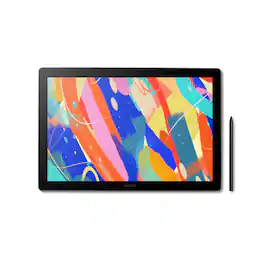
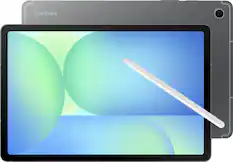
Wacom - MovinkPad 11, Android Mobile Drawing Tablet, 11.45" with Battery-Free Slim Pro Pen 3, 8GB RAM/128 GB Storage - Silver
Customers are saying
Customers appreciate the overall performance and portability of this device, noting that it is both quick and easy to navigate. Users also frequently highlight the high-quality pen technology and the anti-glare screen as standout features. Additionally, the lightweight design makes it a convenient choice for those who value simplicity.
Features
ALL-IN-ONE DESIGN:
11.45" Android 14 tablet, 8 GB memory/128 GB storage, battery-free, slim barrel Pro Pen 3, no computer needed; comes with Wacom Canvas app, 2 years of CLIP STUDIO PAINT DEBUT & trials of Ibis Paint, Magma blaze & Artwod training
INSTANT CAPTURE:
Tap and hold the pen on screen to instantly launch Wacom Canvas and start sketching or taking notes the moment an idea hits, just like opening a sketchbook or notebook.
UNMATCHED PEN PERFORMANCE:
Designed for MovinkPad, this slim version of Wacom Pro Pen 3, delivers 8,192 pressure levels, has three buttons, and comes with replacement nibs stored in the pen's back end.
PAPER-LIKE DRAWING EXPERIENCE:
Bright, sharp display with matte etched glass surface that feels like paper with subtle texture - reduces glare and fingerprints so you can focus on creating without distractions.
THIN, LIGHT, PORTABLE:
Weighs just 1.3lbs, lighter than most laptops and easily fits in a bag or backpack, supports popular digital pens (Dr. Grip, LAMY, STAEDTLER); goes wherever a sketchbook can go.
Specifications
- Screen Size11.45 inchesScreen Resolution2240 x 1400Multi-Touch ScreenYesActive Area11.45Color Gamut (Adobe RGB)99 percentTotal Storage Capacity128 gigabytes
Reviews
Rating 4.6 out of 5 stars with 48 reviews
- Overall Performance (19)
- Portability (14)
- Pen Performance (6)
- Screen Quality (5)
- Weight (3)
Customer Images
The vast majority of our reviews come from verified purchases. Reviews from customers may include My Best Buy members, employees, and Tech Insider Network members (as tagged). Select reviewers may receive discounted products, promotional considerations or entries into drawings for honest, helpful reviews.
Compare similar products
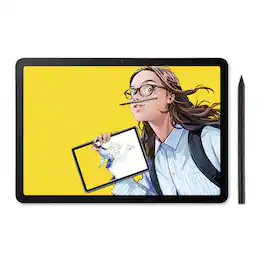
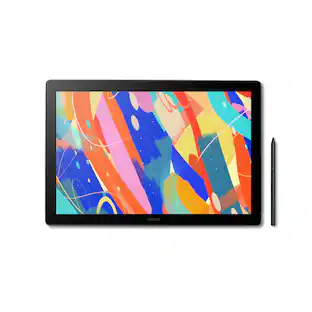
Wacom MovinkPad 11 is made for drawing - no cords, no setup, no limits. It's not just another mobile tablet. This all-in- one tablet is built by the digital pen experts for creatives who want the freedom to sketch anytime, anywhere - without needing a computer or power outlet. Just pick it up and start drawing. Its lightweight, has an 11.45" anti-glare etched glass screen, and runs on Android 14; MovinkPad 11 is always ready when inspiration hits. Just tap and hold your pen to the screen to launch Wacom Canvas and start sketching - no waiting, no fuss. Whether you're new to drawing, like to doodle on the couch, or are ready to capture ideas on the go, MovinkPad 11 delivers the pen experience Wacom is known for to help you create more, wherever you are. No limits - just draw.

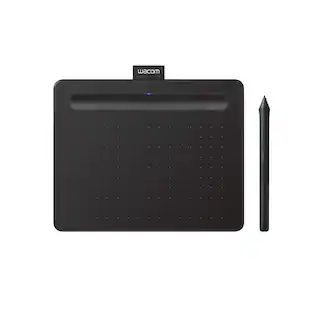
Ready to dive into digital art? The Wacom One drawing tablet is where your creative dreams begin. This graphics tablet with screen is the ideal pen display for creative beginners, casual artists, and visual thinkers looking to go digital or make the transition from traditional drawing. With a generous 14" anti-glare, anti-fingerprint screen and 98% sRGB color space coverage, you'll experience vibrant, true-to-life artwork with professional accuracy. The larger screen provides plenty of space to draw, sketch, annotate, or edit photos, while a smaller bezel means less real estate on your desk.
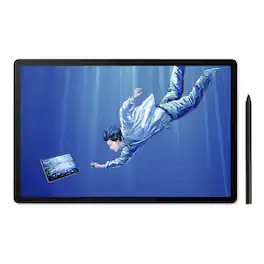
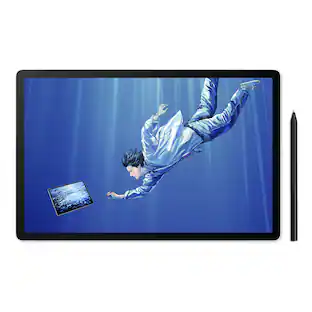
A new all-in-one experience for creative professionals - MovinkPad Pro 14. A mobile drawing tablet that brings Wacom's finest pen technology into a high-end digital art station that goes anywhere. With its 14" OLED display, Wacom Pro Pen 3, and Android 15 OS, it's professional tools with portable freedom to draw beyond the studio, the desk, the ordinary.Professional tools. Portable freedom. Draw BeyondIntroducing Wacom MovinkPad Pro 14: a new all-in-one mobile experience for creative professionals. A high-end digital art station that goes wherever you do - no laptop, no cables, no setup - just grab and go. Sketch during your flight, capture inspiration outdoors, or present concepts in client meetings. Built on Android 15 OS, your creative studio travels wherever inspiration calls.Portable all-in-one designThin, lightweight frame houses a creative studio powered by Android 15 OS w/included creative apps plus Google Play Store access - take professional-grade digital art anywhere without extra equipment.Powerful performance specsSnapdragon 8s Gen 3 processor with 12GB RAM delivers smooth performance during memory-intensive tasks and 256GB storage plus microSD slot provides ample space for all your creationsStunning 14" OLED DisplayCrisp 2.8K (2880 x 1800px) resolution with wide color gamut (100% sRGB & DCI-P3) for vivid colors and true blacks, with Premium Texture etched glass delivers pen-on-paper feel minimizing parallax.Best-in-class pen performanceDesigned for MovinkPad, this slim version of Wacom Pro Pen 3 delivers 8,192 pressure levels, never needs charging and includes replacement nibs stored in the pen's back end.How to get startedThe first place to start is the 'Wacom Tips' app. This app will guide you through the functions of each application, hardware settings, and how to get the included Clip Studio Paint special offer.Professional-Grade Power That DeliversDon't let the portability fool you, MovinkPad Pro 14 packs serious performance. The quad-core Snapdragon 8s Gen 3 processor with 12GB RAM ensures smooth operation during memory-intensive creative tasks, while 256GB storage (plus SD card expansion capability) provides ample space for your growing portfolio of work.Brilliant OLED display designed for pure creationExperience creation like never before with the stunning 14" 2.8K (2880 x 1800px) OLED display. True blacks, 100000:1 contrast, and 100% sRGB & DCI-P3 color coverage ensure your work appears exactly as intended across all platforms. The 120Hz refresh rate keeps your lines smooth and immediate while Direct Bonding technology eliminates parallax and lag. The Premium Texture matte glass is anti-glare and anti-fingerprint so nothing gets in the way of your creation.Where Technology Meets ArtistryAt the heart of MovinkPad Pro is the battery-free slim format Wacom Pro Pen 3: the culmination of >40 years of innovation. Delivering Wacom's most sensitive, accurate, and natural pen performance yet, it uses cutting-edge EMR technology to detect subtle variations in pressure, speed, and tilt for authentic artistic expression with unmatched precision.Instantly capture the momentStart creating the moment inspiration strikes. Just tap and hold the pen on the screen to wake up the tablet and launch the included Wacom Canvas sketching app - it's just like opening a sketchbook. All your sketches are saved in the Wacom Shelf file management system for easy access later.From Concept to Creation Without InterruptionGo from sketch to illustration without slowing down. You can seamlessly jump from Wacom Canvas into Clip Studio Paint to refine and perfect your drawing. Wacom MovinkPad Pro 14 comes with 12 months of Clip Studio Paint Debut and 6 months of Clip Studio Paint EX.New innovative features with Wacom LabJoin Wacom Lab's experimental creator community to beta-test cutting-edge features and services. Draw directly on applications running on your Windows or Mac and harness the full power of your computer.Included SoftwareWacom CanvasCapture ideas the moment they strikeWacom Canvas is the perfect digital sketchbook for doodles, sketches, and note-taking. It's as simple as possible, with just the essential tools - pencil, eraser, and ink - to limit distractions so you can stay focused on creativity. Quick Draw means it's ready to go as soon as inspiration strikes. Wacom Shelf saves everything for easy access. And once you're ready to take your work to the next level, Clip Studio Paint is only a single tap away.
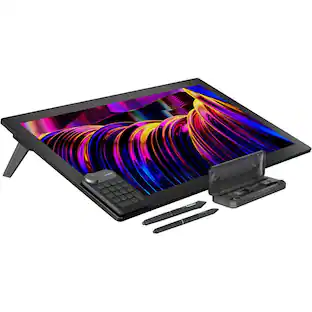
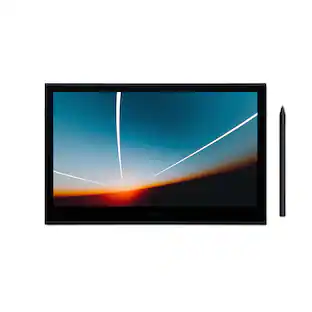
Dive into creativity with the new Wacom Cintiq 16 — a display that feels as natural as pen on paper and performs like a pro studio tool. Draw with natural feel and precision on a 2.5K WQXGA (2560 x 1600) display that brings out even the subtlest line work and textures, empowering illustrators and designers to work at a high level of precision. The anti-glare etched bonded glass surface feels like paper beneath your hand, while 99% DCI-P3 and 100% sRGB coverage ensure that colors are vibrant and adaptable to modern standards and workflows. The Pro Pen 3 captures every nuance with 8,192 pressure levels, 60° tilt support and 3 programmable side-switches. The 12ms LCD response time keeps pen movement fluid and natural — setting the standard others can only attempt to follow. With 8-bit color depth, increased brightness and exceptional contrast that makes shadows and highlights pop, you'll create your best work yet. Designed for comfort and flexibility, the Cintiq 16 comes equipped with built-in fold-out legs that raise the display to a 20-degree working angle right out of the box. For even more ergonomic versatility, an optional adjustable stand (ACK651KZ) is available separately, offering a range of angles to suit your preferred creative posture. Wacom Cintiq 16 (2025) delivers professional-grade precision at a price that puts premium creative tools within reach—because your talent deserves nothing less. Professional-grade performance. Streamlined design. Accessible price. Dive in with confidence—Cintiq 16 is ready.
| Pros for Wacom - MovinkPad 11, Android Mobile Drawing Tablet, 11.45" with Battery-Free Slim Pro Pen 3, 8GB RAM/128 GB Storage - Silver | |||
|---|---|---|---|
| Overall Performance, Portability, Pen Performance, Screen Quality, Weight | There were no pros for this product— | Portability, Overall Performance | There were no pros for this product— |
| Cons for Wacom - MovinkPad 11, Android Mobile Drawing Tablet, 11.45" with Battery-Free Slim Pro Pen 3, 8GB RAM/128 GB Storage - Silver | |||
| There were no cons for this product— | Connectivity | There were no cons for this product— | There were no cons for this product— |
Specs
Questions & Answers
Can you expand the memory with an SD card?
Answered by WacomThank you for your question. Our Wacom MovinkPad 11 does not feature expandable memory, if you are interested in a tablet with expandable memory, you may want to take a look at our Wacom MovinkPad Pro. Hope that helps!
Does this drawing tablet come with a stylus?
Yes, this drawing tablet comes with a stylus included.
This question and answer was generated by AI based on customer and product data.What is the battery life for this drawing tablet?
The battery life of this tablet is up to 9 hours.
This question and answer was generated by AI based on customer and product data.Are there any included software programs with this tablet?
Yes, Clip Studio Paint Debut and Wacom Canvas are included.
This question and answer was generated by AI based on customer and product data.How much storage does this tablet have?
This tablet has a total storage capacity of 128 gigabytes.
This question and answer was generated by AI based on customer and product data.

Customers often buy these together
![Keys-To-Go esc g - 07 2 1 # ! 3 1 2 Q W tab caps lock shift ctrl del PO P8 M PO a 1 18 back 0 17 + 1 - space E5 ( 1 * - I A & 9 O % 7 8 I / $ 6 I I 4 5 P 1 O ] U / T Y " enter E R a K L : H J F G > ? S D - < I N M 1 V B C alt etril X C 4 Z cmd opt alt start SC fn t cmd opt shift](https://pisces.bbystatic.com/image2/BestBuy_US/images/products/6585/6585256_sd.jpg;maxHeight=232;maxWidth=233?format=webp)





More to consider
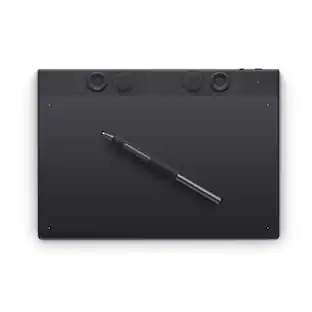 Top Deal$299.95The price was $379.95
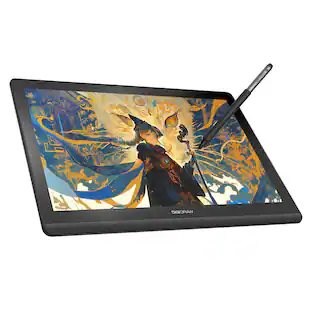 $295.00The price was $365.00
 Top Deal$69.95The price was $79.95

Explore tech essentials Sponsored
- Top Deal$299.95The price was $379.95
 $189.99The price was $229.99
 $179.99The price was $219.99


Discover related products
 $459.99The price was $599.00



Keep exploring
- $295.00The price was $365.00