Wacom - Cintiq 16 Drawing Tablet - Black
Customers are saying
Customers often highlight the impressive build quality of this product. Users frequently describe the construction as both solid and crisp, reflecting a high level of satisfaction with its overall design.
Features
Trusted By Creatives Worldwide
Wacom's decades of innovation, quality and reliability make it the go-to choice for artists, designers, and digital creators.
Immersive Creative Canvas
16" IPS display with 2.5K WQXGA resolution (2560 x 1600) delivers sharp, crisp, detailed visuals for digital art and design.
Wacom’s Best Pen Technology
Pro Pen 3 with 8192 pressure levels responds to your lightest touch; includes tilt support, 3 shortcut keys for tool access, and a holder that mounts to either side of the display with adjustable angle for quick access.
Natural Drawing Experience
Anti-glare bonded etched glass creates authentic pen-on-paper texture while reducing reflections and near-zero parallax, your cursor appears directly under your pen tip for precise control.
Studio-Ready Performance
12ms response time ensures lag-free drawing while 290 cd/m² brightness and 1400:1 contrast ratio deliver clear visibility and exceptional visual depth across all lighting conditions.
Cinematic Color Display
99% DCI-P3 and 100% sRGB coverage with 8-bit color depth delivers the wide color gamut used in modern displays and digital media - see your artwork as it's meant to be viewed.
Ready To Create
Built-in fold-out legs provide a 20-degree working angle or purchase adjustable stand for personalized comfort.
Connection
Includes USB-C cable to connect to Windows/Mac computers with DisplayPort Alt Mode or Thunderbolt 3 or 4 input (computers without DP Alt or TB 3 or 4 input require additional cables).
Specifications
- Screen Size16 inchesScreen Resolution2560 x 1600Multi-Touch ScreenNoActive Area13.6 x 8.5 inTotal Storage Capacity0 gigabytesBattery ChemistryNot battery powered
Reviews
Rating 4.7 out of 5 stars with 11 reviews
- Build Quality (3)
Customer Images
The vast majority of our reviews come from verified purchases. Reviews from customers may include My Best Buy members, employees, and Tech Insider Network members (as tagged). Select reviewers may receive discounted products, promotional considerations or entries into drawings for honest, helpful reviews.
Compare similar products
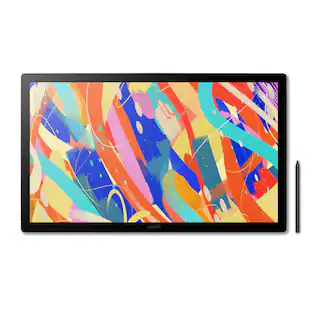
Dive into creativity with the new Wacom Cintiq 16 — a display that feels as natural as pen on paper and performs like a pro studio tool. Draw with natural feel and precision on a 2.5K WQXGA (2560 x 1600) display that brings out even the subtlest line work and textures, empowering illustrators and designers to work at a high level of precision. The anti-glare etched bonded glass surface feels like paper beneath your hand, while 99% DCI-P3 and 100% sRGB coverage ensure that colors are vibrant and adaptable to modern standards and workflows. The Pro Pen 3 captures every nuance with 8,192 pressure levels, 60° tilt support and 3 programmable side-switches. The 12ms LCD response time keeps pen movement fluid and natural — setting the standard others can only attempt to follow. With 8-bit color depth, increased brightness and exceptional contrast that makes shadows and highlights pop, you'll create your best work yet. Designed for comfort and flexibility, the Cintiq 16 comes equipped with built-in fold-out legs that raise the display to a 20-degree working angle right out of the box. For even more ergonomic versatility, an optional adjustable stand (ACK651KZ) is available separately, offering a range of angles to suit your preferred creative posture. Wacom Cintiq 16 (2025) delivers professional-grade precision at a price that puts premium creative tools within reach—because your talent deserves nothing less. Professional-grade performance. Streamlined design. Accessible price. Dive in with confidence—Cintiq 16 is ready.

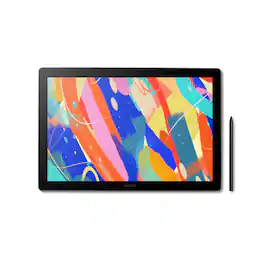
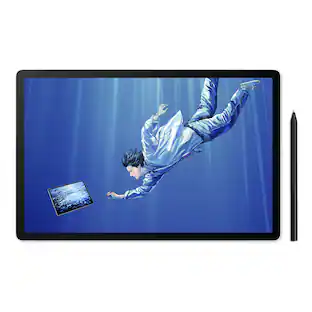
Wacom MovinkPad 11 is made for drawing - no cords, no setup, no limits. It's not just another mobile tablet. This all-in- one tablet is built by the digital pen experts for creatives who want the freedom to sketch anytime, anywhere - without needing a computer or power outlet. Just pick it up and start drawing. Its lightweight, has an 11.45" anti-glare etched glass screen, and runs on Android 14; MovinkPad 11 is always ready when inspiration hits. Just tap and hold your pen to the screen to launch Wacom Canvas and start sketching - no waiting, no fuss. Whether you're new to drawing, like to doodle on the couch, or are ready to capture ideas on the go, MovinkPad 11 delivers the pen experience Wacom is known for to help you create more, wherever you are. No limits - just draw.

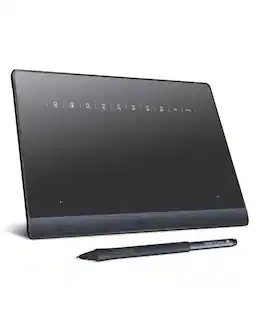
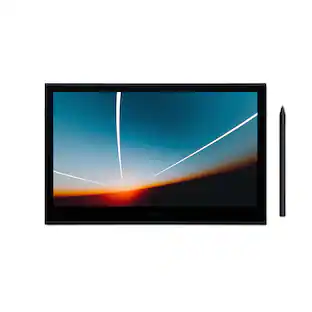
Ready to dive into digital art? The Wacom One drawing tablet is where your creative dreams begin. This graphics tablet with screen is the ideal pen display for creative beginners, casual artists, and visual thinkers looking to go digital or make the transition from traditional drawing. With a generous 14" anti-glare, anti-fingerprint screen and 98% sRGB color space coverage, you'll experience vibrant, true-to-life artwork with professional accuracy. The larger screen provides plenty of space to draw, sketch, annotate, or edit photos, while a smaller bezel means less real estate on your desk.
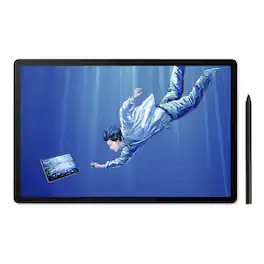
A new all-in-one experience for creative professionals - MovinkPad Pro 14. A mobile drawing tablet that brings Wacom's finest pen technology into a high-end digital art station that goes anywhere. With its 14" OLED display, Wacom Pro Pen 3, and Android 15 OS, it's professional tools with portable freedom to draw beyond the studio, the desk, the ordinary.Professional tools. Portable freedom. Draw BeyondIntroducing Wacom MovinkPad Pro 14: a new all-in-one mobile experience for creative professionals. A high-end digital art station that goes wherever you do - no laptop, no cables, no setup - just grab and go. Sketch during your flight, capture inspiration outdoors, or present concepts in client meetings. Built on Android 15 OS, your creative studio travels wherever inspiration calls.Portable all-in-one designThin, lightweight frame houses a creative studio powered by Android 15 OS w/included creative apps plus Google Play Store access - take professional-grade digital art anywhere without extra equipment.Powerful performance specsSnapdragon 8s Gen 3 processor with 12GB RAM delivers smooth performance during memory-intensive tasks and 256GB storage plus microSD slot provides ample space for all your creationsStunning 14" OLED DisplayCrisp 2.8K (2880 x 1800px) resolution with wide color gamut (100% sRGB & DCI-P3) for vivid colors and true blacks, with Premium Texture etched glass delivers pen-on-paper feel minimizing parallax.Best-in-class pen performanceDesigned for MovinkPad, this slim version of Wacom Pro Pen 3 delivers 8,192 pressure levels, never needs charging and includes replacement nibs stored in the pen's back end.How to get startedThe first place to start is the 'Wacom Tips' app. This app will guide you through the functions of each application, hardware settings, and how to get the included Clip Studio Paint special offer.Professional-Grade Power That DeliversDon't let the portability fool you, MovinkPad Pro 14 packs serious performance. The quad-core Snapdragon 8s Gen 3 processor with 12GB RAM ensures smooth operation during memory-intensive creative tasks, while 256GB storage (plus SD card expansion capability) provides ample space for your growing portfolio of work.Brilliant OLED display designed for pure creationExperience creation like never before with the stunning 14" 2.8K (2880 x 1800px) OLED display. True blacks, 100000:1 contrast, and 100% sRGB & DCI-P3 color coverage ensure your work appears exactly as intended across all platforms. The 120Hz refresh rate keeps your lines smooth and immediate while Direct Bonding technology eliminates parallax and lag. The Premium Texture matte glass is anti-glare and anti-fingerprint so nothing gets in the way of your creation.Where Technology Meets ArtistryAt the heart of MovinkPad Pro is the battery-free slim format Wacom Pro Pen 3: the culmination of >40 years of innovation. Delivering Wacom's most sensitive, accurate, and natural pen performance yet, it uses cutting-edge EMR technology to detect subtle variations in pressure, speed, and tilt for authentic artistic expression with unmatched precision.Instantly capture the momentStart creating the moment inspiration strikes. Just tap and hold the pen on the screen to wake up the tablet and launch the included Wacom Canvas sketching app - it's just like opening a sketchbook. All your sketches are saved in the Wacom Shelf file management system for easy access later.From Concept to Creation Without InterruptionGo from sketch to illustration without slowing down. You can seamlessly jump from Wacom Canvas into Clip Studio Paint to refine and perfect your drawing. Wacom MovinkPad Pro 14 comes with 12 months of Clip Studio Paint Debut and 6 months of Clip Studio Paint EX.New innovative features with Wacom LabJoin Wacom Lab's experimental creator community to beta-test cutting-edge features and services. Draw directly on applications running on your Windows or Mac and harness the full power of your computer.Included SoftwareWacom CanvasCapture ideas the moment they strikeWacom Canvas is the perfect digital sketchbook for doodles, sketches, and note-taking. It's as simple as possible, with just the essential tools - pencil, eraser, and ink - to limit distractions so you can stay focused on creativity. Quick Draw means it's ready to go as soon as inspiration strikes. Wacom Shelf saves everything for easy access. And once you're ready to take your work to the next level, Clip Studio Paint is only a single tap away.
| Pros for Wacom - Cintiq 16 Drawing Tablet - Black | |||
|---|---|---|---|
| Build Quality | Overall Performance, Portability, Screen Texture, Pen Performance, Weight | There were no pros for this product— | Overall Performance, Portability |
| Cons for Wacom - Cintiq 16 Drawing Tablet - Black | |||
| There were no cons for this product— | There were no cons for this product— | Connectivity | There were no cons for this product— |
Specs
Customers often buy these together



More to consider



Explore tech essentials Sponsored
Tangem Classic Crypto Hardware Wallet Cards for Bitcoin & Ethereum (2-Pack)
$49.99The price was $54.90HP Poly Voyager Legend 30 Wireless Noise Cancelling In-Ear Headset
Holiday Deal$72.99The price was $92.99


Discover related products
Apple 13-inch iPad Pro M4 chip Built for Apple Intelligence Wi-Fi 256GB with OLED
$1,019.99The price was $1,299.00Apple 13-inch iPad Pro M4 chip Built for Apple Intelligence Wi-Fi 1TB with OLED
$1,444.99The price was $1,899.00GEEKOM Air12 Mini PC , Intel Pentium Gold 7505, 8GB RAM& 256GB NVMe SSD, Business Desktop for Office, Win11 Pro Pre-installed
Holiday Deal$269.00The price was $599.00



Keep exploring
Huion Kamvas Pro 27 4K UHD 144Hz Pen Display for Professional Creators
$2,000.00The price was $2,199.00Viewedge 15.6-Inch Drawing Tablet with Screen, FHD, 16K Battery-Free Pen
$219.99The price was $299.99DigiDraw T410 Drawing Tablet for Graphics Drawing, 6.3 inch with 16384 Stylus Battery-free Pen
$49.99The price was $69.99