Rating 4.9 out of 5 stars with 442 reviews
4.9- Overall Performance (586)
- Screen Size (341)
- Speed (327)
- Battery Life (244)
- Weight (190)
- RAM (24)
- Price (6)
- Storage (6)
Customer Images
The vast majority of our reviews come from verified purchases. Reviews from customers may include My Best Buy members, employees, and Tech Insider Network members (as tagged). Select reviewers may receive discounted products, promotional considerations or entries into drawings for honest, helpful reviews.
- Rated 5 out of 5 stars
Impressive Performance and Sleek Design
I recently purchased the MacBook Air 15, and I must say it’s exceeded my expectations in every way. From its stunning design to its outstanding performance, this laptop has quickly become my go-to device for both work and leisure. Performance: The MacBook Air 15 is powered by the latest Intel processor, and it handles multitasking with ease. Whether I’m editing photos, streaming 4K videos, or running resource-intensive applications, this laptop delivers a seamless experience. It’s remarkably fast and responsive, making it a productivity powerhouse. Design: Apple has always been known for its sleek and elegant designs, and the MacBook Air 15 is no exception. The thin and lightweight profile makes it incredibly portable, and the Retina display is simply stunning. The colors are vibrant, and the text is sharp, making it a joy to use for both work and entertainment. Battery Life: One of the standout features of the MacBook Air 15 is its impressive battery life. I can easily get a full day’s work done without needing to recharge. This level of endurance is a game-changer for people constantly on the move. Keyboard and Trackpad: The keyboard is comfortable to type on, and the trackpad is spacious and responsive. Apple’s attention to detail in these areas really enhances the overall user experience. Connectivity: While it would be nice to have more ports, the MacBook Air 15 does offer a good balance of USB-C ports for various accessories. It’s worth considering a USB-C hub for expanded connectivity options. In conclusion, the MacBook Air 15 is a top-notch laptop that combines exceptional performance with Apple’s signature design. It’s a bit on the pricey side, but the value it offers in terms of power, portability, and battery life is well worth it. Whether you’re a creative professional or a student, this laptop is sure to impress.
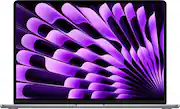
This review is from Apple - MacBook Air 15" Laptop - M2 chip Built for Apple Intelligence - 8GB Memory - 512GB SSD - Space Gray
Posted by Stone11111
- Rated 5 out of 5 stars
Macbook air 15 review!!!
I purchased this macbook about 5 months ago for school and it has been really helpful. I love how it connects to my iphone which makes everything so much easier to transfer between devices. The software and battery are really good so everything runs with ease while keeping a long battery life. At first I was indecisive with which laptop I wanted but my girlfriend suggest. that I buy this macbook and I do not regret that decision. Besides that it is easy to connect my airpods to and I really love the facetime features and how clear the camera quality is and the mic. Besides that It runs video games really well on the apple arcade that it provided a free trial for. I also played minecraft on here and that runs smoothly as well. Besides that the menu is not complicated at all and its very easy to find what you're looking for.
This review is from Apple - MacBook Air 15" Laptop - M2 chip Built for Apple Intelligence - 8GB Memory - 512GB SSD - Space Gray
Posted by ErickH
- Rated 5 out of 5 stars
Wonderful choice of an Apple computer!
Having always been a complete fan of Apple products, I am once again delighted with my choice of this Apple MacBook Air 15" Laptop! As a senior, it is everything I wanted in a computer. It is light-making portability so great, so very user friendly and easy to navigate and with a perfect, large screen-so easy to see!! It relieves me of constant use of my iPhone which, of course has unique features of its own and is very valuable to me, while affording me other features that are not available on my phone, one of which is banking features to be more .specific. Great battery life as well. I now feel that I have the best 2 devices to meet all my needs.
This review is from Apple - MacBook Air 15" Laptop - M2 chip Built for Apple Intelligence - 8GB Memory - 512GB SSD - Silver
Posted by iryj
- Rated 5 out of 5 stars
Great purchase!
Absolutely amazing computer, I do everything from watching shows to editing pictures on adobe, it has always worked really well. I’ve only had windows before but the macbook is surprisingly even better! It looked absolutely new, I got the “Excellent condition” of the open box and it was so worth it. I believe whoever got it before didn’t even use the machine, just opened the box.
This review is from Apple - MacBook Air 15" Laptop - M2 chip Built for Apple Intelligence - 8GB Memory - 512GB SSD - Space Gray
Posted by RebecaZ
- Rated 5 out of 5 stars
Apple, You Did It Again!
Apple has once again met my expectations. I just purchased a MacBook Air 15” (Space Gray) to replace my 12 year old desktop. The battery life is superb. I can go days without recharging. There is no need to keep it plugged in. It’s slimness and weight make it easily transportable from room to room. Thoroughly enjoying it!
This review is from Apple - MacBook Air 15" Laptop - M2 chip Built for Apple Intelligence - 8GB Memory - 512GB SSD - Space Gray
Posted by DoreenS