Apple - Thunderbolt 3 (USB-C) to Thunderbolt 2 Adapter - White
Customers are saying
Customers regard this adapter as a highly effective solution for bridging Thunderbolt 2 and USB-C connectivity, with many users specifically praising its seamless compatibility with Apple monitors. While the device is widely appreciated for its reliable performance, ease of use, and consistent speed, some users feel that the price point is higher than expected. Additionally, a small number of customers noted that the physical size of the product did not meet their specific requirements.
Use legacy Thunderbolt accessories, like storage devices or Thunderbolt displays, with MacBook Pro.
*Requires macOS Sierra.
Apple, the Apple logo and Mac OS are trademarks of Apple Computer, Inc., registered in the U.S. and other countries.
- Connector Type (End 1)ThunderboltGender (End 1)MaleConnector Type (End 2)ThunderboltGender (End 2)Female
Reviews
Rating 4.6 out of 5 stars with 1360 reviews
- Compatibility (372)
- Overall Performance (206)
- Thunderbolt 2 (135)
- USB-C (88)
- Ease of use (66)
- Price (138)
- Size (15)
Customer Images
The vast majority of our reviews come from verified purchases. Reviews from customers may include My Best Buy members, employees, and Tech Insider Network members (as tagged). Select reviewers may receive discounted products, promotional considerations or entries into drawings for honest, helpful reviews.
Compare similar products

The Thunderbolt 3 (USB-C) to Thunderbolt 2 Adapter lets you connect Thunderbolt and Thunderbolt 2 devices - external hard drives and Thunderbolt displays, for example - to any of the Thunderbolt 3 (USB-C) ports on your MacBook Pro. As a bidirectional adapter, it can also connect new Thunderbolt 3 devices to a Mac with a Thunderbolt or Thunderbolt 2 port.*

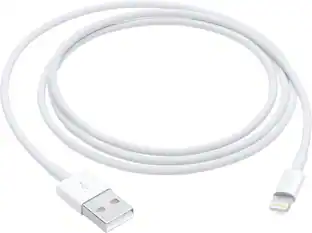
The USB-C to Lightning Adapter lets you connect your Lightning accessories to a USB-C-enabled iPhone or iPad to conveniently provide three key functions, charging, data and audio, with a single adapter. This adapter has a braided cable for added durability.

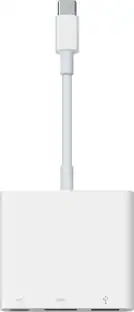
The USB Type-C digital AV multiport adapter lets you connect your USB Type-C enabled Mac or iPad Pro to an HDMI display, while also connecting a standard USB device and a USB Type-C charging cable.

The Apple USB-C-to-USB Adapter lets you connect iOS devices and many of your USB accessories to a MacBook with a USB-C port. Plug the USB-C end of the adapter into the USB-C port on your MacBook, and then connect your flash drive, camera or other standard USB device.
| Pros for Apple - Thunderbolt 3 (USB-C) to Thunderbolt 2 Adapter - White | |||
|---|---|---|---|
| Compatibility, Overall Performance, USB-C, Ease of use, Thunderbolt 2 | Compatibility, Overall Performance, USB-C, Connectivity, Ease of use | Compatibility, Overall Performance, Ease of use, Connectivity, HDMI | Compatibility, Ease of use, USB, Quality, Size |
| Cons for Apple - Thunderbolt 3 (USB-C) to Thunderbolt 2 Adapter - White | |||
| Price, Size | Price, Charging Speed | Price, Size, Ports, Heat | Cord Length |
Specs
Customers often buy these together




Customers ultimately bought
Explore tech essentials Sponsored
 $269.99The price was $299.99
 Top Deal$44.99The price was $49.99