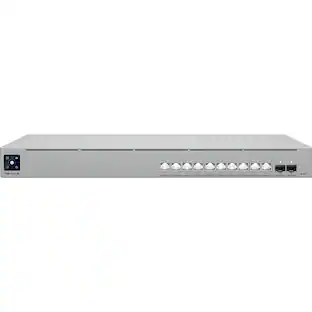
ASUS - QG-U1080 8-Port 2.5G + 2-Port 10G SFP+ Unmanaged Ethernet Switch - White
About this product
The QG-U1080 unlocks the full potential of Wi-Fi 6/7 APs. Unlike traditional Gigabit Ethernet switches, it removes performance limitations, delivering a superior and uninterrupted experience. Designed for high-performance networking, 10G SFP+ ports deliver ultra-fast speed, ensuring your infrastructure can handle the most demanding workloads. The QG-U1080 is ready for modern and high-end networking applications.
Upgraded 2.5G Ethernet Port and 10G SFP+
Seamlessly integrate with your existing Gigabit network and achieve up to 2.5 times the original speed! Just use standard Ethernet cables to enjoy faster network performance. Plus, it also comes with two 10G SFP+ ports for more advanced applications.
Plug and Play, Effortless Setup
Setting up your network has never been easier! Simply connect your devices, and you’re good to go—no complicated configurations required.
Simple but intelligent
Smart switch that empowers you with four powerful functions: port priority, EEE, port isolation, and static trunk. One switch is all you need to safeguard and optimize your home or business network.
Compact and Stylish Design
Compact, exquisite, and fanless design, combining functionality and aesthetics.
Versatile Networking Expansion
You can connect 2.5G-compatible devices, including NAS , AP, Gaming PCs, and 4K streaming devices to achieve a more comprehensive network setup.
- Switch Management TypeUnmanagedNumber of LAN Ports8
Reviews
Rating 5 out of 5 stars with 7 reviews
Customer Images
The vast majority of our reviews come from verified purchases. Reviews from customers may include My Best Buy members, employees, and Tech Insider Network members (as tagged). Select reviewers may receive discounted products, promotional considerations or entries into drawings for honest, helpful reviews.
Compare similar products

The QG-U1080 unlocks the full potential of Wi-Fi 6/7 APs. Unlike traditional Gigabit Ethernet switches, it removes performance limitations, delivering a superior and uninterrupted experience. Designed for high-performance networking, 10G SFP+ ports deliver ultra-fast speed, ensuring your infrastructure can handle the most demanding workloads. The QG-U1080 is ready for modern and high-end networking applications.

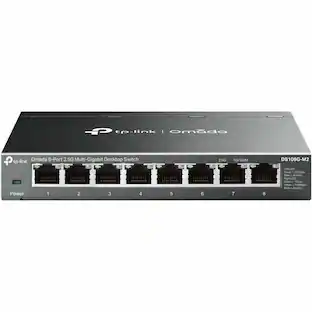
The TP-Link 2.5G Multi-Gigabit Unmanaged Switch TL-SG608S-M2 provides an easy way to expand your wired network. TL-SG608S-M2 delivers 2.5 times faster network performance than traditional Gigabit switches. It works with CAT5e, CAT6, CAT6a and above cables without upgrading your cabling. With eight 2.5G ports, TL-SG608S-M2 unlocks the peak performance of 2.5G Multi-Gig Bandwidth and Devices. TL-SG608S-M2 can be applied for multiple scenarios, including but not limited to LAN party, home entertainment, instant transfer for workstations, small and home offices. Its fanless design ensures silent operation, making it ideal for any use scenario.

The ASUS ExpertWiFi EBP15 offers versatile connectivity options. When connected to an ExpertWiFi router, the EBP15 can manage connected devices through ExpertWiFi AiMesh mode. When connected to a non-ExpertWiFi router, the EBP15 can still control connected devices using standalone mode. As businesses expand, owners can connect the wired router to EBP15 and access point for broader coverage, ensuring the scalability and extendability of ExpertWiFi.

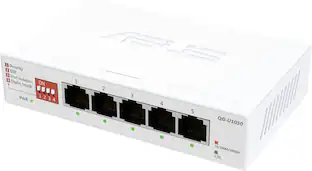
The QG-U1050 unlocks the full potential of Wi-Fi 6/7 APs. Unlike traditional Gigabit Ethernet switches, it removes performance limitations, delivering a superior and uninterrupted experience. Simply continue using your existing ethernet cables, and experience the seamless convenience of an effortless network upgrade that enhances your connectivity and performance.
| Pros for ASUS - QG-U1080 8-Port 2.5G + 2-Port 10G SFP+ Unmanaged Ethernet Switch - White | |||
|---|---|---|---|
| There were no pros for this product— | Overall Performance, Speed, Connectivity, Ease of Use, Setup | Overall Performance, Ease of use | There were no pros for this product— |
Specs
Is this metal or plastic?
Answered by ASUS AnswersThe ASUS QG‑U1080 network switch uses a plastic housing, finished in white, and weighs about 420 g.
I have 2 GB Internet service. When I plug my router into the switch I'm only getting 1gb speeds when this is supposed to be a 2.5gb switch. Is there a setting or anything that I am missing?
Answered by ASUS AnswersYour router's port or the connected device is likely only rated for 1 Gbps, because network speed is always limited by the slowest piece of hardware in your network. To resolve the connection speed problem, ensure the Ethernet cable is plugged-in into on your router 's 2.5G (or multi-gig) port and you are using a working Cat5e, Cat6, or Cat6a cable.
Are parental controls available on this ethernet switch?
Yes, parental controls are available on this ethernet switch.
This question and answer was generated by AI based on customer and product data.Is this ethernet switch an unmanaged type?
Yes, this ethernet switch is an unmanaged type.
This question and answer was generated by AI based on customer and product data.Does this ethernet switch require complicated configurations?
No, this ethernet switch does not require complicated configurations; simply connect your devices.
This question and answer was generated by AI based on customer and product data.

Customers often buy these together
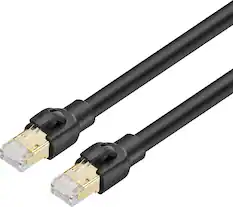
Ethernet Cables

Network Routers
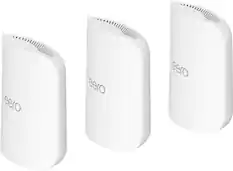
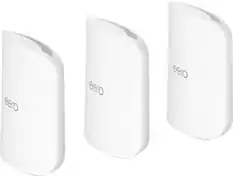
eero - Pro 7 Tri-band Mesh Wi-Fi 7 System (3-pack) - White
$599.99The price was $799.99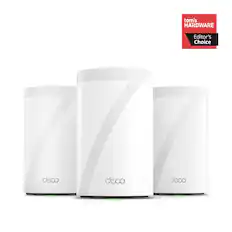
TP-Link - Deco 7 Pro BE11000 Tri-Band Wi-Fi 7 Whole Home Mesh Router System - Deco BE65 Pro (3-pack) - White
$459.99The price was $659.99
More recommended items
 Surge Protectors
 UPS Battery Backup Devices
 Modems
Customers ultimately bought

Explore tech essentials Sponsored
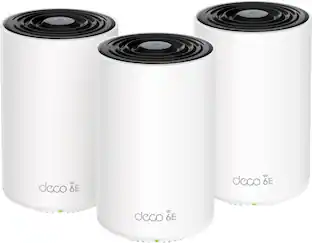 $309.99The price was $429.99

Discover related products
 $12.99The price was $13.99