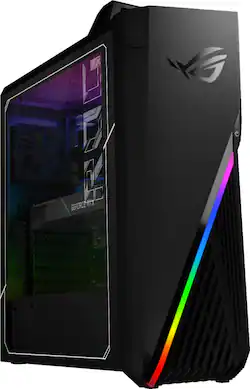
ASUS - ROG Gaming Desktop - Intel Core i7-9700K - 16GB Memory - NVIDIA GeForce RTX 2080 SUPER - 2TB HDD + 512GB SSD - Black
- Key Specs
- Processor Model: Intel 9th Generation Core i7 (Your computer's processor is like its brain. Working in combination with system memory, the power of the processor determines the complexity of software you can run, how many programs you can have open at the same time, and how fast those programs will run. Most computers feature an AMD, Intel or Snapdragon processor.)
- Storage Type: SSD, HDD
- Total Storage Capacity: 2512 gigabytes
- System Memory (RAM): 16 gigabytes (Random-access memory (RAM) is a computing device's short-term data storage, which allows active information to be accessed quickly. The size and type of RAM determines how efficiently the device can handle large amounts of information at one time. For example, gaming or video editing requires more RAM for optimal performance.)
- Graphics Type: Dedicated (Dedicated graphics uses a separate graphics card for processing video images. Because it does not use memory from the system's RAM, there is no extra burden on the CPU and graphics are processed more efficiently. Integrated graphics shares system RAM to process video images.)
- Graphics: NVIDIA GeForce RTX 2080 SUPER (Often referred to as a "graphics processing unit" (GPU), this device is responsible for displaying image content and decoding/encoding video content in programs and games.)
- General
- Brand: ASUS
- Model Number: G15CX-B10
- Product Name: ROG Gaming Desktop - Intel Core i7-9700K - 16GB Memory - NVIDIA GeForce RTX 2080 SUPER - 2TB HDD + 512GB SSD
- Color: Black
- Year of Release: 2020
- Processor
- Processor Brand: Intel
- Processor Model: Intel 9th Generation Core i7 (Your computer's processor is like its brain. Working in combination with system memory, the power of the processor determines the complexity of software you can run, how many programs you can have open at the same time, and how fast those programs will run. Most computers feature an AMD, Intel or Snapdragon processor.)
- Processor Model Number: 9700K
- CPU Base Clock Frequency: 3.6 gigahertz (Actual central processing unit (CPU) speed may vary by device configuration and design. The average rate at which the processor is able to execute tasks under normal operating conditions as asserted by the manufacturer.)
- Storage
- Storage Type: SSD, HDD
- Total Storage Capacity: 2512 gigabytes
- Solid State Drive Capacity: 512 gigabytes (The amount of data that can be stored on the device's solid state drive (SSD). SSD is a flash-based storage with faster speeds than a hard disk drive (HDD).)
- Hard Drive Capacity: 2000 gigabytes (The amount of data that can be stored on the device's mechanical hard drive. Hard disk drives (HDDs) typically have larger capacities than solid state drives (SSDs) but may have slower speeds.)
- Solid State Drive Interface: NVMe (Connects the solid state drive to the host system. PCI and SATA interfaces are the most common; PCI interfaces are typically faster, but SATA interfaces are compatible with a wider range of systems.)
- Memory
- System Memory (RAM): 16 gigabytes (Random-access memory (RAM) is a computing device's short-term data storage, which allows active information to be accessed quickly. The size and type of RAM determines how efficiently the device can handle large amounts of information at one time. For example, gaming or video editing requires more RAM for optimal performance.)
- Type of Memory (RAM): DDR4 (Each type of RAM delivers a different level of speed, bandwidth, energy efficiency and performance.)
- System Memory RAM Speed: 2666 megahertz (How fast the information-storing hardware operates. The faster the RAM, the faster memory can be transferred to other system components. Ultimately, faster RAM improves operational efficiency.)
- System Memory RAM Expandable To: 16 gigabytes (Adding more random-access memory (RAM) to a computer speeds up performance and improves efficiency. Upgrades to memory are limited by the number of expansion slots for additional RAM and existing RAM installed on the device.)
- Graphics
- Graphics Type: Dedicated (Dedicated graphics uses a separate graphics card for processing video images. Because it does not use memory from the system's RAM, there is no extra burden on the CPU and graphics are processed more efficiently. Integrated graphics shares system RAM to process video images.)
- GPU Brand: NVIDIA
- Graphics: NVIDIA GeForce RTX 2080 SUPER (Often referred to as a "graphics processing unit" (GPU), this device is responsible for displaying image content and decoding/encoding video content in programs and games.)
- GPU Video Memory (RAM): 8 gigabytes (Random-access memory (RAM) is a GPU’s, or graphics cards, short-term data storage, which allows active information to be accessed quickly. The size and type of RAM determines how efficiently the GPU can handle large amounts of information at one time. For example, larger amounts of RAM for gaming or video editing increases performance.)
- GPU Video Memory Type (RAM): GDDR6 (Each type of RAM delivers a different level of speed, bandwidth, energy efficiency and performance.)
- Compatibility
- Operating System: Windows 10 Home (The operating system manages all software and hardware, including files, memory and connected devices. Most importantly, it lets you interact with your device and your programs in a visual way; otherwise, you'd be typing computer code to get anything done.)
- Operating System Architecture: 64-bit (An operating system (OS) manages computer hardware, software resources, and programs in conjunction with the system's processor. 64-bit operating systems can handle more data at once than 32-bit systems, resulting in faster speeds, more effiency, and overall improved performance.)
- Connectivity
- Number of HDMI Outputs (Total): 1
- Number of DisplayPort Outputs (Total): 3
- Number of USB Ports (Total): 9
- Wireless Connectivity: Wi-Fi (The manner in which a device sends data to another device over a short distance without the use of wires or cables.)
- Wireless Standard: AC (The wireless networking protocol used by the device. Each iteration of the protocol is based on the 802.11 standard developed by the Institute of Electrical and Electronics Engineers (IEEE) Standards Association. Denoted by letters following 802.11 (802.11a, 802.11ac, etc.), each version, published in alphabetical order, encompasses all previous versions.)
- Number Of Ethernet Ports: 1
- Cooling
- CPU Cooling System: Air
- Expansion
- Number Of Internal 5.25" Bays: 1
- Number Of External 3.5" Expansion Bays: 1
- Number Of External 5.25" Expansion Bays: 0
- Number Of PCI-E x2 Slots: 1
- Number Of PCI-E x4 Slots: 0
- Number Of PCI-E x8 Slots: 0
- Features
- Size: Standard
- Dimensions
- Product Height: 19.6 inches (The out of box height of the item. Height is measured as the vertical distance from the bottom of the item to the top as it would be primarily used or placed.)
- Product Width: 16.6 inches (The out of box width of the item. Width is measured as the horizontal distance from one side of the item to the other as it would be primarily used or placed.)
- Product Depth: 7.3 inches (The out of box depth of the item. Depth is measured as the distance from the front of the item to the back as it would be primarily used or placed.)
- Product Weight: 24.3 pounds (The out of box weight of the item.)
- Certifications Listings & Approvals
- ENERGY STAR Certified: false (Devices carrying the ENERGY STAR service mark, such as computer products and peripherals, kitchen appliances, and other products, generally use 20% to 30% less energy than required by federal standards.)
- EPEAT Qualified: false (The Electronic Product Environmental Assessment Tool (EPEAT) was designed to provide an environmental assessment tool for purchasers. In order to qualify for EPEAT, a product must meet all 23 required criteria.)
- Included
- Included Software: Netflix, TripAdvisor and Microsoft Office 365 Personal (1 month subscription)
- Optical Drive Type: None (An optical disk drive (ODD) uses a laser light to read data from or write data to an optical disc. These discs include CDs, DVDs, and Blu-ray Discs. This allows you to play music or watch movies using prerecorded discs.)
- Keyboard Included: true
- Mouse Included: true
- Warranty
- Warranty - Parts: 1 year
- Warranty - Labor: 1 year
- Other
- UPC: 192876635704
ASUS ROG Strix G15CK Desktop: Annihilate your competition with this ASUS ROG gaming computer. The Intel Core i7 processor and 16GB of RAM deliver rapid performance during fast-paced action, while the 2TB HDD and a 512GB SSD provide plenty of storage for large files and downloads. This Bluetooth-enabled ASUS ROG gaming computer features an NVIDIA GeForce RTX 2080 SUPER graphics card for tear-free rendering of 4K games.
- Windows 10 operating system: Windows 10 brings back the Start Menu from Windows 7 and introduces new features, like the Edge Web browser that lets you markup Web pages on your screen. Learn more ›
- 9th Gen Intel® Core™ i7-9700K processor: Powerful eight-core, eight-way processing performance.
- 16GB system memory for intense multitasking and gaming: Reams of high-bandwidth DDR4 RAM to smoothly run your graphics-heavy PC games and video-editing applications, as well as numerous programs and browser tabs all at once.
- 2TB hard drive and 512GB solid state drive (SSD) for a blend of storage space and speed: The hard drive provides ample storage, while the SSD delivers faster start-up times and data access.
- NVIDIA GeForce RTX 2080 SUPER graphics: Driven by 8GB GDDR6 dedicated video memory to quickly render high-quality images for videos and games.
- 1 USB Type-C port: To maximize performance on the latest high-speed devices.
- 2 USB 2.0 ports: Quick plug-and-play connectivity for your devices and accessories.
- Next-generation wireless connectivity: Connects to your network or hotspots on all current Wi-Fi standards. Connect to a Wireless-AC router for speed nearly 3x faster than Wireless-N. Gigabit LAN port also plugs into wired networks.
- Bluetooth 5.0 interface syncs with compatible devices: Wirelessly transfer photos, music and other media between the desktop and your Bluetooth-enabled cell phone or MP3 player, or connect Bluetooth wireless accessories.
- Basic software package included: 1-month trial of Microsoft Office 365 Personal.
- Additional ports: Microphone and headphone jacks. Subwoofer port.
Whats Included
- ASUS ROG Strix G15CX B10
- Mouse, keyboard
Q: How hot does CPU, and GPU run under load.
A: I've noticed mine runs around 80. I'm looking into cooling options.
Q: What is the motherboard on this computer ?
A: ASUS ROG Strix ITX form factor (small) 1 (one) PCIe x16 slot for GPU Card 2 RAM slots DDR4 1 DIMM2 NvME slot 5 total fan headers (1 CPU, 4 case) 1 RGB 12v header (4-pin) 4 SATA6 slots, 2 free WI-FI included as card on MB
A: Technically yes you can, but CAS 16 @2400 isn't exactly great. You could look who makes your memory with Thaiphoon Burner and match the CAS and Speed. If you do decide to go with that Crucial Ram. The slower stick will bottleneck the other assuming one is faster than the other. You want memory that is at "least" 3200 with decent CAS. Look at Corsair Vengeance or Dominator.
A: PSU = 750W 80+ Gold rated Semi-modular (cant see MFGR) I7 9700K with Air Cooler for CPU GeForce RTX 2080 Single-Fan reference card 8GB VRAM Realtek Surround 8-channel on-board sound 2 RAM Slots - 1 used with 16 GB Chip (total Upgradability is 32GB, PC 3600 Max freq.) there are three unused fan headers and one unused RGB header on the Motherboard. the case is cramped and very hard to work inside of (upgrading next to impossible) RGB Lighting looks nice CPU Coolers will have to be smaller
Q: Can I add more case fans into this? if so where? also what size is the back case fan?
A: Fans are 92MM on the cooler and the back of the case. There is room on the front bottom for fans, and maybe with work an AIO Cooler, but I wouldn't bother, this is not the machine for that. I am adding a 120mm fan to the bottom on the front as an intake fan. You have to carefully pry off the front plastics, and you're risking breaking it, YMMV. Upgrading the stock cooler is a must, but the only one I have found worth its salt is a Noctua NH-U9s. I did try and ASETEK 92MM AIO liquid cooler and it was not enough or defective.
Q: Is it possible to use dual monitors?
A: Yes you can. You can use different types of connectivity ports on the gpu.
A: It has a full size asus brand super 2080 card. Unfortunately, it takes up so much room that you can’t add anything else to the motherboard
People also viewed
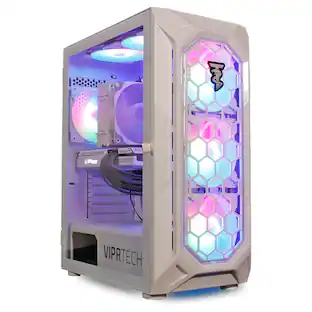 $669.99The price was $699.99
 $3,344.00The price was $4,180.00
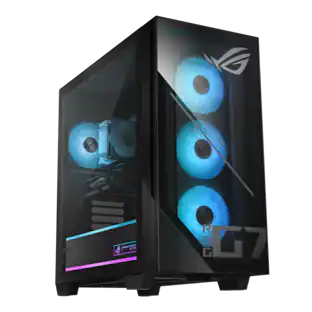 $1,219.99The price was $1,499.99
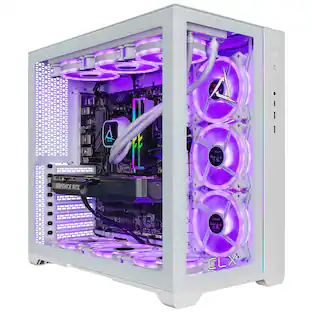 $2,949.99The price was $3,277.05
 $2,069.99The price was $2,299.99
 $1,074.99The price was $1,343.74
 $1,969.99The price was $2,299.99

Today's top picks
 $199.99The price was $249.99
 $149.99The price was $239.99
 $789.99The price was $1,049.99











