Deals for every list.Start early, save early.Shop now

Skip to contentGo to Product Search
Main Content

ASUS - V16 16" 2K Gaming Laptop - Intel Core 7 Processor 240H with NVIDIA GeForce RTX 5050 - 8GB Memory - 512GB SSD - Black

Model: V3607VH-VS/V16_75
SKU: 6683982
Sold byBest Buy

About this product

Meet the ASUS V16, your all-access pass to gaming and creating on the move. A 16-inch 144Hz display with a 16:10 aspect ratio and 100% sRGB color keeps fast action smooth and detail sharp, while the anti-glare finish cuts reflections wherever you set up. Inside, an Intel Core 7 Processor 240H and the NVIDIA GeForce RTX 5050 Laptop GPU with 8GB GDDR7 bring ray tracing and DLSS 4 to your games and AI acceleration to your creative projects. ASUS IceCool thermal technology with dual fans and heat pipes holds performance steady through long sessions. 8GB of DDR5 memory handles heavy multitasking, dual memory slots leave room to expand, and a 512GB PCIe 4.0 NVMe SSD loads large files almost instantly. Wi-Fi 6, HDMI 2.1, USB Type-C with display output and charging, and a 63Wh battery in a 4.30 lb chassis mean you're ready to go anywhere.

Highlights

Features

  • WINDOWS 11 HOME, READY TO GO

    Sign in and start playing, creating, or working right away with Windows 11 Home preinstalled.

  • EXPERIENCE EVERY FRAME

    A 16-inch 16:10 display with a 144Hz refresh rate keeps fast action smooth, while 100% sRGB color and an anti-glare finish keep visuals clear in any lighting.

  • POWERFUL PERFORMANCE

    An Intel Core 7 Processor 240H powers through demanding games and creative projects with swift multitasking, so nothing slows you down mid-session.

  • IMMERSIVE INTENSITY

    The NVIDIA® GeForce RTX™ 5050 Laptop GPU with 8GB GDDR7 brings real-time ray tracing and DLSS 4 to your games, plus AI acceleration that speeds up creative work.

  • MEMORY BOOST

    8GB of fast 5600MHz DDR5 memory handles heavy multitasking without compromise, and dual memory slots let you expand when your workload grows.

  • BLAZING SPEED

    A 512GB PCIe® 4.0 NVMe™ SSD loads large files and intricate game worlds almost instantly, so you spend less time waiting and more time playing.

  • GAME HARD, STAY COOL

    ASUS IceCool thermal technology with dual fans and heat pipes keeps the CPU and GPU at peak performance through long sessions, with quiet operation under standard mode.

  • CONNECT WITH CONFIDENCE

    HDMI 2.1 for an external monitor, two USB Type-A ports for your gear, USB Type-C with display output and charging, plus a 3.5mm combo audio jack. No dongles needed.

  • TWO MONTHS OF GAME PASS PREMIUM

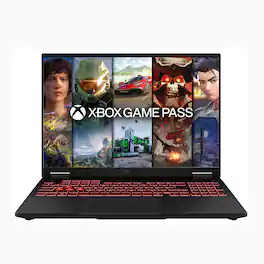
    Play hundreds of high-quality PC games right out of the box with 2 months of Game Pass Premium included. Terms Apply*

Specifications

  • Screen Type
    IPS
    Screen Size
    16 inches
    Screen Resolution
    1920 x 1200 (WUXGA)
    Touch Screen
    No
    Refresh Rate
    144Hz
Sponsored

Reviews

Rating 3.6 out of 5 stars with 16 reviews

56% would recommend to a friend

Customer Images

The vast majority of our reviews come from verified purchases. Reviews from customers may include My Best Buy members, employees, and Tech Insider Network members (as tagged). Select reviewers may receive discounted products, promotional considerations or entries into drawings for honest, helpful reviews.

  • Rated 3 out of 5 stars

    Solid Performer in Need of Some Future Help

    Just to ground this review, I am a more casual gamer and have used desktop machines up to this point. I do like open world shooters and RPGs so I tested this ASUS V16 V3607VH (the model number listed in the system info) using Cyberpunk 2077 which is my most demanding game right now. Unboxing: Packaging for the laptop was well done with a carrying handle on the box and the contents were well protected. There wasn’t much in the box beyond the laptop and charging brick with cord. The charger is proprietary which is probably typical for a gaming machine since power requirements are critical for high performance gaming. The plug on the charging cord can be inserted into the rectangular jack in either orientation, so none of that USB-A “which side is up?” shenanigans. It does appear that the USB-C port will also charge the battery if a different power supply needs to be used. There is no documentation included other than a simple quick start guide. I assume ASUS will have a full manual online once the machine officially releases in the U.S., but there was none during my review period. Laptop upgrade capability: I was disappointed there wasn’t an access port on the bottom of the chassis for a memory and SSD upgrade. Instead you will have to take off the entire back panel. It requires removing 10 screws and prying off the back using a plastic pry tool or credit card. It is likely you will need to upgrade the system memory to 16GB for the next generation of open world games like GTA6. Eight GB of RAM is definitely marginal in today’s gaming world. I was happy that the supplied 8GB of memory is on one stick with a second open slot. That means you will only need to buy one additional 8GB DIMM to upgrade. Having both slots filled provides another boost in performance since memory management will be more efficient. Set up: Start up was pretty typical for a Windows machine. Even with all the updates and assuming the graphics drivers were installed, I still needed to use the NVIDIA app to actually get the right drivers installed and ready to go. The app also establishes optimum settings for any installed games. I used that to adjust the Cyberpunk settings before trying it out. The lighted keyboard is pretty basic with blue backlighting on most the the keys and brighter white lighting on the arrow and WASD keys. The white light tends to wash out the key markings at the highest setting. The blue lighting illuminates just the key labels on the other keys and the markings are easy to make out. The keyboard lights have settings for auto off depending on if the machine is plugged in or running on the battery. I could not find any way to adjust the color of the highlighted gaming keys, so it appears they will always be highlighted as white and cannot blend in with the rest of the blue-lighted keyboard. The touch pad and key feel is satisfactory, but not as good as some other computer brands that I have experience with. Keystrokes are quiet and unobtrusive. The laptop is quiet when performing any non-gaming computer activities. Once you start playing a resource-demanding game, the fans kick on right away. The noise is noticeable, but not to the point of being annoying. The heat on the bottom of the chassis does not get uncomfortable. Gaming test: I loaded Cyberpunk 2077 to test out frame rates and to see if there was any stuttering. With settings optimized by the NVIDIA app, most settings were at “medium” or “high”. Resolution was 1920 x 1080. Gameplay was smooth and I didn’t notice any glitching as I moved around the map and new play areas loaded. That was surprising given the 8GB of memory. Maybe if I had interacted deeper with more gameplay going on, issues may have occurred. In general, visuals appeared as good as when I play on a more powerful desktop machine. Frame rates were also really good. The highest I saw was slightly over 200FPS, but typically ran around 140FPS. I bumped up some settings for fog and shadows and still maintained similar frame rates. Performance can sometimes be impacted with advanced settings for these game effects, but performance was pretty impressive for a lower end GPU. The DLSS capability (an NVIDIA developed technology) in the GeForce RTX 5050 is obviously pretty effective. This laptop more than meets my needs for any existing titles. I think GTA6 will absolutely require me to upgrade the memory to 16GB. I also think having a larger SSD is something that will be needed since that particular game is thought to need 200GB of storage and that is a good-sized portion of the 500GB SSD that comes in this laptop. There is only one SSD slot which makes it more difficult to add larger hard drive storage and also makes it more expensive to do so. Overall, this is a solid machine that should handle most current generation games with good quality performance and visual execution. But it is likely a RAM upgrade will be required for some next generation games depending on the specs of the particular games the user wishes to play. This soon-to-be-needed RAM is my reasoning for giving the ASUS V3607VH an “average” score of 3 stars.

    Posted by pillboy

  • Rated 4 out of 5 stars

    Excellent for every day-but benefits from more ram

    The laptop was nicely boxed – as Asus always does. When I opened the computer up, I was immediately impressed at the size of the trackpad, at nearly 6 inches by 4 inches. However, this resulted in the keyboard function row and arrow keys being shorter in height. The case is entirely plastic, but feels sturdy enough, and in general use, I did not notice any real flex. The hinges were firm, and held the screen in place with no wobble. On the left side, there is an HDMI port, a USB-C port, a USB-A port, a charging port, and headphone jack. On the right side there is a one USB-A port. The speakers are bottom firing, and have plenty of volume. There is a front facing 1080P camera in the top bezel, and it has a security shutter. The computer screen is an IPS, 16 inch anti-glare, anti-reflective, with some decent specs. Refresh rate of 144Hz, resolution of 1920 X 1200 and 300nits brightness. In use, I found the screen bright enough at about 85 in a lit room, with fairly wide viewing angles. The color gamut is excellent, and in the “My Asus” app, there is “Splendid”, where you can customize color saturation, color temperature, etc. However, it is not a touch screen.... The large track pad is a precision smooth glide, with hydrophobic coating, and anti-fingerprint layer. Using the pad, it felt very smooth, and the “clicks” worked perfectly. Also, in the My Asus app, you can set “Smart Gestures” with zones on top, sides and diagonal, to control volume, brightness, etc. The keyboard is excellent, with good travel and feel when typing. The keys are backlit with three levels of brightness. The back light timing can be set in My Asus app. However, the W, A, S, D, and arrow keys are translucent and brightly lit for gaming purposes, but the actual symbols on the keys are difficult to see. As mentioned before, the function row, and arrow keys are half size in height. The processor is an Intel Core 7 Series 2, 10 core, 16 thread, running 2.5GHz, with a boost frequency of 5.2GHz. This processor seems to be quite capable and runs apps well. There is no NPU. Battery life was to be as expected – running a 16 inch screen at fairly bright settings, I saw a little under 4 hours. While gaming, at full charge, it appears to be around 1 ½ hours. The video card is an Nvidia GeForce RTX 5050, with 8Gb GDDR7. I installed a couple games and proceeded to check performance while the Nvidia graphics card is running. I loaded a little older game – God of War – and checked frame rate with game on medium to high settings. The game ran from a low of 17 FPS to a high of 42 FPS, and was choppy at times. I decided I was going to add another 8Gb of system ram to see if that improved performance. Opening the back, the large heat pipes are visible, and peeling back the tape over the existing ram reveals the second slot for additional ram. The ram can be upgraded to a maximum of 64Gb. I installed additional 8Gb for total of 16Gb. After adding system ram I tested game performance again. With the additional ram, the improvement amazed me. Same game, same scene, and frame rates increased tremendously. Now a low of 48 FPS, and max of 85 FPS. The game averaged mid 60's to mid 70's, and ran smoothly and fluid. I was amazed – the computer was transformed into a respectable gaming laptop... The fans did kick into high and were audible, but not distracting. The area above the keyboard got warm, I measured 117 degrees, but the rest of the keyboard remained relatively cool. I rate 4 stars due to limiting factors if purchased mostly for gaming purposes... The ram is minimal with only of 8Gb DDR5 5600Mhz installed. After removing unnecessary apps and limiting any start up tasks it did run every day tasks well. But when loaded with multiple apps, browser tabs, downloads, it did tend to slow. The SSD is only 512Gb, with no second SSD slot, and no SD card slot. This limits storage, and just a few large games or apps will fill it quickly. I recommend this computer – especially if on sale – as an excellent choice for every day tasks and mild gaming. But if purchased with more serious gaming in mind, I would recommend having additional ram installed, and an external storage device.

    Posted by ebk02

  • Rated 3 out of 5 stars

    I expected more for the cost, but it's alright.

    The state of the gaming market is a shame right now, and I think this computer exemplifies that. You've got an entry level GPU, an entry level SSD, substandard RAM, at a midrange laptop price. A few years ago, the money this cost would have bought you something notably better, but alas. If you want a decent entry level gaming laptop, you're going to have to pay up. Even so, there's a number of caveats with this computer that I think a buyer should be aware of. To begin with, there IS a lot of good. Even though the chassis is made entirely of plastic, it's sturdy. There's no hollow clack to it, no flexing of the body when you press it a little. It just feels nice. Additionally, the lid can be open with only one finger, without holding the body in place. It's a sign of a well-balanced hinge, and not all laptops are made with that level of care. Make no mistake, this is a well constructed computer. The port selection isn't incredible, but it's not terrible, either. You've got a couple USB A ports, a USB C, the proprietary charging port, an HDMI port, and a headphone jack. For most people, you can do everything you need with those alone, even if you have to use a USB hub to utilize more than a few accessories. I also like that you can charge the computer through the USB C port, as well as the proprietary charging port. It's good to have options, and while I wish it just came with another USB C port and a dedicated USB C charging adapter to begin with, I still appreciate that they give users a choice. The screen looks great, too. It's no OLED panel or anything, but it still has excellent brightness, very good color, and great contrast. It also has solid angles, too, so you don't have to worry about staring at it at precisely the right angle to see properly. Additionally, it has a matte texture, so it's not reflective, and doesn't collect dust or fingerprints or anything as easily. There's a few things about this laptop that are a mixed bag. First and foremost, how reparable and upgradable it is. The bottom panel is held on with 10 screws, 4 of which are smaller than the other 6. They're just Phillips head screws, so they're easy enough to remove with a standard tool kit. The issue is actually getting the panel off: I've rarely had so much difficulty prying a panel off a laptop before. It's on there tight enough that it damaged my plastic opening tool I normally use for opening devices up. It took much more effort than normal, and I unintentionally ended up damaging the edge of the panel as a result. Beneath the panel, you have a relatively accessible motherboard. The battery is easy enough to see, the RAM is visible, the SSD is on the side. I wish there were more than one SSD slot, so you could just put in any extra SSDs you may have, rather than needing to find one that's actually larger than the one that's in there for it to be worth the effort, not even mentioning reinstalling Windows. One other problem I have in taking off the bottom panel is that it exposes a misleading bit of marketing from Asus. By the keyboard of the computer, there's a sticker that has a few points talking about the computer's features. One of them says, "dual memory slots improve system responsiveness." That's not quite true - dual channel RAM, or having a stick of RAM in each of the open slots, is what improves performance. Not just having two slots. The thing is, there are two slots, but only one is occupied. You can upgrade your RAM pretty easily - if you can afford DDR5 - but it makes it seem as though Asus wants you to believe that it's already dual channel. Leaves a bit of a bad taste in my mouth. Speaking of RAM, you're really, really going to notice that there's only 8GB, at least if you stay on Windows. When opening Edge to dowload Firefox, it froze several times, remaining unresponsive for several seconds at a time, numerous times, before I could even open a webpage. The same thing happened within Firefox as well. Opening Task Manager, I was using about 85% of the system memory just by having a single tab open. Not great. It seemed to improve as I continued to use the computer, so maybe it just needed to warm up, but still. Now, for the main draw of the computer: Gaming. I downloaded Elden Ring, as I thought it would be a decent test for the 5050. It's a slightly older game, but it's not the easiest thing in the world to run. I played for about an hour, exploring Limgrave and hanging out in Roundtable Hold. The fans immediately began to ramp up, remaining at what seemed to be the max speed, for the entire duration of play. It was almost as loud as the game was. Pretty obnoxious, if you're not using headphones. A little over an hour after beginning, the computer crashed after the GPU overheated. I had the laptop on a flat surface, lifted up to ensure it got airflow. I was just outside Stormveil castle, and playing on high, so a pretty demanding area, but even so, I didn't expect a full-blown system crash. Other than the crash, the game was mostly running great. It had a few moments where it had massive stutters for a couple seconds, but they were few and far between, and Elden Ring just kind of tends to do that on PC anyways. I wasn't sure if it was the computer or not. I'll also mention that the fans just kind of ramp up doing almost anything. No joke, I opened a single tab on Firefox and did an internet speed test. The fans went to full volume as it began, even though nothing else was open. It feels a little like they put too much effort into making it relatively thin, and didn't pay enough attention to thermals. I think that if you want to use this computer, you should invest in one of those lap desks with built in cooling fans for laptops. I think you just need extra airflow if you're going to play anything demanding. It's hard to give this a straight recommendation. This computer will do what you want it to do, and it's put together well, but it's hard to feel like it's worth the cost for what you have to contend with.

    Posted by Ben Reed

  • Rated 4 out of 5 stars

    Acceptable Gaming, Better Suited for Productivity

    For the last week I've been testing the ASUS V16 16" 2K Gaming Laptop. The version I received came equipped with the Intel Core 7 240H Processor, an NVIDIA GeForce RTX 5050 Graphics card, 8GB of RAM and a 512GB SSD. Overall, I think this is a decent entry-level gaming laptop that is better suited as a productivity laptop. Inside the box was the laptop and a 160-watt charging brick with a proprietary rectangle charging connector on the end. While I am not a fan of proprietary connectors, this one works well and it is reversible, which is still better than having a barrel connector. The body, keys, and trackpad are all made with plastic and they're all fingerprint magnets, but even though it does collect a lot of fingerprints it's easy to clean off with a damp paper towel. The hinges are solid and do an excellent job of preventing screen wobble and it also allows for the screen to lay flat. The display is very nice. It gets decently bright and colors look good. Text is rendered very crisp and there is no fringing or rainbowing effect. The keyboard has 3 levels of backlighting and illuminates with a light cool blue glow around the edges, and to provide a gamer effect the WASD and arrow keys are transparent. While I like the cool blue color, I find the transparent keys are distracting. When it comes to performance, the V16 does an excellent job at performing productivity tasks. Software loads quickly and I am able to multitask without feeling any slowdown in performance. While gaming, the 5050 graphics card did a good job of rendering games, but it performs like an entry-level dedicated graphics card. Meaning some games take longer to load and there was some stuttering with fast-paced games, but they were all still playable. Battery life is good when used for productivity. But when gaming it really needs to be plugged in. The built-in speakers sound good and get acceptably loud. However, they could use a little more volume. The Wi-Fi card quickly connected to my network and maintained a steady, strong connection. The trackpad is probably my least favorite thing about this laptop. It is large and well placed on the laptop body, but the performance is bad. Trying to drag and drop objects, select text, or just double click was always a task that didn't work the first time. One of my favorite features is that it is upgradable; considering the cost of memory today and the fact that most thin-and-lights solder their memory to the board, it is nice to know I have 2 RAM slots available. With that said, this is a good productivity laptop that performs well and is a decent entry-level gaming machine. I would recommend it for someone that needs more performance than a thin-and-light laptop and values upgradability for when memory prices drop.

    Posted by buckbabes

  • Rated 3 out of 5 stars

    Entry Level Gaming Laptop with limited Memory

    Bottom Line: If you can spend more I would recommend getting an Asus laptop with 16gbs. If not this laptop is upgradeable and other than the limited memory it has good specs for an entry level gaming laptop. I have some reservations with this laptop due to the limited 8gb of memory. The included 8gb of memory is the minimum memory required to play most games and many recommend 16 gb of memory. I ran several gaming and PC benchmarks and was surprised by how well it performed even with the limited memory. I ran 3DMark, PC Mark 10, Geekbench and a couple games that have benchmarks built in. When I ran the Forza 5 benchmark it showed a notification that told me that it was running low on system memory and recommend that I run it on the medium presets – note that with 16gb the benchmark recommendation is extreme ( the levels go medium, high, ultra and extreme). So although it can play Forza 5 it will be at a lesser quality. I believe this would be a common recommendation when playing complex games – they will play fine but you will need to adjust the game quality to compensate for the limited memory. If you are looking for a laptop to do typical Office apps or web browsing the 8 gb of memory is enough. I would recommend verifying the apps and games you plan on using will run on 8gbs. My laptop came with a single DDR5 8gb 5600mhz memory module so it is possible to purchase a new single 8gb ram module to increase the memory to 16gb. Beyond the limited memory this is a nice entry level gaming system. The 16inch 2k screen is bright and colorful with a 144 hz refresh rate, the Nvidia RTX5050 is a nice entry level video card and the 512 gb of NVMe SSD storage is enough for most people. Pros: - Decent specs - Intel i7 240H, Nvidia 5050 and NVMe storage - WUXGA – 2k resolution with fast 144 hz refresh rate - Runs fairly quiet even when in Performance mode - Memory is upgradeable - Solid Build and feel with physical privacy shutter on camera Cons: - Only 8gb of DDR5 ram - Backlit keys but no RGB lighting - Limited Ports, one HDMI, two USB-A, one USB-C - No open NVMe slots to add additional storage Tech Specs: The display is a ips screen with a 1920 x 1200 resolution and a 144 hz refresh rate. The Nvidia 5050 gpu and the Intel i7 240 H cpu make this a powerful entry level gaming machine. The 8bps of ram however limits this laptop’s capabilities to play complex games without issues. The SSD is a NVMe gen 4x4 drive which is fast and the 512 gbs of storage should be enough for most gamers. The My Asus software included with the laptop allows you to monitor and configure the laptop components including setting the fan profiles. The software is intuitive and easy to use. I ran this laptop through several benchmark tests which are listed below. Geekbench 7 Single Core Score = 2372 Multi Core Score= 10566 Open CL Score = 74195 3DMark Steel Nomad = 1785 3DMark Scores at FHD 1080p resolution Battlefield V = 155+ fps Apex Legends = 140 fps GTA V = 170+ Red Dead Redemption = 90+ fps Fortnite = 145+ fps PC Mark 10 = 8269

    Posted by explore42

Compare similar products

ASUS - V16 16" 2K Gaming Laptop - Intel Core 7 Processor 240H with NVIDIA GeForce RTX 5050 - 8GB Memory - 512GB SSD - Black
3.6(16)

Meet the ASUS V16, your all-access pass to gaming and creating on the move. A 16-inch 144Hz display with a 16:10 aspect ratio and 100% sRGB color keeps fast action smooth and detail sharp, while the anti-glare finish cuts reflections wherever you set up. Inside, an Intel Core 7 Processor 240H and the NVIDIA GeForce RTX 5050 Laptop GPU with 8GB GDDR7 bring ray tracing and DLSS 4 to your games and AI acceleration to your creative projects. ASUS IceCool thermal technology with dual fans and heat pipes holds performance steady through long sessions. 8GB of DDR5 memory handles heavy multitasking, dual memory slots leave room to expand, and a 512GB PCIe 4.0 NVMe SSD loads large files almost instantly. Wi-Fi 6, HDMI 2.1, USB Type-C with display output and charging, and a 63Wh battery in a 4.30 lb chassis mean you're ready to go anywhere.
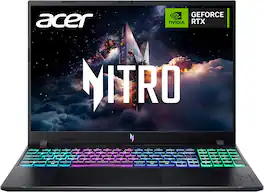
Acer - Nitro V – 16" WUXGA 165Hz Gaming Laptop - Intel Core 7 240H 2024 - NVIDIA GeForce RTX 5050 – 16GB Memory – 512GB Storage - Obsidian Black
4.8(72)

Elevate your gaming adventure with the Acer Nitro V 16, your gateway to an adrenaline-charged journey. This laptop is the perfect blend of power and style, pushing the boundaries of what’s possible on a laptop. Powered by the Intel® Core 7 processor 240H and NVIDIA® GeForce RTX 5050 Laptop GPU, the Acer Nitro V 16 unleashes exceptional speed and cinematic visuals for smooth, immersive gameplay and streaming.

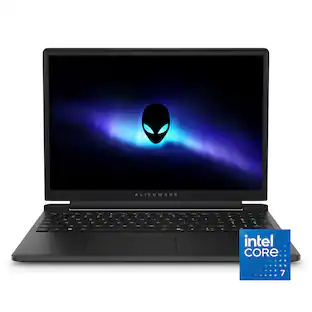
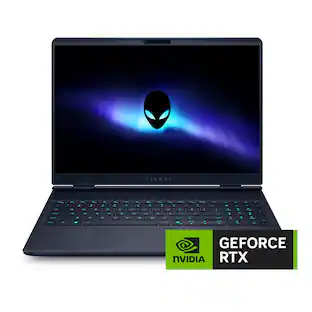
Alienware - 15.3" 2K Gaming Laptop - AMD Ryzen 200 Series R7 260 2026 - 16GB Memory - NVIDIA GeForce RTX 5050 8GB - 1TB Storage - Black
4.6(45)

Streamlined 15-inch laptop designed to fit every dimension of your life. Powered by AMD Ryzen 200 Series processors and NVIDIA GeForce RTX laptop graphics for gaming and beyond.
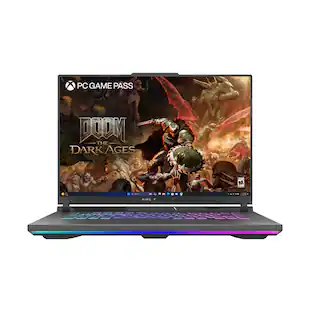
ASUS - TUF Gaming A16 16" 165Hz FHD+ Gaming Laptop - AMD Ryzen 9 8940HX 2025 - 16GB Memory - GeForce RTX 5070 - 512GB Storage - Jaegar Gray
4.5(46)

The TUF Gaming A16 is built for resilience, delivering powerful performance in any environment. Equipped with Windows 11 Home, it features an AMD Ryzen 9 8940HX processor and an NVIDIA GeForce RTX 5070 Laptop GPU, ensuring seamless gameplay and multitasking. With 16GB of DDR5 RAM and a 512GB PCIe Gen 4.0 SSD, load times remain lightning-fast. Designed for durability, the laptop meets military-grade standards while maintaining a sleek, understated aesthetic with the TUF logo. Its 16-inch, Full HD+ 165Hz WUXGA display with a 16:10 aspect ratio delivers immersive gaming visuals, while 2nd Gen Arc Flow Fans, a full-width heatsink, and integrated dust filters keep performance cool and efficient. Dolby Atmos and Hi-Res audio provide rich, distortion-free sound, keeping distractions at bay so gamers can stay focused on the action.

Pros for ASUS - V16 16" 2K Gaming Laptop - Intel Core 7 Processor 240H with NVIDIA GeForce RTX 5050 - 8GB Memory - 512GB SSD - Black
There were no pros for this product—Overall Performance, Heat Dissipation, Processor Speed, Portability, Keyboard DesignOverall Performance, Heat DissipationHeat Dissipation, Processor Speed, Display Quality, Noise Level, Keyboard Layout
Cons for ASUS - V16 16" 2K Gaming Laptop - Intel Core 7 Processor 240H with NVIDIA GeForce RTX 5050 - 8GB Memory - 512GB SSD - Black
There were no cons for this product—Battery Life, Storage Capacity, Noise Level, ConnectivityBattery LifeStorage Capacity, Battery Life

Specs

Be the first to ask a question.

We’ll try to get your question answered within 24 hours by a Best Buy customer or brand representative.

No content

Customers often buy these together

Sponsored