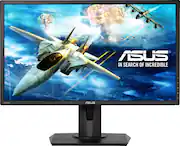
Rating 4.8 out of 5 stars with 4015 reviews
4.8- Price (456)
- Gaming (320)
- Picture quality (280)
- Adjustable (148)
- Refresh rate (115)
- Speakers (40)
- Sound (11)
- Dead pixel (10)
- Viewing angle (10)
Customer Images
The vast majority of our reviews come from verified purchases. Reviews from customers may include My Best Buy members, employees, and Tech Insider Network members (as tagged). Select reviewers may receive discounted products, promotional considerations or entries into drawings for honest, helpful reviews.
- Rated 5 out of 5 stars
Best Budget Gaming Monitor, A+++
Searched online for a gaming monitor, I was going with the BenQ, but decided this one since it was on-sale as well. It has everything that the BenQ has, this one is 75hz instead of 60hz, but that really doesn't matter if you use it for console gaming, which was my primary reason, this monitor is console ready. plug and play right away to any console. The 1ms TraceFree is amazing, you see the difference coming from a 42inch TV. the Eye Care is a plus and different game modes work like a charm for when you are playing FPS games, for example. It has 2 HDMI ports and speakers, yes it has speaker and even thought they are stereo, they sound is great fro when I'm not using my Astro A50 wireless headset while gaming or watching something on the console. This is the best budget gaming monitor IMO, which is console ready. Don't hesitate to get one, I got it even cheaper because BB matched the Amazon price, if the item if sold and ship from Amazon, which this one is. A++++, to BB as well, the warranty is cheap to for 4 years.
Posted by LastTkensei
- Rated 5 out of 5 stars
Great Monitor
Picked this up when I wanted something with a higher refresh rate. For the games i play 75hz was plenty and you can see the difference over a 60hz screen. For 1080p gameplay i think 24" is a great screen size. The included base is height adjustable and has pretty good cable routing. The panel has good color and i have no complaints while gaming or watching videos. The VESA mount is a nice option to have.
Posted by Wstr
- Rated 5 out of 5 stars
Great second monitor for laptop
When our company recommended that we work from home, I knew that the 17” laptop screen would not be sufficient considering that in the office, I use two 27” monitors with the desktop. After looking at several reviews, I opted for the Asus 24” monitor because it looked like it was the best value for what I was looking for. Setup was easy and 5 weeks later, I’m still very pleased with this purchase. Highly recommend it.
Posted by NJLatinoEngineer
- Rated 5 out of 5 stars
excellent monitors for the price
their honestly isnt to much I can really say about these monitors, yes monitors- I bought 2 of them, the response time is fast the refresh rate is pretty high, the price was good and they where the biggest I could fit into my roll top desk. the color as far as Im concerned is good. The integrated cable routing in the stand is nice to keep the cables out of the way, and the stands themselves are pretty nice. i appreciate them not being glossy as these are easy to clean. my one issue which isn't really an issue at all except in my specific situation is the bezels around the display are a little on the thick side, Ideally; id like to see it narrower, because in a dual monitor setup, like mine, the result is a pretty good amount of space between the 2 screens about an inch by my estimations, however I believe that for the price vs specs vs size, these are a great deal and probably the best your going to find at the size.
Posted by Ethan
- Rated 5 out of 5 stars
Best Budget Gaming Monitor, A+++
Searched online for a gaming monitor, I was going with the BenQ, but decided this one since it was on-sale as well. It has everything that the BenQ has, this one is 75hz instead of 60hz, but that really doesn't matter if you use it for console gaming, which was my primary reason, this monitor is console ready. plug and play right away to any console. The 1ms TraceFree is amazing, you see the difference coming from a 42inch TV. the Eye Care is a plus and different game modes work like a charm for when you are playing FPS games, for example. It has 2 HDMI ports and speakers, yes it has speaker and even thought they are stereo, they sound is great fro when I'm not using my Astro A50 wireless headset while gaming or watching something on the console. This is the best budget gaming monitor IMO, which is console ready.
Posted by LastTKensei