Avery - Easy Peel Laser/Inkjet File Folder Labels, 2/3" x 3-7/16", 252 Labels/Pack - White/Green
Reviews coming soon
About this product
Easily organize your important files and documents with Avery Permanent File Folder Labels. These white file folder labels with a green strip across the top make it even easier to find just the folder you're looking for and works well for color coding. Perfect for situations that only need a few labels at a time, each sheet of FSC certified paper comes with 7 labels designed for fast and easy peeling. The Easy Peel design with Pop Up Edge guarantees fast application of file folder labels. Bend back the label sheet to expose the label's edge, peel off your label and apply. The permanent file folder labels self-adhesive is sure to stick and stay on most surfaces without lifting or curling. Produce labels quickly by writing on the tab folder labels by hand or use the free templates and designs available at avery.com/templates for a more polished finish. Adjust your laser or inkjet printer to fit the smaller 4" x 6" sheets and print at home with ease.Create professional looking custom labels that make file identification quick and easy. This item comes with 36 sheets with a total of 252 white/green 2/3" x 3-7/16" labels.
Color
White/GreenManage and identify files efficiently; an eye-catching green bar over the white label surface allows for effective color coding and organizing labels for home, office, or school
Ideal for when you only need a few file folder labels at a time; each 4" x 6" sheet contains 7 Easy Peel labels for faster peeling
No need to worry about labels curling or falling off; permanent adhesive ensures file labels stick and stay to smooth surfaces including paper, cardboard, plastic, wood, glass, metal and more
Create handwritten file label stickers with ease or use your personal laser or inkjet printer for a more polished finish; not recommended for use with color laser printers
Design and print custom labels with free templates at avery.com/templates for a more professional look
- BrandAveryModel Number13924/5203Product NameEasy Peel Laser/Inkjet File Folder Labels, 2/3" x 3-7/16", 252 Labels/PackColorWhite/GreenProduct Width3.4375 inchesProduct Length0.66 inches
Reviews
This product doesn't have any reviews yet.
Compare similar products
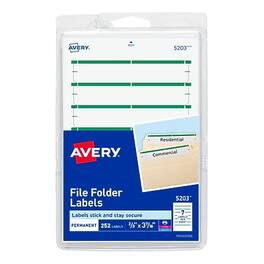
Easily organize your important files and documents with Avery Permanent File Folder Labels. These white file folder labels with a green strip across the top make it even easier to find just the folder you're looking for and works well for color coding. Perfect for situations that only need a few labels at a time, each sheet of FSC certified paper comes with 7 labels designed for fast and easy peeling. The Easy Peel design with Pop Up Edge guarantees fast application of file folder labels. Bend back the label sheet to expose the label's edge, peel off your label and apply. The permanent file folder labels self-adhesive is sure to stick and stay on most surfaces without lifting or curling. Produce labels quickly by writing on the tab folder labels by hand or use the free templates and designs available at avery.com/templates for a more polished finish. Adjust your laser or inkjet printer to fit the smaller 4" x 6" sheets and print at home with ease.Create professional looking custom labels that make file identification quick and easy. This item comes with 36 sheets with a total of 252 white/green 2/3" x 3-7/16" labels.

Rollo Direct Thermal Shipping Labels - Stack of 500 4x6 Thermal Labels Fanfold. Commercial grade thermal labels that are perforated for easy tearing with strong adhesive to ensure tight stick to packaging. The ideal shipping labels for e-commerce packages that are clear and easy to read and scan. Some of the most environmentally friendly labels on the market, and made in the USA. Rollo 4"x6" thermal labels are FSC certified and BPA free.
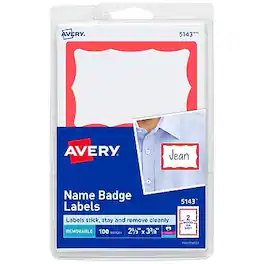
Create polished, professional-quality customized name tags with minimal time and effort using Avery adhesive name tags. These name tag labels have a stylish red border and use a removable adhesive that sticks securely to clothing but removes cleanly and easily when your event has ended. The name badge stickers firmly affix to most fabrics without curling, lifting or falling off, but are not recommended for use on delicate materials, including corduroy, plastic, leather, silk, suede, velvet or vinyl. Customized name badges are fantastic for business seminars, support groups, class reunions, bible study, office parties and other events. The printable rectangle labels also make great organization labels, gift tag labels, arts and craft stickers and more. Perfect for teachers, these personalized label stickers can be used as student name tags for classrooms, desk name tags, labeling supplies and more. Add that personal touch to your personalized custom name badge by hand or customize them easily using the free templates and designs on the Avery website, and print the 4" x 6" sheets on your laser or inkjet printer. Item comes with 100 blank name tags with red border.
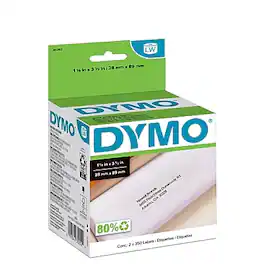
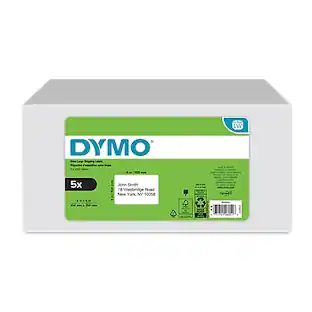
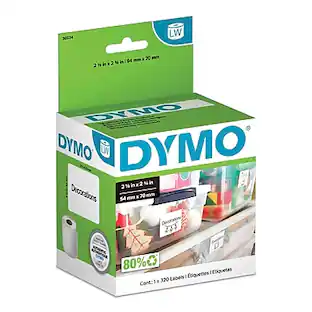
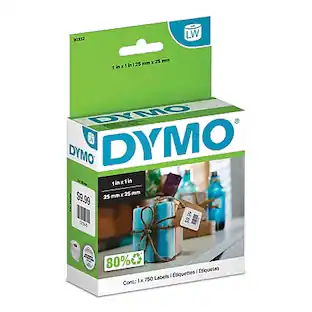
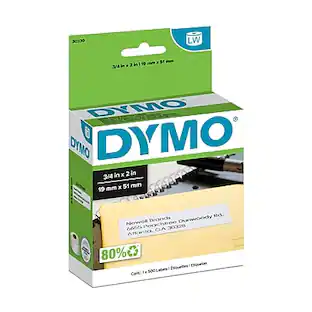
Prepare letters, marketing materials or other correspondence with these DYMO LabelWriter address labels. The white color lets text stand out for readability, and the thermal printing process delivers crisp, professional results with every label. Designed to work with DYMO LabelMaker machines, these DYMO LabelWriter address labels are easy to create, print and use.
Specs
Be the first to ask a question.
We’ll try to get your question answered within 24 hours by a Best Buy customer or brand representative.
More to consider
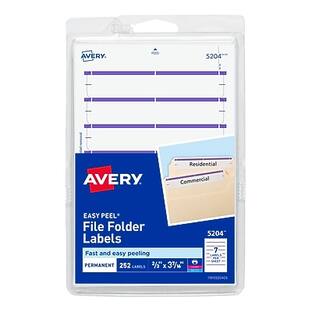
Avery - Easy Peel Laser/Inkjet File Folder Labels on 4" x 6" Sheets, 2/3" x 3-7/16", 252 Labels/Pack
$11.12The price was $12.49 $6.19The price was $8.49
 $10.25The price was $13.83

Discover lifestyle innovations Sponsored

Discover related products
 $138.99The price was $169.99
 $849.00The price was $1,288.03
 $119.99The price was $129.99



Keep exploring
 $38.99The price was $39.99
 $24.99The price was $34.99
 $22.99The price was $29.99