Blackmagic Design - Videohub Smart Control Pro
Reviews coming soon
About this product
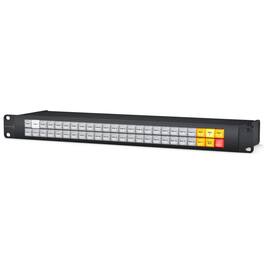
You can experience lightning-fast video routing with the Videohub Smart Control Pro, designed to optimize your workflow with a single button press. This advanced device allows you to program each button for a unique router cross point, enabling instant routing at the touch of a button. The Videohub Smart Control Pro also offers the flexibility to program multiple destinations and even includes a take button for added convenience. This innovative device is powered either via DC or Ethernet connection, offering versatility to suit your setup. The Videohub Smart Control Pro is part of the groundbreaking Smart Videohub series, recognized as the world's first Ultra HD mixed format routers with built-in video monitoring and spin knob router control. Equipped with the latest 6G-SDI or 12G SDI technology, depending on the model, the Videohub Smart Control Pro allows you to connect and route any combination of SD, HD, and Ultra HD video simultaneously. It supports high frame rate 2160p60, enabling you to handle all video formats on the same router at the same time. One of the standout features of the Videohub Smart Control Pro is its revolutionary visual routing capability. This feature allows you to view your router connections as video on the built-in LCD as you scroll the knob to select your routing. With the Videohub Smart Control Pro, routing your video becomes as simple as looking at the video. This device is a game-changer for professionals seeking to streamline their video routing process.
Features
ENHANCED CONTROL
Features 48 programmable buttons, offering extensive customization for streamlined video routing and switching workflows, maximizing efficiency.
VERSATILE CONNECTIVITY
Equipped with RJ45 Ethernet In and Out, supporting Power over Ethernet on the input for flexible network integration and remote router control.
SEAMLESS INTEGRATION
Compact 1 RU design with a shallow depth, allowing easy installation in standard rack setups, optimizing space in any broadcast or production environment.
ADVANCED MACRO SUPPORT
Assign up to 10 macro buttons to execute multiple simultaneous switching commands, simplifying complex operations with a single touch.
RELIABLE PERFORMANCE
Ensures button configurations and router communication are preserved and instantly restored upon power on, preventing workflow disruptions.
Specifications
- BrandBlackmagic DesignModel NumberVHUB/WSC/PROProduct NameBlackmagic Design Videohub Smart Control ProProduct Width5.20 inchesProduct Length20.20 inchesEffect Type(s)None
Reviews
This product doesn't have any reviews yet.

- DJI - Mic Mini Wireless Omnidirectional Microphone System - BlackBlack Friday Deal$79.00
- DJI - Mic Mini (1 TX + 1 RX) - BlackBlack Friday Deal$45.00


Compare similar products
You can experience lightning-fast video routing with the Videohub Smart Control Pro, designed to optimize your workflow with a single button press. This advanced device allows you to program each button for a unique router cross point, enabling instant routing at the touch of a button. The Videohub Smart Control Pro also offers the flexibility to program multiple destinations and even includes a take button for added convenience. This innovative device is powered either via DC or Ethernet connection, offering versatility to suit your setup. The Videohub Smart Control Pro is part of the groundbreaking Smart Videohub series, recognized as the world's first Ultra HD mixed format routers with built-in video monitoring and spin knob router control. Equipped with the latest 6G-SDI or 12G SDI technology, depending on the model, the Videohub Smart Control Pro allows you to connect and route any combination of SD, HD, and Ultra HD video simultaneously. It supports high frame rate 2160p60, enabling you to handle all video formats on the same router at the same time. One of the standout features of the Videohub Smart Control Pro is its revolutionary visual routing capability. This feature allows you to view your router connections as video on the built-in LCD as you scroll the knob to select your routing. With the Videohub Smart Control Pro, routing your video becomes as simple as looking at the video. This device is a game-changer for professionals seeking to streamline their video routing process.
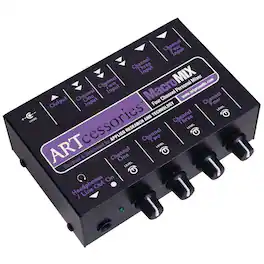
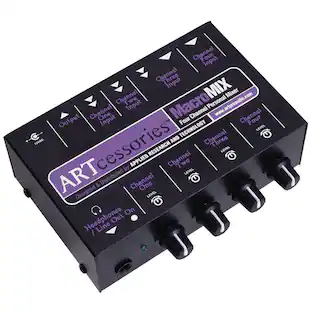
Bring professional-grade audio mixing to your fingertips with the MacroMIX Four Channel Personal Mixer. Designed for versatility and high-quality performance, this compact mixer is an essential tool for audio enthusiasts and professionals alike. Each of the four channels is equipped with individual level controls, allowing for precise adjustment of multiple audio sources. The MacroMIX mixer stands out with its innovative features, including phantom power and a low-frequency cut, both selectable via user-friendly DIP switches. This ensures compatibility with a wide range of microphones, enhancing its utility in various audio scenarios. The durable construction of the MacroMIX ensures it withstands the rigors of both studio and field use.Connectivity is a breeze with the balanced XLR line output, which seamlessly integrates with a mic input on your main mixer. Additionally, the mixer caters to personal monitoring needs with a dedicated Phone/Aux output, perfect for connecting headphones or a powered monitor for real-time audio feedback.For those situations where AC power is unavailable, the MacroMIX Four Channel Personal Mixer offers the flexibility of battery operation, ensuring your mixing capabilities are never hindered. Choose the MacroMIX mixer for its innovative design, professional features, and the reliable performance that comes from Art Pro Audio, a brand synonymous with high-quality audio equipment. Whether in a home studio or on the go, the MacroMIX Four Channel Personal Mixer is your solution for sophisticated and flexible audio mixing.
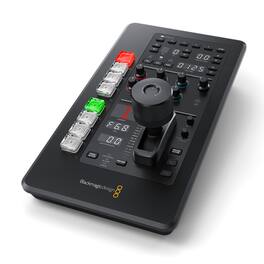
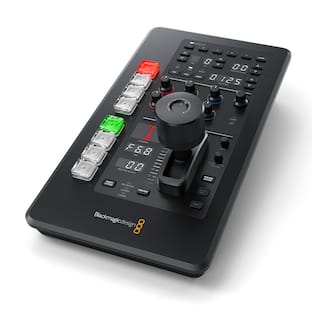
Remotely control up to eight cameras, all from a single control panel!ATEM Camera Control Panels are professionally designed broadcast camera control units that extends the software features in ATEM Software Control to add high quality physical hardware controls that are much nicer to use. All ATEM Mini models support camera control when used with the Blackmagic Pocket Cinema Camera 4K and 6K models for amazing professional broadcast workflows. The control panel lets a single person monitor and adjust a wide range of camera parameters such as black levels, gain, color balance, shutter speed and more. This leaves your camera operators free to focus on more important tasks such as framing and shot composition. Plus it works with all ATEM switcher models!Portable camera panel with high end broadcast CCU controls, including battery, Bluetooth, and 8 camera select buttons for iris, pedestal, shutter, white balance, master gain, RGB balance and more.Works with Blackmagic Pocket Cinema CameraATEM Mini works with the latest Blackmagic Pocket Cinema Cameras to add studio features that you can remotely control! Pocket Cinema Cameras make great studio cameras because they feature a large bright 5" viewfinder, remote camera control, tally indicators and phantom powered microphone connections. All video and control is via a simple HDMI connection that lets you connect to your ATEM Mini with a single cable! That means you can remotely control any setting in the camera plus focus, iris and zoom on supported lenses. Pocket Cinema Cameras include a DaVinci primary color corrector so you get much more than simple CCU controls as you can also do a full color grade in the camera!Control Blackmagic Pocket Cinema CamerasScene and Camera ControlsThe top section on each camera control has settings for changing camera settings, plus it lets you save and recall scene presets. Getting remote access to important camera settings is vital when you are working in conditions where the light can change during your job such as daylight, and with these settings you can quickly adjust cameras based on changes in the scene. Controls in this section include master gain, white balance, shutter speed and more!White BalanceQuickly get the perfect white balance by triggering the camera's automatic white balance feature.Load ScenesSave and recall scene presets, perfect when you do regular work with the same conditions each day.Master GainBoost sensitivity of the sensor as conditions become darker or when more depth of field is needed.ND FiltersChange the density of the electronic ND filter on compatible cameras.Shutter SpeedSet the shutter speed of the camera and a slower shutter speed can also boost brightness in dark conditions.Color BarsSelect to output color bars for the selected camera. Color bars are very useful when setting up for a new job!Gain and Pedestal ControlsThe center section features independent RGB controls for adjusting the camera color for the white and black parts of the image. Because the Blackmagic Pocket Cinema Camera 4K and 6K models have a full DaVinci Resolve primary color corrector built in, you have amazing control over the color in the camera. These red, green and blue controls for adjusting blacks and whites mean you can accurately match multiple cameras, which is vital for cutting seamlessly without color shifts. One trick experienced camera control operators use is to only adjust the red and blue channels, so you can add and remove red and blue tint without getting too far away from accurate color!White BalanceIndependent RGB controls for adjusting the white part of the image.Black BalanceIndependent RGB controls for adjusting the black part of the image.Lens and Iris ControlsThe lower section of the panel is where the most used controls are located and features a large easy to read camera number that highlights red when the camera is on air! The main control for operating the cameras is the high quality professional joystick that's used to precisely adjust the iris when moved up and down, and the master black when the knob is rotated. This is the exact same type of control that's used on camera control units used in broadcast, so you get a true professional user interface. There's also a call button for communicating with the camera operator, along with a panel lock button and indicators for the network, power and cable connection to the camera.Iris ControlJoystick for adjusting iris and master black.
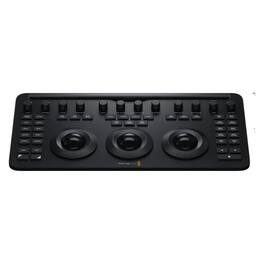
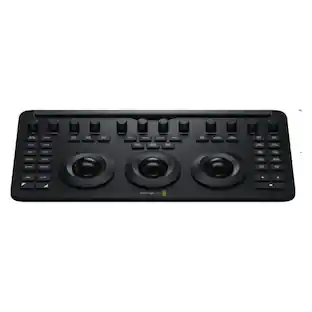
The Blackmagic Design DaVinci Resolve Micro Color Panel is a compact yet powerful color panel that gives you all the control you need to create cinematic images. The Micro Panel features a row of direct control knobs at the top of the panel, three trackballs with rings for color grading, and transport keys to speed up your grading session. Includes controls for refined color grading including adding windows and a tablet slot designed to hold an Apple iPad. Connects via Bluetooth or USB-C. DaVinci Resolve is the world’s only solution that combines editing, color correction, visual effects, motion graphics, and audio post-production all in one software tool. Its elegant, modern interface is fast to learn and easy for new users, yet powerful for professionals. DaVinci Resolve lets you work faster and at a higher quality because you don’t have to learn multiple apps or switch software for different tasks. That means you can work with camera original quality images throughout the entire process. It’s like having your post-production studio in a single app. Best of all, by learning DaVinci Resolve, you’re learning how to use the same tools used by Hollywood professionals.
Specs
Be the first to ask a question.
We’ll try to get your question answered within 24 hours by a Best Buy customer or brand representative.
More to consider




Immerse yourself in sound Sponsored
Hercules DJControl Mix Ultra – Mobile DJ Controller for Smartphones (iOS/Android)
$199.99The price was $219.99