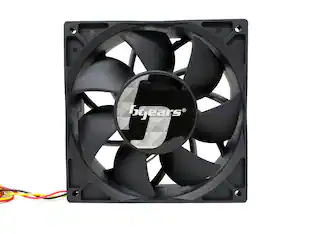
Bluegears - b-Blaster 140x38 2 ball PWM Version 1200 to 5200RPM with 308 CFM, UL, CE, FCC, RoHS, Reach Certified - Black
About this product
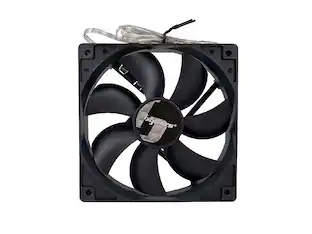
Bluegears b-Blaster 140 x 38 mm Black 2 ball bearing high-speed high-performance fan. Extreme Speed range from 1200 to 5200 RPM with Excellent Airflow of up to 308 CFM. 38mm thickness Frame design for large motor to generate ultimate speed and airflow. Mini 4 pin 4 wires connector with fan speed signal output. Include 4 mounting screws. Customer Service: Support@bgears.com or call 702-988-6808.
Fan Speed and Airflow
1200 to 5200 RPM with 308 CFM
Japanese Ball Bearing
2 balls bearing
Fan Connector
4 pin Mini PWM connector
Certifications
UL, FCC, CE, RoHS, REACH, WEEE
- Airflow Volume308 cubic feet per minuteCooling SystemAirFan Size140 millimetersFan Speed5200 revolutions per minuteNoise Level60.7 decibels adjustedNumber of Fans Included1
Reviews
Rating 5 out of 5 stars with 1 review
The vast majority of our reviews come from verified purchases. Reviews from customers may include My Best Buy members, employees, and Tech Insider Network members (as tagged). Select reviewers may receive discounted products, promotional considerations or entries into drawings for honest, helpful reviews.
Compare similar products
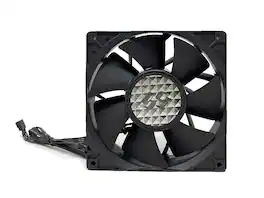
Bluegears b-Blaster 140 x 38 mm Black 2 ball bearing high-speed high-performance fan. Extreme Speed range from 1200 to 5200 RPM with Excellent Airflow of up to 308 CFM. 38mm thickness Frame design for large motor to generate ultimate speed and airflow. Mini 4 pin 4 wires connector with fan speed signal output. Include 4 mounting screws. Customer Service: Support@bgears.com or call 702-988-6808.

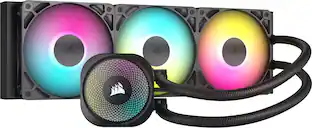
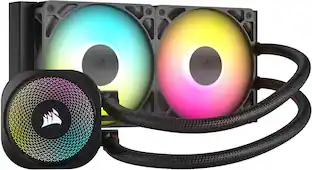
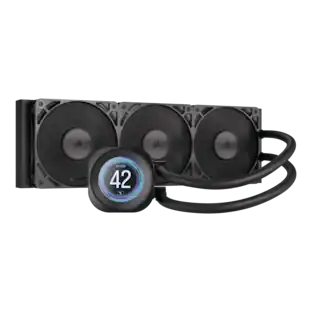
The CORSAIR NAUTILUS RS ARGB Liquid CPU Cooler showcases CORSAIR's excellence in engineering and design, offering efficient, low-noise cooling with straightforward connectivity – no controller required, just plug directly into your motherboard. Its slightly convex cold plate with pre-applied thermal paste ensures superior thermal transfer, while RS120 ARGB fans maintain low temperatures for maximum CPU performance. Eight RGB LEDs on the pump head and each fan light up your system with easy motherboard control. Simplify your build with easy, daisy-chained connections and precise cooling control via a 4-pin PWM fan header. For more advanced control, an optional iCUE controller (sold separately) can be used. Supporting a wide range of Intel and AMD CPU sockets, including LGA 1851, the NAUTILUS RS offers broad system compatibility.

The CORSAIR NAUTILUS RS ARGB Liquid CPU Cooler showcases CORSAIR's excellence in engineering and design, offering efficient, low-noise cooling with straightforward connectivity – no controller required, just plug directly into your motherboard. Its slightly convex cold plate with pre-applied thermal paste ensures superior thermal transfer, while RS120 ARGB fans maintain low temperatures for maximum CPU performance. Eight RGB LEDs on the pump head and each fan light up your system with easy motherboard control. Simplify your build with easy, daisy-chained connections and precise cooling control via a 4-pin PWM fan header. For more advanced control, an optional iCUE controller (sold separately) can be used. Supporting a wide range of Intel and AMD CPU sockets, including LGA 1851, the NAUTILUS RS offers broad system compatibility.

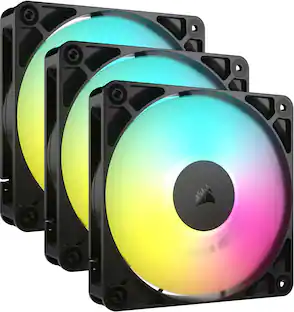
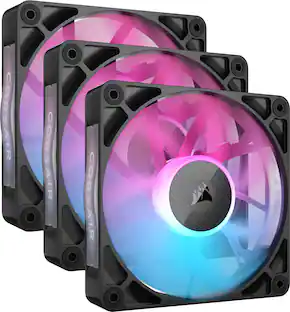
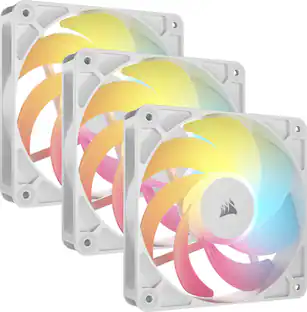
The CORSAIR RS120 ARGB 120mm PWM Fans Triple Pack gets your PC cooling setup off on the right foot with three efficient and reliable fans. Daisy-chained connectors let you link multiple fans together and control them all through just one 4-pin PWM and one +5V ARGB header on your motherboard. Enjoy fan speeds up to 2,100 RPM, with the static pressure to also serve as radiator fans. CORSAIR AirGuide technology with anti-vortex vanes directs airflow for concentrated, powerful cooling. Eight LEDs light up your build with simple +5V ARGB motherboard control. Magnetic Dome bearings ensure quieter operation and increased longevity, while Zero RPM mode offers silent operation at low loads.
| Pros for Bluegears - b-Blaster 140x38 2 ball PWM Version 1200 to 5200RPM with 308 CFM, UL, CE, FCC, RoHS, Reach Certified - Black | |||
|---|---|---|---|
| There were no pros for this product— | Cooling Performance, Installation Ease, Noise Level, Build Quality, RGB Lighting | Cooling Performance, Installation Ease, Noise Level, Build Quality, Appearance | Noise Level, RGB Lighting, Installation Ease, Overall Performance, Fan Performance |
| Cons for Bluegears - b-Blaster 140x38 2 ball PWM Version 1200 to 5200RPM with 308 CFM, UL, CE, FCC, RoHS, Reach Certified - Black | |||
| There were no cons for this product— | Compatibility | Cable Length | Cable Management |
Specs
Be the first to ask a question.
We’ll try to get your question answered within 24 hours by a Best Buy customer or brand representative.
Customers often buy these together

Thrustmaster - TH8A Add-On Shifter - Black
$149.90The price was $159.77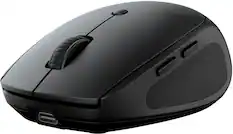
JLab - Go Charge Wireless Scroll Mouse - Wireless - Black
Top Deal$17.99The price was $20.00


More to consider
 $33.49The price was $46.49

Explore tech essentials Sponsored
 Clearance$79.99The price was $104.99

Discover related products
 $12.99The price was $13.99
 $24.99The price was $27.99










Keep exploring
 $149.99The price was $182.15
 $279.99The price was $325.62
 $393.99The price was $417.59
 $119.99The price was $159.99
 $85.99The price was $125.99