Rating 4.4 out of 5 stars with 278 reviews
4.4- Ease of use (93)
- Scan Quality (82)
- Size (38)
- Speed (23)
- Wireless (20)
- Software (9)
- Battery (6)
- Paper Handling (5)
- Price (4)
Customer Images
The vast majority of our reviews come from verified purchases. Reviews from customers may include My Best Buy members, employees, and Tech Insider Network members (as tagged). Select reviewers may receive discounted products, promotional considerations or entries into drawings for honest, helpful reviews.
- Rated 4 out of 5 stars
Quality scanner
Well it took awhile to figure out how to get the unit to work. Web site info did not do much for wi-fi setup. Went and bought the usb cable and was finally able to download the drivers and software. After much frustration it is a good scanner. Compact, fast, and for the price it does a good job. Easy to save files where you want them. If you are like me and not a Tech wizard, be prepared to be frustrated for a short while.
Posted by ChinoValleyMan
- Rated 4 out of 5 stars
Portable, Compact and Fast Scanning!
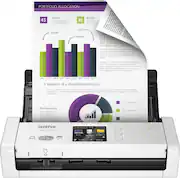
I recently acquired the Brother ADS-1700W portable scanner to help me finish my 2017 taxes!!! Yes, I know I have only a couple weeks of the extension left to file. That 's what made this such a great test! Honestly, this little device is FAST. It duplex scans your documents in a single pass. Configurable and good quality too! I'm please with the options and quality. I also have a "workflow" or shortcuts feature. I created a workflow to use my favorite scanning preferences and made it into a one-touch butting on the nearly 3" touchscreen. well - actually two-touch - as I have to select "shortcuts first", then my workflow. Setup on both my iphone and Windows 10 PC wasn't bad - just find the software, download and install it. I used ONLY the wireless connectivity to scan to both the PC and iPhone. It worked well, but I did see it "disconnect" a couple times - nothing a reboot didn't fix. It does have a business card or badge scanner - that seemed to work well except I had to crop the image to get it to the smaller size. I do wish, since this is a portable unit, that it had some sort of battery. Also, a carrying case or sleeve would have been nice as well.
Posted by TechMatcher
- Rated 5 out of 5 stars
Compact yet fully-featured desktop scanner
Pros: * Compact size - fits nearly anywhere. * Input ADF transforms into something useful. * Business card scanning is easy. * Comprehensive settings and scan-to destinations. * Wireless connectivity to mobile devices, networked computers or email recipients. * High-quality and speedy color and duplexed scans. Cons: * Compact size implies battery use but needs its AC adapter. * Some on-screen touch buttons are too small for finger access. * Missing some useful touchscreen customization options. This compact, fully-featured ADF scanner does just about everything that bigger models do but in a fraction of the desk space. The transforming ADF can handle most paper sizes and there’s even a special slot for business cards to both insert and eject from the front. It scans quickly in color or grayscale and can do both sides of the page simultaneously. The unit has two USB ports for wired connectivity; one to connect to a computer (Mac or PC) and a separate one to scan directly to a USB memory drive. Both work well and easily, but the unit has built-in WiFi that enables it to scan to or scan from networked computers and even mobile devices like iOS and Android phones and tablets on the same wireless network. You can even set it up to access an SMTP server (like a free one from Gmail) to send scans to an email address without the need to install anything on the receiving end. Everything worked well and was easy to set up; just get the scanner on your wireless network and install either the computer app/drivers or the mobile device app and you’re ready to go. The top cover closes over the unit to protect the screen and buttons and also keeps the size compact when not needed for scanning. Opening the top cover is like a scene out of a Transformers movie. with numerous adjustable paper guides and supports that do their respective jobs well. A few of my small nits on this otherwise-great unit - the resistive touchscreen works, but some of the buttons are not easily to press with a finger. For example, the onscreen QWERTY keyboard used to type in email addresses is an exercise in frustration with a typical finger. Most things can be set up in the apps or by pointing any web browser to the unit’s IP address to use the built-in web-based settings. You can even enter frequently used email addresses for selection on the unit rather than having to type them in each time. Although not the unit’s intent, the compact size almost implies that it would be truly portable and have a built-in battery. This unit is not advertised as such so you can’t really complain. It needs the included AC power adapter to work. It’s easy to move around and doesn’t take up a lot of desk space, but it is not a truly wireless and portable scanner. My last nit is a small recommendation for improvement - the home screen has big buttons for scanning destinations like scanning to a computer or scanning to email. While you can set up “shortcuts” and go to them, you can’t reorder or remove those main destinations to make the home screen customized. I will probably scan to email often, but it will always be on the 2nd “page” of home buttons rather than being on the primary home screen. Overall, this is a fully-featured and well-rounded compact desktop scanner that does everything the bigger ones do but in a fraction of the size. The wired and wireless options work well and as long as you’re not expecting a battery-powered scanner, it will do everything you need without reserving a huge spot on your desk.
Posted by gadgeTT
- Rated 2 out of 5 stars
Finicky
Travelling & need a portable scanner in your bag. Maybe. Home Office: One page documents, usually OK. Multiple page docs: Will scan first few pages - then stops. Ooops. Something went wrong - Please Start Over. Scans the first 8 pages then crashes/ After a year and a half of wanting - so badly - to like it. Other than an old VCR it is the most unreliable piece of equipment in the house.
Posted by Rooster3
- Rated 3 out of 5 stars
The Good, the Bad, and the Ugly
The Brother ADS-1700W arrived on a very timely basis and the manufacturer securely packs the machine against damage from either the day to day trivial bumping to the catastrophic dropping by either shipper or warehouse worker. The good-this scanning machine is very lightweight and easy to transport from area to area, if need be. It essentially folds into itself with a cover that closes over the machine and its LCD screen. It is so ergonomic that it is quite easy to use only one hand to open, close, position the paper, and scan. On the left side of the top of the scanner there are two icons to set up scanning through, either the back doc feeder or the front for smaller items such as credit cards, business cards, driver's licenses, medial id cards, etc.. The back doc feeder has what I call "rabbit ears" that easily go up and then fold back into the machine to guide longer papers. The bad-Brother wanted to get this scanner out so quickly that according to their 1-800 customer service technician, had not yet issued directions to diagnose and help fix items. I think this customer service call center is offshore, but I was still able to understand him. He did not try to help by going into my computer remotely. I was having trouble getting my computer to, by Wi-Fi, recognize the scanner. We reloaded their scanning software and eventually got it to recognize the scanner. The machine is quick in scanning, but unfortunately, I could only initiate the scan from the computer and could not get it to scan using the commands from the scanner's LCD screen itself. We never did resolve that issue and that is troublesome to me;.the technician could not 100% determine why this was going on-whether it was a firewall or something else. The ugly was that within days of loading this scanner onto my computer, I determined that my software used to scan with my Fujitsu FI-7160 no loner worked. Thankfully, Fujitsu also allows their customers to also use their 1-800 customer service for free for life, too. Their technician wound up going in remotely and about 3 1/2 hours later, after much checking and re-checking, we found a corrupt file that both the Brother and Fujitsu. It was very time consuming to find this file and neutralize it. That was a real bummer. I plan to load this scanner to another computer that does not interact with the Fujitsu scanner. I am not a coder or programmer and should not have to be one in order for this to properly operate. While I cannot prove that the download from Brother created a corrupt file that caused all those problems for the Fujitsu, it is too coincidental that the Fujitsu scanning operation that I have used for almost 2 years all of a sudden did not work. Honestly, I do not know what to think. If this had not happened, I would have thought that the Brother ADS-1700W scanner was just fine. Confused in Kansas.
Posted by KansasMeddlingMom