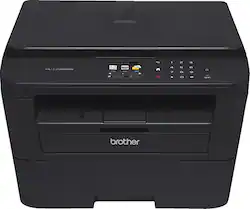
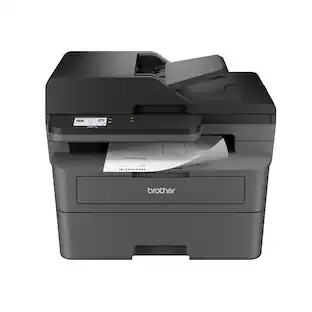
Brother - HL-L2380DW Wireless Black-and-White 3-in-1 Laser Printer - Black
- Key Specs
- Networking: Wired, Wireless
- ENERGY STAR Certified: true (Devices carrying the ENERGY STAR service mark, such as computer products and peripherals, kitchen appliances, and other products, generally use 20% to 30% less energy than required by federal standards.)
- Printer Type: All In One
- Duty Cycle: Up to 10,000 (The maximum number of pages per month that the device can produce without failing, as specified by the manufacturer.)
- ISO Color Print Speed: 32 pages per minute (The number of color pages able to be printed per minute in the device's default single-side mode, as tested by the International Standards Organization (ISO).)
- ISO Mono Print Speed: 32 pages per minute (The number of black ink (grayscale) pages able to be printed per minute in the device's default single-side mode, as tested by the International Standards Organization (ISO).)
- Monochromatic/Color: Monochromatic
- General
- Brand: Brother
- Model Number: HL-L2380DW
- Product Name: HL-L2380DW Wireless Black-and-White 3-in-1 Laser Printer
- Color: Black
- Display Screen: true
- Display Screen Size: 2.7 inches
- Dimensions
- Product Height: 10.5 inches (The out of box height of the item. Height is measured as the vertical distance from the bottom of the item to the top as it would be primarily used or placed.)
- Product Width: 16.1 inches (The out of box width of the item. Width is measured as the horizontal distance from one side of the item to the other as it would be primarily used or placed.)
- Product Depth: 16.1 inches (The out of box depth of the item. Depth is measured as the distance from the front of the item to the back as it would be primarily used or placed.)
- Product Weight: 21.6 pounds (The out of box weight of the item.)
- Features
- Automatic Document Feeder: true
- Photo Printing: false
- Automatic Reduction/Enlargement: true
- Touch Screen: true (Touch-screen devices make navigating more intuitive. Using a touch-screen display, you can do things such as tap to select, hold and drag to move items, swipe to scroll, and pinch to zoom.)
- Automatic Two-Sided Printing: false
- Certifications Listings & Approvals
- EPEAT Qualified: false (The Electronic Product Environmental Assessment Tool (EPEAT) was designed to provide an environmental assessment tool for purchasers. In order to qualify for EPEAT, a product must meet all 23 required criteria.)
- Paper Info
- Automatic Document Feeder Capacity: 250 sheets
- Maximum Document Length: 14 inches
- Maximum Document Width: 8.5 inches
- Paper Feeder: Tray loader
- Paper Handling: Up to 250 sheets
- Supported Paper Sizes: Up to 8.5" x 14" (legal), manual feed slot: 3" to 8.5" in width and 5" to 14" in length
- Tray Capacity: 250
- Ink
- Compatible Cartridges: TN630, TN660
- Ink Subscription Service Available: false (The printer monitors ink usage and alerts the subscription provider when levels are low. A purchased subscription provides refills of ink based on usage.)
- Copier Info
- Copier Resolution (Black): Up to 600 x 600 (Refers to the number of pixels/dots, both horizontally and vertically, of the image produced by the copier in black ink. Generally, the higher the resolution, the sharper and cleaner the produced image.)
- Copier Resolution (Color): Up to 600 x 600 (Refers to the number of pixels/dots, both horizontally and vertically, of the image produced by the copier in colored ink. Generally, the higher the resolution, the sharper and cleaner the produced image.)
- Maximum Number Of Copies: 99
- Scanner Info
- Duplex Scan Function: true
- Scanner Resolution: Up to 2400 x 600 (Refers to the number of pixels/dots, both horizontally and vertically, of the image produced by the scanner. Generally, the higher the resolution, the sharper and cleaner the produced image.)
- Scanner Type: Flatbed
- Fax Info
- Integrated Fax: false
- Performance
- Approximate Page Yield (Black): 250
- Printer Resolution (Black): Up to 2400 x 600 (Refers to the number of pixels/dots, both horizontally and vertically, of the image produced by the printer in black ink. Generally, the higher the resolution, the sharper and cleaner the produced image.)
- Output Tray Capacity: 100
- Recommended Monthly Volume: 250 to 2,000 pages (The maximum number of pages that can be printed per month, as recommended by the manufacturer. Printing in excess of this number may reduce the machine's overall lifespan or print quality over time.)
- First Page Out Time: 9 seconds (The time it takes the printer to print and deliver the first page in the output tray. May depend on the complexity of the copy being printed.)
- Connectivity
- Minimum System Requirements: PC: Windows XP (Home, Professional, and Professional x64 editions), Vista, 7, 8 or 8.1, Windows Server 2003 (32- or 64-bit), 2008, 2008 R2, 2012 or 2012 R2, Mac: OS X 10.7.5, 10.8.x or 10.9.x.; Linux
- Other
- UPC: 012502638865
Print, copy and scan with this Brother HL-L2380DW laser printer, which features built-in wireless networking and an Ethernet interface for simple Internet connection options. The 2.7" touch-screen display simplifies operation.
- Prints up to 32 ISO ppm* in black: To generate documents quickly.
- 3-in-1 functionality: Prints, copies and scans for convenience.
- Built-in wireless LAN (802.11b/g/n): Ensures fast data transfer from a wireless connection.
- Network-ready with built-in Ethernet interface: For simple connection to your home or office network.
- AirPrint technology: Along with Google Cloud Print, Brother iPrint&Scan, Cortado Workplace and Wi-Fi Direct for easy wireless printing from select mobile devices.
- Up to 2400 x 600 dpi resolution: For crisp images.
- Prints on legal-size paper up to 8.5" x 14": Ideal for various documents.
- Copies up to 32 cpm* in black: To generate copies quickly.
- Copy resolution up to 600 x 600 dpi in black: For clear, clean copies.
- Color flatbed scanner: With an optical scan resolution up to 600 x 2400 dpi (up to 19,200 x 19,200 dpi interpolated) to reproduce exact colors and large documents.
- 250-sheet capacity lower paper tray: To print more documents without reloading. The single-sheet manual feed slot enables quick paper reloading.
- USB 2.0 connectivity: For easy connection to your computer.
- PC system requirements: Windows XP (Home, Professional, and Professional x64 editions), Vista, 7, 8 or 8.1; Windows Server 2003 (32- or 64-bit), 2008, 2008 R2, 2012 or 2012 R2. Also compatible with most Linux systems.
- Mac system requirements: OS X 10.7.5, 10.8.x or 10.9.x.
Whats Included
- AC power cord
- HL-L2380DW Wireless Black-and-White Laser Printer
- Installation CD-ROM, drum (DR-630)
- Owner's manual
- Starter black toner cartridge
Disclaimers
- Print speeds vary with use. See manufacturer for info on print speeds.
Q: Which toner does this model use?
A: The TN630 is the standard capacity toner cartridge. It's advertised yield is about 1200 pages. The TN660 is the high capacity cartridge. It's advertised yield is about 2600 pages, and is the better deal by far. I highly recommend using only genuine Brother OEM toner cartridges. I have used after-market cartridges in the past but will never do so again. The quality of the toner is highly variable and you stand much more of a chance of toner leaking out and ruining your documents and possibly your printer as well. The same goes for refilling your toner cartridge yourself or at a local computer shop. I've never had good success doing that. Just my 2¢ worth...
Q: auto duplex
A: It means it can print on both sides without you having to manually remove and reinsert the sheet.
Q: Is this printer compatible with an iMAC?
A: it should be, I use it with an ibook pro. I know my husband (who set it up) run into some extra work as we don't have a cd drive. He had to go to the brother website and download the program to install it. The one other thing that I noticed is that when using the usb cable to connect them, the ibook will only recognize the printer out of a specific usb port. If plugged into any of the other it flags it as not being connected but once I figured that out it has been easy to use.
Q: Does the toner dry out if printer isn't used
A: Toner doesn't dry out which is why i got this, the toner will basically last forever and doesn't require any kind of normal use like ink jet printers do so the ink won't dry out, if you only print every so often then laser is definitely the way to go, no waited money on ink that doesn't get used or is waited cleaning the print head
Q: Is this a FAX machine, too?
A: Unfortunately no it is not a fax machine. Remember that you can alternatively scan a document to be faxed and use your computer to send faxes via software that is available online and sold separately.
Q: Can I print directly from my ipad or iphone?
A: Yes, as long as you set up your printer for a wireless connection you can print from either an iPad or any iPhone.
Q: can you scan a document and send it to an email address?
A: Yes, you can scan it to your computer in the format you want, pdf, jpeg, etc.
Q: Can you scan more than one page at a time? Is it a flat scanner?
A: There is not a document feeder, but you can create a multi-page scan by placing the pages on the scanner one after the other. After each page scans, the printer asks if you have another to scan in the same document.
People also viewed
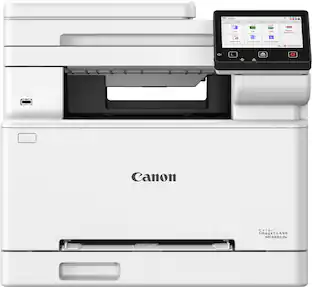
Canon - imageCLASS MF665Cdw Wireless Duplex Color All-In-One Laser Printer with Fax and 50-Sheet ADF
$429.99The price was $549.99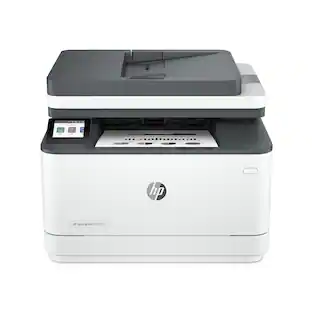 $309.99The price was $349.99
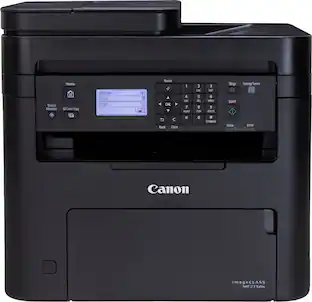 $209.78The price was $215.00


Today's top picks
 $449.99The price was $829.99
 $2,449.99The price was $3,199.99
 $999.98The price was $1,639.98
 $199.99The price was $249.99
 $1,099.99The price was $1,499.99
 $549.99The price was $749.99








