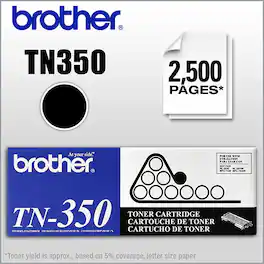
Brother - TN350 Toner Cartridge - Black
About this product
Create crisp, dark documents with this Brother toner cartridge, which is compatible with select Brother printers, copiers and fax machines, including FAX-2820, FAX-2910, FAX-2920, MFC-7220, MFC-7225N, MFC-7420, MFC-7820N and DCP-7020 models.
Compatible with select Brother printers, copiers and fax machines
Including FAX-2820, FAX-2910 and FAX-2920 laser fax machines, MFC-7220, MFC-7225N, MFC-7420 and MFC-7820N multifunction laser printers and DCP-7020 digital copiers.
Black toner cartridge
Produces rich, dark text.
Replacement cartridge
Allows you to continue creating documents with your printer, copier or fax machine.
- BrandBrotherModel NumberTN350Product NameTN350 Toner CartridgeColorBlackPackage TypeSingleCartridge Color(s)Black
Reviews
Rating 4.9 out of 5 stars with 44 reviews
The vast majority of our reviews come from verified purchases. Reviews from customers may include My Best Buy members, employees, and Tech Insider Network members (as tagged). Select reviewers may receive discounted products, promotional considerations or entries into drawings for honest, helpful reviews.
Compare similar products
Create crisp, dark documents with this Brother toner cartridge, which is compatible with select Brother printers, copiers and fax machines, including FAX-2820, FAX-2910, FAX-2920, MFC-7220, MFC-7225N, MFC-7420, MFC-7820N and DCP-7020 models.

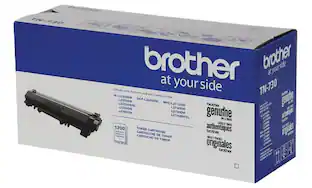
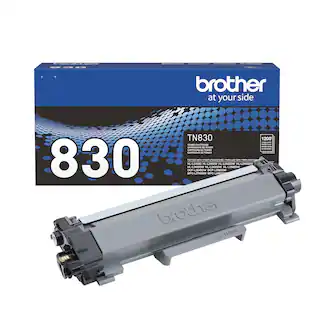
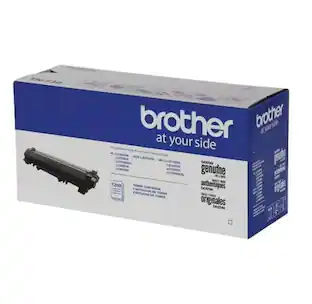
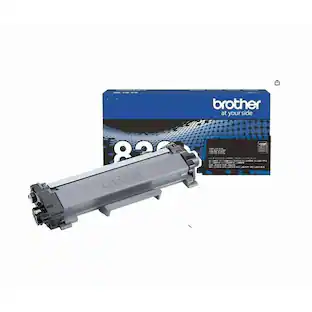
Print confidently with Brother Genuine TN830 Standard Yield Black Toner Cartridges. With the reassurance of dependable compatibility, Brother Genuine is the only toner brand recommended for Brother Black & White (Monochrome) Laser Printers. This quality cartridge is expertly engineered to produce crisp, precise prints and deliver yields of up to 1,200 pages.(1) A must-have for consistently impressive results, Brother Genuine Toner is the reliable choice for producing both professional documents and personal paperwork with ease. When it’s time to replace your printer toner, Brother Genuine is the worry-free choice. For best results, use with Brother multi-function and all-in-one monochrome laser printers: HL-L2400D, HL-L2405W, HL-L2420DW, HL-L2460DW, HL-L2460DW XL, HL-L2465DW, HL-L2467DW, HL-L2480DW, HL-L2865DW, DCP-L2640DW, DCP-L2647DW, MFC-L2760DW, MFC-L2807DW, MFC-L2820DW, MFC-L2820DW XL, MFC-L2900DW, MFC-L2900DW XL, and MFC-L2980DW.

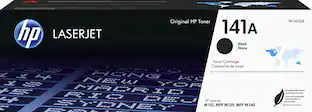
Be confident that Original HP Toner Cartridges provide the printing experiences crucial for productivity in your office. Count on high-quality, reliable printing and save time by avoiding common printing problems
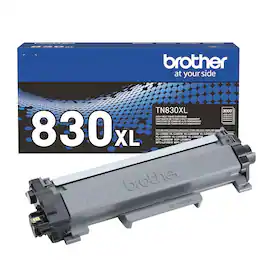
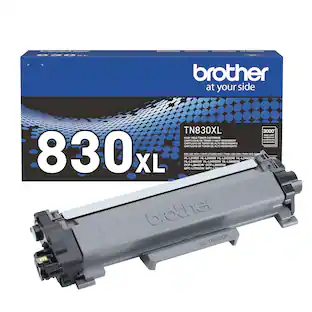
Print confidently and print more with Brother Genuine TN830XL High Yield Black Toner Cartridges, the reliable choice for efficient, high-quality laser printing. With yields up to 3,000 pages,(1) TN830XL combines the affordability of lower per-page print costs with the convenience of fewer cartridge changes compared to Standard Yield TN830 cartridges. Expertly engineered and dependably compatible, Brother Genuine is the only toner brand recommended for Brother Black & White (Monochrome) Laser Printers. This reliable cartridge consistently and easily produces crisp, precise results, making it the suitable choice for printing both personal paperwork and professional documents. For a worry-free experience, choose Brother Genuine when you need to replace your printer toner. For best results, use this high-yield toner cartridge with Brother multi-function and all-in-one laser monochrome laser printers: HL-L2400D, HL-L2405W, HL-L2420DW, HL-L2460DW, HL-L2460DW XL, HL-L2465DW, HL-L2467DW, HL-L2480DW, HL-L2865DW, DCP-L2640DW, DCP-L2647DW, MFC-L2760DW, MFC-L2807DW, MFC-L2820DW, MFC-L2820DW XL, MFC-L2900DW, MFC-L2900DW XL, and MFC-L2980DW.
| Pros for Brother - TN350 Toner Cartridge - Black | |||
|---|---|---|---|
| There were no pros for this product— | Overall Performance, Print Quality, Installation, Ease of Use | Print Quality, Overall Performance, Installation, Ease of use, Price | Overall Performance, Print Quality, Installation |
| Cons for Brother - TN350 Toner Cartridge - Black | |||
| There were no cons for this product— | There were no cons for this product— | Availability, Page Yield | There were no cons for this product— |
Specs
Customers often buy these together

More to consider
Explore tech essentials Sponsored
 Top Deal$349.99The price was $479.99


Discover related products
 $12.99The price was $13.99