Cable Leader - Mini DisplayPort to VGA Cable, 1080p Full HD Male to Male for MacBook, Surface to Monitor or Projector - White
Reviews coming soon
About this product
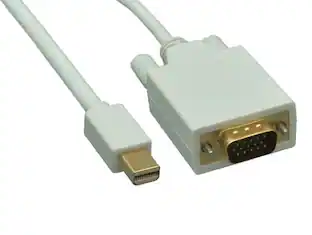
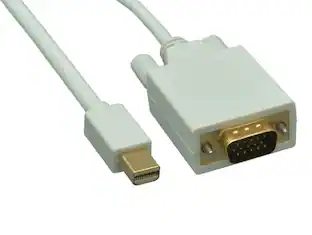
Got a MacBook, iMac, or Surface with a Mini DisplayPort or Thunderbolt 2 port and a conference-room VGA projector or legacy monitor? This Mini DisplayPort to VGA cable converts the digital signal to analog VGA at up to 1920x1200 (1080p Full HD) in a single cable, removing the separate adapter dongle that's a common point of signal loss in classroom and meeting-room setups. Built with 32 AWG tinned copper conductors for a slim, flexible profile, integrated active conversion circuitry, gold-plated Mini DP contacts, and HD-15 VGA captive thumbscrews. Compatible with MacBook, MacBook Pro, MacBook Air (pre-2016 with Mini DP/Thunderbolt 2), Mac Pro, iMac, Mac Mini, Microsoft Surface Pro 3 and 4, and any HD-15 VGA monitor or projector (Epson, BenQ, NEC, ViewSonic). Best for: Mini DP source to analog VGA monitor or projector at up to 1080p Full HD. Not for: VGA-to-Mini-DP reverse, USB-C MacBook (post-2016), or digital HDMI/DVI displays. RoHS compliant.
Cable Length
6'Features
Mini DP to VGA — Plug-and-Play, No Dongle
Connects a Mini DisplayPort or Thunderbolt 2 Mac, Surface, or laptop directly to an HD-15 VGA monitor or projector in one cable. Built-in active conversion handles the digital-to-analog signal change with no external power required — the cable draws what it needs from the Mini DP source.
1080p Full HD up to 1920x1200 — Analog VGA
Carries up to 1920x1200 (1080p Full HD) analog VGA video. Built to VESA Mini DisplayPort and VESA HD-15 VGA specifications. Note: VGA is analog video only — no audio is carried over the cable. For audio, use a separate 3.5mm or HDMI path from the source.
Quick Compatibility Check
Works with: MacBook, MacBook Pro, MacBook Air (pre-2016, Mini DP/Thunderbolt 2); Mac Pro, iMac, Mac Mini; Surface Pro 3 and 4; Lenovo ThinkPad with Mini DP. Yes — VGA conference-room projectors and legacy LCD monitors. No — USB-C MacBook (post-2016). No — VGA source to Mini DP. No — audio.
Slim 32 AWG, Captive VGA Thumbscrews
Mini DisplayPort 20-pin male on one end; HD-15 VGA male connector with captive thumbscrews on the other for a locked projector or wall-plate connection. Gold-plated Mini DP contacts. 32 AWG tinned copper conductors give the cable a slim, easy-to-route profile. Molded strain relief at both ends.
Sample-Tested Production — Cable Leader Direct Support
Each cable is sample-tested during production for conversion stability and connector retention. Manufactured to RoHS environmental standards (lead, mercury, and cadmium-free). If your cable arrives defective or stops working in normal use, Cable Leader handles replacement requests directly — no manufacturer redirects.
Specifications
- Cable Length6 feetConnector Type (End 1)Mini DisplayPortGender (End 1)MaleConnector Type (End 2)VGA (HD-15)Gender (End 2)MaleIn-Wall RatedNo
Reviews
This product doesn't have any reviews yet.
Compare similar products
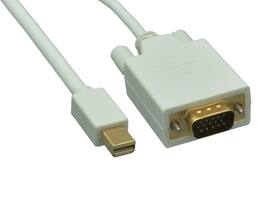
Got a MacBook, iMac, or Surface with a Mini DisplayPort or Thunderbolt 2 port and a conference-room VGA projector or legacy monitor? This Mini DisplayPort to VGA cable converts the digital signal to analog VGA at up to 1920x1200 (1080p Full HD) in a single cable, removing the separate adapter dongle that's a common point of signal loss in classroom and meeting-room setups. Built with 32 AWG tinned copper conductors for a slim, flexible profile, integrated active conversion circuitry, gold-plated Mini DP contacts, and HD-15 VGA captive thumbscrews. Compatible with MacBook, MacBook Pro, MacBook Air (pre-2016 with Mini DP/Thunderbolt 2), Mac Pro, iMac, Mac Mini, Microsoft Surface Pro 3 and 4, and any HD-15 VGA monitor or projector (Epson, BenQ, NEC, ViewSonic). Best for: Mini DP source to analog VGA monitor or projector at up to 1080p Full HD. Not for: VGA-to-Mini-DP reverse, USB-C MacBook (post-2016), or digital HDMI/DVI displays. RoHS compliant.
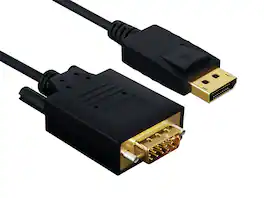
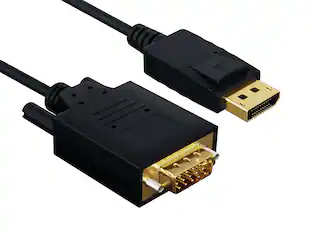
Got a DisplayPort graphics card and a legacy VGA monitor or conference-room projector that you don't want to replace? This DisplayPort to VGA cable converts the digital DP signal to analog VGA at up to 1920x1200 (1080p Full HD), built into a single cable so there's no separate adapter dangling on the back of your machine. Latching DP connector locks into the port; HD-15 VGA end has captive thumbscrews. Built with 28 AWG tinned copper conductors, integrated active conversion circuitry, and gold-plated DP contacts. Compatible with NVIDIA GeForce, AMD Radeon graphics cards, Dell, HP, Lenovo desktops and laptops, and any HD-15 VGA monitor, projector, or conference-room display. Best for: DP source to analog VGA monitor or projector at up to 1080p Full HD. Not for: VGA-to-DP reverse direction, digital DVI or HDMI displays, or USB-C sources without DisplayPort Alt Mode. RoHS compliant.
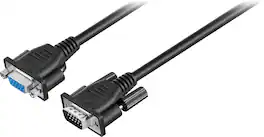
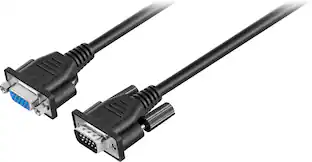
Extend the length of your VGA or Super VGA monitor cable with this 10' Insignia cable that works with most monitors less than 17" and features DB15 male-to-female gold connectors for optimal signal strength.
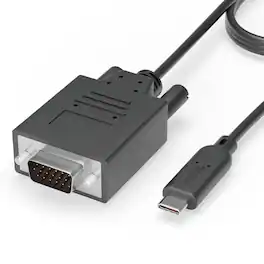
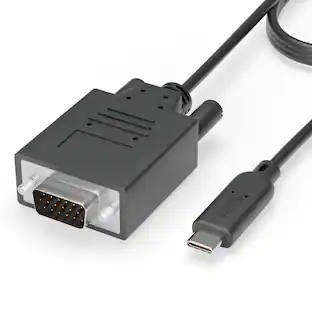
Plugable's USB-C to VGA cable allows you to connect an older VGA display or projector to your new laptop, tablet, or desktop which supports USB-C "DisplayPort Alternate Mode" (Alt Mode) video output functionality. Performance USB-C DisplayPort Alt Mode technology utilizes a direct pipeline to the graphics processor in your system, and your connected monitor will function and perform as a natively attached display Compatible Systems Plug and Play installation on any Windows, Mac, or Linux host which supports DisplayPort Alternate Mode (Alt Mode) video output functionality Adapter has been fully tested for functionality on the 2017 iMac/iMac Pro, 2017 MacBook/MacBook Pro, Late 2016 MacBook Pro 13" and 15", MacBook Retina 12" 2015 / 2016, HP Spectre x360 13" and 15", Chromebook Pixel 2015, the Gigabyte "GA-Z170X-Gaming 7", "GA-Z170X-Gaming GT" and "GA-Z170X-UD5 TH" Alpine Ridge based Thunderbolt 3 motherboards, Dell XPS 13 (9350, 9360), Dell XPS 15 (9550, 9560), Lenovo P50 and P70, and Samsung Galaxy S8 / S8+ For additional compatibility information, please see plugable.com/usbc-vga-cable Incompatible Systems Most current phones and Android tablets with USB-C ports do not support Alt Mode video output. ASMedia USB 3.1 controllers do not support Alt Mode video at this time. Motherboards with dual USB-C/Thunderbolt 3 ports are limited to a single Alt Mode output; only one Alt Mode adapter supported per system. In the Bag Plugable USB-C to VGA cable (6ft/1.8m)
| Pros for Cable Leader - Mini DisplayPort to VGA Cable, 1080p Full HD Male to Male for MacBook, Surface to Monitor or Projector - White | |||
|---|---|---|---|
| There were no pros for this product— | There were no pros for this product— | Cable Length, Quality, Ease of use, VGA, Compatibility | There were no pros for this product— |
| Cons for Cable Leader - Mini DisplayPort to VGA Cable, 1080p Full HD Male to Male for MacBook, Surface to Monitor or Projector - White | |||
| There were no cons for this product— | There were no cons for this product— | Resolution, Signal Loss | There were no cons for this product— |
Specs
Be the first to ask a question.
We’ll try to get your question answered within 24 hours by a Best Buy customer or brand representative.
Customers often buy these together
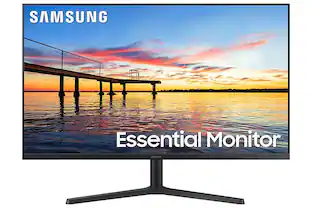
Samsung S30B 32” LED FHD FreeSync and G-SYNC Compatible Monitor (HDMI, DisplayPort)
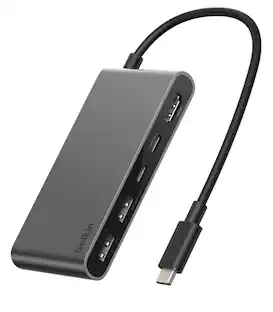
$177.99The price was $199.99Belkin 5-Port Hub w/ 4K HDMI Display with 60Hz, 100W PD, Data Transfer 5Gbps, USB-C Multiport Adapter
Top Deal$22.49The price was $24.99Samsung 32" Odyssey G51F QHD 180Hz 1ms AMD FreeSync Gaming Monitor with HDR10 (DisplayPort, HDMI)
$299.00The price was $329.99

More to consider
Nippon Labs Model MINIDP-VGA-10 10 ft. Mini DisplayPort to VGA 10ft 32 AWG Cable M-M 10 feet- OEM
$24.49The price was $25.56
Explore tech essentials Sponsored



Keep exploring
Acer USB C to HDMI Cable for Home Office 6.6FT (4K@60Hz), High-Speed Type C to HDMI 2.0 Braided Cord
$12.99The price was $13.99