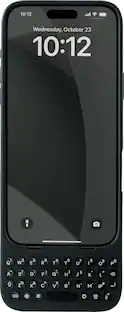
Clicks pushes the benefits of buttons beyond typing, transforming how you use iPhone 16. By using Clicks together with shortcuts created through the Shortcuts app, each key can be configured to take an action. Pressing the Clicks Key along with another button on the keyboard allows users to take simple actions like opening an app or calling a contact, or trigger advanced app commands like controlling house lights or identifying a song. Clicks Keyboard for iPhone 16 has been redesigned to include new ergonomically contoured keys that can help you type faster, longer and more accurately. This premium keyboard experience makes typing feel natural so you can write long notes, edit documents, or take action on ideas, without having to wait to get back to your laptop or tablet. By moving the keyboard off the screen, Clicks helps you gain up to 50% more usable display to immerse yourself in chats, browsing, working and more. Clicks connects directly to iPhone so there's no battery to charge or Bluetooth connection. With MagSafe compatibility and support for USB-C accessories that require data (like CarPlay or a computer), Clicks for iPhone 16 is designed for your digital ecosystem.
Q: Why is the keyboard designed with ergonomically contoured keys?
A: The ergonomically contoured keys help you type faster, longer, and more accurately.
Q: Is the keyboard compatible with USB-C accessories that require data?
A: Clicks for iPhone 16 has support for USB-C accessories that require data.
Q: What is the weight and dimensions of the keyboard?
A: The keyboard weighs 0.13 ounces and measures 7.53 inches in depth, 2.93 inches in width, and 0.43 inches in height.
Q: What is the warranty period for the keyboard?
A: The keyboard comes with a 1-year warranty for both parts and labor.
A: Pressing the Clicks Key along with another button on the keyboard allows users to take simple actions like opening an app or calling a contact, or trigger advanced app commands like controlling house lights or identifying a song.
Q: How does the keyboard connect to the iPhone?
A: Clicks connects directly to iPhone so there's no battery to charge or Bluetooth connection.
Q: What is the warranty period for the keyboard?
A: The keyboard has a one-year warranty for both parts and labor.
Q: What are the benefits of using the keyboard with the Shortcuts app?
A: Using the Clicks keyboard with the Shortcuts app allows each key to be configured to take an action, from simple tasks like opening an app to more advanced commands like controlling smart home devices.
Customers are impressed with the keyboard quality for the Apple iPhone 16 Pro, noting its excellent construction. They also appreciate the perfect functionality of the keyboard. Overall, users seem satisfied with the product's features.
The vast majority of our reviews come from verified purchases. Reviews from customers may include My Best Buy members, employees, and Tech Insider Network members (as tagged). Select reviewers may receive discounted products, promotional considerations or entries into drawings for honest, helpful reviews.

Clicks pushes the benefits of buttons beyond typing, transforming how you use iPhone 16. By using Clicks together with shortcuts created through the Shortcuts app, each key can be configured to take an action. Pressing the Clicks Key along with another button on the keyboard allows users to take simple actions like opening an app or calling a contact, or trigger advanced app commands like controlling house lights or identifying a song. Clicks Keyboard for iPhone 16 has been redesigned to include new ergonomically contoured keys that can help you type faster, longer and more accurately. This premium keyboard experience makes typing feel natural so you can write long notes, edit documents, or take action on ideas, without having to wait to get back to your laptop or tablet. By moving the keyboard off the screen, Clicks helps you gain up to 50% more usable display to immerse yourself in chats, browsing, working and more. Clicks connects directly to iPhone so there's no battery to charge or Bluetooth connection. With MagSafe compatibility and support for USB-C accessories that require data (like CarPlay or a computer), Clicks for iPhone 16 is designed for your digital ecosystem.

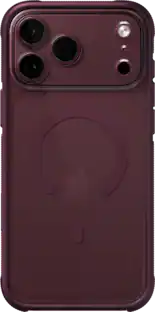
A lean, mean fighting machine. The Slim Armor MagFit conditions your iPhone 16 to be in its best-case scenario. It features dual-layered protection that’s anything but starved. Make your iPhone MagSafe ready while making it fit for drops. We got you.

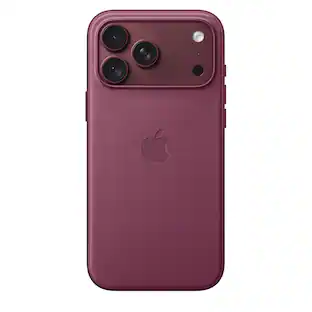
Show off your device without stressing its safety with Symmetry Series Clear for MagSafe. Ultra slim with a see-through finish, this clear iPhone 16 Pro case dials in your look while hugging your device’s curves. And now it features built-in anchors so you can customize your experience with straps and charms. All of your phone’s buttons, features and functions work flawlessly inside Symmetry Series Clear for MagSafe. Plus, the integrated magnets snap securely to MagSafe accessories. And however you set your phone down, the screen lip and raised edges around the camera add an extra layer of protection. Model 77-96389

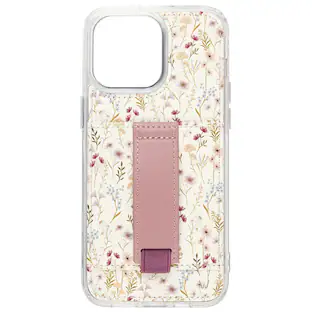
Crystal Palace Snap with Kickstand has a seamless design that shows off the sleek lines of your phone. The case retains its transparent beauty with anit-yellowing properties and an anti-scratch finish. It also has a new textured grip and an improved kickstand. Crystal Palace Snap with Kickstand is fortified with graphene and provides 13 feet of drop protection.
| Pros for Clicks - Keyboard for Apple iPhone 16 Pro - Surf | |||
|---|---|---|---|
| Keyboard Quality, Functionality | There were no pros for this product— | Protection, Fit, Design, Grip, Color | Protection |
| Cons for Clicks - Keyboard for Apple iPhone 16 Pro - Surf | |||
| There were no cons for this product— | There were no cons for this product— | Bulkiness, Camera Button | There were no cons for this product— |