Deals for every list.Start early, save early.Shop now

Skip to contentGo to Product Search
Main Content
Let's make sure this product fits your vehicle.
Installation available

Cobra - SC 250R 4K Dual-View Front & Rear Dash Cam, works with Apple CarPlay/Android Auto - Black

Model: SC250R
SKU: 6580295
Sold byBest Buy

Customers are saying

Customers are positive about the product's high-quality video performance, ease of installation, and user-friendly design. Users also appreciate the convenient features, such as the rich app functionality and appropriate cable lengths for various vehicle types. However, customers are negative about the slow connectivity speeds and the difficulty of adjusting the mounting tape once it has been applied.

Generated by AI based on customer reviews.

Features

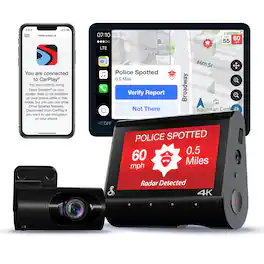
  • Apple CarPlay/Android Auto Compatible

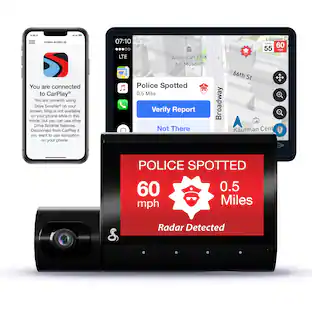
    Easily view your route and interact with alerts on your CarPlay or Android Auto compatible display. Increase your focus on the road ahead, and have control over your alerts without fumbling for your phone.

  • True 4K Resolution

    Experience crystal clear video for the ultimate license plate capture in case of an accident or emergency, thanks to the addition of true 4K resolution, which improves video resolution two times the previous generation

  • Pick the View You Need

    The SC 250R comes equipped with a rear-view accessory camera which you can easily swap out with an optional interior-view accessory cam

  • Clear Video, Even at Night

    Infrared night vision in the interior camera allows you to capture what's going on inside your cabin, even in dark conditions or at night.

  • More Than Just a Dash Cam

    Get notifications of red light camera locations, speed traps, and many more alerts from our nationwide network of drivers and sensors.

  • Relive Your Road Trips

    Use Trip Clips to create condensed time-lapsed videos of your scenic drives and adventures to easily share with friends and family.

  • See What Your Dash Cam Sees

    A 3" screen display shows exactly what the dual cameras are recording so you know you've got the right angles covered during your drive.

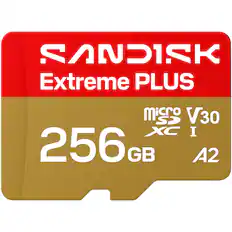
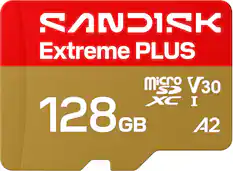
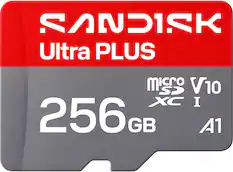
  • MicroSD card required (sold separately)

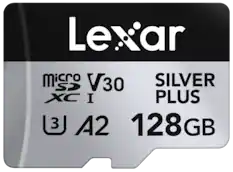
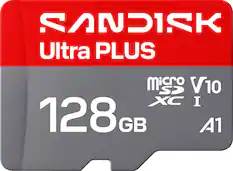
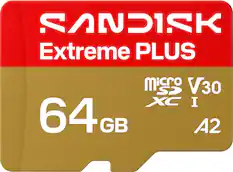
    For reliable video recording, we recommend using a Class 10 UHS-I (U1) high-endurance microSD card. Compatible with microSD cards from 32GB to 512 GB, depending on your storage needs.

Specifications

  • Field of View
    140 degrees
    Automatic Incident Detection
    Yes
    G-Sensor
    Yes
    Recording Resolution
    4096 x 2160 (4K)
    Forward Collision Warning
    No
    Compatibility
    iOS, Android
Sponsored

Reviews

Customers are sayingCustomers are positive about the product's high-quality video performance, ease of installation, and user-friendly design. Users also appreciate the convenient features, such as the rich app functionality and appropriate cable lengths for various vehicle types. However, customers are negative about the slow connectivity speeds and the difficulty of adjusting the mounting tape once it has been applied.
This summary was generated by AI based on customer reviews.
  • Video Quality (81)
  • Overall Performance (30)
  • Ease of use (28)
  • Installation (12)
  • App (9)
  • Connectivity (11)
  • Mounting (4)

Customer Images

The vast majority of our reviews come from verified purchases. Reviews from customers may include My Best Buy members, employees, and Tech Insider Network members (as tagged). Select reviewers may receive discounted products, promotional considerations or entries into drawings for honest, helpful reviews.

  • Rated 5 out of 5 stars

    SC 250R 4K Duel View Dash Can

    I purchased this Model as an upgrade from previous SC200D which was no longer available, I chose to use a different mounting location for line of sight and ease of not having to take apart lots of interior grime to fun wires. I really like the selection features using touch button at the bottom instead of an actual button. Although it comes with a 16’ cord for the rear camera I had to get Creative and splice together another 16’ cord from a spare cord from my old one due to having a cap on my truck bed. The Clarity of pictures is also a plus. Installed in 2014 F150 4x4.

    Posted by Rolvin73

  • Rated 5 out of 5 stars

    Great Quality 4K Videos

    The Cobra Dash Cam works exceptionally well and was incredibly easy to install. The videos it records are what one would expect from a 4K camera, crisp and clear, with fine detail and color that is true to visual perception. *Installation* The installation was simple and straightforward. Stick the dash cam to the front windshield and the rear camera to the rear window. I will have to get additional cable clips to tuck the cable more neatly because the provided amount just is not enough for my crossover. It only includes six (6) clips which are there primarily for the rear cam. The wire length for both cameras is more than enough for my car, a Subaru Crosstrek. I have a bit too much of the extra hanging around, but it is better to have more than not enough, especially since longer cars will still be able to use this device. The dash and rear cams are well made and feel like good quality. The screen is large enough to see what the camera is viewing and there is a PiP option that shows the rear view as well. I thought it was touchscreen at first, as most things are nowadays, but it actually has some small touch buttons under the screen. They are very receptive, and the menu is easy and intuitive to navigate. The dash cam also has the potential to add a secondary camera that faces the interior. The camera only works as long as the car is powered on, unless it is reconfigured to connect to the vehicle’s battery. Viewing the recording via the app requires some patience. I use my iPhone to do so, and it requires that my phone connects to its WiFi first, which always fails on the first try and then works on the second for some reason. From here I can view the videos it has records and download or take snapshots. This can also be done by removing the SD card and viewing the footage on a computer. The app connects to CarPlay, but the use of it is limited to GPS. It includes a 32GB card and continuously records, deleting the oldest footage as needed. The recordings capture a wide angle. It is notable that the app only provides recordings of the dash cam and not the rear. The rear is recorded, just not accessible through it for some reason. I am hopeful that future updates can change this. Another thing to note is that the internal GPS will always note where the vehicle was during a specific recording. This is great in case there is an incident that needs to be reported. I have personally experienced during times of stress the mind can jumble location facts, so I really like this feature. My one annoyance with it, which I admit is trivial, is that the car is always sideways on the map shown (see pictures for reference). All things considered, I really like the quality and simplicity of this dash cam. The included rear camera is a major plus, as is the large screen in the dash cam. My main advice would be to be prepared to buy an install kit or extra adhesive clips to get the long wires in neat order in the car and maybe an SD card with more memory if you plan to record scenic drives for days at a time to ensure nothing important gets erased.

    Posted by Akire

  • Rated 5 out of 5 stars

    All you want from a dash cam and more!

    This is an amazing dashcam, it comes with everything you need to install it easily. They include a front cam, a rear one, and 32 GB Micro SD card, cables, additional heavy duty double sided tape (in case you need to unmount the camera and re-mount it again), plastic strips with double sided tape to route your cables if you need them and plastic pudgy to make it easy to move your car trimmings to hide the cables. Instructions were clear, but I have installed dash cams before so it was really easy. First I cleaned well the glass so the double sided tape attaches well (this is a little con, I wish they included other mounting options, like suckers i.e. but they only include double sided tapes), then I attached the front cam smack duck in the middle of my front windshield. From there I used the plastic pudgie they include to pull a bit on my car's trimmings so I could start routing the power cable and also the long cable for the rear cam. How easy this would be depends on your car... Mine was pretty easy. Then I attached the rear camera and plugged it in. Easy as that. Then I started the power (my car only delivers power to the cigarette lighter if the car is on/ACcessories), you may want to see if your card does this or keeps power even when off (you don't want to run out your battery). They also sell an accessory on their website (not included) to wire the cam directly to a fuse or the OBD port for permanent power (this device has a sensor that if your battery goes lower than 11v it will cut power, so it wont run your battery out). If you use this extra accessory, you can also have parking detection (if someone bumps, hits or breaks onto your car the camera will sense this and record when parked). Once the cam was on, it told me to format the SD card and I went onto configuring it. This is where I found a little con, the screen is nice, however its not a touch screen, it has 4 capacitive buttons on a horizontal row and this is how you navigate the menus... not very intuitive and I wish the screen was just touch. I love that if you also connect it to their "Drive smarter" app, the cam can also give you alerts (like cop traps, radar traps etc that other people report to the app, you can report to and/or confirm if you see a speed trap or cops on your road, helping other people), the also can give you navigation and trip alerts. The 4k quality is very good, I was able to distinguish license plates from other cars on the road and the quality at night is good too. Sound was good to. The camera will record clips on a loop and if it detects a collision it will lock that clip for you to have it as proof of the accident. I highly recommend it, specially these days with so many irresponsible people without insurance out there and and so many people trying to pull off insurance scams etc, you will have proof of anything that happens while you are driving!!!

    Posted by JamexRZ

  • Rated 4 out of 5 stars

    Great Front and Rear cam! Needs more options.

    The Cobra SC 250R is an excellent high quality 4K front cam and HD rear cam. Pictures and videos are clear as day but I wish there were more recording options. This is my 2nd dash cam for my vehicles so I am a little savvy with them. Cobra includes in the box the 2 camera, SD card preinstalled, very and I mean very long power cables to plug into the front cam and another cord to connect front cam with rear. Additionally there are extra mounting pads incase you want to relocate the cams at a later date and not near enough cable holders. The instruction booklet leaves a lot to be desired but you can make out the jist of how to mount and use the cams. There is also a QR code to download the app to pair it with the cams once you are done installing. Installation -------------------- Long story short, I am going to get the adapter to hardwire the cams to my Jeep as cable management is a nightmare for a SUV imho. A little tip, don't be like me and install both cams only to forget peeling off the protective covers on the lens. Once I found and cleaned the perfect spot for the cam, I laid out the entire line for the power delivery. If not using adapter kits to install it directly to a cars power source, the included power cord plugs directly into the cars 12V outlet and has a massive length. I used the included spudger tool to tuck the cord all along my roof, to the door, along down the trim and finally hidden under the glove compartment area and plugged it in. The excess cable I bundled up and zip tied it out of place. The rear camera was the hardest. Even though I plugged it directly into the front cam, the wiring path from the ceiling, around the pano sunroof, down side the trim, and finally to the rear cam mounted dead center near the top. It sounds easy, but man, removing panels to hide cables is time consuming. Performance -------------------- Once all that was out of the way, it was time to see what the Cobra can do. Once powered on, you get your initial set up screen. One thing I was losing my mind was I thought it was touch screen. It totally isn't. There are 4 small buttons at the bottom that you use to navigate around the menus. For a 4K camera, I really wished it did more than 2 different options for video recording. It's supposed to be top of the line, cream of the crop, but instead you are stuck with 4K @ 25fps or 1600P @ 30fps. I mean this should be able to easily handle 1440p @ 60 or 1080P @ 60. The rear cam is ONLY 1080P but @ 25 or 30fps. Sorry I am just spoiled by 60-360fps displays and wished Cobra followed suit. Another thing is the 1 minute recording clips. I guess it's too limit the file size when xfering vids/pics to the app, but I would really like an update in the future where you can control the length especially if you have larger size SD cards. Nonetheless the quality of the videos are still great. I can pause and clearly read street signs and license plates. You can change the view to see only front, back or PIP it as I prefer. App feature are pretty rich. It's called Drive Smarter and pairs with the cam to access videos or change settings on your phone instead of manually doing it on the camera itself. Playback is smooth. The only thing I don't like about the app is the navigation. It just doesn't work for me. The car icon never moves, even while driving. All in all, this Cobra SC 250R is a great all-in-one system for any vehicle. Comes with everything you need to get started and features and quality are close to top tier.

    Posted by Woo151

  • Rated 4 out of 5 stars

    Very desirable features and video performance but

    Cobra - SC 250R 4K Dual-View Front & Rear Dash Cam - The Cobra car Dash Cam has a full set of the features, although I would have loved a more user-friendly guide to using them and for the installation. It delivers a high quality image no matter what. The box provides all you need to get this front and rear dash cam working and you can buy more accessories for expanded usefulness. For this type of set-it and forget-it technology — these cameras are often forgotten as they work in the background for months without incident — it is crucial that the system is very intuitive. I’m not sure this is true. Let me explain. SETUP: Cobra includes everything you need for a standard setup, the necessary lengthy wires to connect your camera to a (likely) center console power outlet and also to a rear window camera. They’ve added into the box some temporary mounting film because your first mount location may not be well thought out. There are some cable mounts and a tools for lifting the rubber seals to conceal your cables. That camera mounted pair of inputs (power and rear camera) are snug together and require sufficient space to clear all of our vehicles top-of-windshield technology in our autos in 2024. This is a permanent mount with some strong adhesive, so a temp location is a nice touch. Not necessarily permanent. The camera slides off the amount with a firm push off to one side. You need some space to accomplish this, hence the “temporary” mounting tape, because you may judge the space needed incorrectly. The camera, once located where you want it, can be powered up. An image appears and the recording light is on. Actually you have some other activities that need to be completed. In my case, I managed to eject the thoughtfully included 32GB memory card across the room as I was checking it out. And lost it, as it appeared to attain escape velocity. Fortunately I have a few 128 GB memory cards so it was not a problem as these are readily accepted. Powerful ejection spring there, Cobra! I was prompted to format the disk. After that I was prompted to download the DRIVE SMARTER App to add and/or control features on the camera. PERFORMANCE: The LIVE VIEW on the camera can be either the front or rear view and there is an option to do Picture-in Picture. Even on this somewhat larger screen, it is too small for me. The controls on the lower part of the screen are merely place markers for the 4 sensitive touch buttons that manage selections, scrolling and settings management. You get used to it, but this type of offset control throws me off a bit. It’s here that I hoped the App might be an alternate way to choose settings, but, alas, that is not the case. The App does offer added features.It will, for example, allow you to find a route which is sent to the Dash Cam, but this will be redundant for many people with they phones directly offering this route guidance. It facilitates a live view of your parked car, but added hardware is needed along with creating a Wi-Fi HotSpot. The camera uses its Motion and G-sensors to accomplish this. It’s also on the camera that you can call up the accumulating video clips for review and management. I found it cumbersome to do in the car. But, remember that sliding camera mount? I slid the camera off, came in out of the current 103 degree heat and connected the camera to a USB-C cable and a power brick in my comfortable recliner, inside. Now I could manage the video clips. Or, as I discovered within the phone App, you can also view those same clips and download them. Those clips, using either method are richly colored and have sufficient detail to see license plates. Cobra uses Wide Dynamic Range (WDR) for imaging which contributes to the ability to deliver details no matter how contrasty the scene is. It was some effort to download to my computer. t figured it would be even easier for me to use Quicktime or the photo App on my Mac. But getting the videos off the memory card was a chore. My Mac couldn’t do it (“Can’t read this file type, Format media?” ___ yikes, no!) without first dragging it into a PC. This could be a problem only with my setup, but it was frustrating. My major Issues: I need a computer based App, or at least a tablet App, that gives more intuitive control (and help screens) so those infrequent searches for video clips isn’t a re-learning exercise. A better guide is needed to understand the very few actions, and probably far more settings, than we need to manage our cameras. I can see buyers being intimidated by a screen of uninformative icons and no simple guide to help. I’ve never had a memory card not readable by my Mac. While I understand the card uses FAT formatting, I can’t understand why my Mac couldn’t pull in its files, as it has before. With a couple of new cards, what starts out as a readable FAT is changed into an unreadable (on my MAC) FAT card. Odd. Add a USB power connection along with the cigarette light plug. I could shorten my cable run by two feet with USB. Speaking of cables, wow, that’s a nest of cables to slip under trim, or window and door trim. Cobra offers no guidance here and end users do not know what they do not know concerning air bags or other installation concerns. CONCLUSION: The included suite of services, recordings, front and back cameras, saved downloadable clips, sensitivity settings, local storage, basic cabling needs, a phone App for apple and Android, Wi-Fi connectivity to the camera from your phone are all well implemented. They justify the price of this compact dash cam. You can add some accessories to broaden the features (parking security watch), a 3rd camera, and even a subscription to participate in a shared community of users who can give you info about speed traps from Cobra radar detectors and other travel info. The camera can control Google Maps as part of its mapping feature. Those are extra and not necessary to get full functionality from the Cobra SC220R. I like everything about the Cobra SC250R but Cobra can make it more user friendly.

    Posted by TECHBEENGOOD

Compare similar products

Cobra - SC 250R 4K Dual-View Front & Rear Dash Cam, works with Apple CarPlay/Android Auto - Black

Those who drive every day value peace of mind, and you deserve nothing less. The Cobra SC 250R offers premium protection and unparalleled features. Like crystal-clear 4K video, parking mode recording, and remote vehicle monitoring. Everything you need to make your journey worry free.
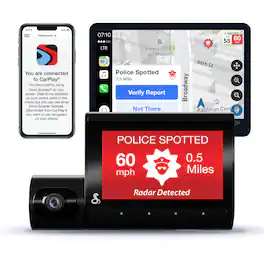
Cobra - SC 220C QHD Dual-View Front & Cabin Dash Cam, works with Apple CarPlay/Android Auto - Black

The Cobra SC 220C is a dual-view camera that captures the front and interior of your vehicle for comprehensive security. Add in Mayday notifications, remote wi-fi vehicle monitoring, and QHD resolution—and you have comprehensive security that never blinks.

Cobra - SC 400D Dual-View Smart Dash Cam with Rear-View Accessory Camera, works with Apple CarPlay/Android Auto - Black/Silver

SC 400D - The ultimate solution to all of life's blindspots. Whether you're on the road or parked, a commercial driver or commuter, hauling cargo or chauffeuring kids - you're covered from all angles in all situations with a Cobra smart dash cam. With stunning, easily-sharable 4K UHD resolution, heads-up navigation, and live police alerts, there's no better way to protect the vehicles, drivers, passengers, and cargo you value most. See just how much peace of mind the award-winning Cobra SC 400D dash cam can provide.
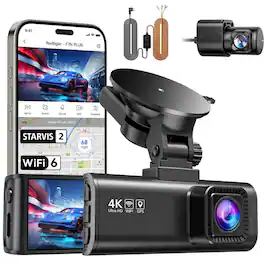
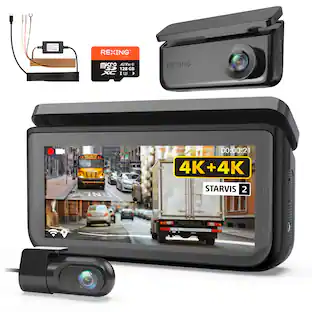
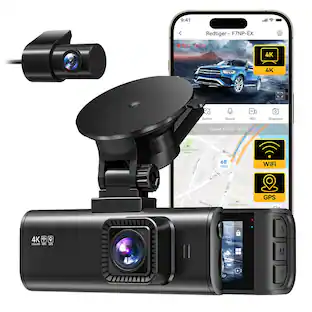
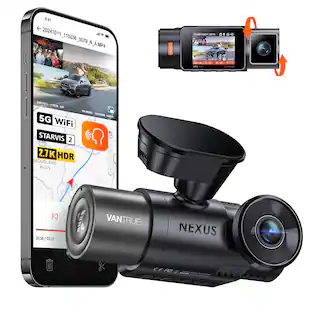
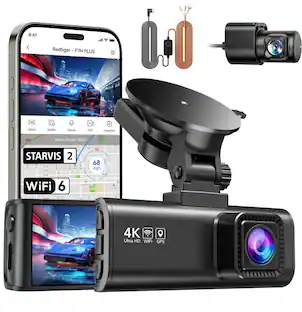
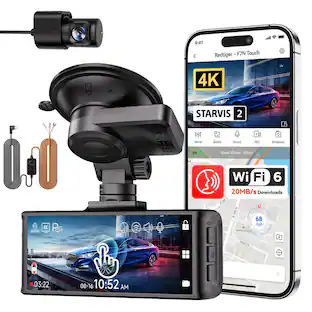
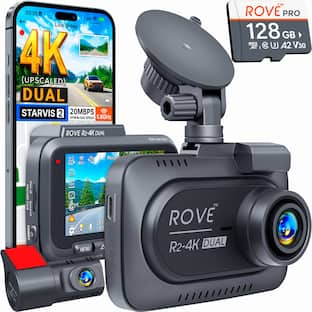
REDTIGER - 4K Dual Dash Cam, STARVIS 2, 5G WiFi, GPS, WDR Night Vision, 24H Parking Mode - Black
5.0(1)

The dash cam features a STARVIS 2 sensor for superior image quality, app control for easy operation, and a built-in display for real-time monitoring. It supports loop recording and comes with built-in GPS, WDR for enhanced video clarity. The G-sensor ensures automatic incident detection and protection of footage. Its compact design includes 4K front and rear dual cams, built-in Wi-Fi, and night vision for clear recordings in low light. The camera supports OTA firmware updates and features a built-in supercapacitor for reliable performance in extreme temperatures. The product is backed by an 18-month warranty and includes parking monitor(with HW Kit) and audio recording capabilities for comprehensive surveillance.built-in Wi-Fi, and night vision for clear recordings in low light. The camera supports OTA firmware updates and features a built-in supercapacitor for reliable performance in extreme temperatures. The product is backed by an 18-month warranty and includes parking monitor and audio recording capabilities for comprehensive surveillance.

Pros for Cobra - SC 250R 4K Dual-View Front & Rear Dash Cam, works with Apple CarPlay/Android Auto - Black
Video Quality, Overall Performance, Ease of use, Installation, AppVideo Quality, Ease of use, Overall Performance, Installation, FeaturesEase of use, Installation, Overall Performance, Camera Quality, ResolutionThere were no pros for this product—
Cons for Cobra - SC 250R 4K Dual-View Front & Rear Dash Cam, works with Apple CarPlay/Android Auto - Black
Connectivity, MountingApp, Connectivity, NavigationApp, Battery Life, Price, Voice CommandsThere were no cons for this product—

Specs

Questions & Answers

  • What type of mount does the dash cam use?

    The dash cam uses an adhesive mount.

    This question and answer was generated by AI based on customer and product data.
  • Does this dash cam offer any driver assistance features?

    Yes, the Cobra SC 250R dash cam provides traffic camera alerts.

    This question and answer was generated by AI based on customer and product data.
  • Does this dash cam have GPS?

    Yes, the Cobra SC 250R dash cam is GPS enabled.

    This question and answer was generated by AI based on customer and product data.
  • Does the dash cam come with a mount?

    Yes, the SC 250R dash cam includes a mount.

    This question and answer was generated by AI based on customer and product data.
  • What is the screen size of this dash cam?

    The SC 250R dash cam has a 3-inch screen display.

    This question and answer was generated by AI based on customer and product data.
Ask a question
No content

Customers often buy these together

Sponsored