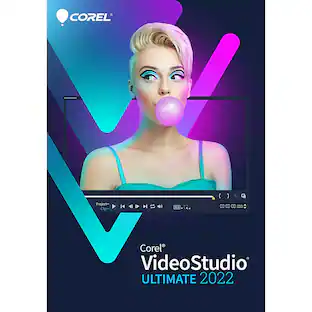
Corel - VideoStudio Pro 2021 (1-User) - Windows [Digital]
Model: ESDVS2021ULML
SKU: 6479639
This item is no longer available in new condition. See similar items below
- Key Specs
- Number of Users: 1
- Operating System Compatibility: Windows
- Software Format: Digital (Physical software requires a disc, cartridge, etc. be inserted into the gaming console or computer to download and/or operate the software. Digital software allows for downloading and/or playing the software on the gaming console or computer without a physical disc, cartridge, etc. Physical (Download Code Only) software is purchased in physical form with a code that allows for downloading and/or playing the software on the gaming console or computer without a physical disc, cartridge, etc.)
- General
- Brand: Corel
- Model Number: ESDVS2021ULML
- Product Name: VideoStudio Pro 2021 (1-User)
- Publisher: Corel
- Features
- Software Subject: Video conversion, Video editing, Video playback
- Editing Type(s): 360 degree video, 4K video, Color correction, Effects, Filters, Image stabilization, Sound adjustment, Text, Trimming
- Tutorials Included: true
- Language(s): Chinese (traditional), Dutch, English, French, German, Italian, Japanese
- Purchase Rights
- Number of Users: 1
- Compatibility
- Operating System Compatibility: Windows
- Bit Version: 64-bit
- Software Format: Digital (Physical software requires a disc, cartridge, etc. be inserted into the gaming console or computer to download and/or operate the software. Digital software allows for downloading and/or playing the software on the gaming console or computer without a physical disc, cartridge, etc. Physical (Download Code Only) software is purchased in physical form with a code that allows for downloading and/or playing the software on the gaming console or computer without a physical disc, cartridge, etc.)
- Compatible File Formats: AAC, AIFF, AU, GIF, H.264, M4V, MOV, MP3, MP4, MPEG-1/2/4, Ogg, Ogg Vorbis, PNG, WAV, WMA, WMV
- Compatible File Types: 3GP, AAC, AMR, AVCHD, AVCHD (M2T, MTS), AVI, BMP, DV, DVR-MS, GIF, H.265/HEVC, JPG, M2TS, M4A, M4V, MKV, MOD, MOV, MP3, MP4, MPA, MPEG-1, MPEG-2, MPEG-4, OGG, PSD, RAW, TGA, TIF, TIFF, TOD, WAV, WMA, WMF, WMV, XAVC, XAVC S
- Requirements
- System Requirements: Windows 7 64 bit and higher, Processor: Intel Core i3 or AMD A4 and higher, RAM: 4 GB or higher, Graphics card: Minimum display resolution: 1024 x 768, minimum 512 MB VRAM, Windows-compatible sound card, 10GB hard drive space (The software that a product must have for it to be able to integrate with another product.)
- Hard Drive Space Required: 6 gigabytes
- Other
- UPC: 735163160987
Dive into fun and easy video editing with Corel VideoStudio Pro 2021. Explore drag-and-drop creativity with hundreds of filters, effects, titles, transitions, and graphics, including AR stickers. Leverage intuitive tools and Instant Project Templates, and create impressive videos in minutes. Discover fun, easy video creation, and surprise yourself with the results.
- Easy, intuitive, and fun video editing: Easily jumpstart your video creation with Instant Project Templates, or build unique movies from scratch with intuitive drag-and-drop controls and a wide selection of graphics and creative effects.
- Creative extras and powerful features: Explore new perspectives with split-screen templates, and enjoy tools to convert and edit 360° videos. Enhance your footage with color correction, and tap into more than 1,500 effects to reveal your personality.
- Smart tools and artificial intelligence: Transform your media into slideshows and movies in mere minutes with FastFlick, the instant slideshow maker. Leverage artificial intelligence with facial recognition, and let Highlight Reel automatically select your best shots and clips.
- MultiCam capture and editing: Capture webcam video, and record your screen at the same time with VideoStudio's MultiCam Capture Lite to create movies that engage viewers and grow your audience.
- 360° video editing: Easily trim footage, add titles, and convert your 360° video to standard video in just several clicks. Edit your footage, add the unique Tiny Planet or Rabbit Hole effects, then share directly to YouTube, or export to view on your virtual reality headset.
- Stop-motion animation: Plan and capture your frames from your webcam, or plug in your own camera and control the capture from right inside VideoStudio.
- AR stickers: Add instant fun and personality to your next project with the AR stickers. These face-tracking stickers can recognize and map facial features to make it easy to add funny character ears, show-stopping eyes, larger-than-life sunglasses, or over-the-top hats to any project.
- Disc creator with menus: Transform your video projects with VideoStudio MyDVD, and quickly create high-quality personalized DVDs with the custom menus, titles, chapters, and music.
- Audio tools for perfect sound: Adjust, mute, and layer your audio directly in the timeline, and quickly balance audio levels. Rely on built-in Audio Ducking to detect narration and clean the background noise to keep your voices sounding crisp and clear.
- Convert and share freely: Convert your video to one of the many popular formats to view on your favorite device, upload directly to YouTube, or export to disc. VideoStudio supports iPad, iPhone, iPod touch, and Sony PSP/PS4, Windows and Android smartphones and more.
- Performance: Experience both quicker project exporting and enhanced quality when rendering titles, previews, and video masks. The hardware acceleration leverages Intel, AMD, and NVIDIA technologies to dramatically improve previewing and rendering to popular file formats.
- Learning resources: Learn, create, edit, and grow with VideoStudio 2021. The extensive library of tutorials and learning materials offers editing tips and tricks and project inspiration for everyone from beginners to advanced users.
Q: can you add lyrics to music or videos?
A: undefined
A: The storage and sharing of files and projects are within your control when you save your work. The fact that it is a download is just a means to get the product onto our computer.