Corel - VideoStudio Ultimate 2022 - Windows [Digital]

Key Accessories:
- Microsoft - Office 365 Personal (1 Person) (12-Month Subscription) - Activation Required - Windows, Mac OS, Apple iOS, Android [Digital]$99.99
![Microsoft - Office 365 Personal (1 Person) (12-Month Subscription) - Activation Required - Windows, Mac OS, Apple iOS, Android [Digital]](https://pisces.bbystatic.com/image2/BestBuy_US/images/products/fa90dd84-caf2-4bbe-86e9-18b037ea6563.jpg;maxHeight=160;maxWidth=166)
Related Item
![Adobe - Premiere Elements 2026 (1-User) (3-Year License) - Windows, Mac OS [Digital]](https://pisces.bbystatic.com/image2/BestBuy_US/images/products/16f741b0-2af7-468b-bef5-a856c28e6efb.jpg;maxHeight=96;maxWidth=96)
About This Item
- Key Specs
- Operating System Compatibility: Windows
- Software Format: Digital (Physical software requires a disc, cartridge, etc. be inserted into the gaming console or computer to download and/or operate the software. Digital software allows for downloading and/or playing the software on the gaming console or computer without a physical disc, cartridge, etc. Physical (Download Code Only) software is purchased in physical form with a code that allows for downloading and/or playing the software on the gaming console or computer without a physical disc, cartridge, etc.)
- General
- Brand: Corel
- Model Number: ESDVS2022ULML
- Product Name: VideoStudio Ultimate 2022
- Publisher: Corel
- Features
- Software Subject: Video conversion, Video editing
- Editing Type(s): 360 degree video, 4K video, Color correction, Effects, Filters, Image stabilization, Sound adjustment, Text, Trimming
- Sharing Capabilities: Export to CD/DVD, Export to smartphone/tablet, Post to social media
- Templates Included: true
- Tutorials Included: true
- Language(s): Chinese (traditional), Chinese (simplified), Dutch, English, French, German, Italian
- Compatibility
- Operating System Compatibility: Windows
- Bit Version: 64-bit
- Software Format: Digital (Physical software requires a disc, cartridge, etc. be inserted into the gaming console or computer to download and/or operate the software. Digital software allows for downloading and/or playing the software on the gaming console or computer without a physical disc, cartridge, etc. Physical (Download Code Only) software is purchased in physical form with a code that allows for downloading and/or playing the software on the gaming console or computer without a physical disc, cartridge, etc.)
- Compatible File Formats: AAC, GIF, M4V, MOV, MP3, MP4, MPEG-1, MPEG-2, MPEG-4, WAV, WMA, WMV
- Compatible File Types: 3GP, AAC, AMR, AVCHD, AVI, BMP, DV, DVR-MS, GIF, H.265/HEVC, JPG, M2TS, M4A, M4V, MKV, MOD, MOV, MP3, MP4, MPA, MPEG-1, MPEG-2, MPEG-4, OGG, PSD, RAW, TGA, TIF, TIFF, TOD, WAV, WMA, WMF, WMV, XAVC, XAVC S
- Requirements
- System Requirements: Windows 8 64 bit and higher, Processor: Intel Core i3 or AMD A4 and higher, RAM: 4 GB or higher, Graphics Card: Minimum display resolution: 1366 x 768, minimum 512 MB VRAM, Sound Card: Windows-compatible sound card, Hard drive space: Minimum 10 GB (The software that a product must have for it to be able to integrate with another product.)
- Hard Drive Space Required: 10 gigabytes
- Other
- UPC: 735163163841
Take your filmmaking and video editing up a notch with this Windows-compatible VideoStudio Ultimate 2022 software. The customizable filters, video masking and color grading enable seamless edits, while built-in recording tools let you capture your screen or multi-camera videos. This digital download of VideoStudio Ultimate 2022 software features custom menus to directly upload content to YouTube or burn to discs, easily sharing your creations.
- Exclusive Premium effects: Achieve remarkable creative transformations, add interest and set the mood in any scene with optimized effect packs from NewBlueFX and hundreds of VitaScene effects from proDAD.
- MultiCam capture and editing: Capture webcam video and record your screen at the same time (even in 4K), or record dual screens simultaneously with VideoStudio's MultiCam Capture Lite to create movies that engage viewers and grow your audience.
- 360° video editing: Easily trim footage, add titles, and convert your 360° video to standard video in just several clicks. Edit your footage, add the unique Tiny Planet or Rabbit Hole effects, then share directly to YouTube, or export to view on your virtual reality headset.
- Smart tools and artificial intelligence: You can transform your life experiences into slideshows and movies automatically with the VideoStudio smart tools. FastFlick makes creating slideshows of your favorite moments three-step simple with the creative templates.
- AR stickers: Add instant fun and personality to your next project with the AR stickers. These face-tracking stickers can recognize and map facial features to make it easy to add funny character ears, show-stopping eyes, larger-than-life sunglasses, or over-the-top hats to any project.
- GIF Creator: Try the newly added GIF Creator to capture a section of your video and convert it to a short, repeatable clip. Go ahead and explore this fun new tool, and produce your own unique GIFs for expressing emotions and reactions.
- Audio tools for perfect sound: Adjust, mute, clean up the background noise, and edit audio directly in the timeline, or take advantage of the powerful audio tools, such as Audio Ducking, to ensure your background sound and narration are balanced.
- Convert and share freely: Its intuitive exporting options automatically choose the closest file type to your project settings to make sharing your videos simple, intuitive, and fast. Share your videos directly to YouTube, output your video to popular formats, or burn to DVD for family viewing.
- Performance: Experience quicker project exporting and enhanced quality when rendering titles, previews, and video masks. The hardware acceleration leverages the Intel, AMD, and NVIDIA technologies to dramatically improve previewing and rendering to popular file formats.
- Learning resources: Learn, create, edit, and grow with VideoStudio 2022. The extensive library of tutorials and learning materials offers editing tips and tricks and project inspiration for everyone from beginners to advanced users.
Q: What are the minimum system requirements for this software?
A: The minimum system requirements are: Windows 8 64 bit and higher, Intel Core i3 or AMD A4 and higher processor, 4 GB or higher RAM, 1366 x 768 minimum display resolution, minimum 512 MB VRAM graphics card, Windows-compatible sound card, and minimum 10 GB hard drive space.
Q: Can I create GIFs with this software?
A: Yes, you can use the new GIF Creator to capture a section of your video and convert it into a GIF.
Q: Does this software include any learning resources?
A: Yes, VideoStudio 2022 includes an extensive library of tutorials and learning materials.
Q: Does this software allow for multi-camera capture and editing?
A: Yes, VideoStudio's MultiCam Capture Lite lets you capture webcam video and record your screen simultaneously, even in 4K, or record dual screens at the same time.
Q: How does the software handle audio editing?
A: You can adjust, mute, clean up background noise, and edit audio directly in the timeline. There are also powerful audio tools like Audio Ducking to balance background sound and narration.
A: VideoStudio Ultimate gives you the tools to easily create videos using BOTH video clips and still images, or even just still images. Change the timings, add transitions, and include music to create stunning photo presentations for professional or personal use. Short answer is yes, you can create a photo slideshow with music.
Q: Is this a one-time purchase or are there yearly fees?
A: This is a perpetual license, so no yearly fees. It is a one-time purchase.
Reviews
Rating 4 out of 5 stars with 3 reviews
The vast majority of our reviews come from verified purchases. Reviews from customers may include My Best Buy members, employees, and Tech Insider Network members (as tagged). Select reviewers may receive discounted products, promotional considerations or entries into drawings for honest, helpful reviews.
Compare similar products
![Corel - VideoStudio Ultimate 2022 - Windows [Digital]](https://pisces.bbystatic.com/image2/BestBuy_US/images/products/6519/6519152_sd.jpg;maxHeight=422;maxWidth=264?format=webp)
Take your filmmaking and video editing up a notch with this Windows-compatible VideoStudio Ultimate 2022 software. The customizable filters, video masking and color grading enable seamless edits, while built-in recording tools let you capture your screen or multi-camera videos. This digital download of VideoStudio Ultimate 2022 software features custom menus to directly upload content to YouTube or burn to discs, easily sharing your creations.
![Corel - Pinnacle Studio Ultimate - Windows [Digital]](https://pisces.bbystatic.com/image2/BestBuy_US/images/products/6519/6519149_sd.jpg;maxHeight=422;maxWidth=264?format=webp)
Create professional-looking movies with this digital download of Pinnacle Studio Ultimate video editing software for Windows. Precise controls and cinema-grade effects let you easily fine-tune your creations, while the advanced tools enable pro-level edits to videos. This Pinnacle Studio Ultimate video editing software features smart object and motion tracking to add effects and color grades to objects.
![Adobe - Premiere Elements 2026 (1-User) (3-Year License) - Windows, Mac OS [Digital]](https://pisces.bbystatic.com/image2/BestBuy_US/images/products/16f741b0-2af7-468b-bef5-a856c28e6efb.jpg;maxHeight=422;maxWidth=264?format=webp)
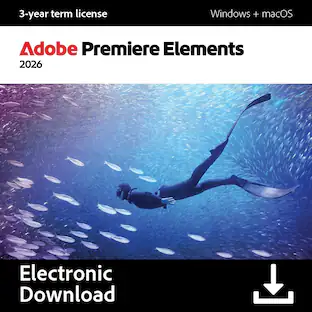
Experience fast and easy video editing with Premiere Elements 2026, powered by AI and automation. Get started in a snap and grow your skills with Quick, Guided, and Advanced modes. Effortlessly trim and resize your videos and enhance them with effects, transitions, motion titles, and more. Add text to social clips, adjust color, and amp up the action with music and animations. Plus, organize your videos seamlessly for easy searching and sharing. The license offers a full 3 years of access from the date of redemption, with no automatic renewal. The 3‐year term license begins once you redeem the code. Note that only one redemption code can be redeemed per Adobe account. If you are looking to redeem another redemption code, click on "Use a different Adobe ID email" on the redemption page and log into a different account. If you have accidentally redeemed multiple codes using the same Adobe account, please contact Adobe Support to receive a replacement code.
![Adobe - Photoshop Elements & Premiere Elements 2026 (1-User) (3-Year License) - Windows, Mac OS [Digital]](https://pisces.bbystatic.com/image2/BestBuy_US/images/products/500349e3-1d3f-48f8-a393-6a2b9a4d8d8d.jpg;maxHeight=422;maxWidth=264?format=webp)
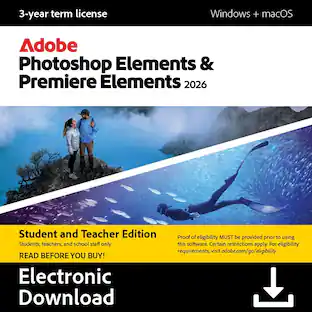
Photoshop Elements & Premiere Elements 2026 delivers powerful, intuitive tools and creative options that make photo and video editing a breeze. Get up and running fast and keep building your skills with Quick, Guided, and Advanced editing modes. Tap into AI power to easily enhance your photos and instantly generate all-new images, objects, and backgrounds, or add style with artistic effects, motion, and creative templates. Quickly trim and resize your videos and amplify the action with transitions, motion titles, text, music, animations, and more. And effortlessly organize everything for easy searching and sharing. The license offers a full 3 years of access from the date of redemption, with no automatic renewal. The 3‐year term license begins once you redeem the code. Note that only one redemption code can be redeemed per Adobe account. If you are looking to redeem another redemption code, click on "Use a different Adobe ID email" on the redemption page and log into a different account. If you have accidentally redeemed multiple codes using the same Adobe account, please contact Adobe Support to receive a replacement code.
| Pros for Corel - VideoStudio Ultimate 2022 - Windows [Digital] | |||
|---|---|---|---|
| There were no pros for this product— | There were no pros for this product— | There were no pros for this product— | Overall Performance |
Specs
Find more like this



More to consider

Explore tech essentials Sponsored
 $20.99The price was $114.99
 $59.99The price was $89.99



Discover related products
 $13.99The price was $19.99
 $30.99The price was $32.99
 $339.49The price was $365.95