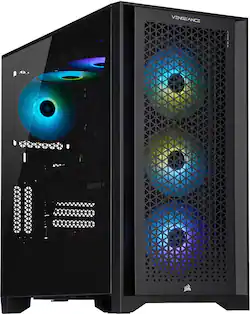
CORSAIR - VENGEANCE i7300 Gaming Desktop - Intel Core i7-12700K - 32GB Memory - NVIDIA GeForce RTX 3070 Ti - 1TB SSD - Black
- Key Specs
- Processor Model: Intel 12th Generation Core i7 (Your computer's processor is like its brain. Working in combination with system memory, the power of the processor determines the complexity of software you can run, how many programs you can have open at the same time, and how fast those programs will run. Most computers feature an AMD, Intel or Snapdragon processor.)
- Storage Type: SSD
- Total Storage Capacity: 1000 gigabytes
- System Memory (RAM): 32 gigabytes (Random-access memory (RAM) is a computing device's short-term data storage, which allows active information to be accessed quickly. The size and type of RAM determines how efficiently the device can handle large amounts of information at one time. For example, gaming or video editing requires more RAM for optimal performance.)
- Graphics Type: Dedicated (Dedicated graphics uses a separate graphics card for processing video images. Because it does not use memory from the system's RAM, there is no extra burden on the CPU and graphics are processed more efficiently. Integrated graphics shares system RAM to process video images.)
- Graphics: NVIDIA GeForce RTX 3070 Ti (Often referred to as a "graphics processing unit" (GPU), this device is responsible for displaying image content and decoding/encoding video content in programs and games.)
- General
- Brand: CORSAIR
- Model Number: CS-9050035-BB
- Product Name: VENGEANCE i7300 Gaming Desktop - Intel Core i7-12700K - 32GB Memory - NVIDIA GeForce RTX 3070 Ti - 1TB SSD
- Color: Black
- Year of Release: 2022
- Processor
- Processor Brand: Intel
- Processor Model: Intel 12th Generation Core i7 (Your computer's processor is like its brain. Working in combination with system memory, the power of the processor determines the complexity of software you can run, how many programs you can have open at the same time, and how fast those programs will run. Most computers feature an AMD, Intel or Snapdragon processor.)
- Processor Model Number: 12700K
- Storage
- Storage Type: SSD
- Total Storage Capacity: 1000 gigabytes
- Solid State Drive Capacity: 1000 gigabytes (The amount of data that can be stored on the device's solid state drive (SSD). SSD is a flash-based storage with faster speeds than a hard disk drive (HDD).)
- Memory
- System Memory (RAM): 32 gigabytes (Random-access memory (RAM) is a computing device's short-term data storage, which allows active information to be accessed quickly. The size and type of RAM determines how efficiently the device can handle large amounts of information at one time. For example, gaming or video editing requires more RAM for optimal performance.)
- Type of Memory (RAM): DDR5 (Each type of RAM delivers a different level of speed, bandwidth, energy efficiency and performance.)
- Graphics
- Graphics Type: Dedicated (Dedicated graphics uses a separate graphics card for processing video images. Because it does not use memory from the system's RAM, there is no extra burden on the CPU and graphics are processed more efficiently. Integrated graphics shares system RAM to process video images.)
- GPU Brand: NVIDIA
- Graphics: NVIDIA GeForce RTX 3070 Ti (Often referred to as a "graphics processing unit" (GPU), this device is responsible for displaying image content and decoding/encoding video content in programs and games.)
- Advanced Graphics Rendering Technique(s): DLSS (Deep Learning Super Sampling), Ray tracing (Imaging technology designed to improve graphics rendering.)
- Compatibility
- Operating System: Windows 11 Home (The operating system manages all software and hardware, including files, memory and connected devices. Most importantly, it lets you interact with your device and your programs in a visual way; otherwise, you'd be typing computer code to get anything done.)
- Motherboard Form Factor: ATX (Physical size of the motherboard, which can determine how many PCIe slots are available. Smaller board means fewer slots and features.)
- Motherboard Model Number: MSI Z690
- Connectivity
- Number of HDMI Outputs (Total): 1
- Number of DisplayPort Outputs (Total): 3
- Number of USB Ports (Total): 10
- Wireless Connectivity: Bluetooth, Wi-Fi (The manner in which a device sends data to another device over a short distance without the use of wires or cables.)
- Number Of Ethernet Ports: 1
- Network Connectivity: None (The manner in which a device sends data to another device over a long distance using a cellular network.)
- Cooling
- CPU Cooling System: Liquid
- Power
- Power Supply Maximum Wattage: 850 watts
- Features
- Customizable Case Lighting: true
- Dimensions
- Product Height: 18.3 inches (The out of box height of the item. Height is measured as the vertical distance from the bottom of the item to the top as it would be primarily used or placed.)
- Product Width: 9.1 inches (The out of box width of the item. Width is measured as the horizontal distance from one side of the item to the other as it would be primarily used or placed.)
- Product Depth: 17.8 inches (The out of box depth of the item. Depth is measured as the distance from the front of the item to the back as it would be primarily used or placed.)
- Product Weight: 30.78 pounds (The out of box weight of the item.)
- Certifications Listings & Approvals
- ENERGY STAR Certified: false (Devices carrying the ENERGY STAR service mark, such as computer products and peripherals, kitchen appliances, and other products, generally use 20% to 30% less energy than required by federal standards.)
- EPEAT Qualified: false (The Electronic Product Environmental Assessment Tool (EPEAT) was designed to provide an environmental assessment tool for purchasers. In order to qualify for EPEAT, a product must meet all 23 required criteria.)
- Included
- Optical Drive Type: None (An optical disk drive (ODD) uses a laser light to read data from or write data to an optical disc. These discs include CDs, DVDs, and Blu-ray Discs. This allows you to play music or watch movies using prerecorded discs.)
- Keyboard Included: false
- Mouse Included: false
- Warranty
- Warranty - Parts: 2 years
- Warranty - Labor: 2 years
- Other
- UPC: 840006661603
Step up your game with a CORSAIR VENGEANCE i7300 Series Gaming PC, powered by a 12th Gen Intel Core processor, NVIDIA GeForce RTX 30-Series graphics, and CORSAIR DOMINATOR PLATINUM RGB DDR5 memory. Dynamic RGB lighting brilliantly illuminates the system, with powerful CORSAIR iCUE software to control lighting, fan and pump speeds, and more. The VENGEANCE i7300 Series is cooled by an H100i RGB PRO XT liquid CPU cooler and six SP RGB ELITE fans with AirGuide technology for concentrated airflow. Equipped with a high-speed M.2 NVMe SSD, housed in a roomy CORSAIR 4000D AIRFLOW mid-tower case, and easily upgradeable thanks to a standard ATX form-factor, this is everything you need to game with a VENGEANCE.
- Game with a VENGEANCE: Built with a full range of award-winning CORSAIR components and driven by CORSAIR iCUE software for unparalleled customization and control, the VENGEANCE i7300 Series is powered by a 12th Gen Intel Core CPU and cutting-edge NVIDIA GeForce RTX 30-Series graphics.
- Liquid-Cooled 12th Gen Intel Core CPU: The latest in dynamic CPU architecture so you can game and multitask without compromise, cooled by a CORSAIR iCUE H100i RGB PRO XT liquid CPU cooler.
- CORSAIR DOMINATOR PLATINUM RGB DDR5 Memory: Leverages the latest platform for unprecedented speeds, with 12 ultra-bright CAPELLIX LEDs for vivid lighting.
- NVIDIA GeForce RTX 30-Series Graphics: Experience a new level of realism with real-time ray tracing technology for unbelievably lifelike graphics and high frame rates.
- Show Off Your System: Brilliant system-wide RGB lighting lets you create synchronized light shows with pre-installed signature lighting profiles, your own custom-created profiles, or integrated lighting that dynamically reacts to the game in real-time when playing select titles.
- Unite Your Setup: Powerful CORSAIR iCUE software allows you to monitor your system’s performance and instantly sync RGB lighting across all your iCUE-compatible CORSAIR RGB products, including fans, DRAM, and more.
- A Modern Case: Built into a roomy CORSAIR 4000D AIRFLOW mid-tower ATX case, with easy cable management, a high-airflow front panel, and a stunning tempered glass side panel to show off your RGB lighting.
- Easily Upgradeable: A standard ATX form-factor MSI Z690 motherboard makes future upgrades hassle-free.
- Wireless and wired network connectivity: Built-in high-speed Wi-Fi 6 connects your system to your wireless network, or use the blazing-fast gigabit Ethernet LAN port to plug into wired networks.
- Bluetooth 5.0 interface syncs with compatible devices: Wirelessly transfer photos, music, and other media between the desktop and your Bluetooth-enabled device, or connect Bluetooth wireless accessories.
- High-Speed M.2 NVMe SSD Storage: Never wait long for your PC to boot or your games to load.
- Ready for Multiple Displays: Connect the usual single monitor, or add even more screens thanks to 3x DisplayPorts and 1x HDMI to multiply your viewing space for work and games. (Monitors sold separately.)
- Microphone/headphone combo jack: Connect your audio with a Microphone-in/headphone-out combo jack conveniently located on the front panel I/O.
- Six 120mm CORSAIR SP RGB ELITE Fans: Built with AirGuide technology utilizing anti-vortex vanes to concentrate airflow for enhanced cooling to keep your VENGEANCE PC running at peak efficiency.
- Comprehensive Two-Year Warranty: For complete peace of mind, plus lifetime 24/7 tech support service from the world-class CORSAIR customer support team.
- Intel: Intel, Pentium, Celeron, Core, Atom, Ultrabook, Intel Inside and the Intel Inside logo are trademarks or registered trademarks of Intel Corporation or its subsidiaries in the United States and other countries.
Whats Included
- CORSAIR VENGEANCE i7300 Gaming Desktop - Intel Core i7-12700K - 32GB Memory - NVIDIA GeForce RTX 3070 Ti - 1TB SSD
- Power Cable
- Wireless Antennas
- Documentation
A: Hi, 1) This system's i7-12700K is liquid-cooled by our H100i RGB PRO XT. The GPU is air cooled. 2) The motherboard is a Z690 DDR5 motherboard. 3) This will vary by availability. 4) A hard drive cage with two 3.5" bays is pre-installed in the system. The brackets are attached to the cage. If you have any additional questions, please feel free to reach out - we'd be happy to help: support.corsair.com -Albert
Q: What is the speed of the DDR5 memory used in this build?
A: Hello OldTimer, The memory speed for this system is 4800 MHz. -Brian
Q: What size Power Supply is in this build? I don’t see it mentioned.
A: Hi Mystic, This system is equipped with an ATX form factor 850W PLUS Gold PSU. If you have any additional questions, please feel free to reach out: support.corsair.com -Albert
A: No. You'll have to buy direct. Corsair doesn't do any special orders. You get what you get. They have multiple systems on their site and you select the one closest to what you want. Prices are higher than at Best Buy.
A: The unit I just received has 4 m.2 slots and six sata. I currently have three m.2 drives installed (1TB Gen 3 / 2TB Gen 3 / 2TB Gen 4) and all working as expected.
Q: Is there a hard drive tray in the event I want to add more storage?
A: Yes. Space for two 3.5 HDDs
A: For what it is worth, my unit did not include any SATA or additional power cables. I ended just installing two additional m.2 drives (one Gen 3 and the other a Gen 4).
Q: Would I be able to install a 4K60 PRO into this system?
A: Hi JWock, Yes, there is an available PCIe slot under the GPU that would allow for you to install an Elgato 4K60 Pro into this system. You would need to remove the rear PCIe slot cover inline with the slot so that you can properly install the card. If you'd like assistance with you installation, please feel free to reach out to our support team, we'd be happy to assist you further: support.corsair.com -Brian
People also viewed
 $849.99The price was $1,049.99
 $1,599.99The price was $1,699.99
 $1,949.99The price was $2,149.99
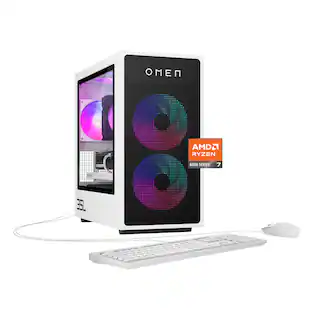 $1,389.99The price was $1,599.99
 $1,129.99The price was $1,299.99
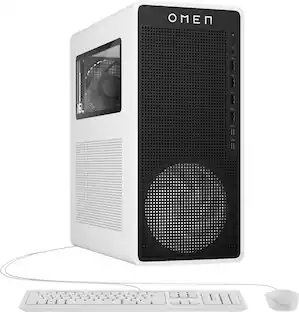 $1,309.99The price was $1,619.99
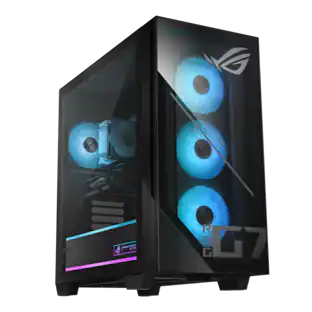 $1,219.99The price was $1,499.99
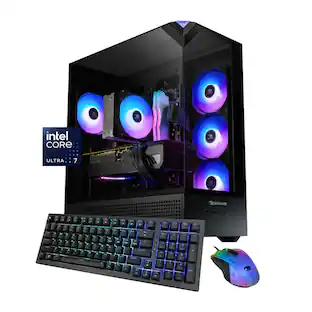 $1,799.99The price was $1,979.99
 $2,699.99The price was $3,049.99
Today's top picks
 $449.99The price was $829.99
 $2,449.99The price was $3,199.99
 $999.98The price was $1,639.98
 $199.99The price was $249.99
 $549.99The price was $749.99









