Labor Day SaleEnds September 7. Limited quantities. No rainchecks.Shop now

Skip to contentGo to Product Search
Main Content

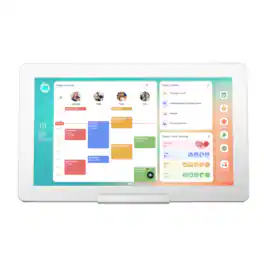
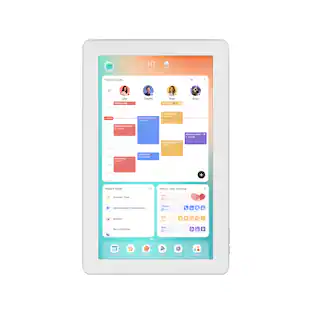
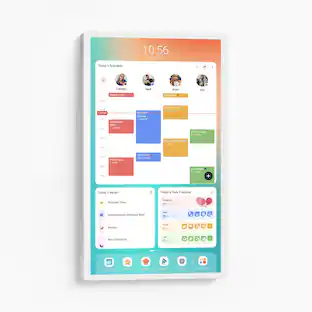
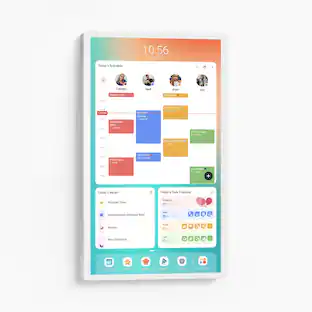
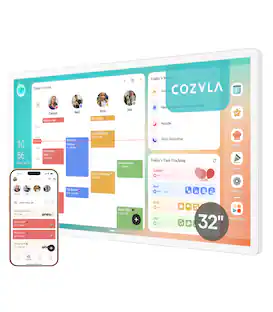
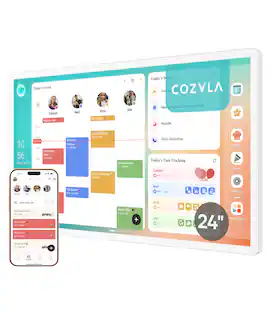
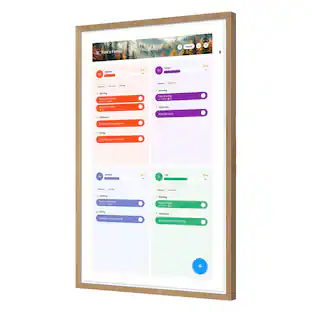
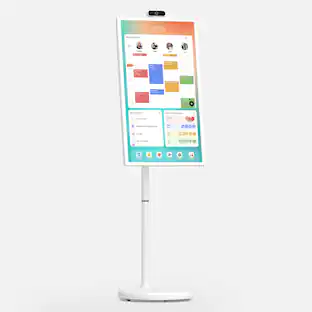
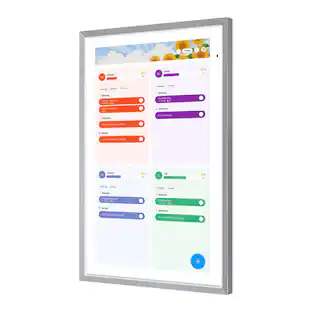
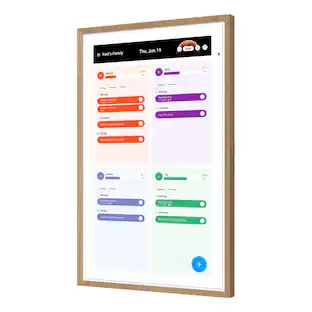
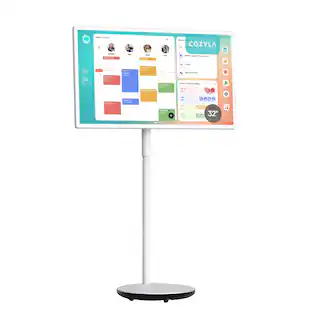
Cozyla - Digital 15.6" Calendar+2 AIO Family Hub & Planner Bundle - White

Model: CD-8S543F2
SKU: 6677331
Sold byBest Buy

Customers are saying

Customers are positive about the overall performance of the product, noting that the application is easy to use. However, customers are negative about the software usability, reporting that the app can be glitchy at times.

Generated by AI based on customer reviews.
Features
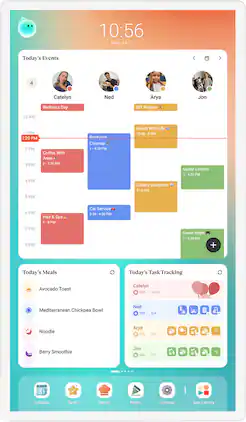
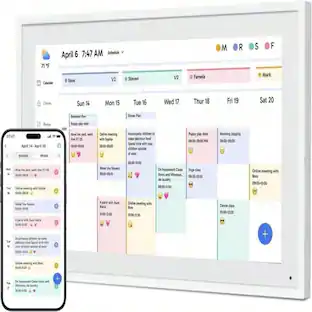
  • Shared Calendar

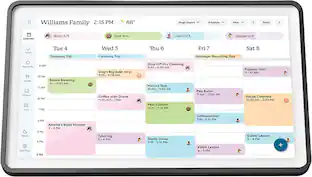
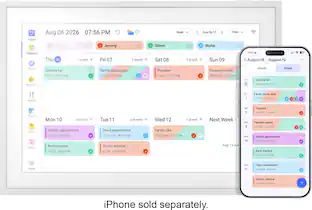
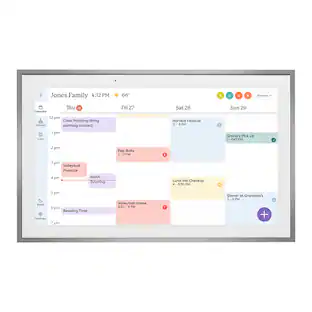
    Auto sync each member's Apple, Google, Outlook and other calendars into one unified family view.

  • Family Profiles

    Create up to 8 profiles, each with personalized color coding and individual settings.

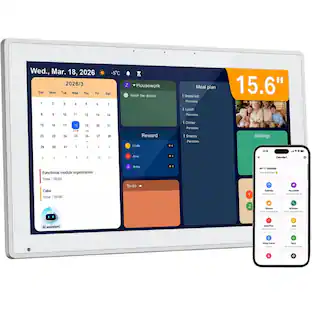
  • Customizable Dashboard

    Personalize your Cozyla's home screen with widgets, calendars, shortcuts, lists, and integrated time and weather displays.

  • Rewards

    Configure custom rewards and manage point redemptions. Smart Import converts uploaded photos or URLs into calendar events or recipe entries.

  • Companion App

    Manage Cozyla devices, schedules, tasks and meals from your phone.

  • Time and Weather::

    Keep abreast of the latest weather forecasts and time updates.

  • Google Assistant:

    Say "Hey, Google" to wake up the Google assistant hands free when adding events.

  • App Store

    Download apps that expand your device’s capabilities.

  • Smart Home Hub

    Works with Amazon Alexa and Google Home, along with any app that is compatible with Android.

  • Screensaver & Sleep Mode

    Customize screensavers and set automatic sleep schedules to reduce nighttime glow and save energy.

  • Meal Planning

    Plan daily meals and simplify family cooking with our recipe library and step-by-step instructions.

  • Cooking Videos

    Access embedded YouTube instructional videos when conducting recipe searches.

  • Grocery List

    Auto-generate shopping lists based on your meal plan.

  • Pantry Tracker

    Tracks existing ingredients, quantities, and expiration dates.

See all features
Specifications
  • Brand
    Cozyla
    Model Number
    CD-8S543F2
    Product Name
    Cozyla Digital 15.6" Calendar+2 AIO Family Hub & Planner Bundle
    Color
    White
    Product Width
    15.8 inches
    Product Height
    9.9 inches
Sponsored

Reviews

Rating 3.8 out of 5 stars with 12 reviews

75% would recommend to a friend
Customers are sayingCustomers are positive about the overall performance of the product, noting that the application is easy to use. However, customers are negative about the software usability, reporting that the app can be glitchy at times.
This summary was generated by AI based on customer reviews.
  • Display Quality (6)
  • Software Usability (3)

Customer Images

The vast majority of our reviews come from verified purchases. Reviews from customers may include My Best Buy members, employees, and Tech Insider Network members (as tagged). Select reviewers may receive discounted products, promotional considerations or entries into drawings for honest, helpful reviews.

  • Rated 3 out of 5 stars

    Nice "subscription less" family management system

    I don't come into the Cozyla Calendar+2 system without some background baggage. I bought one of their competitor products that managed and displayed family calendars on a single unit about a year ago. It was not a pleasant experience as it was hard to get everything synced, they wanted a subscription for the interesting stuff, and so I eventually returned it. A year has past and more competitors have come up so I decided to try again. This time with the Cozyla Calendar+2 (such a weird name. Was there a Calendar+1?). It advertised doing many of the family management tasks I was looking for without subscription (sort of...). While it was offered in sizes up to 32" (HUGE), I got the smallest 15.6" version. My opening experience with the Cozyla wasn't great. Setting it up, step two of the configuration is to select your wifi network and it downloads software before you can move on. I only got this far. It connected to my wifi, but would not connect to anything on the internet. I tried 3 different wifi configuration (including at my neighbor's house) and nothing worked. I had to contact Cozyla for a replacement. On the up side, they were very responsive and easy to work with. The new unit arrived in a couple of days. I was able to get it connected, updated, and ready for configuration in about 20 minutes. The Cozyla is basically a Android tablet with specialized apps running on it. If you're familiar with the Android system, you can easily navigate this system. It even gives you access to the Google apps, Youtube, and the Play store. I gave Youtube a try and it played fine although the frame speakers are horrendous. My main purpose for this was to manage the Calendars for my family of 4. It was very easy to add people to the system and get their calendars synced. We use a combination of Apple calendars and Google calendars. The Cozyla handles both well. With the Calendar management, I did have a few syncing issues where updates took time to get to the Cozyla and items entered directly on the Cozyla did not sync to my other calendars. There are still a few bugs in the system. It does have a really cool onboard AI assistant that you can talk to enter data or ask questions. Other apps on the system were for meal planning, Tasks, Routines, and an award system for finishing your chores. The meal planning was interesting because you can select online meals, it assigns it to a day/meal, and populates the shopping list feature with the ingredients. But the ingredients don't give details on how much you need. It just says "eggs" instead of 4 eggs. Kind of annoying. The reminder and task lists are nice. Nobody in my family had any interest in the rewards program built in. This just let you collect "stars" for completing tasks and chores. Parents can set up rewards (go get ice cream, go to movies, etc.) based on stars. Your mileage may vary. The Cozyla also has an app. I used the iPhone version. It was not great. I found it convenient to use for getting people into the system, but entering things on it often led to crashes or data just disappearing instead of getting to the frame. The layout and organization, as good as it was on the frame, was just confusing on the app. We stopped using it if we could avoid to. Overall the Cozyla is a nice system. Customer service was quick and easy (although I wished I hadn't had issues). It takes some time to set up, but the display is clear and well organized. Calendar syncing works fairly well, but does miss things occasionally. The fact that it's a full Android tablet is hit or miss. Great for familiarity, but bad because it has full access to the Play store. My kids loaded it up with games and YouTube windows which slowed the tablet down a lot. There are parental controls for this though. The fact that the Cozyla is "subscription less" is really nice. There is a subscription option for a more advanced AI assistant, but it's not necessary to operate the system. The app is poor though, the price high, and this makes sense for organizing a large number of calendars, but may not be needed for smaller family units.

    Posted by mjd1969

  • Rated 4 out of 5 stars

    A planning assistant for the busy bee

    I'll start by saying that this Cozily Calendar+2 is the first device of this kind that I've owned and tried. My first impressions out of the box, and probably my only nitpicks with this device are that the design of this tablet feels dated and generic. But, I'm also a bit of a tech head and used to having premium products in my hands. So that being said... I think the average person will not have any complaints about that. It is made of a solid feeling plastic, and comes with a hefty and very stable stand which allows you to set it vertical or in landscape mode. I opted for landscape mode because it just looks awkward to me in vertical mode. The screen has an anti reflective layer. So it has that textured / hazy look and feel to it. It does a decent job at keeping glares from lights overhead from reflecting on the screen. So Kudos for that. It has a volume rocker on the top and a power button. It does have built in speakers, but they are pretty low quality. They have low volume, even at max setting and they just sound tinny. But I suppose it is fine for what this device is built to do. The Cozyla assistant and OS runs on android. So you'll see some of the standard google apps pre installed. Gmail, Photos, Play store, Youtube, etc. BUT I have not been able to browse the Google Play Store and install any other apps. It is locked down by "administrator" and I cannot find a setting to disable that or allow other apps to be installed. Again, I don't think this is meant to be a tablet for media consumption or gaming so Its not a deal breaker either. It is strictly for planning you and your family's life, keeping notes, setting reminders, chores, tasks. My wife has a pretty busy work life, so she likes to keep notes and remind herself of things she needs to do, so this is perfect for our home. "Cozyla Agent" has been pretty convenient for adding everything to the calendar. You press the on screen button for it and you can just speak the task you want it to set and it will do it for you. While I haven't run into many hiccups with the Assitant, it does state that it is in early access mode currently. So I think it is safe to assume that it is a work in progress. You can set it up for multiple people in your home and assign tasks for everyone if you choose to. The best thing about this device is that it allows you to focus on organizing and planning your family and work life without the distractions of other apps and notifications from them. You know social media, games whatever else people tend to do on tablets and smart phones. Also, it stops you from using up paper and having a messy clutter around the desk. While I don't think this device is for everyone, I think the person who just loves to be really organized and plan everything would find it to be really helpful. Would I recommend it? Not to everyone.. and like I said before. This is the first and only digital calendar I own, so I don't know if there is anything better out there. But so far I think it has been good. Pros: Includes a stand, screwdriver and can be mounted on a wall. Many helpful widgets for planning and organizing Cozyla Agent is actually pretty helpful and smart about listening to voice commands Cons: Speakers aren't great

    Posted by Ponskippa

  • Rated 4 out of 5 stars

    Mid-Range Android Tablet with Calendar Skin

    Long story short - I’m impressed and disappointed at the same time. Some things I don’t like, and others I think are great. Overall though, I do recommend it because there is no subscription like the competitors and it does get the job done! It's cool that its a full on Android tablet, but that also can be a problem. WHAT I LIKE: I think it looks good. It is a nice addition to my kitchen. The UI elements and stuff are really playful and my daughters and wife think it’s cute. I like the fact I can assign chores to my daughters, and they can check it off and get stars that they can claim for rewards. For example we have limited screen time based on x amount of time! They can turn in their stars for additional screen time on their tablets or on TV. Or what other items they like on the rewards list. I even assigned some rewards for my wife… but that didn’t go over well as you can imagine! All in all its utility outweighs the paradigm shift and learning curve. It has meal planning, chore charts, tasks list, etc. Even notes. I love the fact you can change the widgets to fit your needs. ===== WHAT I DIDN’T LIKE: The App - it’s glitchy and the app also has a single login and password for everyone! Luckily we use a password manager so we can make the password more super long, but there is No 2FA at all. And I can see your Cozyla account getting hacked and the hackers learn stuff about you and change your password. I get it, it’s kind of low stakes but no one wants to get something stolen from you. So I wish they’d do more for security here! The other thing about the app, we couldn’t connect our Google account to it, it kept erroring out. So we ended up deleting the connection through our Google account, then tried again and it eventually connected. Speakers are pretty bad!!! ===== WHAT I LIKED AND DIDN’T LIKE AT THE SAME TIME: It’s a full fledged midrange Android tablet without a battery! Google Play Store and all. Once my daughter found out she can download YouTube it became an issue. Now I had to assign parental permissions. It kept trying to get me to set up a lock screen and when you do, it basically makes the digital calendar into a tablet which is a bummer. But I love the fact it has the flexibility to download anything from the PlayStore. For example we downloaded Apple Music and connected it to our party speaker, and now we have a music player for the kids to use whenever they want to do a dance party etc. So I love that it’s a full on tablet, but I also don’t like it either. And since it’s a midrange Android tablet, there’s stutter in the UI animations. Which makes me feel like I have a cheap product. +++++ So if you made it this far, I think it’s the best option mainly because I’m in Subscription Fatigue mode and I don’t want another thing to pay for monthly. And even with the things I don’t like, I do like it overall and would recommend this over its competitors for sure.

    Posted by GamingBusinessGuy

  • Rated 5 out of 5 stars

    No kids? Still worth it!

    I live in a household with no kids and just two adults. So why would I need a family calendar capable of so much? Why not just a paper calendar or share a google calendar and call it done? Well, we have tried those, and it just is not enough. Also, neither of those options gives you rewards to buy with stars you earned so yeah, we got a cozyla. So even though our house doesn’t have kids, it does have two very active adults with schedules that are always changing and a house and property that need constant maintenance and upkeep. We already share a suite of google apps like calendars and tasks and keep but it was difficult to see all our info laid out in one spot. The cozyla calendar makes it so our routines and chores and schedules can all be on one page, easy to look at and permanently on the wall. PACKAGING AND SETUP: I have the 15 inch calendar so the box was not terribly large, but everything was very neatly packed and organized in the box. There was no room for anything to get damaged. I like when an expensive product looks like they care about protecting it in shipping. And the screwdriver? Seriously, I don’t get screwdrivers this nice in my stocking at christmas. And it’s all for 3 screws. Most furniture comes with terrible screwdrivers if any at all and those require 50 or more screws sometimes. But like I mentioned, there are only 3 screws to put the stand together and that’s it. IT’S IMPORTANT to note that the 15inch model does not come with any wall mount included. BUT there is a 100x100 vesa mount on the back so you can still mount it, something I plan to do. So unboxing is easy, put the stand together, plug in the calendar screen and turn it on. This unfortunately is where I had a few snags. Walking through the setup I got to the wifi connect screen and I put in my wifi and my pw and the device would connect, but not get internet. Now, this issue is almost certainly my home network and not the cozyla, but the cozyla wouldn’t let me “forget” the network or attempt to change the password or anything like that. So I was stuck in a loop of it connecting but no network and nothing I could do. Eventually I just did setup without an internet connection and fixed it inside the settings. But it was an early frustration that thankfully didn’t lead to many more. If you are used to android OS, the setup is pretty similar and easy. Dig through the settings, find everything you want to change or turn off. The nice thing is it has access to the full play store apps so I was able to put all our shared apps on there as well. It’s just a really great way to make a family calendar. Don’t try to make your own OS, get an established one and customize it from there. OPERATION: As far as USING the calendar, I’m going to try to keep it brief because there are a lot of YT videos out there that can show you the many uses and apps. But I wanted to point out a few issues we came across early. The issue we are still trying to work out is, some of our chores don’t occur at specific times or days. For example, running the dishwasher is something that just happens when it is full. The Cozyla calendar apps don’t really have a good way of making a list of chores with no specific deadline that family members can simply look at and say, I’m going to do this today. And then have that chore still be available to do again the next day. It’s kind of hard to explain, but the point is the apps on the calendar ARE good and seem to have a lot of customizable options, but you may still find you have to do some weird work arounds to make it work for you. What we ended up doing was putting those chores in the “chore bank” which allows any member to claim them, BUT the problem is, the chore bank is not currently accessible in the mobile companion app. Which brings me to the mobile app. We have two phones, both on android OS, with the cozyla mobile app on them and both were able to connect and sync easy on the first try. The issues are, there’s no dark mode (also not available on the calendar itself other than google/android apps), and you can’t access the chore bank or adjust star counts. (I may not have found these features yet, but I have been trying to look everywhere possible in the short few days I’ve had the calendar so far). One last annoyance on the mobile app is you can’t use google calendar as your calendar view. It only shows what is on (or synced to) your cozyla calendar. We are just used to the visual layout of Google's calendar and so we are using that app and widget on the main calendar device but not on the phone app. It’s not a big deal, and obviously apps always update, but at this time, there are just a lot of features and settings missing on the mobile app. It is definitely more just for quick glances and checking schedules. You won’t be setting up complex settings or chores and such. OVERALL After a few days of using the calendar, what am I thinking? Mostly that I want to earn more stars and cash them in. Yes we are full adults, married, with no kids but that doesn’t mean we don’t like winning prizes and points for doing our chores. There is a lot to get done around our house and we both have individual chores we do as well as basic stuff that either one of us will do as needed. The latter is where the chore bank comes in. When making a new chore, you can add it to the chore bank and anyone can see it and do it, thus earning the stars as well. Our individual chores go to our respected profiles and we can keep track of them easier. A lot of things we just forget to do in the past but now we can simply make a chore for, say, every 3 months change the air filter. Something I may forget to check otherwise. The routine has also been helpful to make sure we’re not forgetting to do something during our busy days. Plus if you remember to do it, you get stars. So the stars are actually more fun than we thought they would be. Essentially setting a value to every chore and routine and then creating your own rewards and cost. We have been slowly coming up with more and more rewards to try to earn and it just makes the whole thing a little more fun and a friendly competition. If you have to do the housework anyway, you might as well earn something for it right?! I think the Cozyla calendar is the best option for our house of all the other smart calendar displays. The fact that I don’t need to sign up for any subscription costs or license or watch an ad before I can add a chore is really enough on it’s own to buy this over others. But including the google calendar integration and android OS just made it a no brainer for us. If these two absentminded brains floating around this house can actually get stuff done now, it’s worth it in my book.

    Posted by bTobin

  • Rated 3 out of 5 stars

    Family Calendars all in one place

    The Cozyla - Digital 15.6" Calendar+2 AIO Family Hub & Planner Bundle - White offers a means to capture and organize the whole family's calendars and to-do's in one convenient and organized place. Perfect for a family with many moving parts, such as sports and school dates. The Cozyla brings all of this information into an easy to read, easy to use tablet where everyone can see what is on the agenda for today and for whom. This Android-based table is ready to keep it all organized for you and to help create check lists and goals for the whole family. I found the Cozyla to be a decent tool for those willing to use it, however, it takes intentionality and commitment, like anything, to be used well and to be useful. Set up was easy, the app works good, but I found that it often gets forgotten on the corner of the room and not used. The Calendar Sync feature was a nice tough and my wife has used it more than anyone to help keep tabs on medical appointments, but she seems to be the only one benefiting from it and I feel it will not be used to its fullest potential. We had to remove the screen lock function as the black screen made this tool forgotten even more. Now that the screen is always on and the basic calender is showing, it has helped remind us it is there. PROS - Good layout and interface - Right-sized for a countertop or wallmount without being too small to read or too big to take up space. - App is easy to use and setup is reasonable for most users - Access to upload and sync calendars from a variety of sources including Google, Outlook, and more CONS - Not going to be right for everyone. I can see in our family a printed calender could be just as easy/useful rather than needing this technology.

    Posted by IronHorseGPS

Compare similar products

Cozyla - Digital 15.6" Calendar+2 AIO Family Hub & Planner Bundle - White
3.8(12)

Cozyla's Digital Calendar+ 2 brings together every family member's schedules, routines, chores, and meal plans into one smart display with CalendarOS
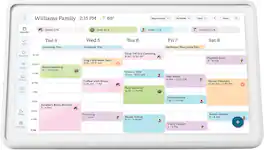
Cozyla - Digital 24" Calendar+2 - White
4.9(14)

Cozyla's Digital 24" Calendar+ 2 brings together every family member's schedules, routines, chores, and meal plans into one smart display with CalendarOS
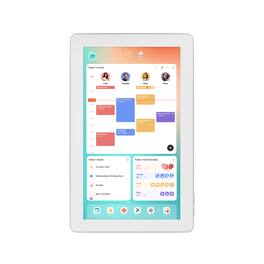
Cubilan - 10.1 Inch Digital Calendar Chore Chart - White

This 10.1-inch smart digital calendar is a thoughtful helper for family life! Equipped with a touchscreen, it syncs schedules across multiple platforms, plans dinners, and tracks chores—keeping the whole family’s agenda clear at a glance. It works as both a smart planner and a digital photo frame to display photos, with auto-brightness adjustment, auto-rotation, and mobile remote management anytime. It makes life arrangement easier and more organized, an essential smart tool for home.

Skylight - Calendar Max: 27 inch Touchscreen Smart Calendar and Family Organizer - White

Skylight Calendar Max 27-Inch Digital Calendar & Daily Planner, Touchscreen Smart Display For Work, Office and Family Schedules

Pros for Cozyla - Digital 15.6" Calendar+2 AIO Family Hub & Planner Bundle - White
Display QualityDisplay SizeThere were no pros for this productEase of Use, Overall Performance, Organization, Screen Size, Features
Cons for Cozyla - Digital 15.6" Calendar+2 AIO Family Hub & Planner Bundle - White
Software UsabilityThere were no cons for this productThere were no cons for this productThere were no cons for this product

Specs

Be the first to ask a question.

We’ll try to get your question answered within 24 hours by a Best Buy customer or brand representative.

No content
Sponsored

Finance Options

My Best Buy® Credit Card
Choose a benefit:Or
Buy Now, Pay Later
Lease to own