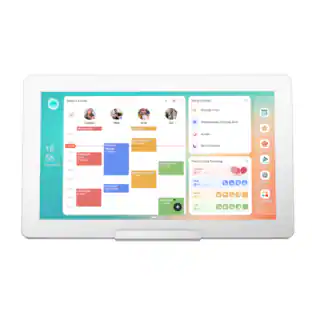
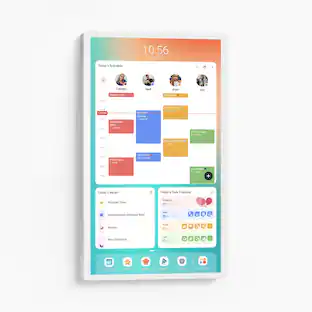
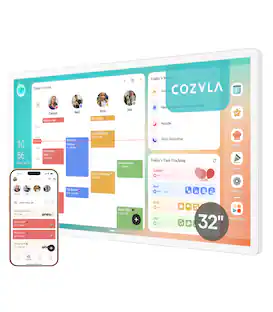
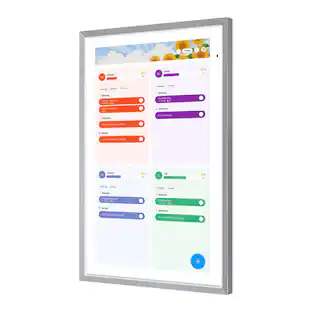
Customers frequently mention their appreciation for the 24-inch display size of this product. Users find the screen dimensions to be a highlight of their overall experience.
Generated by AI based on customer reviews.
Features
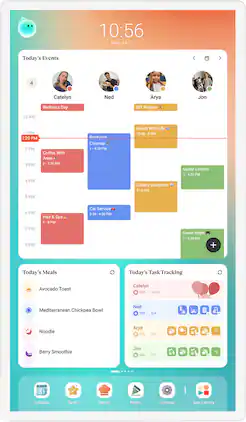
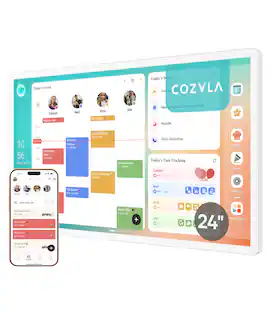
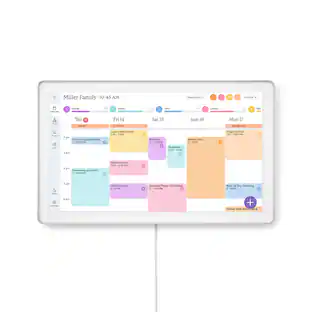
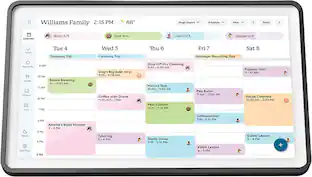
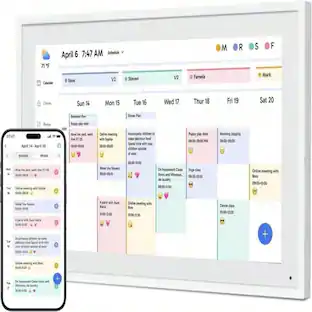
Shared Calendar
Auto sync each member's Apple, Google, Outlook and other calendars into one unified family view.
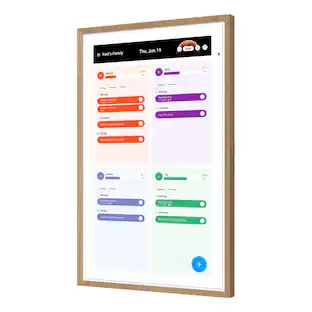
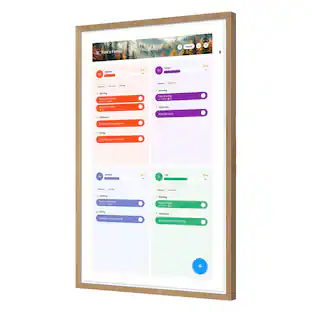
Family Profiles
Create up to 8 profiles, each with personalized color coding and individual settings.
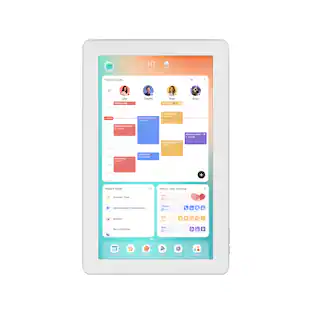
Customizable Dashboard
Personalize your Cozyla's home screen with widgets, calendars, shortcuts, lists, and integrated time and weather displays.
Rewards
Configure custom rewards and manage point redemptions. Smart Import converts uploaded photos or URLs into calendar events or recipe entries.
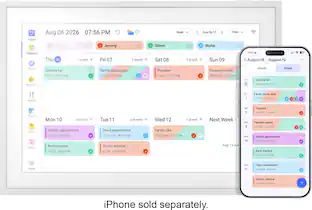
Companion App
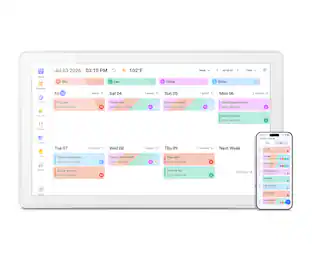
Manage Cozyla devices, schedules, tasks and meals from your phone.
Time and Weather::
Keep abreast of the latest weather forecasts and time updates.
Google Assistant:
Say "Hey, Google" to wake up the Google assistant hands free when adding events.
App Store
Download apps that expand your device’s capabilities.
Smart Home Hub
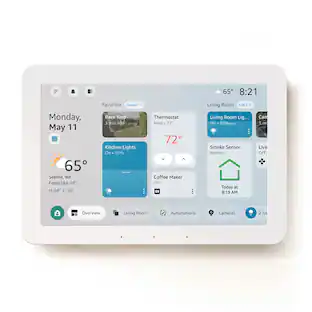
Works with Amazon Alexa and Google Home, along with any app that is compatible with Android.
Screensaver & Sleep Mode
Customize screensavers and set automatic sleep schedules to reduce nighttime glow and save energy.
Meal Planning
Plan daily meals and simplify family cooking with our recipe library and step-by-step instructions.
Cooking Videos
Access embedded YouTube instructional videos when conducting recipe searches.
Grocery List
Auto-generate shopping lists based on your meal plan.
Pantry Tracker
Tracks existing ingredients, quantities, and expiration dates.
Customers are sayingCustomers frequently mention their appreciation for the 24-inch display size of this product. Users find the screen dimensions to be a highlight of their overall experience.
This summary was generated by AI based on customer reviews.
Display Size (5)
Customer Images
The vast majority of our reviews come from verified purchases. Reviews from customers may include My Best Buy members, employees, and Tech Insider Network members (as tagged). Select reviewers may receive discounted products, promotional considerations or entries into drawings for honest, helpful reviews.
Rated 5 out of 5 stars
Useful for the family and fun too!
Our first Cozyla was shipped and arrived with a broken screen. A new device was promptly shipped and arrived safely.
It comes with wall mount instructions, a template, mounting kit, drill bit and screwdriver. Very easy instructions for mounting. We chose to purchase a stand and place Cozyla on our kitchen counter to use for meal preparation. If we had wall mounted near an outlet, it would have been across the room.
I really like the 24” size – not too big or small. Very easy to read without glasses. The touch screen is excellent and much appreciated.
Use your Gmail account as the Cozyla works well with Google. It does auto sync some of your apps associated with your Google account.
The matte screen is nice to prevent glare.
Everyone can have their own account with an avatar and color. You can setup security settings for children.
There are so many tasks/tools that can be coordinated:
Calendar
Meal Planning
Chore Chart
Tasks
Etc…
A tip for syncing a calendar that goes from the Outlook program (not Hotmail) to Gmail calendar via CompanionLink, just setup to sync from Gmail. It may give a few error messages but add the calendar on the screen and try to sync. Then go to the Cozyla app and add it there too. For some reason that worked.
There are many customizable settings including display, auto-rotate, screen lock, time outs, etc… It will take a while to learn all it can do. Lots of options since it connects to the internet.
We really love this calendar and it’s fun too!
Posted by 47states
Rated 5 out of 5 stars
a must own product for your home
if you’ve been wanting a digital calendar to replace your typical calendar, I used to use. I would highly look into of owning one of these Cozyla calendar +2. It offers a ton of feature that helps with your day-to-day planning activities, is an easy way to track things going on with your life for family member or everything shared in one screen. Cozyla also offer multiple screen sizes all the way from a 1080p to a 4K panel. I’ve been testing this for about five days now and I just wanna give my input on what I think about this Cozyla calendar +2.
DEVICE:
First off the packaging of Cozyla+ they did a great job presenting the product with minimal tax around the box and opening the product itself. Your presented with the screen at top and inside the box, you also get a mounting bracket a screwdriver and all the accessories and needs to be able to mount on the wall. Inside the box, there’s also a picture guide to help you mount the device properly, which is something that I did not use what I have here is the 24 inches 1080p, even though it’s 24 inches I thought the screen itself packs a good amount of weight beyond the design is very minimal and clean. You only have the power button on the side and the volume buttons looking at the screen the bezels is pretty thick and matted display. Experience on mounting Ds is fairly simple. You have two metal pieces. One of them is the main bracket that you have to screw in while the other would be where you would screw in the monitor. The power cord is decent length you would need to plan your route when it comes to plugging this to the outlet in case you want to be able to spin the monitor for panoramic mode.
FEATURES:
One of the best thing about the Cozyla Calendar is that it runs on android so the possibility on this is endless, it offers the Google play store it even have the Google TV able to use YouTube Netflix or even play games if you wanted to if you really wanna tinker on this Google device, you could also install a third-party apps if you would like that can optimize the way you use this cozyla monitor. Cozyla Digital Calendar also has the ability to sync to your Apple account so all your Calendar activities can be combined. You can create up to eight profiles currently right now. I only have me and my wife, but I can see her activities from her own calendar and combine it in one big section for us to see. I know this is labeled as a digital calendar, but it does more than that Cozyla also offer meal planning that offers cooking video of how to prepare specific meal, you can even create a list with this monitor on what’s currently on your pantry. He also provides the time and the current weather.. Cozyla also have these task section where you can create a specific task if you want it for every day or every month or weekly for example, you can create a task for fixing your bed taking a shower brush, brushing your teeth and you’ll just go to the screen and mark it if you finish that current task. They even offer a reward system so every time you complete this task you get points. It’ almost has like a competitive aspects because if you have multiple family member that’s using the Cozyla+ you can see who has the most credit if they are doing those task properly.
Setting up the monitor, you will need the Cozyla companion app, pretty much this app does almost everything that you would need to sync it with this monitor. You can plan schedule using the app do task even meals check certain things that you need for groceries or update things what’s inside your pantry or inside the fridge. Godzilla even have their own AI, I’ve tried to use it, but it’s a bit slow. I honestly would just prefer using the Google AI.
EXPERIENCE:
Again, installing and setting up, everything was fairly simple with with this Cozyla digital calendar. I wanna touch base again about the resolution of the screen it is 1080p so you might notice a bit of pixel on edges it’s a mad screen, so it helps around reflection around the house, especially if it’s facing across a window, the responsiveness of the touchscreen has been working pretty good. I did encounter a little bit of issue or the screen would lag and the screen would randomly turn off. Just a reminder I did update this cozyla device to its latest firmware update, after doing that, sometimes if I switch the monitor to vertical mode the screen with lag and navigating through the applications, the screen which just shut down, clicking the power button did not do anything which requires me to even unplugged the powercord, which it would require you to hold the power button for a few seconds until the whole monitor reboot, again I just wanna say I love this monitor. It’s been serving me really since it’s running on Google software I’ve downloaded Netflix for my kids to watch. I’ve tried Google TV as well. The setting options inside the Cozyla calendar. Gets a bit confusing. Hopefully they update the screensaver section of of this monitor. Godzilla needs to have a section for random background. Currently, you only have to pick which background you want for screensaver and you’re stuck with that background forever. They do offer for you to select your Google photos instead, but even the Google Photos doesn’t support shuffle so it starts with your most current photos and it goes down one by one which is kinda annoying because I would prefer it for the photos to be shuffled. But I love the fact that Castillo gives you a ton of option to customize the theme the color the background of your own calendar so not every Calendar would look the same. The best part about the cole system honestly for me would be the meal planning. There are tons of recipe that you can cook, I’m not sure how often they update this menu. But you have hundreds of meal that you can easily click and shows you every ingredients of how to make that meal for that day. You can also create your own recipe that you wanna add in the system as well you can import recipe so if you have the The website to the link of the recipe, it can be added in Cozyla. Again, you can even create beverages if you want dessert snack some side dishes if you would like and ability to add them on your favorites. I also love the fact that this screen has a Notes section, sometimes it’s just a lot easier to remember when you could see it on the bigger screen, and I love the fact that Cozyla also included that.
CONCLUSIONS:
my overall experience with the cozyla digital calendar honestly it’s been great. I don’t think I can ever go back to a regular calendar now I got it installed near the kitchen area so it’s a lot easier for everyone to see. beside all the slow down and weird issue ve experienced this monitor has been getting daily used. my little 5 months been loving watching his show. ive been enjoying browsing around on what meal to prepare that the screen provides. theres just tons of use here. connecting apple calendar was a bit of a steps though so I doubt none tech savvy people probably would not even bother to do so, but having my apple calendar sync is such a huge game changer. please cozyla have an update where I can shuffle the screensaver back ground. maybe improve the performance a bit more, if youre been playing to own one of these digital calendar I highly recommend cozyla I think its a great device for your home to check out.
Posted by Naztynestor
Rated 5 out of 5 stars
Family organization made simple
The Cozyla offers a central hub for you and members of your house hold to convene and see what the daily chores are and upcoming events. This might just be the next tech you need to help keep your family more organized and up to date on upcoming events.
So out of the box you kind of get everything you need to get you started. My particular unit provided everything on down to an included screw driver and drill bit. What it did not include was mounting screws and anchors which it was supposed to have. I will say this unit is a little girthy and does have some weight to it, so proper mounting and anchor selection is going to be key and require some basic knowledge if you plan to mount it to your drywall. Diving right in to it this unit offers a direct connection to your smart phone via the provided app and allows you to transfer over several items including and events already lined up on your personal calendar. You can set up individual profiles and avatars for different members of the household. If you have younger kids you can set up a chore list as to what needs to be done each day and week for each child. You can then set up a reward system so that if they complete xxx amount of chores they then receive said reward. You set the reward for things like extra TV time or extra video game time, etc. For me the calendar is the biggest assets as i have 3 teenage kids all in different sports and all with different plans. I work so many hours i never know what's going on but what makes this nice is i can simply look at the calendar as i leave the house for work and see what events i have going on today and which kid needs to be where this way i don't someone at practice (yes it happens to the best of us). One of my favorite feature was the built in meal planner. You can set up meal preps for each day of the week with step by step instructions on how to make whatever it is your looking to eat.
At the end of the day the amount of possibilities as to what you can set up on here is endless and i would be here talking about it for days. This is absolutely a must have for anyone with kids and a busy schedule. This will eliminate dry eraser calendar boards and help your kids keep up with family chores. If you work long hours and tend to forget events such as myself, then your only hurting yourself by not having one these calendars set up in your main family kitchen or living area.
Posted by Crasher
Rated 5 out of 5 stars
More useful than expected
The Cozyla 24” Calendar+2 has really been a pleasant surprise. It’s one of those things you don’t realize how much you need it until you have it. At its core, it is essentially a 24” Android tablet with custom apps. This isn’t a bad thing. It’s similarities to how you use a smartphone or tablet makes this very intuitive to use. Syncing our calendars to it was a breeze. I can’t tell you how nice it is to not constantly have to ask my better half what her schedule is. Now her schedule is right on the kitchen wall. And it’s much more than just a calendar. You can browse the web, watch YouTube, store recipes, ect. Essentially anything you might do on your phone but on a giant tablet on the wall for the entire family to use. Honestly, this is a game changer for us when it comes to keeping track of our schedules. It syncs perfectly with whatever calendar app you use: Google, Apple, and so on. And keep in mind you don’t have to constantly tell it to update. It does it on a set schedule. Or, you can add to the calendar on the Cozyla and it will then sync to your phone. Supper handy. And I have to give Cozyla credit for the excellent instructions that made mounting to the wall a breeze. They even included a nice screwdriver & drill bit. My one and only minor complaint is the power adapter. The cord itself is fine, but the brick that plugs into the wall sticks out a bit. A different plug design that sits flush with the wall would be a great improvement for the future. All in all a great item that I’m glad we have.
Posted by Duluthian
Rated 5 out of 5 stars
Great Way to Manage a Busy Family
We’ve been really happy with the Cozyla 24" Calendar 2+. The large screen is easy to read, the calendar layout is clear, and it has made it much easier for our family to keep track of doctor appointments, reminders, and daily plans in one place. It looks great on the wall and feels like a practical upgrade from managing everything across phones or paper calendars. It also includes standard VESA mounting, so it can attach to a monitor stand for more flexible setup options. We have ours on a movable monitor stand, which makes it easy to place wherever it is most convenient.
We like it so much that we’re planning to get a second one for my father-in-law. It’s especially useful for quickly seeing what’s coming up without needing to open an app or ask someone else for the schedule. Another nice bonus is that it runs on the Android operating system, so you can download apps and games from the Play Store.
The only downside is that there isn’t a web interface. Having the option to manage the calendar from a browser would make setup and ongoing updates even more convenient. Other than that, it has been a great digital calendar and one we’d definitely recommend.
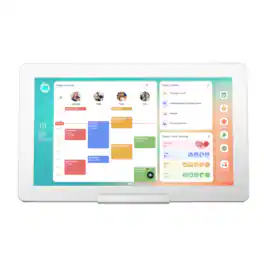
Cozyla's Digital 24" Calendar+ 2 brings together every family member's schedules, routines, chores, and meal plans into one smart display with CalendarOS
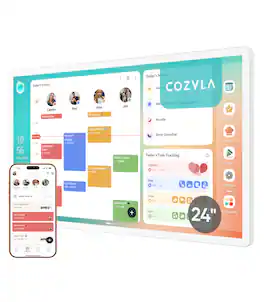
Cozyla's Digitial 36" Calendar+ 2 brings together every family member's schedules, routines, chores, and meal plans into one smart display with CalendarOS
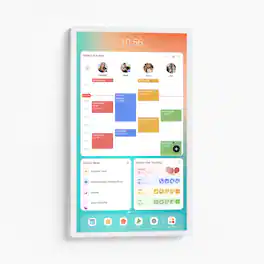
Calendar Max is Skylight's biggest calendar yet! Great for any living space, this extra-large, 27" HD display can be mounted in a portrait or landscape orientation, and helps busy families like yours stay on top of everything. From schedules and chores to tasks and dinner plans, Calendar Max clearly organizes all of the details in one, centralized spot, so everyone in your family is always on the same page.
Pros for Cozyla - Digital 24" Calendar+2 - White
Display Size
Display Quality
Display Quality
Ease of Use, Overall Performance, Organization, Screen Size, Features
Cons for Cozyla - Digital 24" Calendar+2 - White
There were no cons for this product—
Software Usability
There were no cons for this product—
Specs
Questions & Answers
Is this compatible with Apple or just Droid products ??